


Music Production Software article
Music Production Software for Beginners: A Complete Guide
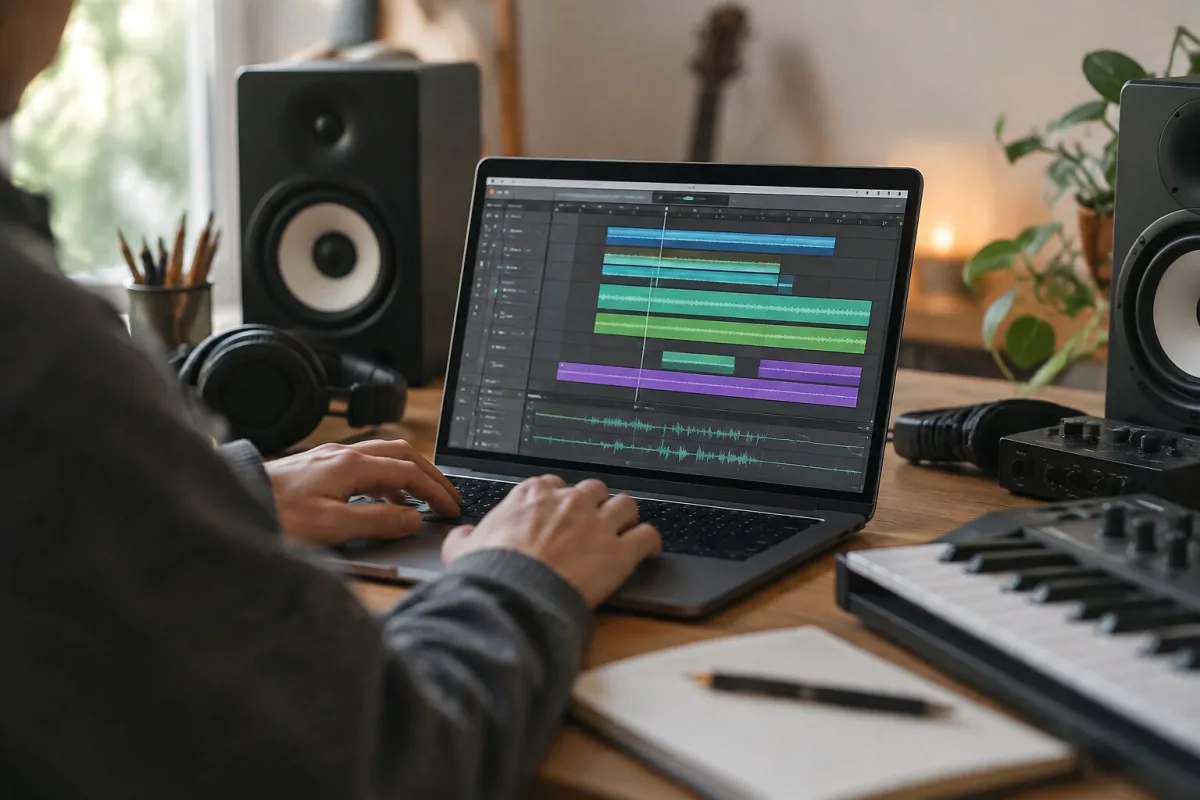
If you're thinking about making music on a computer and you don't have a clue where to start, that's absolutely fine. Music production software looks intimidating when you first open it—all those faders and buttons and terminology that makes no sense. But here's the thing: every producer on earth started confused by a DAW. The complexity is real, but you don't need to understand everything at once. You just need to understand enough to start, and then learn as you go.
What You Actually Need to Get Started
You need a computer (Mac, Windows or Linux), a DAW and headphones or speakers. That's genuinely it. You don't need a microphone or audio interface yet. You don't need expensive plug-ins. You don't need a fancy controller. Start with what you have, and add equipment as you figure out what you want to make.
Choosing Your First DAW
If you have a Mac, start with GarageBand. It's free, it's simple enough to understand quickly and it actually works. You can make a real song in GarageBand. If you want something more powerful but still free, download Reaper's trial (it's full-featured, just nags you after 60 days). If you're serious about electronic music, Ableton Live's trial. If you want something affordable and permanent, Reaper costs £50 and works on Windows, Mac or Linux.
Don't worry about choosing the "wrong" DAW. You'll learn whatever you start with, and skills transfer between DAWs. Pick something, download it and start making.
Understanding the Main Window
When you open a DAW for the first time, you'll see tracks (vertical lines where you'll put audio or MIDI), a mixer (where you adjust levels), a timeline (showing where you are in the song), and various editors below. This looks overwhelming. Ignore most of it. Focus on one thing: recording an idea.
Your First Recording: Just Press Record
Create a new audio track. Plug in a microphone or instrument, or just hum into your computer's built-in mic. Press record and perform something. Anything. You'll see a waveform appear on the track. That's your recording. Stop recording, play it back. You've just recorded audio in a DAW. That's step one and you're done.
Your Second Idea: Playing with MIDI and Virtual Instruments
Create a MIDI track. You'll see a piano keyboard appear. Click on the keyboard or draw notes in the piano roll (a grid showing notes over time). Play it back. You just made a melody with a software instrument. That's step two.
This is where DAWs feel magical. You don't need a physical keyboard to create melodies. You don't need to sing or play an instrument. You can just click notes into existence and hear them back with any sound you want.
The Three Things You Need to Know About Audio vs. MIDI
Audio is sound. When you record your voice or a guitar, you're recording audio. It's fixed. You can adjust its volume, you can add effects, but you can't change what note it is without tools like pitch shifting.
MIDI is performance data. It's notes and timing information. A MIDI track doesn't make sound by itself; it controls a virtual instrument (a software synthesizer, drum machine or sampler). You can record MIDI, and then change it: transpose it to a different key, adjust the timing, change the notes, change which instrument plays it. MIDI is flexible in a way audio isn't.
Together, they're powerful. You might record audio of yourself singing and MIDI of drums and bass, and combine them in one song.
Adding Effects Without Leaving the DAW
Once you've recorded something, you can add effects without buying anything. Your DAW includes reverb, delay, compression and usually other effects. Click an effect slot on a track, select an effect, and suddenly your vocal has reverb or your drum sounds compressed. That's where the DAW magic really starts. Professional reverb plug-ins cost hundreds of pounds as hardware; your DAW probably includes them free.
The Mixer: Don't Overcomplicate It Yet
The mixer looks complex. It's actually simple. Each track has a volume fader. You move the fader up, the track gets louder. You move it down, it gets quieter. Pan (left/right stereo placement) works the same way. Start there. Once you understand volume and panning, muting and soloing tracks, you understand the basics. Everything else—routing and buses and auxiliary channels—can wait.
Starting a Simple Song: A Template
Create one audio track (for vocals or guitars). Create one MIDI track (for drums). Create another MIDI track (for bass or melody). That's a functional three-piece band. Record or program something on each. Adjust the volumes so you can hear them all. Add a bit of reverb to the vocal. You've just made a song structure.
The One Thing Not to Do Yet: Don't Get Lost in Editing
DAWs let you edit audio down to the sample level, quantize MIDI timing to the millisecond, adjust every parameter infinitely. That's powerful. It's also easy to waste a week perfecting something that was already good. As a beginner, try to finish ideas. Record or program something, move to the next part, get a basic structure down. Perfect takes can wait until you've finished a few songs.
How to Actually Learn: Projects, Not Tutorials
Watch tutorials if they help, but they can also overwhelm. Better: open your DAW, record something, play with it until you break it (you won't break anything permanently), figure out how to fix it and keep going. Making a finished song teaches you more than a hundred tutorials.
Your Computer and Performance
If your DAW is struggling (audio crackling, visual lag), it's probably a performance issue. Close other programs. Reduce the number of plug-ins you're using. Increase your buffer size (this introduces a small latency delay, but lets your computer handle more). You don't need a gaming PC to make music. Even an older computer can produce great work if you're smart about it.
When to Buy an Audio Interface
Start recording with what you have. Once you're ready to record better audio (a guitar or vocals that sound less like you're recording on your phone), get a basic audio interface. Something like a Focusrite Scarlett 2i2 costs £100 and turns a dodgy built-in microphone into something usable. Until then, your computer's built-in mic is fine for learning.
Conclusion
Music production software looks complicated because it is complicated. But you don't need to understand all of it to start making music. Pick a DAW, record something, program something, add an effect, and listen back. That's producing. Everything else—mixing, mastering, advanced MIDI techniques—builds from those basics. Start simple, commit to finishing ideas, and the learning will happen naturally.






Comments