


MIDI Drum Pads Buying guide
Midi Drum Pads: A Complete Buyer's Guide
Selecting the right MIDI drum pads depends on your workflow, budget, and intended use. This guide helps producers identify which controller genuinely supports their creative work.
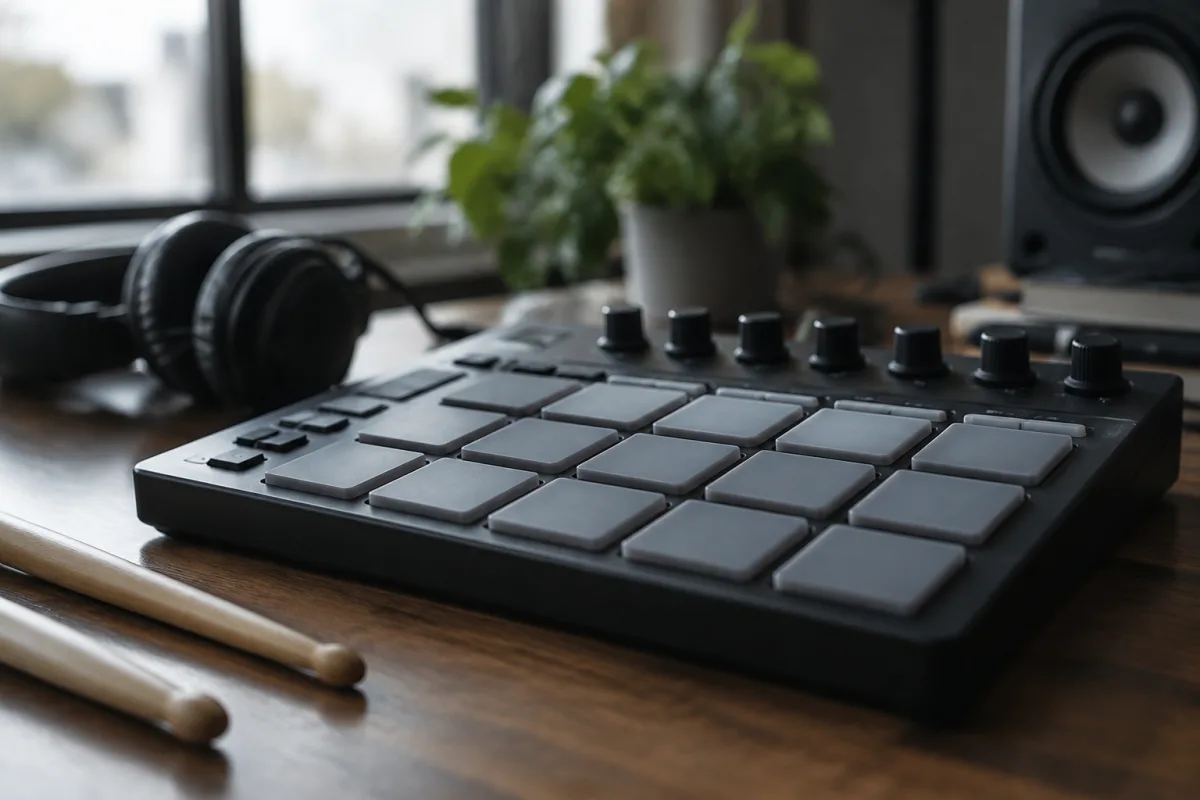
Selecting the right MIDI drum pads depends on your specific production workflow, budget, and intended use rather than simply choosing the most feature-rich or expensive controller available. Whether you're programming drum tracks in your DAW, performing live with electronic percussion, or building a portable production setup, MIDI drum pads range from compact single-instrument controllers to comprehensive production stations. This buying guide cuts through the specifications to help you identify which MIDI drum pad setup genuinely supports your creative work.
Understanding MIDI Drum Pad Categories and Applications
Standalone MIDI drum pad controllers contain integrated pads, buttons, and controls in a self-contained unit, connecting to your DAW or hardware via USB or MIDI. These offer maximum portability and require minimal additional setup, making them ideal for producers valuing simplicity and mobility.
Integrated production controllers combine drum pads with keyboards, sequencers, and additional controls in one device, designed for comprehensive production work without requiring external equipment. These suit producers building complete production setups around a central controller.
Modular systems allow you to combine drum pads with other controllers and equipment, providing flexibility to build custom configurations matching your exact workflow. These appeal to producers with specific requirements demanding customisation beyond pre-configured options.
Sampling drum pads incorporate onboard sound engines and sampling capabilities, functioning independently without requiring connection to a computer. These suit live performers and producers preferring standalone operation over computer dependency.
Pad Count and Configuration Considerations
Entry-level pads typically feature 8 pads arranged in a 2x4 grid, providing essential triggering capability for basic drum programming. Eight pads suffice for simple sequences and live performance, though some producers find the layout restrictive for complex arrangements.
Standard configurations feature 16 pads in a 4x4 grid, representing the industry default balancing functionality with ergonomic layout. Most producers find 16 pads intuitive, with familiar positioning enabling quick navigation during creative work and live performance.
Expanded pad counts (24, 32, or more) suit producers working with complex sample libraries or requiring dedicated controls for different drum sounds. These configurations demand more physical space but eliminate the need for banking (switching between pad groups) during creative work.
Beyond raw pad count, consider the pad layout. Offset grid configurations (like 4x5 layouts) provide alternate ergonomics some producers prefer. Experiment with different layouts when possible to discover what feels intuitive for your playing style.
Pad Responsiveness and Playing Feel
Velocity sensitivity determines how accurately the MIDI controller responds to how hard you strike each pad. Budget pads sometimes exhibit inconsistent velocity response, requiring excessive force variation for dynamic control. Professional pads offer sensitive, linear velocity response rewarding subtle playing dynamics.
Pad resistance and rebound speed affect playability considerably. Pads that feel mushy or unresponsive discourage expressive playing, whilst oversensitive pads trigger unintended notes. Test pads in person whenever possible—playing feel is profoundly personal and impossible to fully evaluate from specifications alone.
Aftertouch capability (continuous pressure control after initial strike) enables expression-based performance techniques. Some controllers include this capability, others omit it. If you're building complex performance pieces incorporating pitch bending or filter modulation, aftertouch becomes important.
Connectivity and DAW Integration Options
USB connectivity offers maximum convenience for computer-based production, with most devices functioning as standard USB MIDI controllers requiring minimal configuration. USB simplicity makes it ideal for studio-based production workflows.
Traditional 5-pin MIDI connectivity connects to hardware synthesisers, drum machines, and older equipment. If your setup includes hardware instruments, verify your chosen controller includes MIDI outputs.
Bluetooth connectivity enables wireless operation, attractive for mobile producers and live performers. However, wireless introduces latency (slight delay between striking pads and sound generation) that some players find problematic for expressive work. Test wireless models thoroughly before purchasing if latency concerns you.
Software bundling matters significantly. Controllers often include DAW licenses or third-party software worth hundreds of pounds. Verify what software comes included and whether it supports your existing workflow before purchasing.
Key Specifications Comparison Matrix
| Feature | Budget Entry Level | Mid-Range Professional | Premium Production |
|---|---|---|---|
| Pad Count | 8 pads | 16 pads | 24+ pads or modular |
| Velocity Sensitivity | Basic, may need adjustment | Sensitive, responsive | Premium with extensive customisation |
| Additional Controls | Minimal (maybe volume/filter) | Knobs, buttons for real-time control | Extensive controls (faders, pads, buttons) |
| Build Quality | Plastic, durable but lightweight | Reinforced plastic or metal, robust | Professional-grade construction, tour-ready |
| Software Bundled | Basic or minimal | Substantial software included | Premium software packages worth £500+ |
| Typical Price | £100-250 | £250-600 | £600-2000+ |
Evaluating Additional Features and Controls
Knobs and faders enable real-time parameter control during performance and production. Larger devices include dedicated knobs, whilst compact controllers sometimes assign knobs to multiple functions. Assess whether the available controls match your workflow requirements.
Built-in sequencers and arpeggiators enable standalone music creation without DAW connection. For producers working in studios, this matters less. For live performers or creators preferring standalone operation, sequencer quality becomes crucial.
Backlit pads improve visibility during live performances and dark studio sessions. Whilst not essential, backlighting prevents confusion about which pad you're triggering during intense creative work or performances.
Customisable pad colours and lighting modes enhance visual feedback and aesthetic appeal. More importantly, custom lighting can indicate pad groupings, helping you navigate complex layouts quickly.
Build Quality and Durability Expectations
Budget pads often feature plastic construction adequate for studio use but potentially problematic for regular touring. Mid-range options balance durability with cost, withstanding typical professional use effectively. Premium pads use reinforced construction designed for extreme tour conditions.
Pad longevity varies significantly. Quality pads survive thousands of strikes before requiring replacement. Budget pads sometimes show wear quickly if used intensively. Calculate usage patterns realistically—if you'll use your pads several hours daily, invest in better build quality.
Cable connections should be robust and resist damage. Examine connector quality carefully—cheap connectors introduce MIDI dropouts and frustrating disconnections during crucial moments.
Portability and Practical Considerations
Weight and size matter for mobile producers. Compact 8-pad controllers weigh minimal amounts and fit in laptop bags. Larger systems require dedicated transportation and setup space.
Protective cases and carrying solutions merit investigation. Quality controllers often lack protective cases, requiring separate purchase. Budget this cost when calculating total investment.
Power requirements vary. USB-powered controllers need only computer connection. Larger systems may require AC power supplies, complicating mobile use and introducing failure points.
Integration with Your Existing Setup
Before purchasing, verify compatibility with your DAW. Most modern controllers work with any DAW, but older systems sometimes have compatibility issues. Confirm your software version supports the controller you're considering.
Assess required cables and adapters. Some controllers need additional purchases (USB adapters, power supplies, MIDI cables) before they function. Budget these supplementary costs into your total investment.
Cross-Reference and Further Learning
For comprehensive information about MIDI drum pads and their applications in modern music production and performance, explore our complete guide to MIDI drum pads, which covers detailed specifications, production techniques, and professional applications across genres.
Making Your Selection
Identify your primary use case first. Studio production demands differ from live performance requirements differ from mobile production. This immediately filters available options. Then assess your budget realistically and test controllers whenever possible—playing feel is profoundly subjective and impossible to evaluate without hands-on experience.
Start with industry-standard options (16-pad controllers) unless you have specific reasons requiring different configurations. Standard layouts simplify collaboration and integration with other producers' setups. Once you've mastered standard configurations, you can evaluate whether specialised options better serve your developing workflow.


Comments