


Music Production Software roundup
Music Production Software: A Complete Buyer's Guide
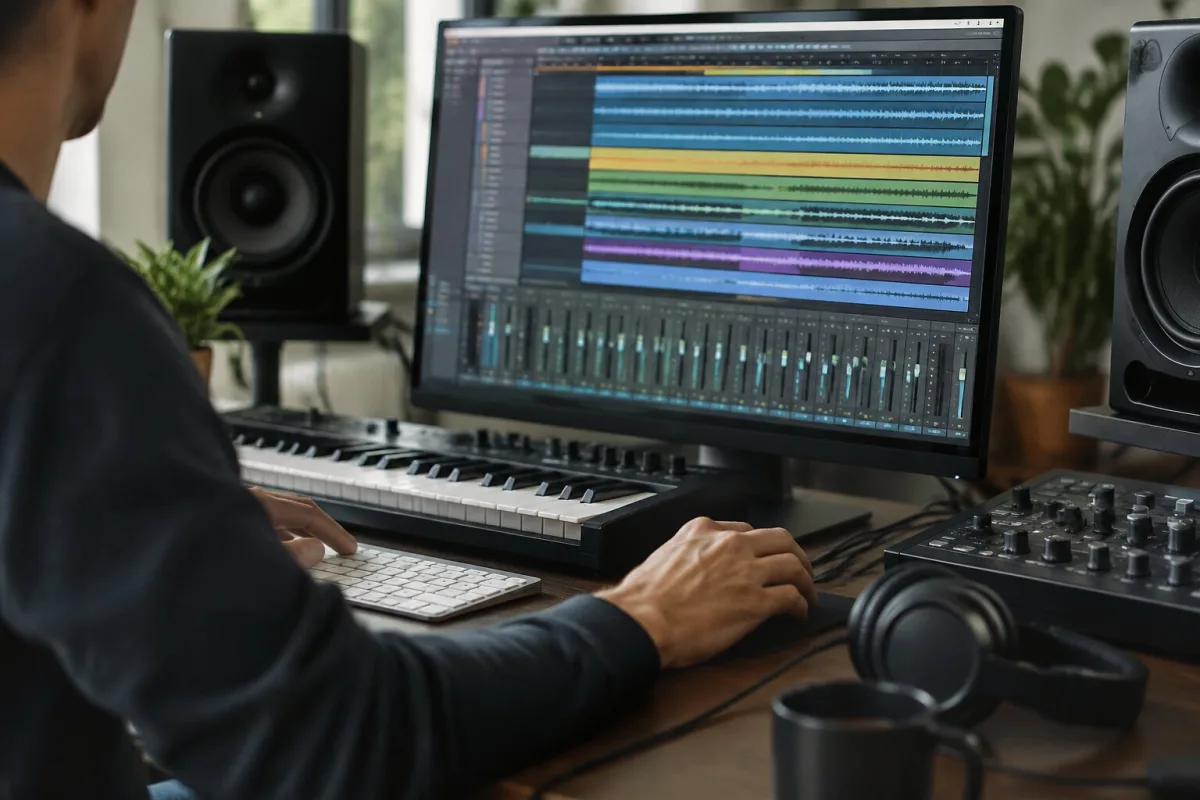
Buying music production software is like buying a guitar or a camera. You can spend £30 on decent software and make brilliant music, or spend £400 and make rubbish because it's not the tool that makes the difference—it's you. But spending time choosing wisely beats spending money fixing a poor choice later. Here's how to actually decide.
The Price Question: Do You Need to Spend Money?
You don't. GarageBand comes free on every Mac. Reaper costs £50 once for a perpetual licence. There are free DAWs like Cakewalk by BandLab and Tracktion Waveform Free that do real work. If you're starting out, you can make brilliant music on free software. You'll hit limitations eventually—fewer built-in sounds, no spectral editing, CPU limitations—but those limitations teach you things about production.
That said, there's a reason people pay for DAWs. Logic Pro at £200 is genuinely good value: you get a DAW, a huge library of sounds and effects, and all the updates forever. Ableton Live Standard at £349 is pricier but built for how a lot of electronic producers actually work. Pro Tools is expensive because it's the standard in professional studios and film production. Knowing whether you're paying for the software or for compatibility with what everyone else uses matters.
What to Actually Consider When Choosing
Forget feature lists. Everyone's DAW has compression, reverb, a piano roll and audio editing. The features that matter are the ones you'll actually use. Instead, ask yourself a few real questions.
First, what do you actually want to make? Electronic music? A clip-based DAW like Ableton makes sense. Recording a band? Logic Pro or Pro Tools. Beatmaking? FL Studio is the standard. Composing orchestral music? Cubase or Studio One. Your workflow matters more than feature count. A DAW is good if it fits how you naturally work; it's bad if it fights your instincts.
Second, what's your computer? Logic Pro only runs on Mac. Plenty of DAWs run on Windows, Mac and Linux. If your computer is older, Reaper or FL Studio will run lighter than Logic or Pro Tools. CPU efficiency matters if you're working with lots of tracks and plug-ins.
Third, who do you work with? If you're collaborating with a producer working in Pro Tools, you need Pro Tools or at least the ability to import Pro Tools sessions. If you're in a band that's all using Logic, Logic makes sharing projects easy. Collaboration compatibility is underrated as a reason to choose a DAW.
The Major Options and What They're Actually For
Ableton Live is built for electronic production, clip-based work and live performance. If you're making electronic music or you want something designed for improvisation and looping, it's brilliant. If you're recording a classical quartet, it's the wrong tool.
Logic Pro is excellent for Mac-based songwriting and recording. It's full-featured, affordable (one-time purchase of £200) and comes with a genuinely useful library of sounds. Downsides: only Mac, and if you're in a professional studio, they'll probably be using Pro Tools.
Pro Tools is the professional studio standard. If you want to work in professional studios or do film post-production, Pro Tools is what everyone uses. Downsides: expensive, requires a Pro Tools subscription, and probably overkill if you're making indie music in your bedroom.
FL Studio is the beatmaking and hip-hop standard. Drag and drop, easy workflow, excellent for electronic production. The piano roll is brilliant for MIDI. Downsides: audio recording isn't its strength and the interface looks a bit dated if you're used to modern software.
Cubase is the composition and scoring standard. If you're writing orchestral music or using lots of virtual instruments, Cubase is built for that. Downsides: fairly expensive, and if you're not composing, you're not using its strengths.
Reaper is the affordable workhorse. At £50, it does everything every other DAW does. No lock-in, steep learning curve if you expect everything to work intuitively, but obsessive customization possible. Best value if you're willing to learn it properly.
The Instruments and Effects Question
Every DAW comes with some instruments and effects. Some include huge libraries (Logic Pro, Studio One) and some include almost nothing (Reaper, Bitwig). This matters. If a DAW includes only a basic sampler and reverb, you'll need to buy third-party plug-ins. That might add £200-500 to your setup. If a DAW includes orchestral sounds, piano, drums, synths and effects, you can start making immediately. Look at what's included, not just the DAW price.
Perpetual Licence vs. Subscription
Some DAWs cost once (Logic Pro £200, Reaper £50, FL Studio £200) and you own them forever with free updates. Others are subscription (Pro Tools £55/month, Splice costs extra). Subscriptions eventually cost more than perpetual licences. But they spread the cost. If you're just starting, subscription might make sense. If you're serious, perpetual licence is usually better value.
The Portability Question: Can You Work on Different Computers?
If you work on a laptop sometimes and a desktop other times, check the licensing. Some DAWs tie to your computer; some tie to your account. Some let you authorise multiple computers; some don't. This matters if you travel or work between studios. Check before you buy.
Trial Versions: Try Before You Commit
Every major DAW has a trial version. Download it. Make a track. Spend time in it. The DAW you'll love after a week might frustrate you after a month because some workflow thing doesn't match how you think. Trial versions let you figure that out before spending money.
The Real Answer: It Matters Less Than You Think
You've heard this before but it's true. The best DAW is the one you'll actually use and not constantly second-guess. Pick one that fits your workflow and your budget, spend time learning it properly, and make music. Switching DAWs every six months because you're chasing the perfect tool is a waste of time. Learn what you've got first.
Conclusion
Buying music production software comes down to workflow, budget, what your computer can run, and who you're working with. Don't chase features. Don't assume expensive is better. Try before you buy. Commit to learning one DAW properly. The software is a tool; your ear and your ideas matter infinitely more than the brand of the tool.






Comments