


DJ Software article
Dj Software for Beginners: A Complete Guide
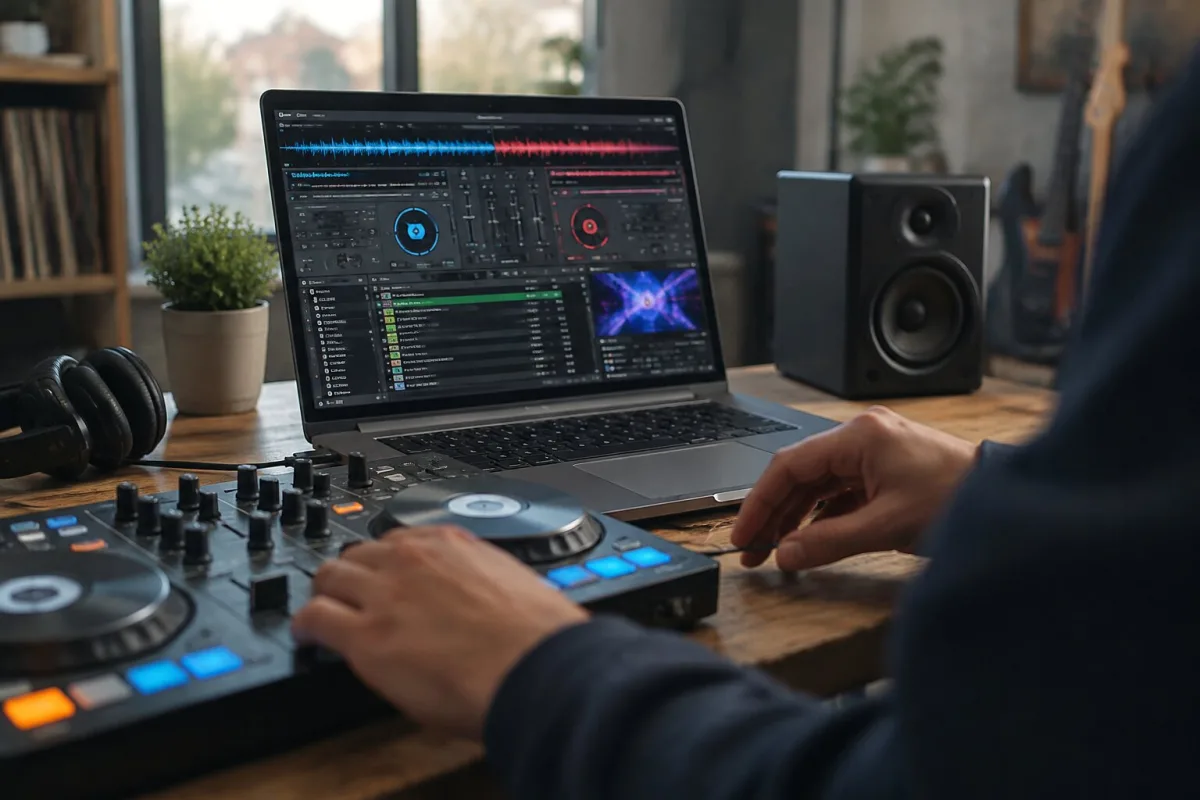
Learning to DJ used to mean spending hundreds on hardware before you could even start practicing. Today, you can download free DJ software, plug in a pair of headphones and a controller (or even just a keyboard and mouse), and begin learning immediately. I spent my early years tinkering with production on a battered laptop—no fancy gear—and I'm genuinely excited to tell you that starting is easier and more fun than you might think. Here's a beginner's complete guide to DJ software: what it does, how to start, and what to practise.
What DJ software actually does for beginners
Strip away the complexity and DJ software does one core thing: it lets you load two or more tracks, play them together, and blend between them. Behind that simple description is a universe of tools, but you don't need them all when you're starting. Two virtual decks, a mixer with a crossfader, and the ability to change the volume and speed of each track: that's where every beginner begins. Everything else—effects, loops, samples, advanced features—lives on top of this foundation.
The software analyses each track you load, detecting its tempo (beats per minute) and displaying a visual waveform. This is brilliant for learning because you can see the track's energy visually: the spiky bits are loud sections (usually drops or breakdowns), the flat sections are quieter (usually intros or breakdowns). When you load a second track, the software can automatically match the tempo of both decks—that's the "sync" button—so you don't have to manually speed one track up or slow another down. Beginners especially benefit from sync: it handles tempo instantly so you can focus on listening and mixing.
Getting started without spending a fortune
Start with VirtualDJ's free version. Seriously. It's genuinely free for home use, supports an enormous range of controllers and mixers, and has enough features to learn everything fundamental about DJing. If you don't have a controller yet, you can practice with a keyboard and mouse—clunky, absolutely, but it teaches you the logic. Once you understand the workflow, upgrading to hardware will feel natural.
Serato DJ Lite is another excellent entry point at around £100. Traktor's free trial is generous. rekordbox has a free edition for library management and learning. Most platforms recognise that beginners shouldn't pay full price before committing. Take advantage of this.
Starting with two decks and a small library
The most common beginner mistake is loading your entire music library into the software and feeling overwhelmed. You'll see 15,000 tracks and freeze, unable to decide what to play. Instead, start with 50 tracks you genuinely love. Ideally, pick them from a similar genre—say, house music, techno, or drum and bass—because similar-genre tracks usually fit together musically. Make a playlist called "Learning" and use only those tracks for your first month. You're not being limited; you're being strategic. Knowing your small library inside out is worth more than scrolling through thousands of unfamiliar tracks.
Learning to read waveforms and count bars
Most beginner DJs immediately rely on the sync button to match tempos. That's fine—it works. But don't stay there. Spend time with the headphone cue (usually a button marked "Cue" on your controller or software). This lets you privately listen to the next track before the audience hears it. That's where the real skill begins: listening for the right moment to introduce the next track. Count the bars. Every track's beats are organised into four-bar, eight-bar or sixteen-bar phrases. Most good transitions happen on phrase boundaries. If you transition in the middle of a vocal line or a big drop, it sounds jarring. If you transition when both tracks hit a natural break, it sounds smooth.
Counting is awkward at first. Most software displays a beat counter, and you'll watch it obsessively. That's expected. The goal is to eventually internalise the count so you're not staring at screens. That takes weeks or months of practice. Be patient with yourself.
Mastering the fundamentals: gain, fader and crossfader
The mixer typically has three main controls per channel. The first is gain (sometimes called "trim" or "input level")—this sets how loud the incoming signal is before it reaches the fader. Set it too low and the track sounds weak; too high and it clips, introducing distortion. Most software shows level meters. Aim for the green zone, keeping clear of the red. That takes practice because different tracks have wildly different built-in loudness.
The channel fader controls how loud that deck's output is in the main mix. The crossfader (the long horizontal fader between decks) blends between them. Move it left, hear only the left deck; move it right, hear only the right deck; move it to the middle and both tracks are equally loud. Beginners often move the crossfader too quickly, creating an abrupt transition. Slow, smooth crossfader movements sound professional. Fast ones sound like you're wrestling with the mixer.
Practise this constantly: load two tracks, press play on both, close your eyes, and move the crossfader smoothly. Do it a hundred times. It's a meditation, and it teaches your muscle memory.
Hot cues: marking the moments that matter
Once you're familiar with a track, mark a hot cue at the first beat, then another at the drop (or the most important moment). Don't go crazy: three to five cues per track is plenty. These become instant jump points during performance. If you lose your place or want to restart a track mid-performance, a hot cue gets you there instantly.
Effects are fun but not essential
Most DJ software includes effects: reverb, echo, delay, filters. They sound brilliant when used subtly during transitions. A sweep of the filter can signal that the mix is about to change. A touch of echo can fill an awkward gap. But effects are spice, not the meal. Don't spend hours exploring effects when you haven't yet mastered basic mixing. Learn the basics first—tempo matching, smooth fader work, listening—then add effects as you develop your ear.
Practice routines that actually work
Set a weekly practice routine. Pick one small thing to focus on each week: smooth crossfader transitions one week, beatmatching without sync the next, counting bars accurately the week after. Spend 30-60 minutes on that one thing. This is vastly more productive than randomly fiddling with software for two hours.
Record your practice sessions. Listen back to them honestly. You'll hear mistakes that felt fine in the moment. That's the fastest way to improve.
Join online DJ communities. Watch tutorials by DJs whose work you admire. Download mixes by professionals and try to mimic their style. This isn't cheating; it's apprenticeship.
The transition from practice to performance
Once you've spent two or three months practising regularly, try a small live set: a friend's birthday party, an open-mic night at a local venue, or a friend's radio show. A real audience—even just 20 people—teaches you things practice never does. You'll learn to read the room, to anticipate what comes next, and to stay calm when something unexpected happens (a laptop crash, a network glitch, someone requesting a track you don't have). Those lessons are priceless.
Common beginner mistakes to avoid
Don't buy expensive hardware before you're certain DJing is for you. Don't fill your library with every track you find interesting—curate ruthlessly. Don't spend hours on equipment customisation when you should be practising. Don't compare your three-month progress to a professional's ten-year skill. Don't underestimate the value of simply listening to good mixes by experienced DJs. And don't give up after a few awkward practice sessions. Everyone feels clumsy initially. It passes.
Conclusion: you're ready to start
You have everything you need to begin learning DJ software right now. Free software, free tutorials, free community forums—the barriers are lower than they've ever been. Start with a small library, focus on the fundamentals, and trust the process. Your first mix will probably be rough. Your tenth will be better. Your hundredth will surprise you. That's how this works.






Comments