


Monitor Speaker Stand Buying guide
Monitor Speaker Stand: A Complete Buyer's Guide
A monitor speaker stand keeps your ears in the mixing sweet spot and isolates vibration coupling that muddies your low-end. Here's how to choose one that doesn't sabotage your mixes.
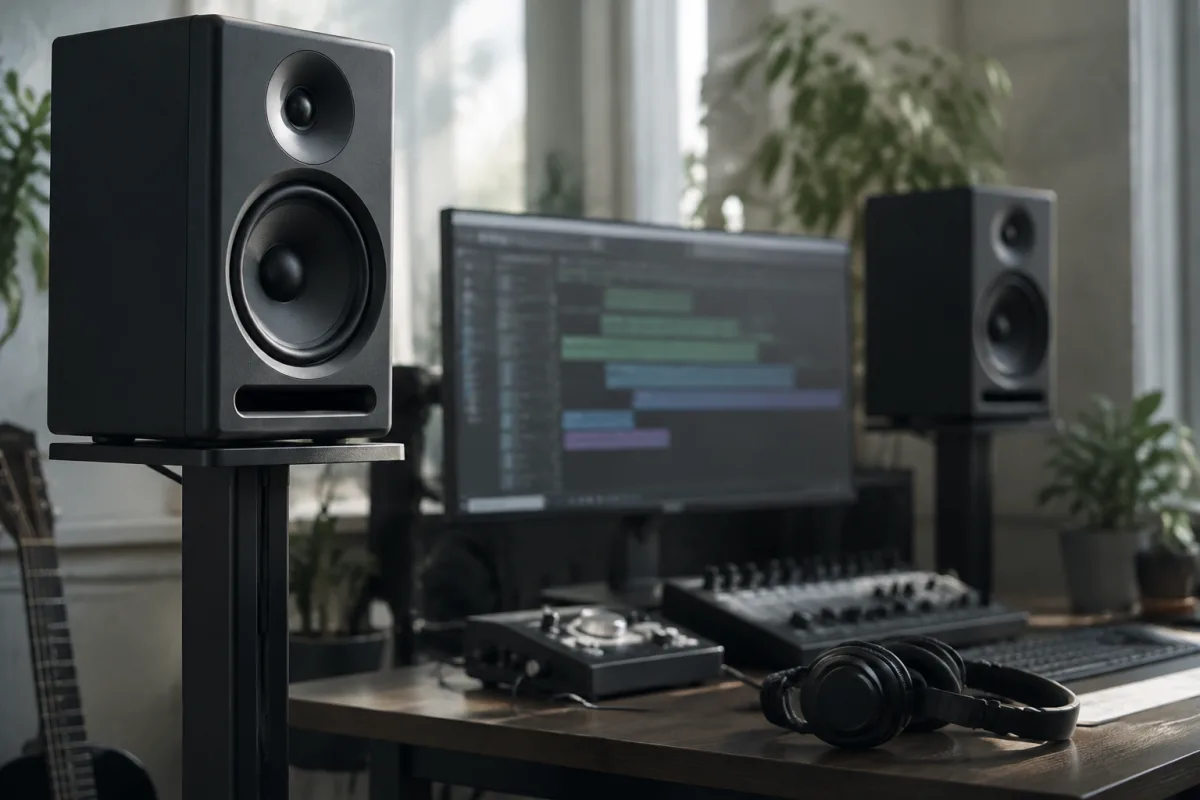
Buying Monitor Speaker Stands: What Genuinely Matters
A monitor speaker stand determines whether your mixing decisions translate to the real world or become another regrettable habit. Yet most producers treat stands as an afterthought—a £15 wobble of plastic and hope. The difference between a poor stand and a solid one is the difference between mixes that translate everywhere and mixes that sound great in your room and nowhere else.
Why a Dedicated Stand Matters
Your speakers sit at ear level when mixed, which means they should sit at precisely ear level—neither aimed at your knees nor pointing at the ceiling. A cheap, unstable stand tilts and shifts; your listening perspective changes, and your brain adjusts EQ decisions based on a lie. A proper stand keeps your speakers locked at the exact angle and height you choose.
Stands also isolate your speakers from desk vibration. Sit your speaker directly on a desk, and vibrations couple into the wood, muddying the bass and destroying the accuracy you're trying to achieve. A decoupled stand breaks this coupling, so the speaker's output is honest.
Height: Getting Your Ears in the Sweet Spot
Your speakers should angle upward slightly, aiming at your ears when you're seated at the mix position. For most people at a typical desk, this means the tweeter (high-frequency speaker) should sit roughly at ear level, ±15 degrees.
This usually means a stand height of 50–65 cm (20–26 inches) for seated mixing. A stand that won't reach this height will force your head down unnaturally, causing ear fatigue and neck strain. A stand that's too tall becomes unwieldy and sits your speakers above you, which is equally wrong.
Adjustable stands let you dial in the exact height for your setup. This is worth paying extra for.
Material and Stability: The Foundation of Accuracy
Steel or aluminium tube stands: Professional-grade, rigid, stable. Twist-lock collars hold adjustments firmly. These are what working studios use, and for good reason. Expect to pay £40–150 per stand.
Plastic and particleboard stands: Cheap (£10–25), wobbly, flimsy. They flex during playback, which distorts the sound and makes it nearly impossible to trust your mixes. Avoid these entirely.
Wood or MDF stands: Sometimes used in higher-end designs. They can be solid, but heavier models require good lateral bracing. Check user reviews for stability before buying.
Top-plate design: A large, rubber-padded top plate (at least 15×15 cm) prevents your speaker from slipping. Small top plates or hard plastic pads will let your monitor shift during loud peaks—unprofessional and inaccurate.
Decoupling and Isolation: Breaking the Coupling
When a stand sits on a desk, vibrations from the speaker couple into the desk, amplifying bass muddiness. Good stands decouple using:
- Thick rubber feet or isolating pads: Dampen vibration transfer between the stand base and desk. Essential for desk-mounted setups.
- Spiked feet: Create a "point contact" between stand and floor, decoupling more completely than rubber feet. Use these if your studio has hard flooring (wood or concrete). On carpet, they're less effective and can puncture flooring.
- Isolation pads between speaker and stand-top: Some stands include rubber cups or foam pads. These are better than nothing but less critical than base isolation, since the stand-top isn't coupled to a vibrating surface the way the base is.
For most home studios on a desk, thick rubber feet are sufficient. Professional floor-standing rigs use spiked feet.
Angle Adjustment: Aiming at Your Ears
A good stand has a tilting mechanism—usually a disc or ball mount—that lets you angle the speaker towards or away from ear level. This should move smoothly and lock firmly once you've set it.
Cheap stands have loose, wobbly tilts that drift during playback. Avoid this entirely. Your tilting mechanism should feel confident and precise.
Cable Management and Connectivity Considerations
Check whether the stand accommodates cable routing. Some designs have notches or channels to keep cables running down the back, preventing them from coupling vibrations into the desk or speaker. This is a small detail that makes a significant difference in a clean, professional-looking setup.
Footprint and Desk Space
A stand's base should be compact enough to fit your desk without creating a dangerous cantilever. A wide base (typically 20–30 cm) provides stability without dominating your workspace. Skinny bases might tip if bumped.
Consider placement: stands work best placed on the desk itself, equidistant from the walls (roughly 1–1.5 metres apart). This avoids room modes that muddy the bass.
Common Mistakes When Buying Monitor Stands
Choosing stands that are too short. If your stands won't reach ear level, you'll end up reaching down to listen, which forces an unnatural head tilt and ruins your posture. Measure your desk height and add about 30 cm minimum for the stand height to get near ear level. Adjustable stands let you dial in the exact height.
Assuming cheaper stands are "good enough." A £15 wobbly stand affects your mixes daily. Mixing with your speakers tilting differently than you set them teaches your ears to make bad decisions. Spend £50–100 per stand; it's insurance for all the mixes you'll make on them.
Ignoring isolation. Speakers sitting directly on a wooden desk couple bass vibrations into the desk, muddying your low-end perception. Thick rubber feet cost nothing and solve this. Spiked feet work even better on hard floors.
Buying stands before measuring your room. You need to know your desk height, listening distance, and available wall space. Generic "tall" or "short" stands might not fit your specific setup. Measure first, buy stands that reach ear level in your room, second.
Thinking all studio stands are the same. A £40 professional stand from a known brand will be dramatically more rigid and stable than a £15 generic stand. The rigidity keeps your speaker angle locked, improving accuracy. This is worth the extra cost.
Price Brackets and What to Expect
Budget (£15–35 per stand): Usually plastic or thin-walled steel. Wobbly, unstable, will frustrate you. Avoid unless you're on an extremely tight budget.
Mid-range (£40–100 per stand): Steel tube, adjustable height, solid top plate, decoupling feet. This is where working studios buy. Rigid, stable, trustworthy. Expect to pay per stand, so £80–200 for a stereo pair.
Premium (£100–250+ per stand): Specialist isolators, designer models, heavier materials. Overkill for most home studios but genuinely useful in critical listening environments.
Brands Worth Considering
IsoAcoustics, Auralex, On-Stage Stands, and Manfrotto all make professional-grade monitor stands. They're not cheap, but they're the right choice for work you care about. Avoid no-name brands—they're usually false economy.
The Bottom Line
Buy a rigid steel stand in the £40–100 range per speaker that reaches your ear level, has a solid tilting mechanism, and includes decoupling feet. Don't cheap out on stands; they affect every mix decision you make. Your ears will thank you, and your mixes will actually translate to headphones and car stereos. A pair of solid stands (£80–200 total) is one of the best investments you can make for home studio accuracy.



Comments