


Iloud Studio Monitors article
Iloud Mtm Studio Monitors: A Complete Guide
iLoud Studio Monitors deliver professional accuracy at an affordable price. Perfect for home studios, they reveal mixing problems and help create translatable mixes.
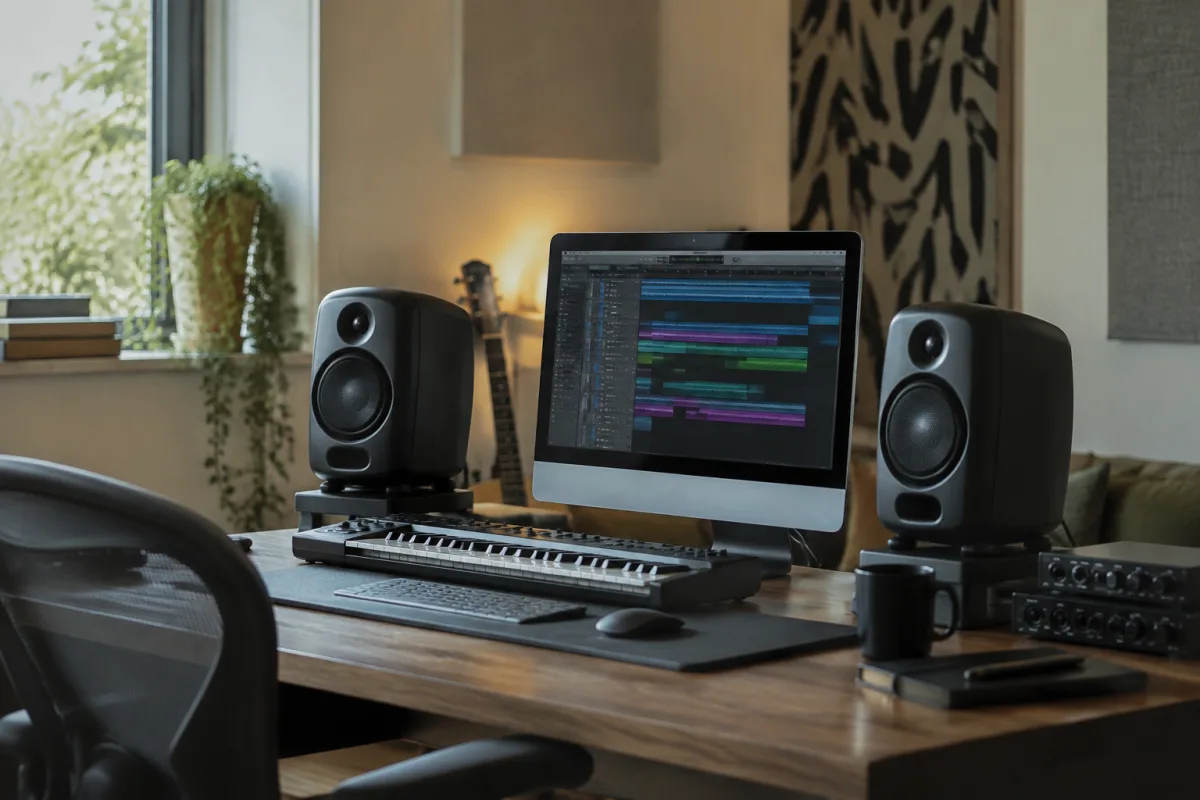
These powered monitors from IK Multimedia are a popular choice for home studios and small professional spaces. These compact, powered speakers deliver clear, balanced sound at a price point that makes professional monitoring accessible to everyone. Whether you're mixing music, producing podcasts, or simply wanting accurate speakers for critical listening, understanding what they offer will help you decide if they're right for your setup.
What Are iLoud Studio Monitors?
iLoud Studio Monitors are self-contained, active speakers designed specifically for music production and mixing. Unlike passive speakers, they include built-in amplifiers, so no separate power amp is needed. They feature a 4-inch woofer and 1-inch tweeter in a compact enclosure, designed to sit on desks or stands in bedroom studios and small rooms. The monitors ship as a pair, allowing you to position them correctly for stereo monitoring.
IK Multimedia engineered iLoud monitors to reveal problems in mixes that cheaper consumer speakers would mask. This means you can trust your mixes when transferred to other playback systems—they won't sound dramatically different when played on headphones, car stereos or commercial systems. This accuracy is the core selling point: affordable professional monitoring for home producers.
Key Features and Specifications
| Feature | Details |
|---|---|
| Driver configuration | 4-inch woofer, 1-inch soft-dome tweeter |
| Frequency response | 50 Hz–24 kHz |
| Maximum output | 96 dB SPL at 1 meter |
| Amplifier class | Class D (efficient, low heat) |
| Power consumption | 60 watts per monitor |
| Connectivity | RCA and XLR inputs, headphone jack |
| Enclosure | Reflex-ported bass design |
Sound Quality and Accuracy
iLoud monitors deliver a neutral, well-balanced frequency response across the midrange and treble. The 4-inch woofer provides decent bass extension down to 50 Hz, adequate for most mixing tasks. Bass response is reasonably tight and controlled, though serious low-frequency work may benefit from a subwoofer addition. For vocal mixing, acoustic guitar and drum production, the midrange clarity is excellent.
The tweeter handles detail well. You'll hear sibilance, breath noise and subtle effects clearly, which is exactly what you need when mixing. Some users find the monitors slightly forward in the upper midrange (around 4–5 kHz), which can reveal harshness in poorly EQ'd sources—that's a feature, not a bug, if you're trying to catch problems early.
Setup and Room Placement
Proper placement matters enormously with any studio monitors, and iLoud is no exception. Position them at ear level, roughly an equilateral triangle with your listening position—speakers about 1.5 metres apart, 1.5 metres from your listening chair. Avoid placing monitors in corners or against walls, which exaggerates bass buildup. If wall mounting is unavoidable, use acoustic panels to absorb reflections.
Both monitors should be angled slightly inward so their tweeter axes aim at ear height when you're seated at your mixing position. This simple adjustment dramatically improves stereo imaging and frequency balance. Each monitor has rear-mounted controls: input level, bass and treble trim. Start with these at the centre position, then adjust bass trim down if your room is bassy, or trim treble up if sources sound dull.
Connectivity and Integration
iLoud monitors offer multiple input options. The XLR balanced inputs are ideal for professional interfaces and mixing consoles, minimising noise on longer cable runs. RCA unbalanced inputs work perfectly for home setups and short cable runs. Both input types can be active simultaneously—useful if you need to switch between different sources without unplugging cables.
Volume control on the rear of each monitor lets you level-match the pair. Most users leave them equal and control overall volume from their audio interface or mixer. The headphone jack on the front provides convenient monitoring when you want to work silently without disturbing household members.
Advantages of iLoud Studio Monitors
- Affordable: A pair costs roughly £300–400, making professional monitoring accessible to home producers on a budget.
- Accurate: The neutral response lets you trust your mixes. They reveal problems rather than flattering sources.
- Compact: Small footprint makes them perfect for desks and tight spaces.
- Active/powered: No need for a separate amplifier; just plug into your interface and go.
- Versatile: Both XLR and RCA inputs accommodate various setups.
Limitations and Considerations
iLoud monitors work best in smaller rooms (up to about 20 square metres). In larger spaces, they may struggle to achieve the volume and bass response you need. The maximum output of 96 dB is loud enough for detail work but not party-level volume. If you produce music with heavy bass (electronic music, hip-hop), consider adding a subwoofer to extend low-end monitoring below 50 Hz.
The cabinet is rear-ported, so they need clearance behind them for bass to breathe freely. Placing them flush against a wall reduces bass extension noticeably. Also note that they do generate some fan noise at high volumes—most users won't notice in typical working sessions, but it's worth considering for critical silent work.
Acoustic Treatment for Best Results
Even excellent monitors sound better in well-treated rooms. First reflections—sound bouncing off the wall directly behind your monitors or the side walls—muddy the stereo image. Adding basic acoustic panels (foam or bass traps) behind and to the sides of your listening position transforms the monitoring experience. Simple, affordable panel kits exist specifically for home studios.
Avoid over-treating; a heavily damped room sounds unnatural. The goal is to control early reflections without killing the room. A simple rule: if you clap in your mixing position and hear multiple reflections, your room needs treatment.
Who Should Buy iLoud Studio Monitors?
iLoud monitors are ideal for bedroom producers, podcasters, video editors and anyone mixing on a budget. They're perfect if you want to step up from consumer speakers to professional monitoring without spending thousands. If you work mostly with acoustic instruments, vocals, and non-bass-heavy genres, they're excellent. If you produce heavy electronic music and need extended bass response, add a small subwoofer or consider larger monitors.
Alternatives and Comparison
For similar pricing, alternatives include the Presonus Eris E5 and Adam Audio T5V. The Presonus offers comparable accuracy at a slightly lower price; the Adam is slightly more detailed but costs more. Budget-conscious producers might consider the Behringer MS20, though it sacrifices accuracy for affordability. Professional studios typically use larger monitors from brands like Genelec, KRK and Neumann, which cost significantly more.
Conclusion
iLoud Studio Monitors represent excellent value for home producers and small studios. They deliver accurate, trustworthy monitoring at a price that makes professional mixing accessible. With proper placement and basic acoustic treatment, they'll help you create mixes that translate reliably to other listening environments. For anyone serious about mixing but working with limited space and budget, they're a smart investment that will serve your productions for years.




Comments