


Desktop Studio Monitors article
The Ultimate Guide to Presonus Monitor Station V2 Desktop Studio Control Center
Desktop studio monitors deliver accurate, neutral audio essential for reliable mixing and recording. This guide covers selection, placement and room optimisation.
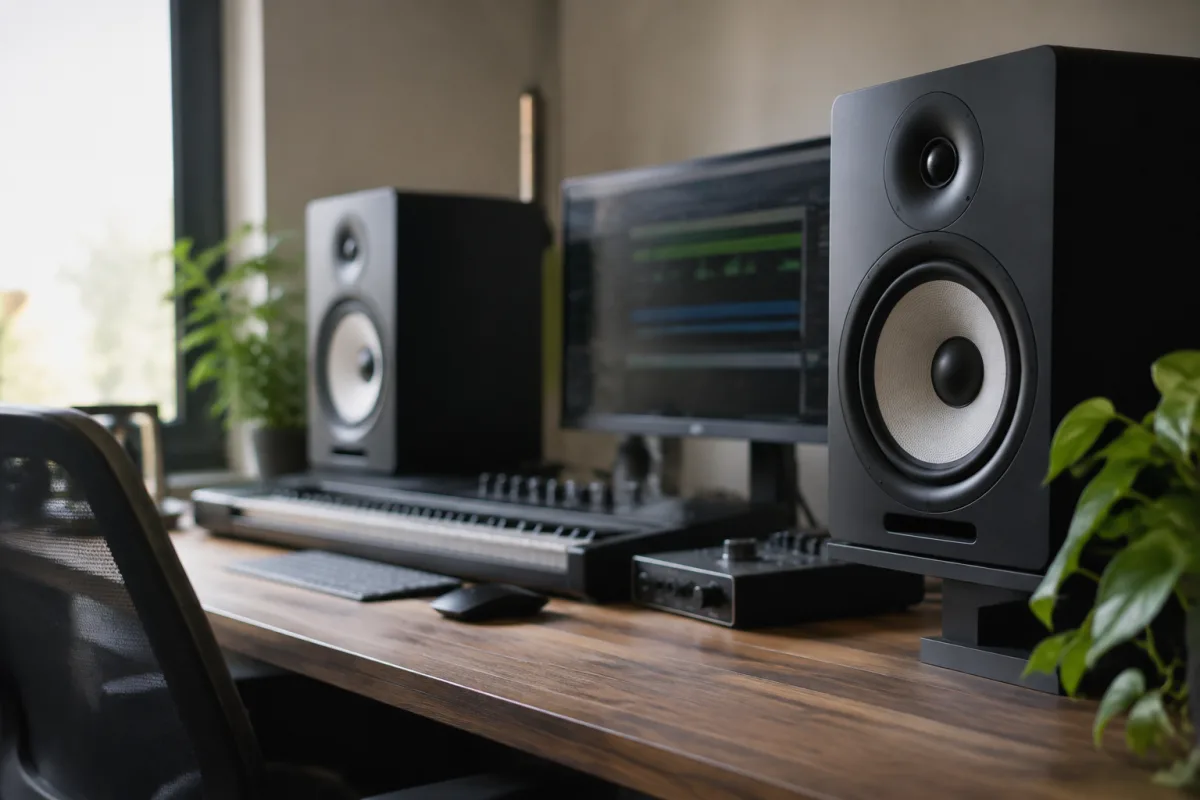
Desktop studio monitors are the windows through which audio professionals, musicians and producers hear the true quality of their work. Unlike consumer speakers designed for entertainment, studio monitors prioritise accuracy and revealing every detail of your recording and mix. Whether you are recording vocals in a home studio, mastering a track for release, or producing music part-time, choosing the right desktop monitors is fundamental to the quality of your final output. This guide explores everything you need to know about selecting, setting up and optimising desktop studio monitors.
What Are Studio Monitors?
Studio monitors are professional-grade loudspeakers engineered to reproduce audio with minimal colouration or character. Unlike hi-fi speakers that may enhance bass or treble for listening pleasure, studio monitors aim for a neutral, linear frequency response across the audible spectrum. This neutrality reveals mixing errors, frequency imbalances, and production flaws that might be hidden by flattering consumer speakers.
Desktop studio monitors are compact versions designed for small recording spaces, home studios and bedroom production. They sit on or near your desk, close to your ears, minimising room reflections and allowing you to hear a relatively direct sound field. Most desktop monitors use active amplification (built-in powered amplifiers) rather than requiring external amplifiers, simplifying setup and cable management.
Why Monitor Quality Matters
Accurate monitoring directly affects every decision you make during recording and mixing. If your monitors exaggerate bass, you will likely reduce bass in your mix to compensate, resulting in a thin, bass-light final product on other playback systems. Conversely, if your monitors lack treble detail, you will unknowingly leave harsh frequencies in your mix that become grating on accurate systems.
Professional monitors allow you to trust your ears, make confident mixing decisions, and produce work that translates reliably across headphones, car speakers, earbuds, and venue sound systems. The investment in accurate monitoring pays dividends across every project, from initial recording through to final mastering.
Types of Desktop Studio Monitors
Desktop studio monitors fall into several categories based on driver configuration and design philosophy:
Two-Way Monitors (Woofer + Tweeter)
The most common desktop format, two-way monitors combine a woofer (typically 4–6 inches) for bass and midrange with a separate tweeter (typically 1–2 inches) for high frequencies. This separation allows each driver to optimise its range without conflict. Two-way monitors offer a good balance of compact size, affordable pricing, and capable frequency coverage. Most entry-level and mid-range desktop monitors use two-way designs.
Three-Way Monitors (Woofer + Midrange + Tweeter)
Three-way monitors add a dedicated midrange driver between the woofer and tweeter, improving clarity and detail in the critical midrange frequencies where most musical information resides. Three-way monitors are typically larger and more expensive than two-way designs, offering superior resolution and separation of tonal layers. Professional mixing studios often favour three-way monitors.
Coaxial Monitors
A specialised design where the tweeter is mounted at the centre of the woofer, creating a single acoustic point source. This configuration minimises phase irregularities and provides excellent imaging and coherence. Coaxial monitors suit critical listening applications where precise stereo imaging is important.
Key Specifications and What They Mean
Understanding monitor specifications helps you select appropriate speakers for your space and application:
- Frequency response — the range of frequencies the monitor reproduces; ideally 40 Hz–20 kHz or lower for full audio spectrum coverage
- Driver size — larger woofers (6–8 inches) handle bass better; smaller woofers (4–5 inches) suit compact spaces
- Powered amplification — typically 50–150 watts total; sufficient for desktop listening distances
- DSP (Digital Signal Processing) — allows room EQ correction and frequency response shaping
- Connectivity — balanced XLR, unbalanced RCA, and increasingly digital (USB, S/PDIF) inputs
- Bass port design — rear-ported, front-ported or sealed; affects bass response and room placement flexibility
Monitor Placement and Room Acoustics
Proper placement is essential for accurate monitoring. Follow these guidelines:
- Position monitors at ear level when seated at your recording console, with the tweeters aligned to ear height. Use monitor stands or desk supports to achieve this.
- Angle the monitors toward your head at a 30-degree angle, forming an equilateral triangle between your head and the two monitors.
- Place monitors away from walls and corners where bass energy tends to accumulate and distort.
- Maintain equal distance from each monitor to your listening position, typically 1–2 metres apart.
- Leave at least 30 centimetres of space behind the monitors for rear-port ventilation, if applicable.
- Avoid placing monitors directly on your desk—vibration transmission degrades isolation. Use isolation pads or monitor stands.
Room acoustics significantly affect what you hear. Hard, reflective surfaces (tile, glass, wooden floors) create early reflections that confuse the direct sound from the monitors. Soft furnishings, curtains, carpets and acoustic panels absorb reflections. A well-treated small room often yields more accurate monitoring than an untreated large room.
Frequency Response and Flat Response Myth
Many producers mistakenly believe that "completely flat" monitors are the gold standard. In practice, perfectly flat monitors in real rooms sound unnatural due to room modes and early reflections. Quality monitors apply gentle presence peaks in the midrange and upper midrange to compensate for typical room characteristics and human hearing's midrange sensitivity.
Professional monitors like Adam Audio, Neumann, and Genelec employ carefully tuned frequency response curves backed by decades of studio use and proven mixing translation. These curves sound slightly unnatural in isolation but translate remarkably well because they account for real-world listening conditions.
Power and Amplification Considerations
Desktop monitors typically require 50–150 watts of amplification. This is sufficient for comfortable listening at desktop distances (1–2 metres). Higher wattage does not necessarily mean better sound—efficiency and driver quality matter more than raw power.
All professional desktop monitors use Class D or Class AB amplification. Class D amplifiers are efficient and generate minimal heat; Class AB amplifiers traditionally offered superior sound quality, though modern Class D designs rival Class AB performance. Most contemporary studio monitors favour Class D for efficiency and environmental benefits.
Connectivity and Interface Integration
Modern desktop monitors typically offer multiple input options:
- Balanced XLR — professional standard, best for longer cable runs and noise immunity
- Unbalanced RCA — adequate for short runs in home studios
- USB — convenient direct connection to computers; many newer monitors include USB inputs
- S/PDIF digital — less common but supports high-quality digital audio
Most home studio setups use XLR connections from your audio interface to the monitors. Balanced cables (with three conductors) reject electromagnetic interference better than unbalanced cables, resulting in cleaner audio especially with longer cable runs.
Entry-Level Versus Professional Monitors
Entry-level desktop monitors (£150–350 per pair) offer surprising quality for the price. Models like Behringer Truth series and PreSonus Eris series provide accurate monitoring for home recording and amateur production. These monitors excel at revealing mixing mistakes and translating reasonably well to other systems.
Professional-grade monitors (£500–1500+ per pair) from brands like Adam Audio, Neumann KH80, and Genelec offer superior driver quality, DSP sophistication, and measured frequency response linearity. These monitors excel in critical mixing and mastering applications where absolute accuracy and translation are paramount.
The choice between entry-level and professional monitors depends on your application and budget. Home recordists typically benefit from entry-level monitors; professional studios and mastering facilities warrant professional-grade equipment.
Avoiding Common Mistakes
Several mistakes commonly undermine desktop monitor effectiveness:
- Poor placement — placing monitors on the floor or tucked into corners will distort your perception of bass and low-mids dramatically
- Untreated room acoustics — reflective surfaces create comb filtering that masks important details
- Excessive listening level — fatiguing your ears impairs judgement; mix at conversational levels
- Isolation failure — placing monitors directly on desks transmits vibration and degrades clarity
- Neglecting calibration — using DSP room correction tools (built into many monitors) significantly improves accuracy
Conclusion
Desktop studio monitors are a critical investment in your recording and production capability. Accurate monitoring allows you to make confident mixing decisions, catch errors early, and produce work that translates reliably to all playback systems. Whether you are starting your first home studio or upgrading from consumer speakers, selecting monitors matched to your space and application—combined with thoughtful placement and room treatment—will transform the quality and confidence of your productions. Invest in monitoring you trust, and every subsequent project will benefit from the accuracy and detail only professional monitors can reveal.




Comments