


3 Inch Studio Monitors article
3 Inch Studio Monitors for Beginners: A Complete Guide
3-inch monitors are perfect for small spaces—dorm rooms, apartments, closet studios. Here's everything a beginner needs to know about mixing on them.
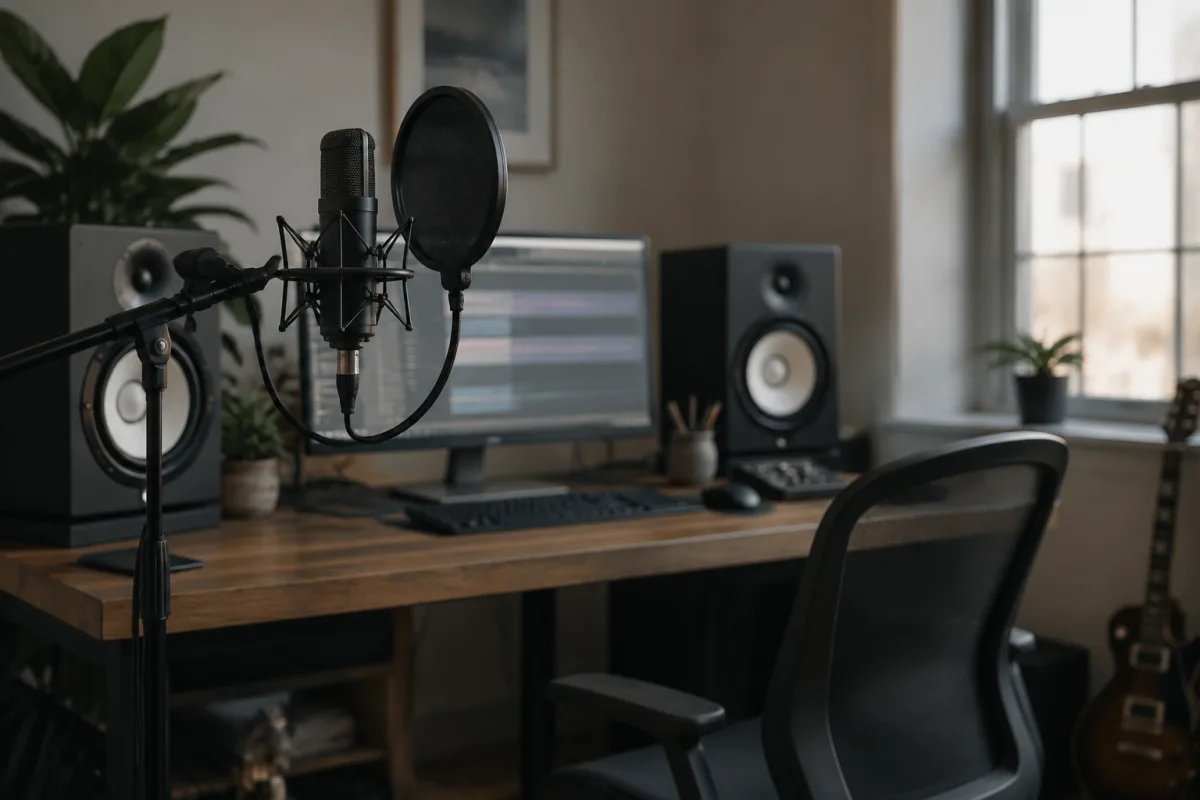
If your studio is a bedroom corner, a dorm room, or a genuinely compact space, buying full-sized studio monitors might feel like overkill—or simply impossible. That's where 3-inch studio monitors come in. Small doesn't mean inferior; a quality 3-inch monitor is perfectly capable of teaching you to mix responsibly in a confined space. This guide walks you through what 3-inch monitors actually offer, how to use them effectively, and the realistic expectations you need before you buy.
What 3-Inch Monitors Are Actually Good For
A 3-inch studio monitor (referring to the woofer size) is designed for nearfield listening in compact rooms—roughly 2 × 3 metres or smaller. They're popular in dorm rooms, small bedrooms, and professional spaces where floor space is at a premium. The key word is nearfield: you sit close to them (60–90 centimetres), and they project directly at your ears rather than trying to fill a room.
At this size, 3-inch monitors make a specific trade-off: they sacrifice deep bass extension for compact footprint and tonal accuracy in the midrange and treble. A typical 3-inch monitor's frequency response bottoms out around 100–120Hz. That means you won't feel the weight of a kick drum or the rumble of a 50Hz synthesizer pad. But you will hear vocals clearly, snare attacks crisply, and guitar tone honestly. For voice-centric work (podcasts, vocals, acoustic instruments), 3-inch monitors are brilliant. For electronic music or bass-heavy genres, they're compromised but not impossible.
Why Beginners Actually Choose 3-Inch Monitors
Most bedroom producers choose 3-inch monitors for one of three reasons:
- Space constraints. Your studio is genuinely tiny. A pair of 3-inch monitors will fit on a shelf or desk where 4-inch or 5-inch models simply won't. In a dorm room or small apartment, 3-inch is sometimes the only realistic option.
- Volume limitations. You need to mix quietly—neighbours, housemates, or thin walls. 3-inch monitors are naturally quieter than larger models. You can mix at 55–65 dB (relatively quiet) and still hear detail, whereas larger monitors at low volumes lose clarity. If you must mix quietly, 3-inch actually makes sense.
- Budget. A good pair of 3-inch monitors costs £80–200. That's genuinely affordable. For a beginner with limited money, 3-inch is an entry point that's better than mixing solely on headphones or laptop speakers.
All three reasons are legitimate. If any of them describes your situation, 3-inch monitors are a sensible choice. Just understand the trade-off: less bass information, smaller stereo field, and reduced ability to translate to large-scale playback systems. You'll adapt, but you need realistic expectations going in.
The Bass Problem: Understanding and Living With It
The biggest limitation of 3-inch monitors is bass extension. Most models roll off below 100Hz. This means:
- You won't hear the full kick drum. An 80Hz kick will register as mostly midrange thump rather than the full rounded bass punch. Mixes that sound good on your 3-inch monitors might feel thin or kick-light on headphones or car speakers.
- Synthesizers and pad sounds reveal less depth. Ambient music, electronic production, and bass-heavy genres all suffer from limited bass monitoring. You'll be guessing at frequencies you can't hear.
- But midrange and treble are clean. Where 3-inch monitors shine is everything from about 200Hz upward. Vocals, guitars, snares, cymbals, and high strings all come through clearly and honestly.
The workaround? Supplement 3-inch monitors with occasional headphone checks (to hear the bass frequencies you're missing) and regular AB testing against reference material you know well. Mix your vocals on the 3-inch monitors, then check the full mix on headphones and your phone speaker to catch bass problems. It's not ideal, but it's a proven workflow in small spaces.
Placement and Setup: Getting the Most From Limited Bass
Small monitors require even more careful placement than larger ones, because room interactions become more obvious:
- Position them at ear level, pointed directly at your ears. With 3-inch monitors, a few centimetres of angle error is noticeable. Get them right at ear height when sitting in your mix position. If they're on a shelf above your head, angle them down. If they're below ear level, angle them up.
- Avoid placing them in corners or against walls. Corners boost bass reinforcement, which will make your 3-inch monitors sound even bassier and boomy. Keep them at least 30 centimetres away from any wall, and position them symmetrically around your head (roughly 60cm away, one on each side).
- Use isolation pads (£15–30 per pair). Decoupling the monitors from your desk or shelf reduces vibration transfer and tightens the sound. Especially with smaller monitors, this is worth doing.
- Minimize room reflections behind the monitors. If you have soft furnishings (curtains, a mattress, a door with soundproofing) directly behind the monitors, reflections stay controlled. If you're staring at a bare wall, the sound bounces around more. Hang something absorptive if possible.
These aren't luxuries—they're essentials for making small monitors work reliably.
Mixing Strategy for 3-Inch Monitors
Because 3-inch monitors have limited bass extension, your mixing strategy needs to adapt. Here's how professionals work around it:
- Mix your vocals and instruments first. 3-inch monitors are excellent at this. Get your main elements sitting right, and trust that clarity.
- Use a subwoofer (optional but recommended). A small powered subwoofer (£150–300) augments your 3-inch monitors and extends bass down to 40–50Hz. This solves the bass problem entirely and is cheaper than upgrading to 5-inch monitors. Connect the sub to your interface (most audio interfaces have a subwoofer output), and suddenly you have full-range monitoring. This is a legitimate professional workflow.
- Check every mix on headphones and another playback system. Your 3-inch monitoring is trustworthy for midrange and treble; it's the bass where things hide. Always verify bass-heavy mixes on headphones or a car speaker. This practice will make you a better mixing engineer regardless of your monitors.
- Reference commercially released music on your 3-inch monitors. Play a professional mix you admire through your 3-inch monitors and note how it sounds (thin in the bass? Punchy? Detailed?). That's your reference for how a "good mix" translates through your specific monitors. If your mix sounds similarly good on your 3-inch monitors and your reference mix does, you're on track.
None of this is a limitation—it's simply the reality of small monitors. Professionals in small spaces use these exact strategies every day and make excellent recordings.
Beginner Mistakes With 3-Inch Monitors
Avoid these traps:
- Mixing entirely on 3-inch monitors and assuming your mix will translate everywhere. It won't. Your mix will surprise you on other systems. Accept this, check on headphones and other playback, and adjust. Don't fault the monitors—this is a learning opportunity.
- Placing them in a corner because it's convenient. Corners destroy the accuracy you bought these monitors for. Move them to the open room, even if it's less convenient. The improvement is dramatic.
- Buying a single 3-inch monitor for mono mixing. You cannot judge stereo mixing with mono monitoring. Buy a pair, always, or skip monitors and mix on headphones instead.
- Setting the gain too high. Small monitors reach their limit quickly at high volumes. Mix at 60–70 dB (comfortable but not loud). You'll hear detail better, your ears won't fatigue, and the mixing will be more accurate. Loud mixing on small monitors hides problems.
- Expecting them to replace headphones entirely. They won't. 3-inch monitors are a supplement to headphone mixing, not a replacement. Use both, and check both, for every mix.
When to Upgrade From 3-Inch Monitors
You'll know it's time to consider larger monitors when:
- You're consistently surprised by how bass-heavy or thin your mixes sound on other systems.
- You've mastered the 3-inch workflow and want deeper bass monitoring.
- Your room has grown (you've moved to a bigger space) or your room treatment has improved.
- You're making bass-heavy music and can't avoid the bass-monitoring problem.
Until then, 3-inch monitors can absolutely do the job. Many professional mixes have been made on smaller monitors than these. The difference between a good mix and a bad mix is rarely about monitor size—it's about the mixing engineer's skill, consistency, and willingness to check work on multiple playback systems. For deeper technical information about small monitors and their limitations, see our comprehensive 3-inch studio monitors guide.
FAQ
Can I really mix music professionally on 3-inch studio monitors? Yes, but with caveats. You can mix excellent vocals, guitars, drums (in the midrange and treble), and synths effectively. For bass-heavy music or critical bass mixing, 3-inch monitors are compromised. Most professionals using 3-inch monitors either work in specific genres (vocal-centric, acoustic) or supplement with a subwoofer or frequent headphone checks.
Do 3-inch monitors need a subwoofer? Not necessarily, but a subwoofer dramatically improves the experience if you work with bass-heavy music. A modest powered subwoofer (£150–300) extends your bass monitoring down to 40–50Hz and costs less than upgrading to 5-inch monitors. It's an excellent investment if budget allows.
How close should I sit to 3-inch monitors? Ideally 60–90 centimetres away from the tweeter. At this distance, you hear direct sound from the monitors rather than room reflections. Closer than 60cm and the stereo image narrows; farther than 90cm and reflections muddy the sound. Measure it—don't guess.
My 3-inch monitors sound boxy and muffled. What's wrong? Probably room reflections or bass buildup. Move them away from walls (at least 30cm), check if they're in a corner (move them out), and try angling them differently. Bass traps in the corners behind the monitors also help. If the sound is still dull after placement adjustments, the monitors might not be ideal for your room—consider trying them in a different space.
Can I use 3-inch monitors in a very small room (under 3 × 3 metres)? Yes, they're actually designed for that. In a very small room, small monitors work better than large ones because you're sitting so close that larger monitors can overwhelm the space. 3-inch is ideal for closet studios and dorm rooms.
What's the difference between 3-inch and 4-inch studio monitors? The main difference is bass extension. 3-inch monitors typically roll off around 100Hz; 4-inch models extend to about 60Hz. For the same footprint-conscious user, the 4-inch improvement is modest. If your room is only slightly larger, a 4-inch might be worth the cost and space increase. If space is genuinely tight, stick with 3-inch.


Comments