


Focusrite Audio Interface article
Focusrite Audio Interface Explained: Features, Types and Tips
Focusrite Audio Interface Explained: Features, Types and Tips
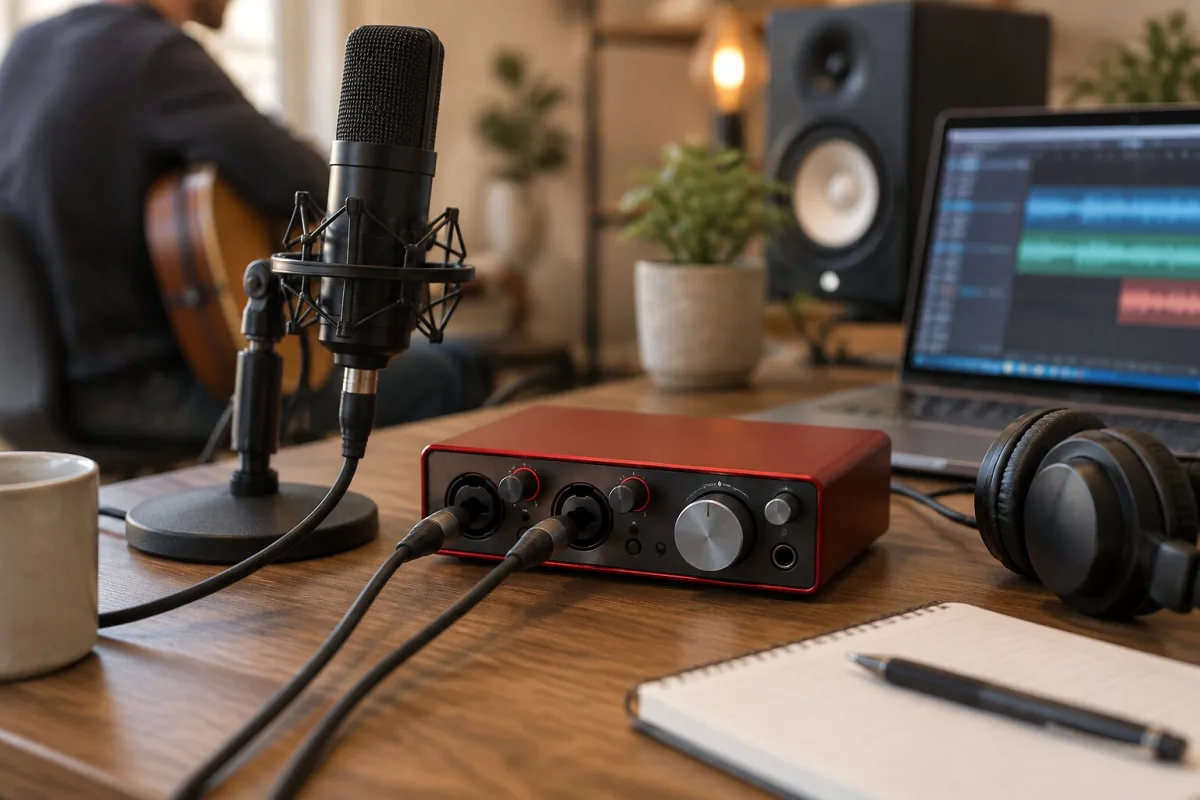
When you're sitting in front of your computer with a microphone plugged in and nothing sounds quite right, the problem is usually your audio interface. A Focusrite audio interface—if you've come across one of these—sits between your microphone and your computer like a translator. It catches the analogue sound coming in, turns it into digital information your computer understands, and does the same in reverse when you're monitoring what you're recording. For someone used to bedroom recording or working in a professional studio, a Focusrite audio interface has become something of a standard, and there's good reason for it. These devices have shaped how modern electronic music, podcasts and home recordings get made.
What a Focusrite Audio Interface Actually Does
The core job of a Focusrite audio interface is converting sound. When a microphone captures your voice or an instrument, it creates a tiny electrical signal. Your computer's built-in audio input can't handle that signal properly—it needs amplification, it needs careful handling, and it needs to be converted into digital information in a way that preserves the original sound. That's where the Focusrite audio interface comes in. It takes that weak signal, amplifies it to the right level, digitises it with high-quality converters, and sends it into your computer at a sample rate that lets you capture every detail.
But a Focusrite audio interface does more than just receive sound. It also sends audio out. When you're listening to a reference track while recording, or when you're monitoring your own voice as you sing, that signal has to come back out of your computer and into your headphones or monitors. A Focusrite audio interface handles both directions, and it does it with enough control that you can mix what you're hearing independently of what you're recording. This separation—between your input signal and what you're monitoring—is something your computer's built-in audio system simply can't do well.
Types of Focusrite Audio Interface for Different Needs
Focusrite makes audio interfaces in several sizes and configurations, and understanding which one suits your workflow is the key to enjoying your setup rather than fighting it.
The Scarlett range is what most people encounter first. Scarlett interfaces are designed for musicians and producers working in bedrooms, small studios or on the road. The Scarlett Solo is a compact device with one microphone input and one line input—perfect for a solo singer or producer who's working alone. If you need multiple inputs simultaneously, the Scarlett 2i2 adds a second line input and comes in a slightly larger enclosure. For those tracking bands or running multiple microphones, the Scarlett 4i4 gives you four inputs and four outputs, which opens up real flexibility.
Then there's the Clarett range, Focusrite's professional audio interface line. These devices are built for studios where multiple musicians might be recording at once, where audio quality is non-negotiable, and where your interface needs to sit comfortably alongside expensive microphones and preamps. The Clarett represents a step up in conversion quality, in the quality of the onboard preamps, and in I/O flexibility. If you're mixing in a studio setting and you need summing outputs separate from your main stereo output, the Clarett gives you that.
The Forte range sits somewhere in between—not as compact as Scarlett, not as sprawling as Clarett, but offering audio quality that rivals professional interfaces at a price that doesn't require a business loan. For someone building a serious home studio or stepping up from entry-level gear, a Focusrite Forte audio interface strikes a balance.
Understanding Preamps and Audio Quality
Inside every Focusrite audio interface is a preamp—an amplifier designed to take the tiny signal from your microphone and boost it to a useful level. This matters more than you might think. A poor preamp can introduce noise, distortion, and a general greyness to your recording. A good one preserves the character of the microphone and lets you hear exactly what you're recording.
Focusrite's preamps are considered honest—they amplify your signal without colouring it excessively. They're not trying to add warmth or thickness like a vintage tube preamp would; they're trying to capture what's really there. For electronic music production, for podcasting, for voice recording, this honesty is often what you want. You can add character later with EQ or compression if you need it.
The conversion quality—how accurately the analogue-to-digital and digital-to-analogue conversion happens—is where Focusrite audio interfaces have built their reputation. Entry-level Scarlett interfaces use 24-bit conversion at sample rates up to 192kHz. That's far more than adequate for any real-world recording scenario. Professional Clarett interfaces push even further with preamps that rival interfaces costing three times the price.
Connectivity and Integration Into Your Setup
A Focusrite audio interface connects to your computer via USB (or Thunderbolt on some pro models). This is important because the USB connection carries both audio and power. Many Focusrite interfaces are bus-powered, meaning they don't need an external power supply—they draw everything they need from the USB port. This makes them genuinely portable. If you're recording at a friend's house or travelling with your setup, you're carrying one cable and one small device.
Once connected, a Focusrite audio interface appears as an audio device inside your recording software. Whether you're using Ableton, Logic, Pro Tools, or any other DAW, the interface shows up and lets you select it as your input and output device. The software on your computer handles the routing, the mixing, and the processing—the interface is just the bridge between the analogue and digital worlds.
Getting the Most From Your Focusrite Audio Interface
The preamp gain control is perhaps the most important thing to get right. You want to set your input level so that your signal sits comfortably, with peaks reaching maybe 6dB below clipping. Too quiet and you're wasting the interface's bit depth. Too loud and you're introducing distortion that no amount of mixing will fix. Many Focusrite interfaces include a small LED that lights up if you're about to clip, which is genuinely helpful.
The monitoring features matter too. Being able to hear yourself while you record—with minimal latency—is crucial for a confident performance. A Focusrite audio interface lets you blend your input signal with your DAW's playback so you can hear the reference track and yourself at the same time. Get this right and you'll record better performances.
Whether you're running a bedroom studio or mixing in a serious control room, a Focusrite audio interface is the device that turns your computer into something that can properly capture and process sound. It's honest, it's reliable, and it doesn't pretend to be something it's not. That's why they've become the standard.




Comments