


Focusrite Audio Interface roundup
Focusrite Audio Interface: A Complete Buyer's Guide
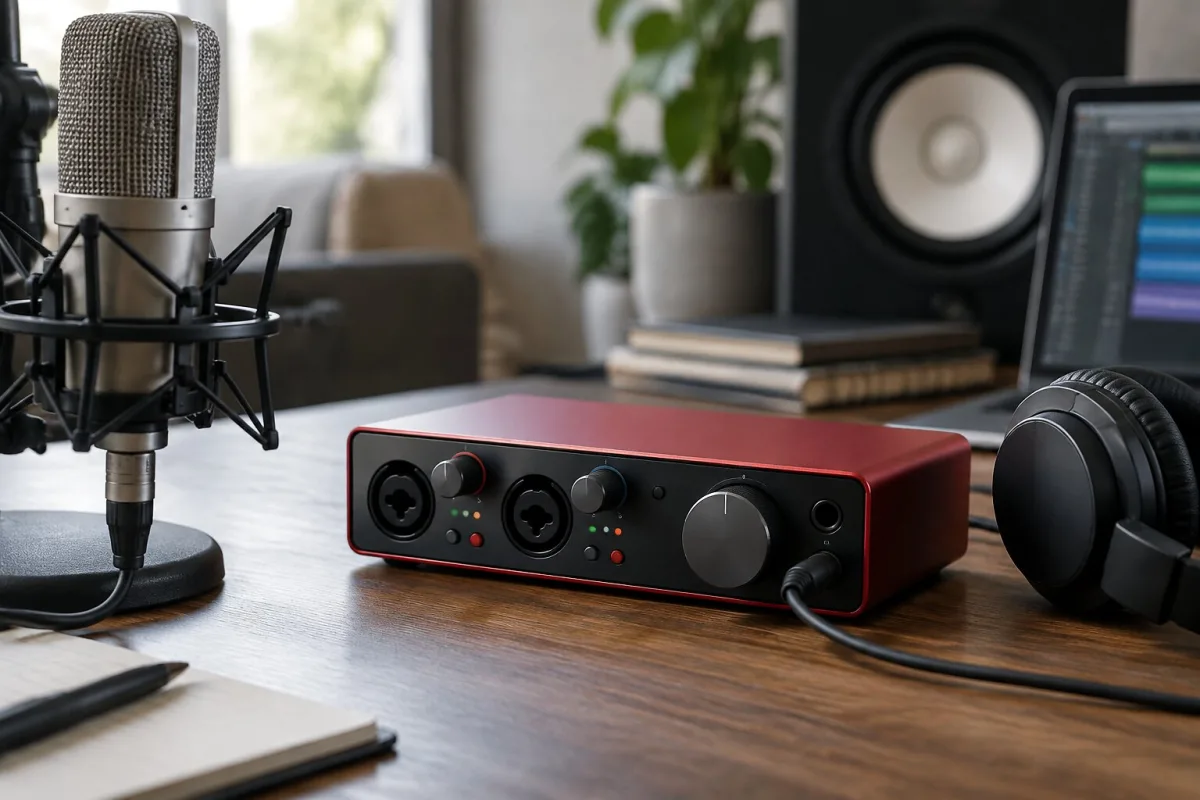
Focusrite Audio Interface: A Complete Buyer's Guide
Right. So you're thinking about buying a Focusrite audio interface. Maybe you've been recording through your laptop's built-in mic and the sound is, frankly, rubbish. Maybe you're trying to record drums in your bedroom and you need a way to get multiple microphones into your DAW at once. Or maybe you've got a decent condenser mic gathering dust because you never sorted out how to actually use it. Whatever the reason, buying a Focusrite audio interface is likely the smartest investment you can make in your setup. These devices are brilliant value for money, they're reliable enough to use on a gig, and they last for years. Here's how to pick the right one.
Figuring Out How Many Inputs You Actually Need
This is the place to start. Before you get tempted by something with eight inputs because it looks impressive, ask yourself: how many things do I actually need to record at the same time? If you're a solo singer or producer tracking one thing at a time, you need exactly one microphone input. A Focusrite Scarlett Solo or 2i2 will do everything you need. If you're tracking a band with multiple mics—drums, bass, guitars, vocals—you'll need as many inputs as you have microphones. Four inputs (a 4i4) is where you stop fighting your interface and start enjoying the process.
Remember: you can always record multiple takes and layer them, so if you're unsure, go smaller and less expensive rather than massive and confusing. It's genuinely easier to record four songs with one microphone and layer them than it is to have an interface so complicated you're still figuring out which input is which after six months of ownership.
Focusrite Scarlett: Where Most People Should Start
The Scarlett range is where Focusrite built its reputation, and for good reason. The Scarlett 2i2 is possibly the most popular Focusrite audio interface on the planet. It's compact, it's got enough I/O for solo recording, the preamps are honest and clear, and the price is reasonable enough that it doesn't feel like a gamble. If you're not sure whether you'll stick with recording or production, the Scarlett is your entry point. You'll learn everything you need to know, and you won't feel like you've wasted money if you decide music isn't for you.
The Scarlett Solo takes things down a notch—one mic input, one line input, smaller size, lower price. If you're absolutely certain you'll only ever record one thing at a time, the Solo is perfectly adequate. For maybe £50 more, though, the 2i2 gives you flexibility, and flexibility is worth having.
The Scarlett 4i4 jumps you up to four inputs and four outputs. This is the interface for someone who's serious about recording. You can mic up a drum kit, record multiple takes simultaneously, or use the extra outputs to send audio to different places. It's bigger than the 2i2, it costs more, but if you've thought through what you need and you actually need four inputs, it's brilliant.
Moving Up: Focusrite Forte and Clarett
If you've got a decent budget and you want something that feels genuinely professional, the Focusrite Forte range sits in a sweet spot. The preamps are noticeably better than entry-level Scarlett models. The build quality is sturdier. The connectivity options are more extensive. If you're building a serious home studio or you're starting to take your recording seriously, the Forte deserves your attention.
The Clarett range is where Focusrite goes fully professional. These are interfaces built for studios where an engineer is working with multiple artists, where microphone preamps need to rival boutique hardware, and where every pound spent needs to justify itself through better sound. If you're running a proper studio or you're a professional who records other people, Clarett is the path. For hobbyists and home producers, it's usually overkill.
Focusrite Audio Interfaces for Live Performance
Here's something worth knowing: a Focusrite audio interface can absolutely be used for live performance. The Scarlett 2i2 Gen 3 or newer versions are stable enough for gigging if you're doing singer-songwriter stuff or a solo performance with backing tracks. You'd run your microphone into one input, perhaps a laptop or playback device into the other, and you've got a complete portable system.
That said, if you're buying specifically for live work, you might want to consider something built with gigging in mind—perhaps a dedicated live interface with more robust gain controls and better metering. But if you're 80% studio and 20% occasional live work, the Scarlett will handle both.
Getting Your Money's Worth: Features That Matter
Direct Monitoring is a feature that sounds technical but is genuinely important for recording. It lets you monitor your input signal directly through the interface, independent of your DAW. This means you can hear yourself with virtually no latency—no waiting for the computer to process your signal. If you're singing into a microphone and need to hear yourself clearly while you record, you want this feature.
Look for interfaces with gain lights or metering. These tiny LEDs that show whether you're clipping are genuinely helpful when you're setting input levels. Some interfaces include a small headphone amplifier with volume control, which is more useful than you might think—you'll actually adjust your monitoring level rather than just cranking your computer's output.
Bus power versus external power: for portability, bus power is brilliant. Your Focusrite audio interface draws everything it needs from USB, so there's one less cable. For stability in a permanent studio setup, some people prefer the headroom of an external power supply. Realistically, bus power is fine for any normal recording scenario.
Making Your Decision: A Practical Checklist
How many inputs do you need right now? Start with that number and add one for future flexibility. Will you be moving your interface between locations? If yes, smaller and lighter wins. What's your budget? Scarlett is value for money. Forte is worth it if you're serious. Clarett is for professionals. Do you want something that looks impressive on your desk? All of them do, honestly. Are you recording at home or in a professional environment? Home studio = Scarlett or Forte. Professional studio = Clarett.
Here's my honest take: if you don't already own a Focusrite audio interface and you're buying one, start with a Scarlett 2i2. It's hard to regret that choice. It sounds good, it's priced right, and it'll teach you whether you're actually going to use this stuff or whether you're going to get distracted by the next shiny thing. Once you've been recording regularly for a year and you've outgrown it, you'll know exactly what you want to buy next.




Comments