


MIDI Pad Controller article
MIDI Pad Controller Buying Guide: Pads and Connections
A MIDI pad controller transforms your computer into a playable instrument for beat-making and music production. Intuitive, tactile and ideal for beginners entering electronic music.
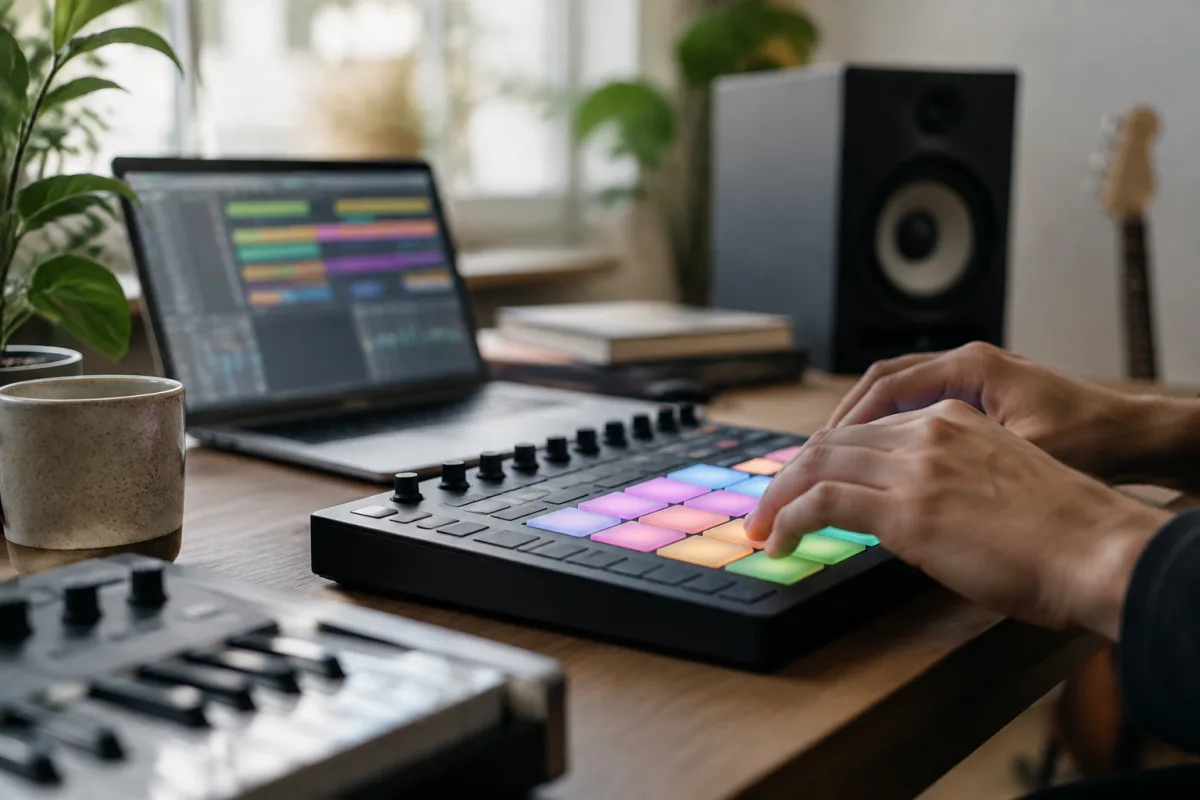
A MIDI pad controller is a grid of pressure-sensitive pads you strike with your fingers to trigger sounds in a DAW (digital audio workstation) or hardware synthesizer. It's the perfect entry point into beat-making and music production — intuitive, tactile and far more engaging than clicking a mouse. Whether you're producing hip-hop, electronic dance music or experimental soundscapes, a MIDI pad controller turns your computer into an instrument.
What Is a MIDI Pad Controller?
A MIDI pad controller is hardware that translates physical strikes into MIDI data — digital messages that trigger sounds. Each pad responds to velocity (how hard you strike it), allowing dynamic expression. A grid of 16 pads is standard, though controllers range from 4 pads to 64. The pads send information to your DAW via USB or MIDI, where software instruments (synths, drum kits, samplers) generate sound.
A MIDI pad controller makes beat-making tactile and fun. Instead of programming drum sounds into a piano roll on screen, you're striking pads in real time — much closer to playing a real instrument.
Pad Type and Responsiveness
Pad quality varies enormously. Budget MIDI pad controllers use thin rubber pads that feel cheap and respond inconsistently. Professional units have thick, springy pads with excellent rebound and velocity sensitivity. A good pad responds to soft and hard strikes distinctly, allowing subtle dynamic control.
Aftertouch — the ability to change a sound's character by pressing a pad after striking it — is found on premium MIDI pad controllers but absent from budget units. For beginners, standard velocity sensitivity is sufficient; aftertouch is a nice-to-have.
Connection and Compatibility
All modern MIDI pad controllers connect via USB to Mac or Windows. USB provides power and MIDI data in a single cable, making setup simple. Plug in, install drivers (if required), open your DAW and the controller is immediately recognized. Some professional MIDI pad controllers offer 5-pin DIN MIDI connectors for connecting to hardware synthesizers alongside USB.
Compatibility is universal — a MIDI pad controller from any brand works with any DAW. Ableton Live, Logic Pro, Studio One and free DAWs like Reaper all recognize standard MIDI controllers. This flexibility lets you upgrade controllers without abandoning your software.
Key Features to Evaluate
The number of pads matters. Sixteen pads is standard and plenty for beat-making. Larger controllers (32, 64 pads) offer more room to work but take up more desk space. A MIDI pad controller with drum racks or note modes lets you play melodic lines, not just drums — essential for versatility.
Buttons and knobs let you navigate software without using a mouse. A MIDI pad controller with dedicated transport controls (play, stop, record), volume faders or filter knobs accelerates workflow. RGB lighting on pads provides visual feedback and looks great during performances.
Look for a MIDI pad controller with solid build quality — a device that survives drops and vigorous striking without breaking.
MIDI Pad Controllers for Different Genres
Hip-hop producers favour controllers with dedicated drum rack modes and sample triggering. A MIDI pad controller designed for Ableton Live's drum racks (such as Native Instruments Maschine) streamlines workflow dramatically.
Electronic producers use controllers with a focus on melodic modes — triggering synth sounds, arpeggios and chord progressions. A MIDI pad controller that can quantise to scales makes melodic playing easier.
Performers often prefer controllers with sample playback capabilities, letting them build songs from loops and samples on stage.
Budget Considerations
A budget MIDI pad controller costs £50–150 and offers basic features: 16 pads, USB connection, minimal buttons. Examples include the Akai MPK Mini and Korg Kaoss Pad.
Mid-range MIDI pad controllers (£150–400) add better pad quality, more controls and enhanced software integration. Professional controllers (£400+) offer premium build, aftertouch, lighting and advanced features.
For beginners, a mid-range MIDI pad controller offers the best value — far better pads and controls than budget units, but without the premium price of professional gear.
Integration with Your DAW
Some MIDI pad controllers ship with bundled software — lite versions of popular DAWs, synth plugins or sample packs. Native Instruments Maschine, for example, comes with Maschine production software, letting you start immediately. Others require you to supply your own DAW.
Research what's included. A MIDI pad controller bundled with useful software can save hundreds on DAW and plugin purchases.
MIDI Pad Controllers vs Keyboards
A MIDI keyboard is broader — it has keys for melodic playing plus some pads and controls. A MIDI pad controller focuses on percussion and sound triggering. For beat-making and groove production, a pad controller is superior to a keyboard; for melodic work, a keyboard is better.
Many producers use both — a controller for beats and drums, a keyboard for melodic lines — but a MIDI pad controller alone is sufficient for most music production.
Learning and Workflow
A MIDI pad controller has a shallow learning curve. You strike pads, sounds come out. With a week of playing, you're programming beats. With a month, you're comfortable improvising grooves. A MIDI pad controller is infinitely more intuitive than a piano roll or step sequencer.
The tactile feedback accelerates creativity. You're performing, not programming — and that shift in mindset makes music-making more engaging and fun.
Conclusion
A MIDI pad controller is the perfect entry point into music production. It transforms your computer into a playable instrument, making beat-making intuitive and creative. Choose a mid-range controller with solid pads and good software integration, plug it in, and start making music. Within weeks, you'll understand why producers worldwide swear by MIDI pad controllers.




Comments