


Pro Tools DAW Software article
The Complete Guide to Pro Tools Daw Software
Pro Tools DAW software is the industry standard for professional recording, mixing and mastering. Discover its powerful features, pricing options and how to excel in this professional platform.
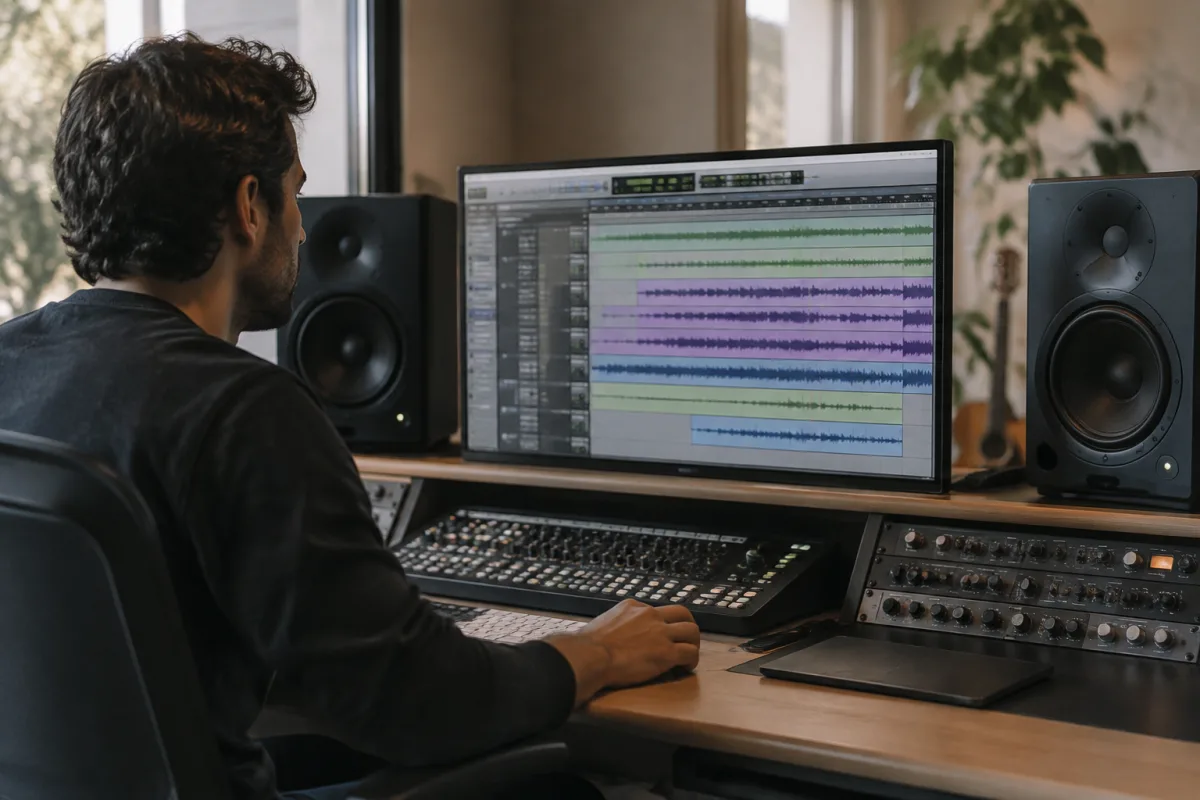
Pro Tools DAW software stands as one of the most powerful and widely-adopted digital audio workstations in professional music production, recording studios and post-production facilities worldwide. For decades, Pro Tools has defined industry standards for multi-track recording, editing and mixing, earning its position as the go-to platform for professional engineers, producers and artists. Whether you're a seasoned studio professional or exploring Pro Tools for serious home recording, understanding this software's capabilities, workflow and integration possibilities unlocks extraordinary creative potential.
What Is Pro Tools DAW Software?
Pro Tools is a comprehensive digital audio workstation developed and maintained by Avid Technology, designed from the ground up for professional-grade audio recording, editing, mixing and mastering. Unlike many DAWs built as all-in-one creative tools, Pro Tools specialises in precision audio editing and mixing, providing engineers with granular control over every aspect of audio manipulation and arrangement.
The Pro Tools DAW software philosophy prioritises workflow efficiency, audio quality and compatibility with professional studio hardware and standards. Its non-destructive editing approach, unlimited undo/redo capabilities and powerful MIDI and automation tools make it indispensable for projects demanding the highest standards of precision and professional output.
Core Features and Capabilities
Pro Tools DAW software delivers an impressive array of professional-grade features:
- Multi-track recording: Record unlimited audio and MIDI tracks simultaneously (limited only by your hardware's CPU capacity), with latency-free monitoring and flexible routing options.
- Non-destructive editing: Edit audio without altering the original files. Undo infinite edits, experiment freely and maintain a complete edit history throughout your project.
- Elastic Audio and Time Shifting: Time-stretch audio without changing pitch or adjust pitch without changing duration, essential for fixing timing issues and creative audio manipulation.
- Advanced mixing: Comprehensive automation of every parameter, dynamics processing, EQ controls and sophisticated routing for submix construction and creative effects chains.
- Built-in plugins: Avid supplies an extensive library of first-party audio processing plugins covering EQ, compression, reverb, delay and creative effects.
- Robust MIDI editing: Comprehensive MIDI piano roll editing, step sequencing and virtual instrument support make Pro Tools capable as a music production platform.
- Post-production specialisation: Features like Foley recording, ADR (automatic dialogue replacement) and surround sound mixing cater specifically to film, television and podcast production.
Pro Tools Plans and Versions
Avid offers Pro Tools through multiple subscription tiers, each catering to different needs and budgets:
- Pro Tools Intro: Free entry-level version with limited track counts and features, perfect for learning and small home projects.
- Pro Tools Studio: Monthly or annual subscription providing unlimited audio tracks, cloud collaboration features and access to Avid's plugin ecosystem.
- Pro Tools Perpetual License: One-time purchase option for professional studios prioritising ownership over subscription costs, though receiving software updates requires annual upgrade fees.
- Pro Tools Ultimate: Premium tier offering unlimited tracks, exclusive plugins and collaboration tools favoured by major studios and facilities.
Workflow and Integration
Pro Tools DAW software excels in professional studio environments where compatibility with industry-standard hardware and formats is essential. The session file format and plugin architecture work seamlessly with professional monitoring systems, immersive mixing suites and traditional mixing desk control surfaces.
Session interchange between studios, collaboration with other professionals and archival of completed projects follow established Pro Tools standards respected and supported across the industry. This compatibility and standardisation make Pro Tools the natural choice when working in professional facilities or collaborating with engineers and studios worldwide.
System Requirements and Performance
Pro Tools DAW software runs on Mac OS and Windows systems, with modest but specific technical requirements. The software benefits significantly from substantial RAM, SSD storage and modern CPU architecture — serious production work on substantial sessions demands capable hardware. Audio interface compatibility is crucial; Pro Tools works optimally with Avid-approved interfaces, though third-party interfaces function with varying degrees of latency and stability.
Cloud collaboration through Pro Tools Studio and Ultimate subscriptions enables remote recording, editing and mixing sessions, transforming how distributed teams and remote artists create together. Connection speed and reliability matter significantly when working collaboratively, as session updates sync across participants' systems in real time.
Learning and Mastery
Pro Tools DAW software's power comes with a learning curve that deters some potential users. The workflow differs significantly from other DAWs — menu organisation, editing approaches and parameter access follow Pro Tools logic rather than industry-standard conventions. Fortunately, the professional audio industry has invested decades training engineers on Pro Tools, resulting in abundant tutorials, courses and community resources.
Investing time in learning Pro Tools properly — not just dabbling but developing genuine proficiency — pays dividends for anyone serious about professional audio production. The skills translate directly to professional studio environments where Pro Tools dominates, making Pro Tools expertise a valuable credential for aspiring audio professionals.
Professional Applications
Pro Tools DAW software dominates specific professional domains. Major recording studios employ Pro Tools as their primary platform for artist recording, mixing and mastering. Post-production facilities use Pro Tools exclusively for dialogue editing, sound design and final mixes for film, television and streaming content. Podcast and audio documentary production increasingly relies on Pro Tools for its precision editing capabilities and collaborative features.
The professional standard status means that projects recording in Pro Tools sessions can move seamlessly between studios, allowing artists to work in different facilities without compatibility concerns — a practical advantage unmatched by competing platforms.
Conclusion
Pro Tools DAW software represents the pinnacle of professional audio engineering tools, with a learning curve offset by its unmatched power, industry compatibility and professional prestige. Whether you're establishing a professional recording facility, pursuing audio engineering credentials or simply demanding the best tools for serious production work, Pro Tools DAW software offers the precision, reliability and professional integration necessary to create broadcast-quality audio. Mastering this industry-standard platform opens doors to professional opportunities and production capabilities few other DAWs can match.


Comments