


Sampler Plugin Buying guide
Sampler Plugin: A Complete Buyer's Guide
A quality sampler plugin transforms sample-based production workflows. Discover how to evaluate options, assess essential features, and invest in tools that enhance your creative capabilities.
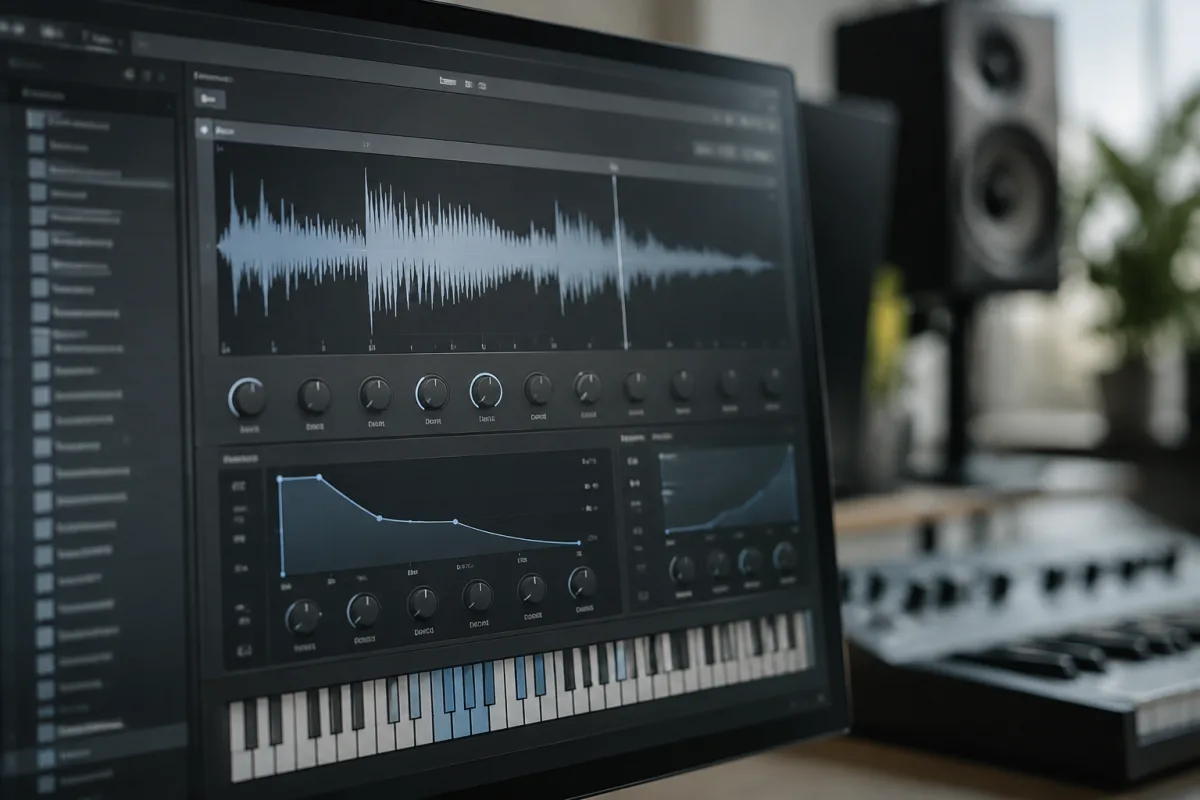
Sampler plugins represent essential tools for modern music producers, enabling creative manipulation of audio recordings – from triggering drum sounds to processing complete instruments. Selecting an appropriate sampler plugin determines whether sample-based production enhances your workflow or becomes frustratingly complex. The right sampler plugin provides intuitive interfaces, comprehensive editing capabilities, and sound quality that translates seamlessly into professional productions. This guide walks you through evaluating sampler plugins strategically, understanding specifications that matter, and investing in tools that genuinely elevate your creative output.
Understanding Sampler Plugin Categories and Specialisations
Sampler plugins occupy several distinct categories, each serving different production purposes. Drum samplers specialise in triggering drum sounds, providing features optimised for percussion mapping and rhythm programming. Melodic samplers prioritise playing recorded audio across keyboard ranges, ideal for transforming field recordings or vocal samples into playable instruments. Granular samplers manipulate tiny audio fragments (grains), producing experimental textures and transformative effects. Wavetable-powered samplers combine sampled material with synthesis capabilities, enabling sophisticated sound design possibilities.
Your production style directly influences which sampler plugin category serves your needs best. Hip-hop and R&B producers typically favour drum and melodic samplers. Electronic musicians frequently explore granular possibilities. Experimental producers appreciate wavetable capabilities. Understanding your primary workflow guides intelligent sampler plugin selection.
Essential Features Determining Sampler Plugin Quality
Sample mapping capabilities represent the foundation of quality sampler plugins. This feature lets you assign different audio files to different keyboard keys, building playable instruments from sample collections. Premium sampler plugins offer intelligent auto-mapping features, detecting transients and distributing samples across keyboard ranges automatically. Basic sampler plugins require manual assignment, creating tedious workflows.
Audio editing depth separates excellent sampler plugins from mediocre alternatives. Essential controls include sample trimming (removing unwanted silence), loop detection (identifying optimal looping points), and pitch shifting (transposing samples without altering their character). Advanced sampler plugins include sophisticated time-stretching, granular processing, and harmonic shifting capabilities. Verify that your prospective sampler plugin handles your typical sample types effectively.
Workflow efficiency features dramatically impact daily usability. Drag-and-drop sample loading accelerates setup considerably compared to menu-based navigation. Browsers preview samples before loading, preventing wasted time with unsuitable audio. Built-in effects (filters, distortion, reverb) enable sound design without external plugins. Customisable interfaces let experienced producers arrange controls according to their preferences.
MIDI capability is absolutely essential in modern sampler plugins. Comprehensive MIDI controls enable complex performance possibilities – velocity-sensitive layering, modulation wheel effects, aftertouch responsiveness. Sampler plugins lacking MIDI integration feel antiquated and limit creative expression.
Avoiding Common Purchasing Mistakes
Many producers acquire multiple sampler plugins without thoroughly exploring their capabilities. This creates decision paralysis and prevents developing expertise. Instead of accumulating numerous sampler plugin options, select one quality tool and commit to mastering its possibilities. Deep expertise with a single sampler plugin produces superior results compared to superficial familiarity with multiple alternatives.
Another frequent error involves overestimating feature requirements. Beginners often gravitate toward feature-rich sampler plugins packed with granular processing and synthesis capabilities, then discover these features overwhelm rather than inspire. Start with straightforward, intuitive sampler plugins focusing on core functionality. Explore advanced capabilities as your expertise develops.
Neglecting CPU efficiency creates frustration when working on complex sessions. Some sampler plugins demand substantial processing power, whilst streamlined alternatives operate lightly. Verify system requirements before purchasing, particularly when working on older hardware or building projects containing numerous sampler plugin instances.
Poor sample library integration sometimes disappoints. Some sampler plugins work wonderfully with proprietary sample collections but struggle with user audio. Conversely, excellent general-purpose sampler plugins handle diverse audio gracefully. Before purchasing, test your prospective sampler plugin with actual sample types you plan to work with.
Price Tiers and Value Proposition
| Price Range | Typical Features | Use Cases | Sound Quality |
|---|---|---|---|
| Free | Basic sample playback, limited editing, minimal effects | Learning, experimentation, simple projects | Acceptable for basic work |
| £20–50 | Core sampling features, basic editing, essential effects | Hobbyists, student projects | Good for learning and casual production |
| £50–150 | Comprehensive features, professional editing, quality effects | Serious producers, semi-professional work | Professional-grade, suitable for releases |
| £150+ | Advanced processing, extensive customisation, premium libraries | Professional studios, specialist workflows | Premium sound quality, signature tools |
Evaluating Sampler Plugin Sound Quality and Fidelity
The truest test of sampler plugin quality involves loading identical audio, processing it identically, then carefully comparing results. Quality sampler plugins preserve sample integrity, maintaining clarity and definition through processing. Inferior sampler plugins introduce unwanted artifacts – digital noise, sonic degradation, or quality loss during pitch shifting.
Pay special attention to pitch-shifting performance. Load a melodic sample and transpose it extensively whilst listening carefully. Quality sampler plugins maintain tonal character across pitch ranges. Weak implementations sound warped, unnatural, or degraded at extreme transpositions.
Assessing Developer Support and Update Policies
Quality sampler plugin developers maintain active development, regularly updating compatibility with new DAW versions and expanding capabilities. Research developer update history – are updates frequent and substantial, or has development stalled? Responsive developers indicate long-term commitment to their sampler plugins.
Trial versions or money-back guarantees represent confidence in sampler plugin quality. Use extended trials to produce complete projects within your prospective sampler plugin, ensuring it suits your workflow before purchasing. This real-world testing far exceeds specification comparisons.
Considering Integration with Your Workflow
Sampler plugins must integrate seamlessly into your existing setup. Verify DAW compatibility – does it support your specific platform, OS version, and DAW? Verify format support (VST, AU, AAX) matches your system. Incompatibility creates expensive frustrations that proper research prevents.
Consider your intended use cases carefully. Film composers might prioritise melodic sampling and sophisticated articulation options. Hip-hop producers value drum mapping and rhythm programming features. Experimental musicians explore granular and spectral processing. Match sampler plugin selection to your primary workflow rather than choosing generalist tools.
Building Expertise with Your Sampler Plugin
After selecting your sampler plugin, dedicate time thoroughly exploring its capabilities. Create sample sets representing your primary material – drums, melodic instruments, field recordings, vocals. Build playable instruments within your sampler plugin and test extensive pitch ranges. This practical experimentation builds intuitive understanding far better than studying manuals.
Experiment with preprocessing samples before loading them. Time-stretching to match your project tempo, normalising loudness levels, removing unwanted frequencies – these steps influence how effectively sampler plugins perform with your material. Quality sample preparation yields superior results.
Making Your Purchasing Decision
Before committing to any sampler plugin, utilise trial periods extensively. Create complete musical ideas within trial versions, testing whether the sampler plugin supports your creative process effectively. This hands-on evaluation prevents buyer regret and ensures your investment serves genuine production needs.
For comprehensive context about sampler capabilities and production applications, review our complete guide to sampler plugins, which explores the full landscape of available tools and advanced techniques.
Finally, recognise that a quality sampler plugin represents a long-term investment in your creative capabilities. Select tools matching your workflow, invest time understanding their depth, and let your chosen sampler plugin become a signature element of your production process. The combination of appropriate tools and dedicated practice yields extraordinary creative results and professional-quality productions.



Comments