


Cinematic VST article
Cinematic Vst for Beginners: A Complete Guide
Cinematic VST libraries promise impressive results fast, but beginners often misuse them. This guide explains what cinematic VST really is, where it works best and how to use it without getting lost in the hype.
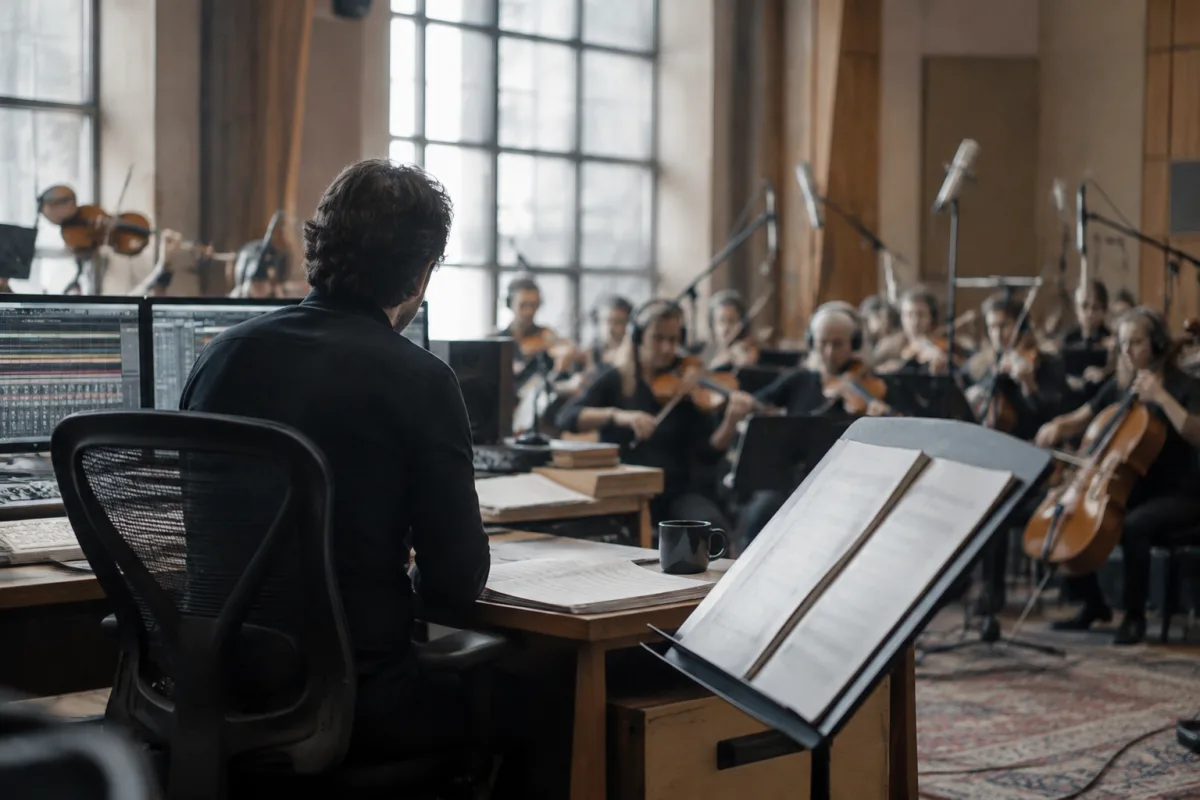
The term "cinematic VST" gets thrown around a lot in music production, but for beginners, it's often unclear what exactly you're getting. Are cinematic VST tools orchestral libraries? Sound design packs? Something else entirely? This guide clarifies what a cinematic VST actually is, what makes cinematic VST sounds distinctive, and how beginners can use them effectively without getting lost in the marketing hype.
What "Cinematic VST" Actually Means
A cinematic VST is a collection of sounds designed to evoke drama, emotion and visual storytelling. Unlike traditional orchestral libraries that focus on realistic acoustic instruments, cinematic VST tools emphasise texture, impact and mood. A cinematic VST might include swelling string pads, massive drum hits, ethereal pad sounds and atmospheric drones—all optimised for film, television and high-impact game music.
Cinematic VST is not a technical category; it's a marketing description. Two cinematic VST libraries can sound completely different. One cinematic VST might specialise in realistic orchestral cinematic VST sounds; another cinematic VST focuses on experimental textures and electronic manipulation. Understanding what's actually inside your chosen cinematic VST matters far more than the label.
How Cinematic VST Differs From Standard Orchestral Libraries
If you're considering a cinematic VST, here's what sets it apart from traditional orchestral tools:
| Feature | Cinematic VST | Traditional Orchestral Library |
|---|---|---|
| Focus | Dramatic texture, emotional impact, film-ready sounds | Realistic acoustic instruments in classical contexts |
| Presets | Cinematic VST presets are often layered, processed and ready to use immediately | Individual, unprocessed instrument sounds |
| Articulations | Cinematic VST typically offers fewer articulations but more effects processing | Extensive articulations for detailed classical composing |
| Learning curve | Cinematic VST beginners can get impressive results fast | Takes longer to sound convincing; requires more knowledge |
| Playability | Cinematic VST is often less real-time playable; more preset-based | Designed for hands-on MIDI performance and expression |
Both approaches have merit, but they serve different purposes. A cinematic VST is ideal for beginners because it yields impressive results quickly; traditional orchestral libraries require skill and patience to sound good.
What You'll Find Inside a Typical Cinematic VST
Most cinematic VST packages contain several categories of sounds:
- Swells and pads: Cinematic VST excels at gradually building emotional textures—strings swelling underneath a dramatic moment, atmospheric pads that feel vast and unknowable. These are cinematic VST's bread and butter.
- Stabs and impacts: Short, punchy sounds (a orchestral hit, a digital spike, a metallic crash) that land with authority. A good cinematic VST includes hundreds of these ready to grab and drop into your arrangement.
- Drones and backgrounds: Cinematic VST often includes sustained, layered pad sounds that sit underneath your mix, providing cohesion and atmosphere.
- Melodic instruments: Some cinematic VST libraries include playable instruments (strings, brass, woodwinds) optimised for cinematic context. These are less detailed than dedicated orchestral libraries but perfect for cinematic VST beginners.
- Percussion and effects: Cinematic VST packages usually have a deep collection of processed, dramatic percussion: timpani rolls, gong crashes, prepared pianos and abstract sonic textures.
Common Beginner Mistakes With Cinematic VST
Watch out for these pitfalls when learning cinematic VST:
- Over-relying on presets: Cinematic VST libraries include hundreds of presets, and beginners sometimes layer them without modification. Every sound should be tweaked slightly—reverb adjusted, EQ shaped, volume refined. Unmodified presets layered together sound generic and weak.
- Stacking too many cinematic VST sounds at once: A cinematic VST encourages layering because each sound sounds so good in isolation. But 15 cinematic VST layers will create a muddy, exhausting mess. Beginners should learn to say no and let space exist in their mixes.
- Using cinematic VST for music that doesn't need drama: A cinematic VST is optimised for narrative tension and emotional peaks. If you're scoring upbeat comedy or minimalist ambient music, a cinematic VST is the wrong tool. Know your genre before committing.
- Not adjusting velocity and timing: Cinematic VST presets are locked to fixed velocities and rhythms. Open the MIDI editor and add variation—humanise the timing, adjust dynamics. A tiny bit of editing transforms cinematic VST from generic to genuinely interesting.
- Ignoring the sound design layer: The best cinematic VST results come from understanding each sound deeply. Spend 30 minutes with a single cinematic VST preset: open the controls, experiment with every knob, understand what each parameter does. Then you'll use it convincingly.
When to Use Cinematic VST and When Not To
Cinematic VST shines in certain contexts and falls flat in others. Understanding where cinematic VST actually works will save you time and frustration.
Cinematic VST works brilliantly for: Film scores, television soundtracks, game trailers, YouTube videos, dramatic podcast intros, any project that benefits from emotional intensity and visual storytelling.
Cinematic VST is less suitable for: Classical composition (use a proper orchestral library), minimal or ambient music, comedy or lighthearted projects, film where subtlety matters more than drama, jazz or improvisation-based work.
Matching Cinematic VST to Your Project
Before you buy a cinematic VST, ask yourself: What is the emotional core of my project? Is it dramatic, tense, mysterious, epic or intimate? Choose a cinematic VST that specialises in that mood. A cinematic VST focused on cinematic drama won't help if you're scoring a quiet character moment.
Listen to demos of cinematic VST libraries and pay close attention to the presets that genuinely move you. That emotional response tells you whether a cinematic VST library's character matches your creative vision. Every cinematic VST has a personality; find one that speaks to you.
For deeper exploration of cinematic VST architecture and how to design your own sounds within cinematic VST libraries, see our complete guide to cinematic VST tools and sound design techniques.
Your First Cinematic VST Project
Once you've chosen a cinematic VST library, begin small: create a 2-minute teaser or short film scene. Use no more than three cinematic VST instruments. Pay obsessive attention to dynamics, timing and spatial placement (pan and reverb). A tight, well-mixed two-minute piece built from cinematic VST sounds will teach you more than a sprawling 20-minute mess.
Cinematic VST libraries are powerful because they meet you where you are—impressive results come fast. But the deeper you dig, the more control you'll discover. Spend time with your chosen cinematic VST, learn its character and use it intentionally. That's when cinematic VST stops feeling like marketing hype and starts feeling like a genuine creative partner.



Comments