


Autotune Plugin article
Autotune Plugin for Beginners: A Complete Guide
Autotune doesn't have to feel intimidating. This beginner's guide demystifies vocal pitch correction, walks you through your first session, and shows why autotune is simply a professional tool—not cheating.
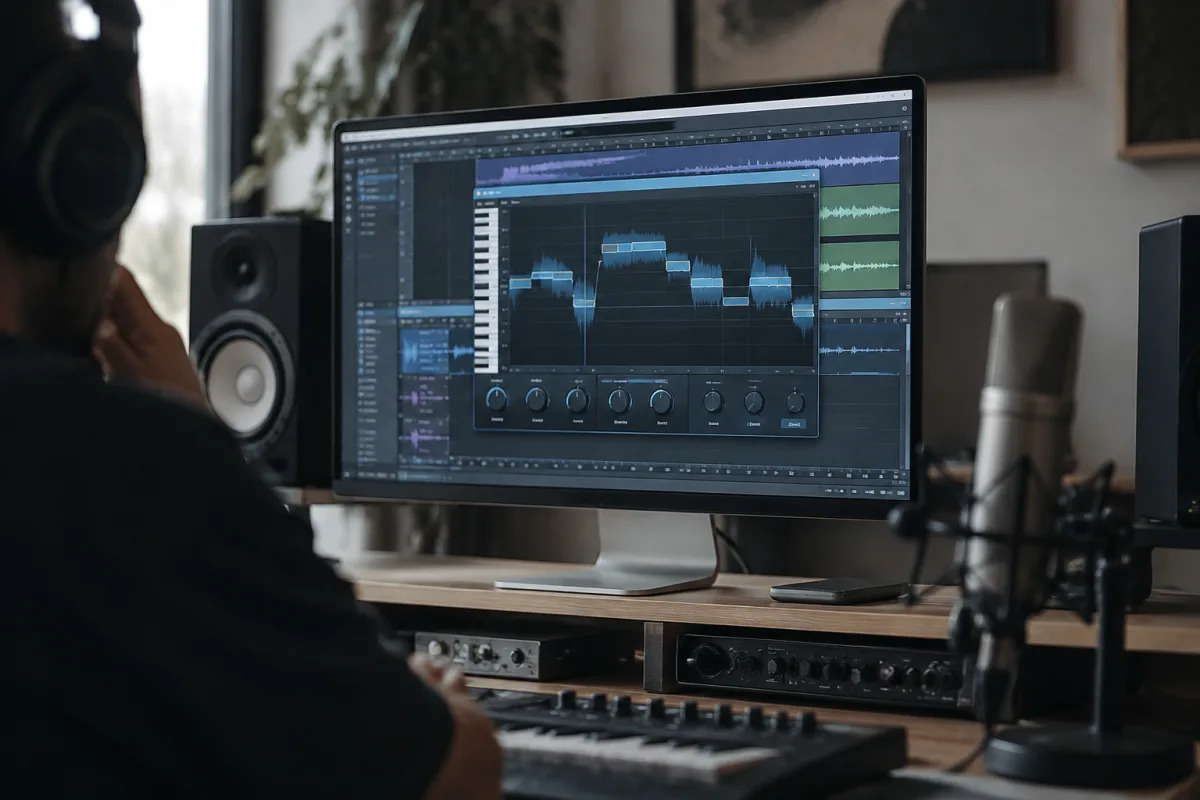
Autotune has a reputation that precedes it. Many beginners approach autotune plugins with anxiety—worried they'll sound artificial, unsure if using it is "cheating," or intimidated by the controls. The truth is simpler: autotune is a tool, and like any tool, it responds to thoughtful use. This guide walks you through your first autotune experience, removing the mystery and helping you understand when and how to use it confidently.
What Autotune Actually Does (And Doesn't)
Autotune listens to your vocal recording and gently nudges off-pitch notes back into tune. That's genuinely it. It's not magic, not cheating, and not a substitute for good singing. It's correction, similar to how a guitar tuner helps you get a string perfectly in tune.
What autotune can't do: it can't change bad phrasing, add emotion, or make a weak vocal compelling. What it absolutely can do: fix small pitch wobbles, correct missed notes, and give your vocal the polish that separates "good" from "great."
Understanding this distinction changes everything. You're not replacing your talent with a plugin; you're finishing your work with the same care you'd give an audio engineer.
Three Common Autotune Fears (And Why They're Unfounded)
Fear 1: "It Will Sound Robotic"
This happens when autotune is overused or set to correct everything, even natural vibrato. Modern autotune plugins offer subtle settings that preserve your natural performance. When used conservatively, listeners never notice it's there—they just hear a better version of you.
Fear 2: "People Will Know I Used It"
Nearly every professional vocal you hear uses some form of tuning correction. It's so common that not using it would actually be unusual. The difference between "that sounds great" and "that sounds edited" is restraint, not the tool itself.
Fear 3: "Using Autotune Means I'm Not A Good Singer"
Professional singers, including extraordinary ones, use autotune. The fact that autotune exists says nothing about your ability—it says you're working like a professional. Reframe it: using autotune wisely shows you care about quality.
Your First Autotune Session: A Simple Workflow
Get comfortable with autotune by following this straightforward path:
- Import a vocal recording you're happy with (decent performance, not perfect)
- Set your key and scale to match your song
- Set autotune to "subtle" mode or its gentlest correction setting
- Listen to the result—you should barely notice anything changed
- Gradually increase correction until the vocal sounds polished without sounding artificial
- Make small adjustments rather than big changes
That's all you need for your first time. More complex features exist, but restraint serves beginners better than experimentation.
Understanding Key and Scale Settings
The most important setting on any autotune plugin is the key. Tell autotune what key your song is in, and it will only correct to notes in that key. Get this wrong and autotune will sound awful—pulling your voice to wrong notes.
If your song is in A major, tell autotune you're in A major. If it's in E minor, set it to E minor. This is genuinely the make-or-break decision. Spend one minute getting this right and you'll avoid hours of frustration.
The scale option (major, minor, pentatonic) further refines which notes autotune considers "correct." Stick with the scale that matches your song. When in doubt, major works for most pop and rock music; minor works for melancholy tracks.
Common Beginner Mistakes With Autotune
Learning from others' missteps accelerates your confidence:
- Setting the key wrong. This creates the dreaded "robotic" sound. Double-check your key before recording anything.
- Correcting too aggressively. Soft, subtle correction sounds natural. Obvious correction sounds artificial. Resist the urge to cranked everything to maximum.
- Using autotune on already-perfect notes. Good singers nail most notes naturally. Autotune should touch maybe 10-20% of your vocal. If you're correcting everything, either use subtler settings or consider re-recording.
- Forgetting about vibrato. Many autotune plugins have vibrato controls. Crushing vibrato entirely sounds unnatural. Preserve some natural vibrato in your vocal.
- Not listening critically. Take breaks between adjustments and listen fresh. Your ears get fatigued after 15 minutes and stop judging accurately.
Different Autotune Approaches
Autotune plugins work in different modes, and knowing when to use each is valuable:
Transparent mode: Corrects pitch so subtly most people won't hear it. Perfect for vocals where you want natural sound but slightly polished intonation. This is your default choice when starting out.
Classic mode: More obvious pitch correction, with the gentle robotic quality many associate with autotune. Use this only when you want a stylised vocal effect.
MIDI-based correction: You create a MIDI note sequence to tell autotune exactly how you want each note corrected. This is for advanced users and specific creative effects, not for beginners.
When Autotune Is Actually Worth Using
Autotune shines in specific situations:
- A vocal take is 95% great but has two or three notes that wobble
- Your performance drifts slightly flat by the end of the song
- You want a particular stylistic vocal effect
- You're layering multiple vocal takes and want them perfectly in tune together
Autotune struggles when:
- The vocal performance is weak to begin with
- The entire vocal needs correction (re-record instead)
- You're trying to correct vibrato-heavy singing
Building Your Autotune Confidence
Use autotune on three complete vocal takes this week. Don't overthink it. Set your key, choose subtle correction, and listen. You'll quickly develop intuition for how much correction sounds good and how much sounds artificial. That's genuinely all the learning you need.
For more advanced applications and detailed feature exploration, see the comprehensive autotune plugin guide.
Your Next Step
Open autotune with a vocal recording you like. Set the key correctly. Choose subtle correction and listen. That's enough. You've officially used autotune. The rest is just building confidence through repetition. You're not cheating, not being artificial, and not breaking any unwritten rules. You're being professional. Start now.


Comments