


Music Transcription Software article
Music Transcription Software for Beginners: A Complete Guide
A beginner's guide to music transcription software. Learn the transcription process, choose software, avoid common mistakes, and build ear training consistency.
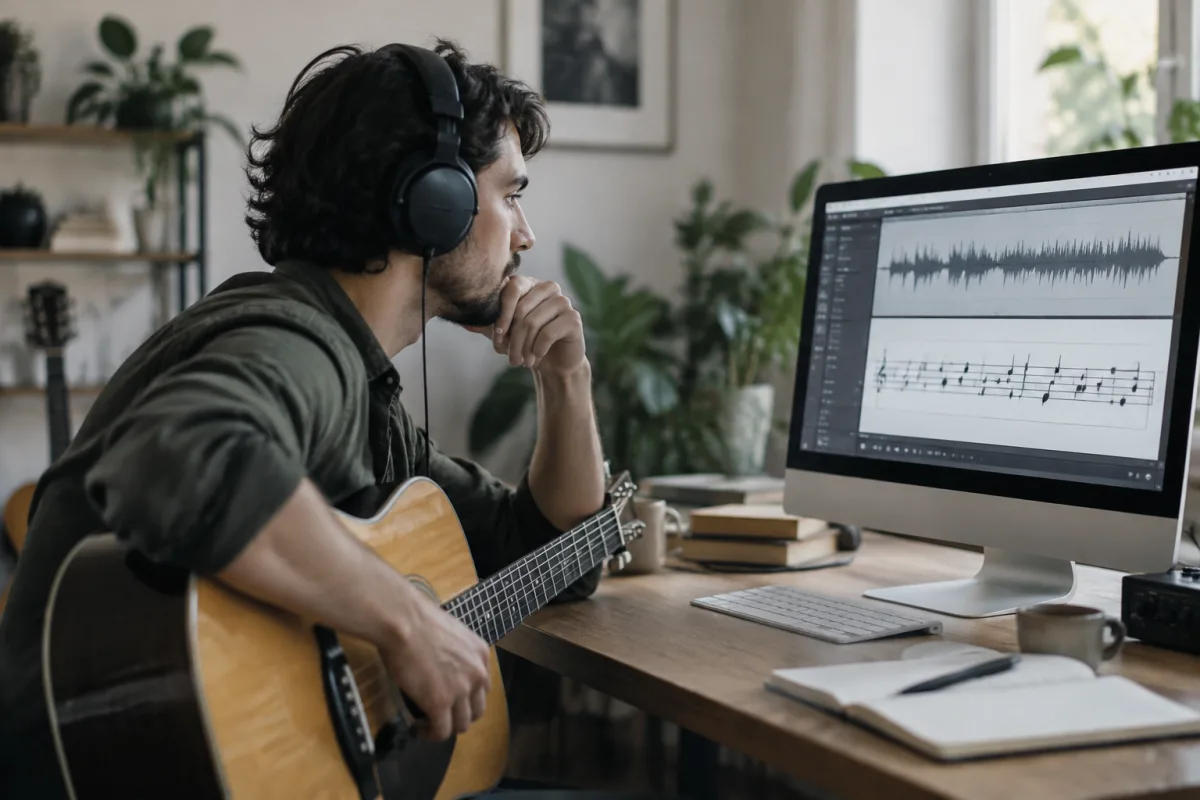
Learning to transcribe music—writing down what you hear—transforms your ear and deepens your musical understanding. Nervous about starting? Many beginners worry that music transcription software is too complex or that they'll make mistakes. The reality is encouraging: modern music transcription software is surprisingly approachable, and mistakes during transcription are part of learning. This beginner's guide walks you through your first transcription project, explains what to expect, and helps you establish practices that build transcription skills over time.
Why Transcribe Music at All?
Transcription is one of the most effective ways to learn music. Instead of reading sheet music someone else wrote, music transcription software lets you transcribe directly from recordings. This trains your ear to recognise intervals, rhythms, and phrasing. Musicians who transcribe regularly develop exceptional ear training without formal study. If you've always wanted to learn "by ear," music transcription software is your path. The discipline of slowing down a recording with music transcription software and figuring out each note rewires your musical brain in months rather than years.
What Music Transcription Software Actually Does
Music transcription software serves one essential function: it slows down audio without changing pitch. Your favourite song played at full speed is impossible to transcribe. But that same song at 50% speed, played repeatedly through music transcription software, becomes manageable. You'll pick out individual notes, rhythmic details, and nuances that disappear at normal speed. Most music transcription software also includes looping (repeat sections), tempo adjustment (playback speed), and pitch shifting. Some transcription applications offer automatic music transcription software (AI that attempts to notate music automatically), though this technology remains imperfect. Start with the manual approach—music transcription software makes it easy enough.
Choosing Your First Music Transcription Software
Popular music transcription software for beginners includes Transcribe! (affordable, reliable, widely used), Amazing Slow Downer (intuitive, simple interface), and Audacity (free, open-source). Don't overthink the choice—most music transcription software does essentially the same thing. Transcribe! is often recommended because it balances features and simplicity well. If budget is tight, free music transcription software like Audacity works fine, though the interface requires patience to learn. Try a few; find whichever music transcription software feels comfortable. The best choice is whichever you'll actually use regularly.
Setting Up Your First Music Transcription Software Session
Import your audio file into music transcription software. Play it at full speed once—get familiar with the song. Then reload it and set music transcription software to slow the tempo to 70% (or even 50% if needed). Play a 30-second section repeatedly using music transcription software's looping feature. Transcribe what you hear into your notation software (sheet music app or even paper). Stop, repeat, loop again. This is how music transcription software is used—not as a magic tool that writes for you, but as an assistant that lets you work at your own pace.
The Transcription Process Using Your Music Transcription Software
Start by identifying the main instrument or vocal melody. Transcribe just that part using music transcription software at slow tempo. Once you've got the melody, tackle harmony or additional instruments. Don't try transcribing everything simultaneously through your music transcription software; focus on one element at a time. Beginners often expect music transcription software to eliminate the work—it doesn't. What music transcription software does is remove time pressure and fatigue. You control the speed; you're not trying to keep up.
Dealing with Frustration and Mistakes
Your first transcriptions through music transcription software will be incomplete or inaccurate—this is normal and expected. Most professional musicians still make transcription errors. Music transcription software makes it easy to loop and check repeatedly, but perfectionism isn't the goal. Finish transcriptions even if they're imperfect; move to the next song. Accuracy improves naturally over months of practice, not through endless revision of one piece using music transcription software. Many musicians keep a pile of completed transcriptions and review their own progress—the improvement is obvious and motivating.
Choosing Songs Wisely for Music Transcription Software Work
Start with simple songs—slow ballads, acoustic performances, or instrumental pieces are easier than complex arrangements. Avoid wall-of-sound productions initially; stripped-down recordings make music transcription software work much easier. Pick songs you love; enthusiasm carries you through the tedium. Genre matters too—jazz and blues often have complex harmony that challenges music transcription software users, whilst folk and classical can be more straightforward. As your ear develops through music transcription software practice, gradually increase difficulty. Progression matters more than immediate complexity.
Combining Music Transcription Software with Notation
Have notation software (MuseScore, Sibelius, Finale) or paper ready whilst using music transcription software. The transcription workflow typically involves playing audio in music transcription software on one monitor whilst notation software or manuscript paper sits beside it. Switching between them feels clunky initially but becomes automatic. Some musicians prefer handwritten notation whilst transcribing with music transcription software; others use digital notation. Find your preference—music transcription software works with both approaches.
Building Consistency with Music Transcription Software
Regular practice with music transcription software produces results faster than sporadic effort. Transcribe 15 minutes daily using music transcription software rather than 2 hours once weekly. Consistency trains your ear; transcription skills are cumulative. Musicians who dedicate 20 minutes daily to music transcription software develop remarkable ear training within 6 months. Those who transcribe sporadically show slower progress. Commit to frequency, not duration.
Common Beginner Mistakes with Music Transcription Software
The biggest mistake is choosing songs that are too complex for beginners. Start with simple material through music transcription software; increase difficulty gradually. Second mistake: expecting perfect accuracy immediately. Music transcription software can't make your first transcriptions perfect; that's not its purpose. Third mistake: not using the looping feature effectively in music transcription software. Some beginners play long sections at slow speed instead of looping 5-second phrases repeatedly. Fourth mistake: transcribing without notation software or paper available—music transcription software is only half the equation. Fifth mistake: abandoning transcription after one difficult piece. Music transcription software becomes powerful through consistent practice, not individual projects.
Tracking Progress and Celebrating Improvement
Keep completed transcriptions in a folder. Every few months, listen to your early work through music transcription software ears—you'll hear dramatic improvement. This progress is incredibly motivating and proves that consistent practice pays off. Some musicians compile their best transcriptions into a portfolio; this creates pride in the work.
Starting with music transcription software is an exciting investment in your musicianship. Begin with a simple song, embrace the slower learning pace that music transcription software enables, and commit to regular practice. Your ear will develop faster than you expect, and the songs you transcribe become intimately known—you'll understand their structure, harmony, and artistry at a depth that listening alone never provides. For broader context on how music transcription software integrates with formal ear training and advanced transcription techniques, explore our complete guide to music transcription software.


Comments