


Live Mixing Console Buying guide
Live Mixing Console: A Complete Buyer's Guide
Choosing a live mixing console means deciding between analog simplicity and digital flexibility. Learn what features matter and which tier suits your venue.
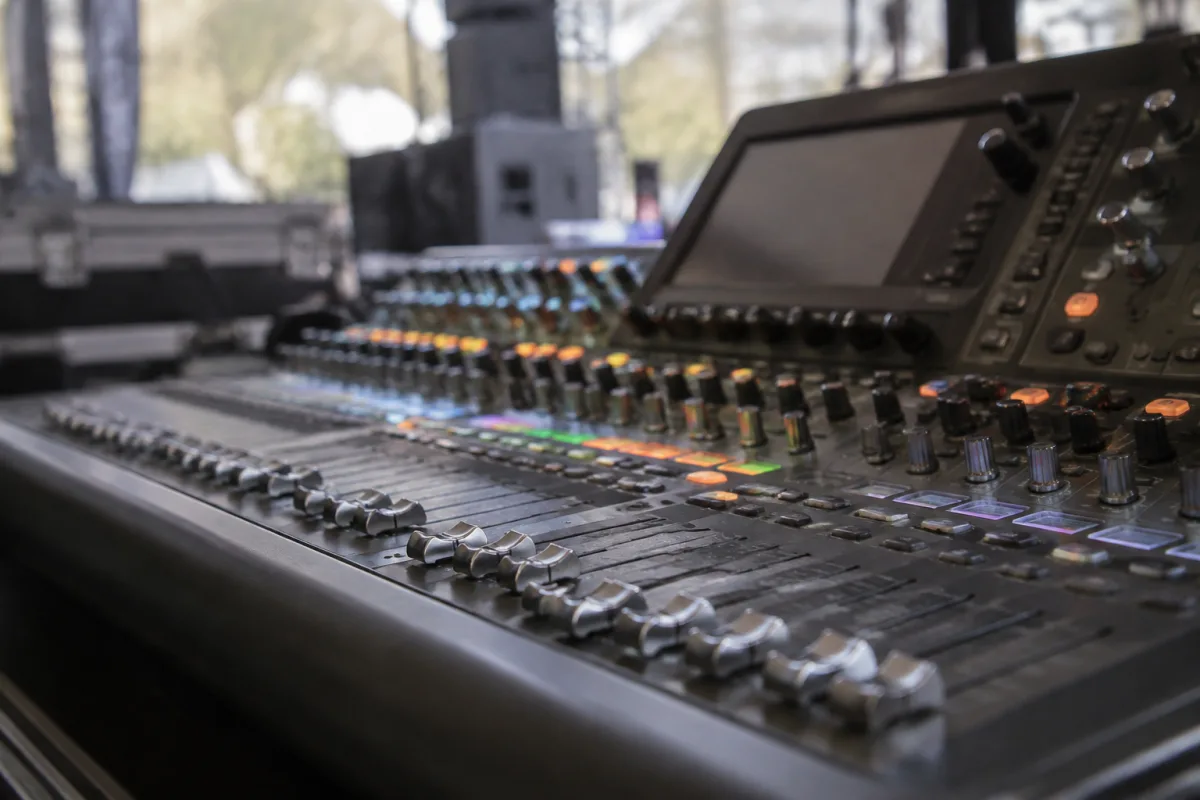
Evaluating Mixing Consoles for Live Sound
Choosing a live mixing console means deciding between analog and digital, balancing channel count with usability, and matching budget to feature set. Modern consoles range from simple 8-channel analog boards (£400) to sophisticated digital desks (£10,000+). This guide cuts through the jargon and helps you identify what actually matters for your venue and use case.
Analog vs. Digital: The Core Question
Analog consoles use physical faders for every channel. What you see is what you get. Simple, intuitive, and impossible to mislay. No software, no menus, no learning curve. Trade-off: limited effects, no recall memory, bulky and heavy. Ideal for small clubs, coffee shops, and venues where simplicity wins.
Digital consoles use touchscreens and a handful of faders with layers of controls accessed via menus. Advantages: recall scenes, onboard effects, compact physical size, wireless monitoring. Trade-offs: steeper learning curve, requires power and occasionally software updates. Standard in mid-to-large venues and professional touring.
Start analog if you're learning. Digital if you're already comfortable mixing and need flexibility.
Channel Count: More Isn't Always Better
A small venue's live band might need 12 channels: four drums, bass, guitar, keys, three vocals, two auxiliary. A corporate event might need 16. A touring rock show might need 32+. Count what you actually mix, then add 20% for future flexibility. Buying a 48-channel console when you use 16 channels is wasteful and overwhelming.
Modern digital consoles often use "channel strips" that can be assigned to different inputs via software, so the physical channel count matters less than the total input capacity. Analog consoles are fixed: 12 channels means 12 inputs forever.
Build Quality and Ruggedness
Touring consoles live rough. Check the fader quality—cheap faders feel scratchy and drift out of position. Button responsiveness should be immediate; slow or mushy buttons indicate cost-cutting. Connectors should be robust XLR or Neutrik specs; flimsy connectors cause intermittent failures.
Wood, metal, or plastic? Metal chassis with internal bracing survive drops. Plastic budget consoles crack easily. Weight signals robustness; feather-light consoles often feel fragile.
Essential Features and Where to Compromise
Built-in effects: Digital consoles include reverb, delay, EQ. Analog consoles need external units. For most venues, onboard effects are adequate and save expense.
Wireless monitoring: Modern digital consoles offer iPad or iPhone monitoring/control. Luxury for large venues; not essential for clubs. Skip it if your budget is tight.
USB/Dante networking: Connects to computers or remote systems. Professional feature; overkill for learning venues.
Motorised faders: Premium feature for recalls. Beginner venues don't need this.
Price Tiers and Use Cases
Entry-level analog (£300–600): 8–12 channel mixers for coffee shops, small churches, bedroom rehearsals. Simple, reliable, cheap. Limited effect options; heavy for transport.
Prosumer analog (£700–1500): 16–24 channel boards for working bands. Better build, onboard effects, flexible routing. Still portable; still straightforward.
Entry digital (£1500–4000): Touchscreen, scene recall, wireless monitoring. Handles mid-sized venues, corporate events. Steeper learning curve but professional-grade reliability.
Professional digital (£5000+): Touring-grade consoles used by major acts. Exceptional build, endless features, complex workflows. Overkill unless you're mixing stages nightly.
Common Purchasing Mistakes
Don't buy digital thinking it's inherently better. A mediocre digital console is more trouble than a simple analog one. Buy analog unless you specifically need digital's advantages (recalls, onboard effects, compact size).
Don't prioritise specs over hands-on feel. A console's "wow" factor dies quickly if the faders are scratchy or the layout is unintuitive. Handle a few models before committing. Comfort matters more than feature count.
Don't forget total cost of ownership. A cheap console may need external effects units, cables, a stand, repairs. A slightly pricier all-in-one solution can be better value long-term.
Testing Before You Commit
Most retailers allow hands-on demos. Bring your own mic and a backing track. Mix for 20 minutes like you'd mix a real event. Is the layout logical? Do the controls respond predictably? Can you find what you need without consulting a manual? If you're annoyed during the demo, you'll hate it at showtime.
For larger purchases, rent for a weekend gig. Real-world use reveals flaws that specs miss. If you're confident after a rental, buy; if you've doubts, keep looking.
For more information on how to integrate a mixing console into a complete live sound system and advanced mixing techniques, see our complete guide to live mixing consoles.


Comments