


Amp Sim Pedal Buying guide
Amp Sim Pedal: A Complete Buyer's Guide
Choosing the right amp simulator pedal can be confusing. This buying guide covers amp models, cabinet modelling, connectivity and price tiers to help you pick the perfect amp sim.
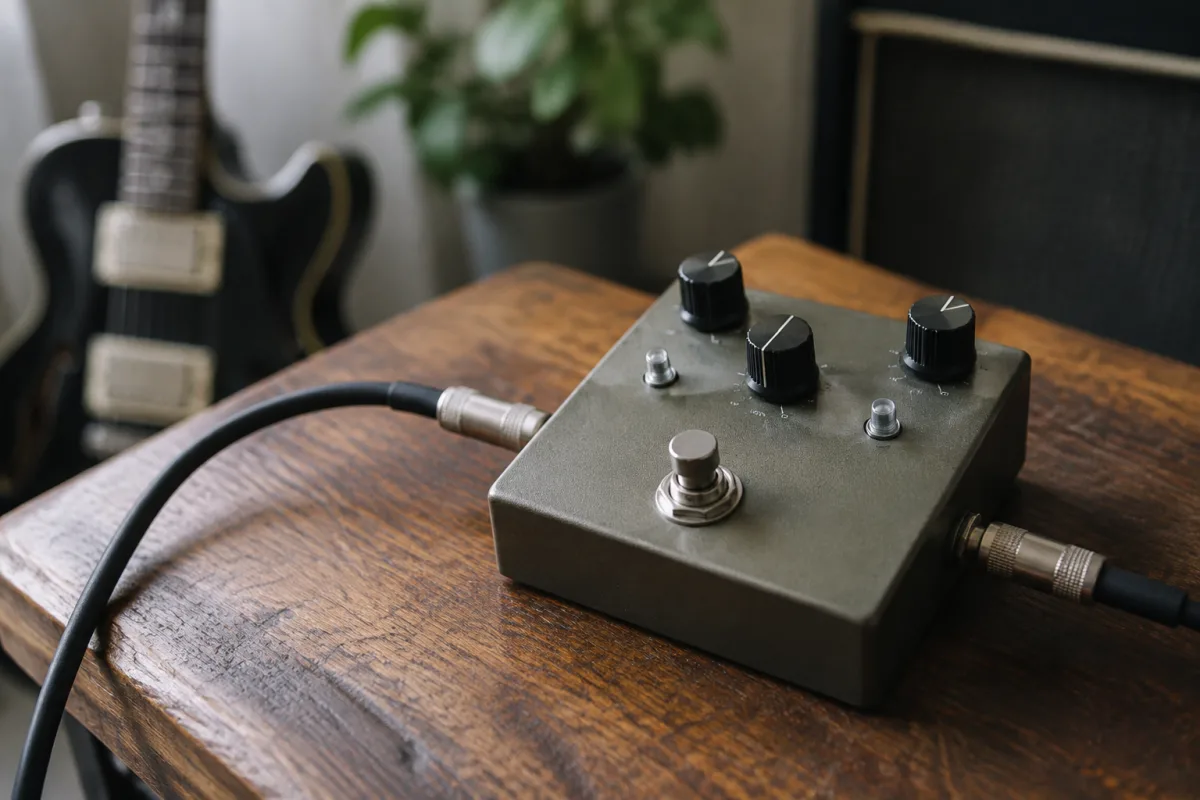
If you play guitar through headphones, into an audio interface, or you need the flexibility of multiple amp sounds without carrying a heavy amplifier, an amp simulator pedal (amp sim) is one of the smartest purchases you can make. But the market is flooded with options, from affordable entry-level sims to professional-grade units costing hundreds. This guide tells you what to look for when buying an amp sim pedal, what specs actually matter, and which mistakes to avoid so you end up with a unit that fits your playing style and budget.
What an Amp Sim Pedal Actually Does
An amp simulator pedal models the sound of real guitar amplifiers. Instead of plugging your guitar into a physical amp, you plug it into the pedal. The pedal processes your signal to sound like it's coming through a specific amp—a vintage Fender Tweed, a Marshall stack, a blues combo, whatever you choose. The resulting signal goes to your interface, mixer, or headphones.
This is genuinely useful because:
- You get dozens of authentic amp sounds in one device without owning multiple amplifiers.
- Recording is simple—plug the pedal into your interface and capture the sound directly.
- You can practise silently through headphones without disturbing anyone.
- Tone shaping is incredibly flexible—cabinet models, microphone models, and effects come built in.
The best amp sims are indistinguishable from recording a real amp. The worst sound fake and thin. This is where knowing what to look for matters.
The Core Specs That Actually Matter
Don't get lost in feature counts. Focus on these essentials:
- Amp models included: How many amp simulations does it include, and are they amps you actually want? A pedal with 100 terrible amps is worse than one with 10 brilliant ones. Check YouTube demos for that specific pedal to hear the sounds.
- Cabinet and microphone modelling: This is where 80% of amp tone comes from. Can you choose different cabinets and microphone placements? If the pedal only simulates amp heads without cabinet choices, it's a significant limitation.
- Latency: Audio delay between your input and output. In amp sims, this matters less than in reverb or delay, but low latency is still important for recording and playing along with a metronome. Under 10ms is excellent; under 30ms is acceptable.
- Built-in effects: Do you need reverb, delay, chorus or modulation included? Some pedals have extensive effects; others are amp-only. Decide what you'll actually use.
- Connectivity: Does it connect via USB to your computer? Does it have an XLR output for direct recording? Aux in for backing tracks? The connections you need matter for your workflow.
- CPU power: How many models can you stack simultaneously? Some sims let you layer multiple amps and effects; others are single-amp only. For most players, single-amp is fine.
Entry-Level vs. Professional: Where Your Money Goes
Amp sim pedals range from £100 to £1,000+. Here's what each price tier offers:
- £100–250 (entry-level): Solid amp models, basic effects, USB connectivity. Good for learning and bedroom recording. Tone is noticeably digital but usable.
- £250–500 (mid-range): Excellent amp and cabinet modelling, built-in effects, professional connectivity. This is where "good" amp sims live. Sound quality is genuinely impressive.
- £500+ (professional-grade): The best amp modelling available, extensive effects, dual amp capability, premium build. Indistinguishable from real amps in many cases. For professional touring or studio work.
The mid-range is where most guitarists find the best value. The jump from entry-level to mid-range is huge; the jump from mid-range to professional is smaller for most players.
Common Buying Mistakes With Amp Sims
Learn from others' disappointments:
- Buying based on amp count, not amp quality: A pedal with 200 amps means nothing if none of them sound good. Check YouTube demos for that specific pedal. Listen to the tone, not the feature list.
- Ignoring cabinet modelling: An amp model without cabinet choices sounds thin and lifeless. This is one of the most common complaints about cheap amp sims. Make sure the pedal includes multiple cabinets.
- Assuming digital always sounds inferior: Modern amp sims from companies like Neural DSP, Kemper and Line 6 are genuinely indistinguishable from real amps. Don't dismiss digital on principle.
- Not testing headphones compatibility: Some amp sims have built-in headphone outputs; others require an interface. If you plan to practise through headphones, confirm the pedal supports this without extra gear.
- Buying too much power: A professional-grade amp sim is overkill if you're just recording bedroom demos or practising. Save money with a mid-range unit and invest elsewhere (better interface, better cables, etc.).
- Neglecting to check for future updates: Good manufacturers regularly release free amp and effect models. Check if the pedal you're considering gets active development and support.
Amp Sim Pedal vs. Multi-Effects Unit
Amp sims are focused on amp modelling. Multi-effects units (like Boss ME-50 or Zoom G1X) include amp sims plus dozens of other effects and more CPU power. Which should you choose?
- Buy an amp sim pedal if: You want focused amp modelling with excellent sound, you record directly into an interface, or you need something portable and straightforward.
- Buy a multi-effects unit if: You need many different effects beyond amp models, you play live and need flexibility, or you want everything in one device.
Most bedroom guitarists choose an amp sim. Most touring musicians choose multi-effects because they need more flexibility.
Your Buying Checklist
Before you commit to an amp sim pedal:
- Watch YouTube demos of that specific model. Does the tone appeal to you?
- Does it include cabinet and microphone models, or just amp heads?
- What connectivity does it have, and does it match your setup (USB to interface, headphone output, etc.)?
- Is the latency acceptable for recording and playing along to a metronome?
- Is the build quality solid, and does the manufacturer have a good reputation for updates and support?
- Can you afford this price tier, or would a cheaper unit serve you just as well for your current needs?
If you tick those boxes, you're ready to buy with confidence.
Getting the Most from Your Purchase
Once you've bought your amp sim pedal, spend time exploring the amp models and cabinet choices. Don't settle for the default settings—amp sims shine when you experiment. For a comprehensive look at amp simulation technology, comparison of leading models and advanced recording techniques with amp sims, explore the complete guide to amp simulator pedals.
An amp sim is one of the best investments a modern guitarist can make. It opens up recording, practising silently, and tone shaping without needing a physical amplifier. Choose wisely and you'll use it for years.


Comments