


Positive Grid Guitar Amp article
Positive Grid Guitar Amp for Beginners: A Complete Guide
Curious about Positive Grid? Discover how digital amp modelling works, whether it suits beginners and how to set up your first Positive Grid system.
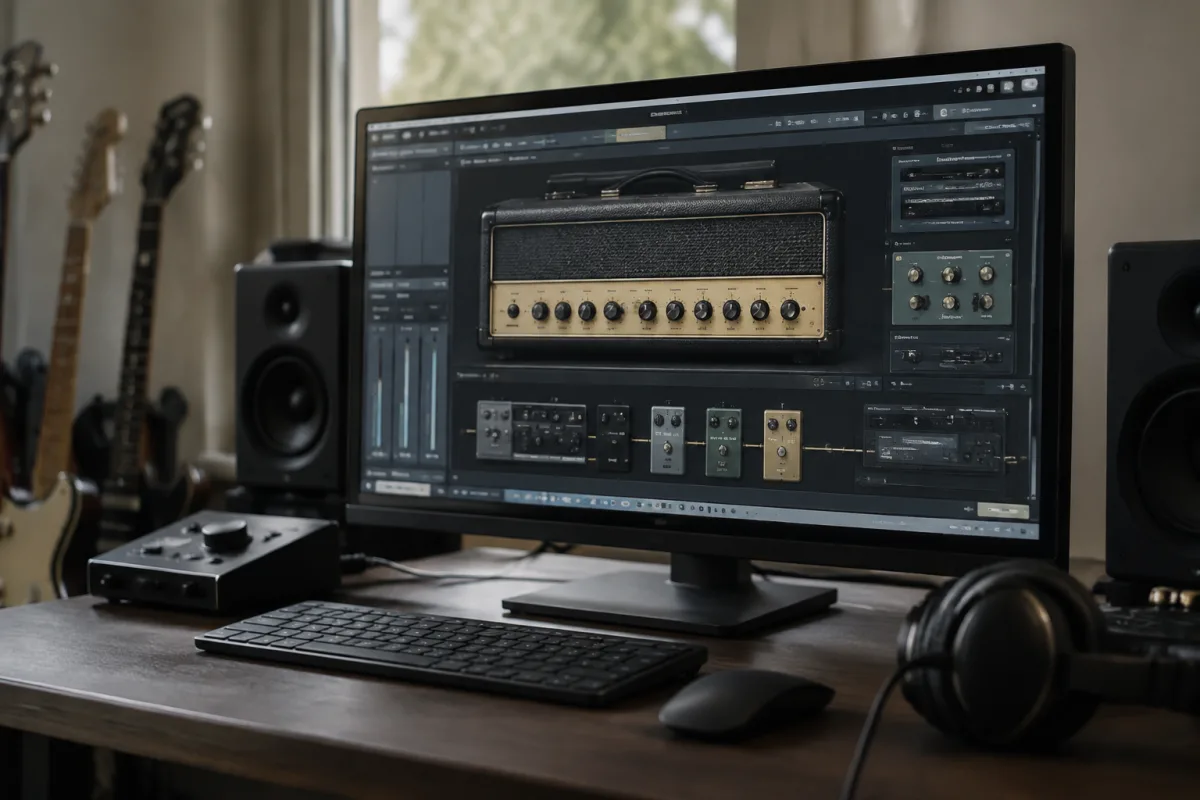
Positive Grid for Beginners: Is Digital Amp Modelling Right for You?
If you've just discovered Positive Grid and are wondering whether their digital amp modelling technology is something a beginner should consider, you're asking exactly the right question. Positive Grid guitar amp software is powerful, flexible and increasingly popular — but it's also different from traditional amplifiers in ways that might matter to your learning journey. This guide walks you through what Positive Grid offers and whether now is the time to explore it.
What Is Positive Grid and How Does It Differ From a Traditional Amp?
Positive Grid makes software that models real guitar amplifiers and effects digitally. Instead of plugging into a physical amp sitting in your room, you plug your guitar into your computer (via an audio interface) and use Positive Grid software to shape your tone. It's not "fake" — the software recreates the circuitry of professional amplifiers so accurately that recording studios and touring musicians use it professionally.
Here's the beginner perspective: a Positive Grid guitar amp is convenient and affordable (especially compared to owning five physical amplifiers). But it requires some technical setup that traditional amps don't. For some beginners, that's a dealbreaker. For others, it's exactly what they want.
The Beginner Appeal: Why Positive Grid Attracts New Players
First, cost. Buying five different guitar amps costs thousands. With Positive Grid software, you get dozens of amp models for a one-time fee or subscription. That's remarkable value for exploring different tones.
Second, space. A Positive Grid guitar amp system is a computer and audio interface — no massive amp taking up your bedroom. For apartment dwellers and bedroom players, that's ideal.
Third, tone variety. Positive Grid lets you experiment with tones that would normally cost thousands to achieve. You want a tone that sounds like a 1970s Marshall? A modern metal head? A clean jazz combo? Positive Grid covers all of it.
Finally, recording-ready. If you're planning to record, Positive Grid software outputs directly into your recording software. Professional recording workflow becomes much simpler.
Beginner Concerns About Positive Grid (Addressed Honestly)
"Do I Need a Special Computer?"
No, but you need a decent one. Any recent laptop or desktop computer works. You'll also need an audio interface (a USB device that connects your guitar to your computer) — budget £50–150 for a basic interface. That's a one-time investment and a requirement for any computer-based guitar setup.
"Won't It Sound Fake?"
Positive Grid software is used by professional recording studios and touring musicians. It doesn't sound "fake" — it sounds like the amplifiers it models because the software recreates their circuitry. You won't notice a quality difference from a physical amp in most contexts.
"Is There a Learning Curve?"
Yes, but not a steep one. Positive Grid software is intuitive. You select an amp model, adjust gain, volume and tone like on a physical amp, and play. Advanced features (amp stacking, effects chains, complex routing) exist for later exploration.
"What If I Don't Want to Work With Computers?"
Then Positive Grid isn't for you right now. Stick with traditional amplifiers. Positive Grid requires comfort with computers, software installation and basic troubleshooting. It's not a weakness — it's just not the right choice for everyone.
Your First Steps With Positive Grid
If you decide Positive Grid appeals to you, here's the path:
1. Get an audio interface. Popular beginner options include the Behringer U-Phoria UMC202HD (£50) or the Focusrite Scarlett Solo (£100). Either works perfectly with Positive Grid software.
2. Download Positive Grid software. Start with the free trial or entry-level package. Don't buy premium features immediately — explore what's included first.
3. Install everything and plug your guitar in. Connect your guitar to the audio interface, open the software, select an amp model and play. Within 15 minutes, you'll hear how it works.
4. Practice with one or two amp models for a week. Avoid the temptation to switch amp models constantly. Pick one, dial in a tone you like and stick with it while you're learning.
Positive Grid vs. Traditional Amplifiers: A Practical Comparison
| Factor | Positive Grid | Traditional Amp |
|---|---|---|
| Cost (multiple tones) | One-time or subscription fee covers dozens of amp models | Buying multiple amps is expensive |
| Space | Computer and interface only | Requires physical amp, takes up room |
| Portability | Laptop is travel-friendly | Heavy and awkward for touring |
| Technical Setup | Requires audio interface, driver installation, troubleshooting | Plug in and play |
| Tone Quality | Professional-grade sound | Professional-grade sound |
| Learning Curve | Moderate (software navigation, effects chains) | Minimal (physical controls are intuitive) |
| Recording Integration | Direct output to recording software | Requires microphone on amp or DI box |
Common Beginner Mistakes With Positive Grid
Don't buy premium features before trying the free or basic version. Positive Grid's entry-level offerings are substantial; upgrade only when you've genuinely exhausted them.
Avoid constantly switching between amp models. You'll learn tone-shaping fastest by picking one amp and really understanding its controls. Experimenting endlessly wastes practice time.
Don't assume you need the most expensive audio interface. Entry-level interfaces (£50–100) work perfectly for learning. Upgrade later if you record seriously.
Resist tweaking every control in Positive Grid expecting dramatic tone changes. Small adjustments have big effects. Make one change, listen carefully, then decide if you like it.
Is Positive Grid Right for Your Beginner Journey?
Choose Positive Grid if: you're comfortable with computers, you want affordable access to diverse tones, you're interested in recording, or you live in a small space.
Stick with traditional amps if: you prefer simple plug-and-play gear, you're intimidated by software, you want to avoid computer troubleshooting, or you value tactile knobs and switches.
There's no "right" answer. Both paths lead to excellent playing. The right choice is the one that fits your learning style and living situation.
Moving Forward
Whether you choose Positive Grid software or a traditional amplifier, what matters most is consistent practice and developing your ear. The amp is secondary to your dedication. Any Positive Grid system or physical amp is more than adequate for becoming an accomplished guitarist. Choose the one that excites you to practise, and progress will follow.


Comments