


Lighting Controllers article
Lighting Controllers for Beginners: A Complete Guide
Lighting transforms your DJ performance from audio-only to full sensory experience. This beginner's guide shows you how to start with lighting controllers confidently and avoid common first-timer mistakes.
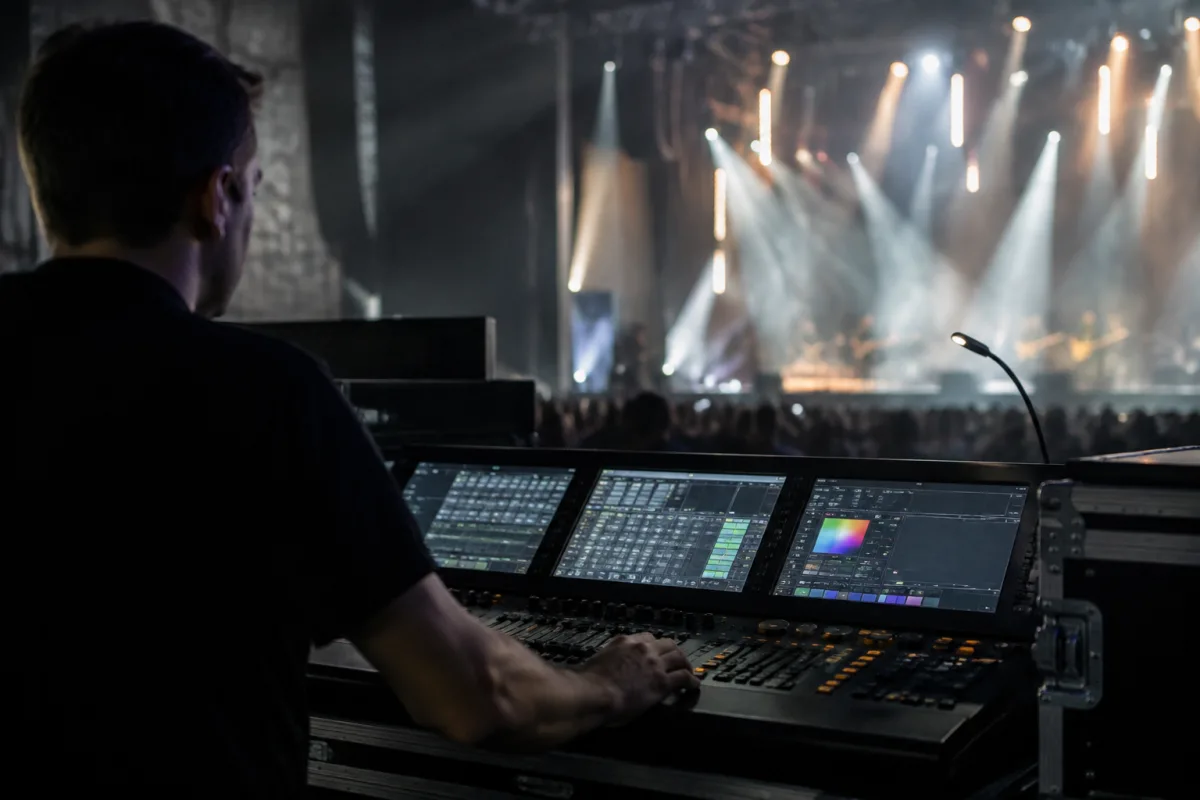
If you're beginning your journey in DJ and electronic production, you might assume lighting controllers are something you worry about eventually—after you've mastered your DJ gear or production software. Actually, lighting controllers are something you should consider now. They're not complicated, they're affordable, and they transform how your sets feel and sound to both you and your audience. This beginner's guide removes the mystery, shows you why lighting matters, and helps you take your first steps into controlled, synchronized lighting with confidence.
Why Beginners Should Think About Lighting Controllers
Lighting isn't cosmetic—it's part of the performance. A set without lighting feels amateur and disconnected. Lighting synchronized with your music creates energy, guides audience attention, and makes your performance memorable. The brilliant news is that modern lighting controllers make synchronization automatic and intuitive. You don't need technical wizardry; you need basic understanding of what's possible and how to start simply.
Early in your DJ career, lighting controllers teach you about music beyond audio. You learn timing, energy progression, and dramatic structure by thinking about lighting changes. This develops your overall performance sensibility. Lighting makes you think more deeply about your set than audio alone, which translates back into better mixing and track selection.
Types of Lighting Controllers for Beginners
| Controller Type | Best For | Price Range | Learning Curve |
|---|---|---|---|
| Simple Wireless Controllers | Absolute beginners, practise, small venues | £30–£80 | Minimal; basic on/off and dimming controls |
| USB DMX Controllers | Laptop-based control, medium-sized setups | £100–£300 | Gentle; software handles complexity |
| Standalone Console Controllers | Professional work, touring, complex shows | £300–£1500+ | Moderate to steep; feature-rich but powerful |
| MIDI-Controlled Lighting | Electronic producers, live performers, creative control | £200–£600 | Moderate; integrates with your production software |
Understanding Lighting Controllers: The Basics
All lighting controllers do essentially the same thing: they tell lights what to do. A lighting controller receives your commands—via buttons, faders, or software—and sends instructions to lights telling them brightness, colour, and movement. The complexity comes from how many lights you're controlling and how sophisticated you want effects to be.
Most beginner-friendly lighting controllers work in one of two ways. Wireless models use radio frequencies to communicate with lights, so no cables are necessary. USB models connect to your laptop and control lights through that connection. Both work perfectly for beginners—choose based on whether you prefer computer-based control or standalone hardware.
Getting Started: Your First Steps With Lighting Controllers
Start by understanding what lights you're controlling. Basic LED fixtures are affordable and widely available. PAR lights (simple colour lights) are the most beginner-friendly. Moving head lights add complexity but deliver dramatic effects. For your first experience, buy or borrow basic LED fixtures and pair them with a simple wireless controller. See how it feels before investing in complex setups.
Don't build a complicated lighting rig immediately. Start with three to five fixtures and one lighting controller. Master those completely. Understand how colours affect mood, how speed affects energy, how positioning affects drama. Learn with limited resources, then scale gradually. Many professionals work with surprisingly simple lighting rigs because simplicity forces creativity.
Practice running your lighting during low-stakes sets. Bedroom sessions, practise mixes, small open-mic environments. This removes performance pressure and lets you focus on synchronizing lighting with your music. You'll develop instincts about what works through experimentation rather than intimidation.
Essential Features You Actually Need
Dimming capabilities let you control light intensity. This is crucial—full brightness constantly is aggressive and tiring. The ability to fade lights softens transitions and creates sophistication. Every lighting controller has dimming; this isn't optional, it's fundamental.
Colour control adds emotional range to your lighting. Red is aggressive and energetic. Blue is cool and mysterious. Green is unusual and creative. Yellow is warm and inviting. Understanding how colours affect mood matters more than having infinite colour options. A controller with basic colour selection is often more useful than one with overwhelming complexity.
Synchronization to music is where lighting transforms from decoration to performance tool. This is increasingly automatic in modern controllers. Some sync automatically to BPM. Others respond to audio input, flashing with bass beats. Spend time learning your controller's sync capabilities—they're often easier than you assume.
Common Beginner Mistakes to Avoid
Don't use maximum brightness constantly. This creates fatigue, makes colours look muddy, and removes your ability to create dramatic peaks. Lighting is about contrast—dark moments make bright moments impactful. Beginners often miss this and blast light continuously, which diminishes effect.
Avoid changing colours too frequently. If your lighting changes every second, it becomes visual noise rather than artistic choice. Let colours persist for phrases or sections. Change during transitions between songs or at genuine emotional peaks in your music. Restraint creates impact.
Don't overlook positioning. Where lights point matters as much as what colour they are. Pointing lights at your crowd creates engagement and visibility. Lighting your own workspace maintains visibility for mixing and performance. Understanding these different uses prevents amateur-looking setups.
Resist the urge to automate everything. Pre-programmed lighting effects are convenient but predictable. The most compelling lighting comes from real-time control—you responding to your music with lighting that reflects moment-to-moment energy and emotion. Learn to improvise with lighting, just as you improvise with music.
Lighting As Part of Your Performance
Professional DJs treat lighting as core to their performance artistry, not an afterthought. Your lighting choices communicate energy, intention, and emotion to your audience. As you develop as a performer, your lighting vision will mature. What feels sophisticated changes as your understanding deepens.
The fundamental truth: lighting matters. It transforms how listeners perceive your audio. The same mix sounds more energetic with aggressive lighting, more contemplative with subtle lighting, more creative with unconventional colours. This isn't distraction—it's adding a complete sensory dimension to your performance.
For comprehensive exploration of lighting systems, DMX protocol, professional installation considerations, and advanced techniques, visit our complete guide to lighting controllers. That resource covers technical specifications and professional applications beyond the beginner introduction.
Your Path Into Lighting Control
Start simple. Buy a basic wireless controller and a few LED fixtures. Spend months learning how colour and intensity affect your performance and audience perception. Develop instincts about timing and emotional impact. Then, once you've exhausted the possibilities of simple setups, invest in more complex equipment. You'll understand how to use it because you've learned fundamentals thoroughly. That progression from simple to sophisticated is how professionals develop mastery.


Comments