


Akai Mpc One article
Akai Mpc One for Beginners: A Complete Guide
The Akai MPC One is designed for newcomers to beat-making. This guide takes you from unboxing to your first recorded pattern, without the overwhelm.
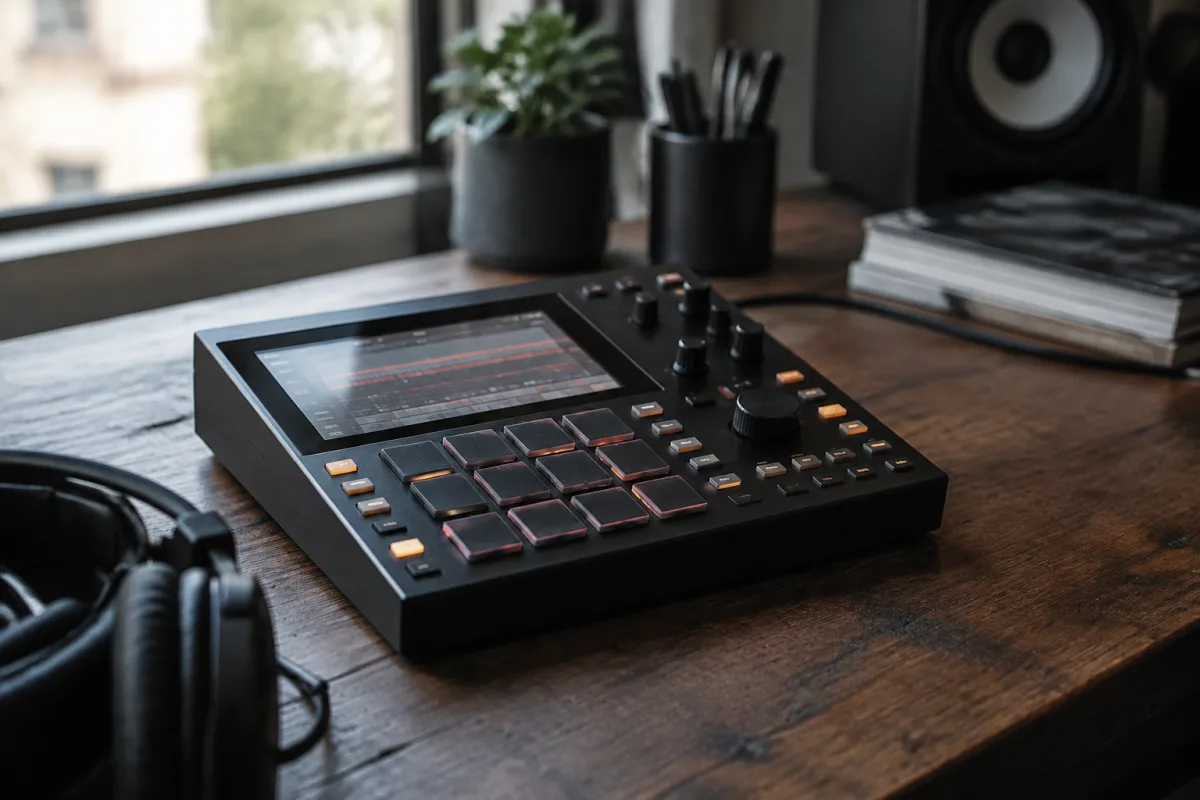
If you're stepping into beat-making for the first time, the Akai MPC One might just be the perfect place to start. It's designed with newcomers in mind — familiar, approachable, and immediately rewarding. This guide walks you through getting started without the overwhelm, so you can be making your own music within minutes.
Why the Akai MPC One for Beginners?
The Akai MPC One strips away unnecessary complexity and keeps the essentials. You get the same pad-based workflow that's defined beat-making since the 1980s, but in a compact, entry-level package. Unlike software-only production, holding pads in your hands and tapping out rhythms gives you immediate, tactile feedback that makes learning fun and intuitive.
The MPC One has all the core tools you need: sixteen pads for chopping samples, a sequencer for building patterns, effects for texture, and USB connectivity to move your work between the hardware and your computer. Most importantly, it's affordable enough that you won't feel like you've made a reckless purchase whilst you're still discovering whether beat-making is genuinely for you.
First Steps: Unboxing and Setup
Start simple. Connect the USB cable (included), then plug in power via the USB adapter. The device will illuminate and load its firmware. You'll see a small LCD screen in the middle — that's your window into menus and settings.
Connect headphones or speakers to the audio output on the back. Many beginners make the mistake of trying to work without monitoring, which makes it nearly impossible to hear what you're doing. Good monitoring is non-negotiable from day one.
The device comes with factory sounds and drum kits pre-loaded. Don't worry about updating firmware immediately unless you hit a specific bug — the out-of-the-box version is stable and fully capable.
The Sixteen Pads: Your Main Tool
The sixteen illuminated pads are your primary instrument. Think of them as keys on a piano, but instead of playing notes, they typically trigger drum sounds — kicks, snares, hi-hats, percussion and so on. You tap them to play sounds immediately.
Each pad can be assigned to a different sound. By default, the MPC One groups sounds into "kits" — a kick kit might have different kick variations across the sixteen pads, a snare kit has snare variations, and so on. Press the Kit button to browse and select different kits from the factory library.
Don't overthink this stage. Just spend time tapping pads, getting comfortable with the pressure sensitivity, and hearing how the hardware responds to your touch. This is where beat-making begins.
Recording Your First Pattern: The Sequencer
Once you're happy tapping pads, it's time to record a pattern. The MPC One uses a sixteen-step sequencer by default, which means your pattern will be divided into sixteen steps — a common framework in electronic music.
Here's the beginner workflow:
- Press Pad Mode to make sure you're in pad-tapping mode (not note mode).
- Press Record — the button will flash, indicating you're ready.
- Press Play to start the pattern, then tap pads in time with the beat.
- Press Stop when you're done.
- Press Play again to hear your recorded pattern loop back.
Don't worry about perfect timing at this stage. The beauty of the sequencer is that you can edit individual steps later. Many beginners record something rough, then clean it up by going through the pattern step-by-step and adjusting timing or intensity.
Beyond the Basics: Sounds, Effects and Layers
Once you've recorded a few patterns, explore the built-in sounds and effects. The MPC One has a collection of filters, reverbs, delays and compression that let you shape and manipulate your drums.
A common beginner mistake is trying to master all the effects at once. Instead, pick one — say, a reverb — and experiment with how much of it makes your beat sound more interesting. Then move on. This gradual, experimental approach builds your sonic intuition faster than trying to read a manual cover-to-cover.
The MPC One also lets you layer sounds. For instance, you might trigger a kick and a cowbell simultaneously to create a thicker hit. This is simple but powerful: just assign multiple sounds to the same pad or adjacent pads and tap them together.
Common Beginner Mistakes to Avoid
Stay away from diving straight into the edit menus. The MPC One's menus can feel dense to newcomers. Instead, stick to the main workflow — select a kit, record a pattern, play it back, adjust — until you feel confident. The menus will be there when you need them.
Don't save your work only to the device's internal storage. USB is your friend. Export your patterns to your computer regularly so you have a backup and so you can share them or integrate them into a DAW later.
Another trap: silence. Many beginners record patterns that lack contrast — every hit at the same volume, the same types of sounds. Listen to beats you admire and notice how they use dynamics (loud and soft hits) and varied sounds to keep things interesting. Apply that to your own work.
And finally, don't assume you need to buy more gear immediately. The MPC One is genuinely capable on its own. Spend three to six months with it, build your skills, then decide if you want to expand. Impulsive hardware purchases are the mark of a beginner who hasn't yet discovered what they actually enjoy making.
Moving Forward: Integration with Your Computer
Once you've built a few patterns and feel comfortable, you might want to connect the MPC One to a DAW (Digital Audio Workstation) like Ableton, FL Studio or Logic. This opens up new possibilities — you can send patterns from the MPC into the DAW, layer them with samples or synths, and polish them into finished tracks.
This is a natural next step, not something to rush into. Use the USB connection and MIDI functionality when you're ready. The MPC One's workflow will feel familiar in the DAW because the pad-based concept translates seamlessly.
The Real Beginning
The Akai MPC One isn't a toy, but it's genuinely beginner-friendly. It respects your learning curve whilst giving you real tools and real outcomes. Within your first session, you'll have a pattern playing. Within a week, you'll have recorded a dozen beats. That fast feedback loop — idea to finished pattern to listening to your own music — is what keeps most people motivated to continue.
Cross-link: If you'd like a deeper dive into the specifications and all the capabilities of the device, read our complete guide to the Akai MPC One.


Comments