

Audio Zoom Recorder Buying guide
Audio Zoom Recorder: A Complete Buyer's Guide
Choosing the right audio zoom recorder requires understanding specs and real-world performance. This guide helps you navigate preamp quality, inputs, and features to find the perfect recorder for your needs.
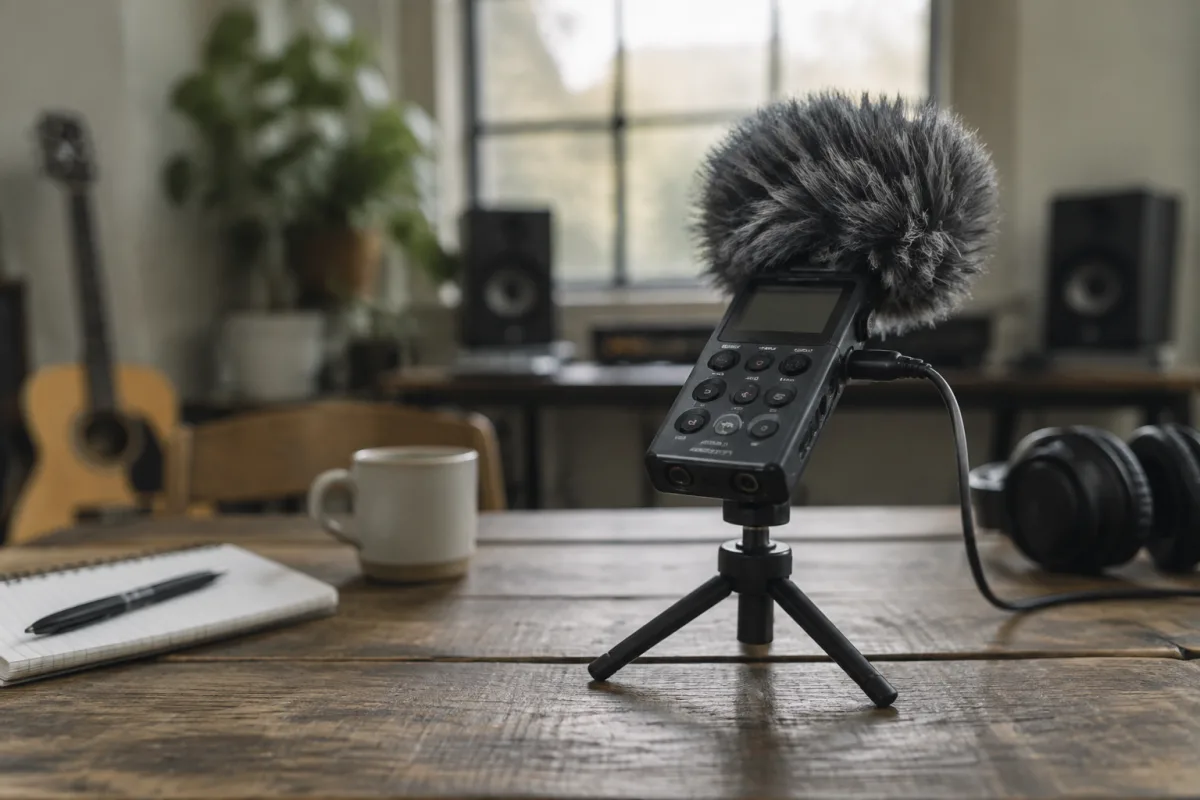
Choosing the right audio zoom recorder for your needs requires understanding the gap between headline specs and real-world performance. Whether you're recording interviews, live music, sound design or field recordings, the difference between a budget handheld and a quality portable recorder affects not just audio fidelity but your workflow and long-term satisfaction. This guide cuts through marketing claims to help you select an audio zoom recorder that matches your actual requirements and budget.
Understanding Audio Zoom Recorder Specs
The core specifications—sample rate, bit depth, preamp quality, and codec options—determine recording capability far more than form factor or brand reputation.
Sample rate and bit depth set your recording ceiling. Most audio zoom recorders capture at 44.1 kHz (CD quality), 48 kHz (professional standard), or 96 kHz (high-resolution). For journalism, podcasting and most music recording, 48 kHz is the industry norm; 44.1 kHz works for music distribution but isn't ideal for broadcast or film work. 96 kHz is rarely necessary unless you're recording for mastering or archival purposes—it demands more storage and processing power without audible benefit for most uses. Bit depth is usually 16-bit (CD standard) or 24-bit (professional). 24-bit gives you headroom in post-production and captures more detail; it's worth choosing if your budget allows, especially for music recording or sound design.
Preamp quality is where budget recorders often stumble. A cheap microphone preamp colours the sound with noise, distortion, or a thin character even before recording starts. Entry-level audio zoom recorders often have preamps rated around 60dB noise floor; mid-range models offer 70–80dB; professional-grade recorders exceed 90dB. Listen to sample recordings online. Does the preamp add hum, hiss, or muddiness? That's your answer. Professional field recordists often skip built-in preamps entirely and use external microphone preamplifiers for this reason.
Codec and file format affect storage and workflow. WAV (uncompressed) and FLAC (lossless compression) are the standard for quality recording; MP3 is fine for notes or interviews but indefensible for music or archival. Check whether your recorder supports 24-bit WAV—cheaper models often cap at 16-bit. Some recorders offer H.264 video or proprietary formats; if you're archiving or selling recordings, stick with industry-standard formats that won't become orphaned.
What to Check Before Buying
Beyond the headline specs, these practical details separate a recorder you'll actually use from one gathering dust:
- Built-in microphones vs. external input: Budget recorders have small condenser mics that work in quiet studios but pick up handling noise and preamp hiss outdoors. Most serious recordists treat built-in mics as a fallback. Check whether your recorder has XLR or 3.5mm mic inputs with phantom power (48V) support. Phantom power is essential if you plan to use professional condenser microphones—without it, you're locked into budget mics.
- Input levels and gain control: Can you adjust mic gain smoothly? Do you get a proper meters display showing peak and average levels? Cheap recorders often have fixed gain or crude step controls, making it impossible to optimize levels for quiet speech or loud drums without distortion or noise.
- Battery life and power options: A recorder claiming "10 hours" on batteries rarely delivers that in the field—Bluetooth, WiFi, and processing drain faster than specs suggest. Look for recorders that accept USB-C charging (not proprietary chargers) and support external battery packs. AA batteries are common and convenient; rechargeable Li-ion batteries are lighter and more eco-friendly but costlier to replace.
- Storage capacity and expandability: Internal storage is often limited (16–64GB). Does your recorder support microSD or USB expansion? How fast? Slow storage can bottleneck recording quality or processing speed. Expandable storage is essential for field work or long recording sessions.
- Build quality and weather sealing: Is it plastic or metal? Does it have sealed buttons and connectors? Recorders used outdoors get rained on, dropped, and dusty. Budget models are often fragile; professional recorders have rubberised grips, sealed XLR connectors, and weatherproof housing. This affects longevity.
- Monitoring and headphone output: Can you monitor in real-time through headphones whilst recording? Is there a headphone mix knob? Poor headphone implementation forces you to choose between hearing the recording or a metronome—neither is acceptable for critical work.
- Connectivity: Does it offer USB audio interface mode (so your computer recognizes it as a mic)? WiFi transfer? Bluetooth? These conveniences matter more in field work than at a desk. Check whether WiFi or Bluetooth drains the battery significantly.
- Ergonomics and display: Will you hold this for two hours? Is the screen readable in sunlight? Are buttons easy to access whilst recording? Cheap plastic bodies and tiny screens are frustrating in the field.
Common Pitfalls to Avoid
Many buyers choose a recorder based on specs or price alone and regret it within weeks:
- Prioritizing built-in mics over preamp quality: A recorder with excellent built-in mics but mediocre preamps sounds worse than one with average mics and a clean preamp. You can always add external mics; you can't fix a noisy preamp in post-production.
- Ignoring real-world battery life: A spec sheet says 12 hours; you get 7 in the field with WiFi on and the screen running. Always halve the advertised battery life as a rough estimate, then budget accordingly.
- Choosing convenience over audio quality: That ultra-compact recorder with no XLR input and fixed gain sounds great in YouTube reviews of quiet rooms. In a crowded café or during outdoor recording, it's useless because you can't control levels or swap mics. Know your use case.
- Buying the newest model without testing: Manufacturers release updated firmware regularly. A recorder released last year often outperforms a flashy new model once drivers and software mature. Avoid first-generation releases; wait for user reports.
- Forgetting about accessories: A quality audio zoom recorder is just the start. Budget for windscreen covers (essential outdoors), professional microphones if recording music, a sturdy carrying case, and a backup battery or power bank. These add hundreds to the total cost.
- Underestimating software support: Does the manufacturer offer regular firmware updates? Is there a community of users troubleshooting problems online? Cheap brands often abandon devices after a year or two, leaving you stuck with bugs and missing features.
Price Tiers and What You Get
Audio zoom recorders span a wide price range, and the tier you choose should match your intended use:
Budget tier (£80–200): Compact stereo recorders with fixed or limited preamps, built-in condenser mics, and 44.1 kHz recording only. These work for voice notes, casual podcasting, or a field backup. Audio quality is adequate but unremarkable. Think of these as notebooks, not professional tools. Examples: basic Zoom H1, Tascam DR-05X base model. Battery life is often misleading; real-world use yields 4–6 hours.
Mid-range (£250–600): This is where the value jumps. Recorders here offer 48 kHz, 24-bit WAV recording, proper XLR mic inputs with phantom power, and cleaner preamps. You get battery life closer to spec, better buttons and displays, and expandable storage. Serious podcasters, documentarians, and semi-professional musicians often buy here because the audio quality jump is significant and the form factor remains portable. Examples: Zoom H5, Tascam DR-100mkII, Rode Wireless GO (for broadcast-quality wireless lavalier recording).
Professional tier (£700–1,500): Here you get professional-grade preamps (noise floors under 90dB), multiple mic inputs, advanced metering, true USB audio interface mode, and robust build quality. These are used by field recordists, film sound engineers, and professional podcasters. The audio is noticeably cleaner, the workflow faster, and reliability higher. Examples: Sound Devices MixPre series, Tascam DR-100mkIII, Zoom F3.
Broadcast and cinema (£2,000+): Multi-track recording, timecode synchronisation, wireless mic integration, and broadcast-grade preamps. This tier is for professional sound designers, film crews, and live broadcast engineers. You're paying for reliability, precision, and ecosystem integration, not just audio quality.
Buying Secondhand
The used market for audio zoom recorders is solid, especially for models more than two years old. Professional-grade recorders often last 10+ years and hold their value well. However:
- Ask the seller whether the recorder has been serviced and whether batteries and chargers are included. Many used recorders come without the original accessories, which are sometimes expensive to replace.
- Request sample recordings at the offered price point. Do they sound clean? Is there hum or hiss? A noisy sample suggests preamp issues or worn XLR connectors.
- Check for physical damage: missing knobs, dented casing, stiff buttons. These are cosmetic but hint at rough treatment or internal problems.
- Verify the storage medium. Does it use an old CompactFlash card (now obsolete and expensive)? Or microSD (still widely available)? This affects long-term usability.
- Test all inputs, outputs, and buttons if possible before committing. A sticky record button or crackling headphone jack often signals age-related wear.
- Confirm the serial number is authentic. Counterfeit professional recorders do circulate in online marketplaces.
Pairing with Microphones
Your recorder is only as good as your microphone chain. A budget audio zoom recorder with a quality external microphone will sound better than an expensive recorder with cheap built-in mics. Consider your intended use: podcasters often favour large-diaphragm USB mics (which bypass the recorder's preamp) or dynamic mics through XLR; field recordists prefer stereo condenser mics; musicians recording acoustic instruments benefit from small-diaphragm condensers. Don't buy a recorder with advanced mic inputs unless you're ready to invest in microphones too.
Making the Final Choice
Ask yourself three questions before deciding. First: what will I actually record? Interviews and podcasts need clean speech capture and portability; music demands low-noise preamps and high sample rates; sound design benefits from multiple mic inputs. Second: what's my true budget, including microphones, cables, windscreens, and backup power? Third: am I going to use external mics or rely on built-ins? If you're not sure, rent one for a week or borrow from a friend before committing your money. For more in-depth exploration of handheld recorders and their features, check out our comprehensive guide on the complete guide to audio zoom recorder on our site. Your investment should serve years of recording, so choose carefully.
The right audio zoom recorder transforms your workflow and output quality. Don't chase specs; chase reliability, audio quality, and features you'll actually use. Test before buying, read independent user reviews, and buy from sellers with return policies. Your future recordings will reflect the wisdom of that choice.


Comments