


Two Channel Mixer article
The Complete Guide to Two Channel Mixer
A two channel mixer combines audio from two sources with simple, portable control. Perfect for podcasting, busking, small venues, and home recording—discover how to choose and set up your mixer.
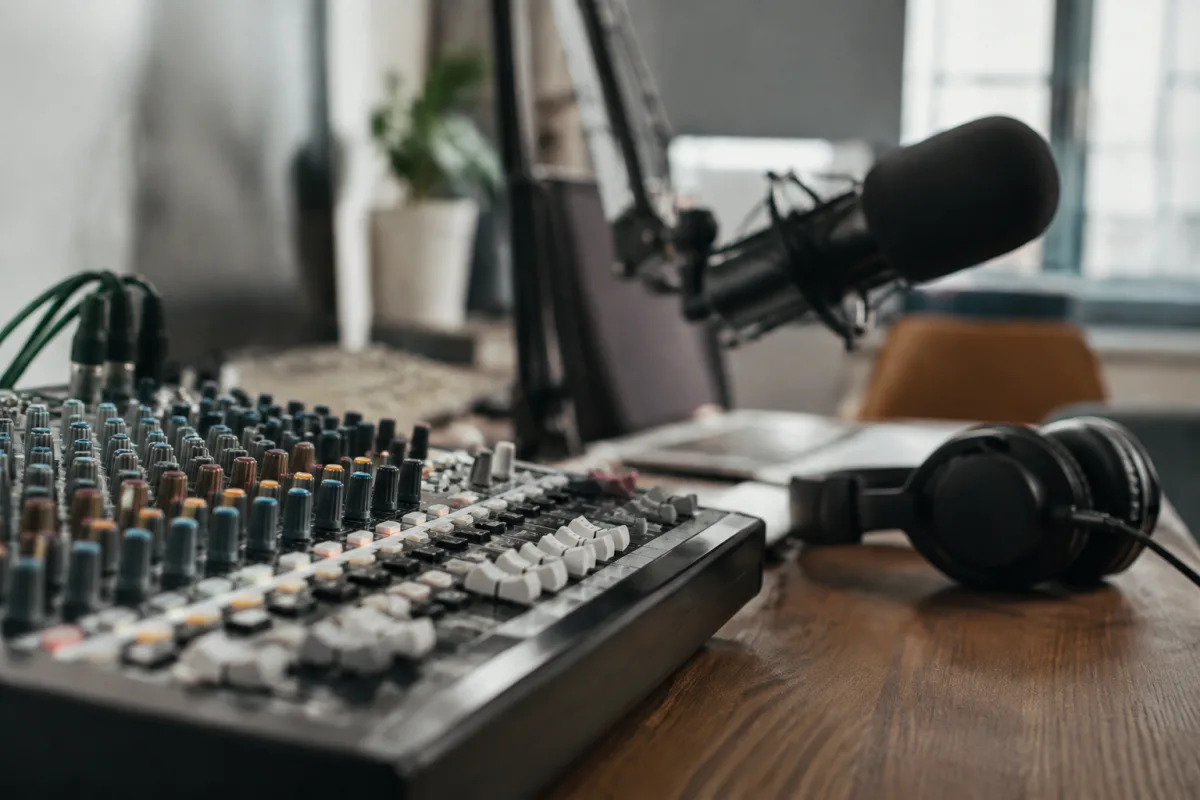
A compact dual-channel audio mixer is the ideal starting point for anyone needing to combine and manage audio from multiple sources. Whether you're podcasting from home, mixing live sound for a small venue, recording duets in the studio, or busking on the street, this type of unit handles basic routing and level control without overwhelming complexity. This guide explores how these devices work, what features matter, and how to select one matching your needs.
What Is This Type of Mixer?
This compact audio device accepts input from two separate sources—microphones, instruments, line-level audio—and combines their signals into a single stereo or mono output. Unlike full mixing consoles offering dozens of channels and advanced routing, these units focus on simplicity and portability. They're the entry point into audio mixing, beloved by small broadcasters, acoustic performers, and anyone needing straightforward level management without excessive features.
Core Components and Functions
Every unit of this type includes these essential elements:
- Two input channels: Each accepts microphone (XLR), instrument (1/4 inch), or line-level (RCA/3.5mm) audio via switchable or multiple connectors.
- Input gain controls: Adjustable level per channel to match input signal strength and prevent clipping.
- Volume faders: Linear or rotary controls allowing precise level adjustment for each channel independently.
- Main output: Combined stereo or mono signal sent to speakers, recording devices, or amplifiers.
- Optional features: Headphone monitoring, effects return, tone control (bass/treble), mute buttons, and phantom power for condenser microphones.
- Portable form factor: Battery or USB-powered options suit gigging and location recording without AC mains dependency.
Types Available
These devices come in varied configurations suited to different applications:
| Type | Power Source | Best For | Typical Price |
|---|---|---|---|
| Portable Battery-Powered | 4-8 AA batteries or rechargeable | Busking, street performance, outdoor events | 50-200 pounds |
| USB-Powered | Computer or USB power bank | Podcasting, home studio, streaming | 100-300 pounds |
| AC Mains Powered | Wall outlet power supply | Fixed installation, studio use, live venues | 150-500 pounds |
| Hybrid/Multi-Powered | Battery, USB, or AC as needed | Flexible touring, variable venues | 200-600 pounds |
Practical Applications
These compact devices suit a surprising range of scenarios. Podcasters use them to blend host and guest microphones cleanly. Street musicians pair vocal mics with acoustic guitar inputs for balanced street performance. Small venues mix stage microphones with backing track playback. Videographers route talent mics and ambient audio into camera inputs. Home studio owners combine vocal and instrument tracks for overdubbing and recording. Wedding DJs and event professionals use dual-channel units for quick, portable setups. Buskers blend multiple instruments into a single PA speaker with straightforward control.
Choosing the Right Model
Consider these selection criteria:
- Power requirements: Battery models offer ultimate portability; AC-powered units suit permanent installations; USB options bridge the gap for home and travel scenarios.
- Input flexibility: Verify connectors match your audio sources—XLR for microphones, 1/4 inch for guitars, RCA/3.5mm for line-level gear. Switchable inputs add versatility.
- Audio quality: Budget options may introduce hum or noise; quality pre-amps and clean circuitry matter. Listen before committing if possible.
- Control layout: Rotary knobs suit smooth fading; faders offer precise visual feedback. Personal preference drives this choice.
- Feature set: Headphone monitoring, phantom power, and tone control extend capability. Minimalist designs simplify operation for first-time users.
- Build quality: Metal chassis resist dents; professional units feature reinforced connectors. Touring musicians benefit from robust construction.
- Size and weight: Compact units prioritise portability; larger designs add features and easier ergonomics. Match your typical venue and transport method.
Setting Up and Using Your Mixer
Getting clean audio from your two channel mixer requires basic technique:
- Gain staging: Set input gain so signal peaks near 0dB without clipping. Too-low gain wastes headroom; too-high causes distortion.
- Channel balancing: Adjust faders so both channels sit at comfortable levels relative to each other—neither dominates or disappears.
- Output level: Main output should reach adequate volume for your speakers or recording device without clipping.
- Headphone monitoring: If available, use headphone output for personal monitoring while performing or recording.
- Phantom power: Enable only when using condenser microphones; disable for dynamic mics to save battery power.
Conclusion
A compact dual-channel device removes the complexity barrier to audio mixing. Whether you're launching a podcast, busking at a market, or setting up a small venue, these units handle level management and basic routing with elegant simplicity. Invest in a quality model from a recognised brand, understand gain staging principles, and your equipment will deliver clean, professional audio in virtually any scenario. Start here, and as your needs grow, you'll graduate to larger mixing consoles with confidence and experience.
FAQ
Q: Can I use a two channel mixer with more than two audio sources?
Not simultaneously without compromise. Most two channel units accept only two sources at once. If you need three or more inputs, upgrade to a four-channel or larger mixer. Some performers sequence inputs (switching between channels) but this requires advance planning.
Q: What is phantom power and do I need it?
Phantom power is DC voltage sent down XLR cables to power condenser microphones. Dynamic microphones don't need it. If you use condenser mics, confirm your mixer provides phantom power (usually switchable per channel). It typically runs from internal batteries or AC power.
Q: How do I prevent feedback or hum in my setup?
Keep microphones away from speakers (prevents acoustic feedback). Ground all cables properly and avoid running audio cables near AC power lines (reduces hum). Use quality, shielded cables. Start with low gain and increase gradually. Check all connections are secure.
Q: Is a two channel mixer suitable for recording in my home studio?
Yes, if you record one or two sources at a time. For overdubbing vocals over instrumental tracks, or capturing duets, these mixers work excellently. For complex projects with many simultaneous inputs, a larger interface suits you better.
Q: Can I use a two channel mixer outdoors in rain?
Not safely. Most audio equipment is not weatherproof. Use a protective case or tent if performing outdoors in wet conditions. Battery-powered models are more convenient for outdoor use than AC-mains units.
Q: What cables do I need to connect my mixer?
Depends on your sources and outputs. XLR microphone cables, 1/4 inch instrument cables, and RCA or 3.5mm line cables cover most needs. Invest in quality, shielded cables to avoid noise. Adapter cables let you connect varied connectors to your mixer's fixed inputs.


Comments