


Rack Mount Audio Mixer Buying guide
Rack Mount Audio Mixer: A Complete Buyer's Guide
Buying a rack mount audio mixer requires understanding specs, price tiers, and integration needs. This guide walks you through choosing the right model for your workflow.
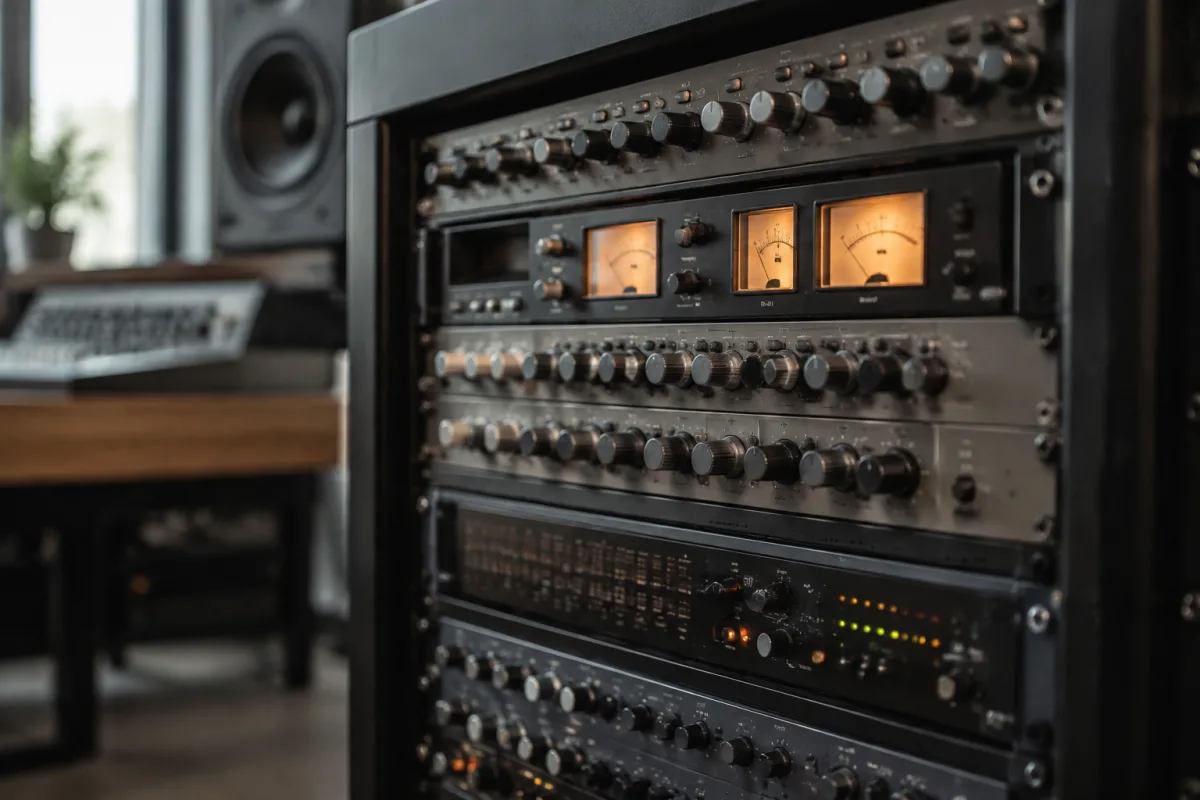
Buying a rack mount audio mixer is different from choosing a standalone console. Rack-mounted equipment is built for permanent installations, professional studios, live touring rigs, and integrated systems. These boxes offer dense processing in a compact format, but choosing wisely requires understanding the specific specs that matter, recognising the pitfalls that catch buyers, and matching price tier to your real needs. This guide walks you through the decision, so you don't end up with expensive equipment that doesn't fit your workflow.
What Is a Rack Mount Audio Mixer, and When Do You Actually Need One?
A rack mount audio mixer is a mixing device designed to fit in a standard 19-inch equipment rack. Unlike a standalone console, it doesn't sit on a desk; it lives in a rack with other gear. This design choice saves space and suits integrated systems. But buying a rack mount audio mixer only makes sense if you:
Already own a 19-inch rack, or plan to build one. Have permanent or semi-permanent installation in mind (studio, touring rig, venue). Want to integrate the mixer with other rack-mounted equipment (amplifiers, processors, equalizers). Are running a complex routing system where a rack-mounted solution sits more naturally than a standalone console.
If you don't meet those criteria, a standalone console is likely cheaper and simpler. Buy a rack mount audio mixer because your workflow demands it, not because it sounds impressive.
Specs That Actually Matter When Buying a Rack Mount Audio Mixer
When comparing rack mount audio mixer models, these specifications drive real differences in functionality:
Channel count and format. Rack mount audio mixer units come in many configurations. A 4-channel mixer is compact and affordable. A 16-channel mixer is rare in rack format and expensive. Most land between 4 and 12 channels. Match this to your actual input requirements. Adding channels later is hard; undersizing is frustrating.
Signal flow architecture. Does the rack mount audio mixer support parallel processing? Can you route different channels to different outputs simultaneously? Can you create subgroups? This is where professional designs earn their cost. Consumer models often use simple linear signal flow; professional models allow complex routing. Your needs determine which matters.
Connectivity options. Does the rack mount audio mixer offer balanced XLR, unbalanced RCA, or both? Does it have AES/EBU digital I/O? Does it support MIDI control? Verify connectivity matches your other equipment before buying. An optical S/PDIF digital output is worthless if your interface uses USB.
Built-in effects or effects loops. Entry-level rack mount audio mixer models offer no effects. Mid-range models include basic reverb or delay. Professional units have comprehensive effect engines. Determine whether you need on-board effects or if you'll integrate external processors in your rack. This changes which model suits you.
Fader quality and tactile response. Budget rack mount audio mixer units use plastic faders that feel cheap and wear quickly. Professional models use precision-machined faders with consistent feel and durability. For live touring rigs, fader quality directly impacts longevity. Test faders before buying if possible.
Metering and gain staging visibility. Does the rack mount audio mixer provide channel meters? Master meters? A good metering system is essential for professional use. Some budget models omit this entirely, forcing you to guess at levels.
Rack Mount Audio Mixer Price Tiers and What Defines Each
Rack mount audio mixer pricing reveals clear tiers, each with genuine differences:
Budget tier (£150–£400): Basic mixing with 4–8 channels, simple routing, no on-board effects. These suit small studios or portable rehearsal rigs. You're paying for size efficiency, not features. Faders are adequate. Audio quality is professional, but features are minimal.
Mid-tier (£400–£1000): 8–12 channels, subgroup support, better metering, possibly basic effects. Good for serious studios or permanent installations. Fader quality improves. Build feels solid. This is where most professional studios start.
Professional tier (£1000–£3000): Full-featured routing, multiple output configurations, quality effects processing, precision metering. These are built for heavy use and complex installations. Faders feel premium. Connectivity is comprehensive.
High-end/Specialty tier (£3000+): Bespoke solutions, custom configurations, touring-grade durability, or specialist applications. Only buy here if you've identified a specific technical need that generic models don't solve.
Pitfalls: Common Mistakes When Buying Rack Mount Audio Mixer Equipment
These are the slip-ups that waste money:
Pitfall: Buying purely for compactness. A rack mount audio mixer saves desk space, but mounting it in a rack and running cables adds installation complexity and cost. If you have desk space, a standalone console is simpler. Don't buy rack format just to reduce footprint; buy it because integration with other rack gear actually matters to you.
Pitfall: Underestimating channel needs. You need four channels now, so you buy a four-channel rack mount audio mixer. A year later, you need eight. You can't expand rack units easily; you have to replace the whole mixer. Plan for growth. If there's any chance you'll need more channels, spend the extra £100–£200 on the larger model.
Pitfall: Ignoring your other equipment's connectivity. Your audio interface uses USB. Your wireless systems use analog XLR. Your power amp uses balanced XLR. Your synthesizer has 1/4" outputs. Verify the rack mount audio mixer's connectivity before buying. Buying a digital-only mixer when you need analog connectivity is an expensive mistake.
Pitfall: Assuming on-board effects replace external processors. Budget rack mount audio mixer effects are often thin and limited. If you already have quality reverb or delay processors, a mixer without effects is fine. If you're counting on the mixer's built-in effects, audition them first. They might sound cheap.
Pitfall: Buying used without testing audio quality. Used rack mount audio mixer deals are common, but audio degradation isn't obvious until you use them. Buzzing channels, noisy faders, or crackling connectors aren't visible on a spec sheet. If buying used, test audio signal path thoroughly.
Installation and Rack Considerations
A rack mount audio mixer won't work without supporting infrastructure:
Rack space. Most equipment takes up 1–4 rack units. A rack mount audio mixer sized at 2U fits in standard 19-inch racks. Verify you have space and that your rack isn't already full.
Power distribution. Your rack needs power distribution that can handle all equipment simultaneously. Many budget installations ignore this and suffer power issues. Budget £50–£150 for proper PDU (power distribution unit) hardware.
Cable management. Rack installations hide cables in the back. Buy quality patch cables in correct lengths. Budget £100+ for cabling. Disorganized cables mean troubleshooting nightmares.
Cooling. Amplifiers and processors generate heat. Verify your rack location has adequate ventilation. A overheated rack mount audio mixer dies prematurely.
New vs. Used: Making the Financial Calculation
Rack mount audio mixer equipment holds value reasonably well. Buying used saves 20–40%, but confirm:
All channels pass audio cleanly (test each one). No crackling, buzzing, or noise in the audio path. Faders move smoothly without scratching or inconsistency. All connectors are clean and undamaged. The power supply works reliably and has proper voltage output.
Used professional models are often better value than new budget models. A used touring-grade rack mount audio mixer might cost less than a new consumer unit, with superior features and reliability.
Integration with Your Existing Rig
Before buying a rack mount audio mixer, map your signal flow:
What are your audio sources (microphones, instruments, wireless systems)? Where does the mixed output go (PA system, recording interface, monitor system)? Will other rack gear connect to this mixer? Do you need effects processing, or will external units handle that?
A rack mount audio mixer is a single piece in a larger system. Buying one that doesn't integrate cleanly with your other equipment is costly and frustrating. Sketch your signal flow before purchasing.
Making the Right Purchase
Buying a rack mount audio mixer is about matching equipment to workflow. Don't buy for features you won't use. Don't undersizes channels hoping to expand later. Don't ignore connectivity mismatches. Do buy for durability if this is for touring use. Do test used equipment thoroughly. Do plan your rack installation, not just the mixer.
The complete guide to rack mount audio mixer explores technical architecture, advanced routing scenarios, and professional applications if you need deeper understanding after this buying-focused introduction.
The Installation Advantage
A well-chosen rack mount audio mixer becomes invisible in your workflow. Signal flows cleanly. Cables are organised. Levels are predictable. This stability lets you focus on mixing, not troubleshooting. That's the real value of the investment: not just the equipment, but the confident system it creates.


Comments