


Neumann Studio Monitors article
Neumann Studio Monitors for Beginners: A Complete Guide
Neumann studio monitors are an investment in professional mixing. This beginner's guide covers setup, room treatment, common mistakes, and what to expect as your ears adjust to accurate monitoring.
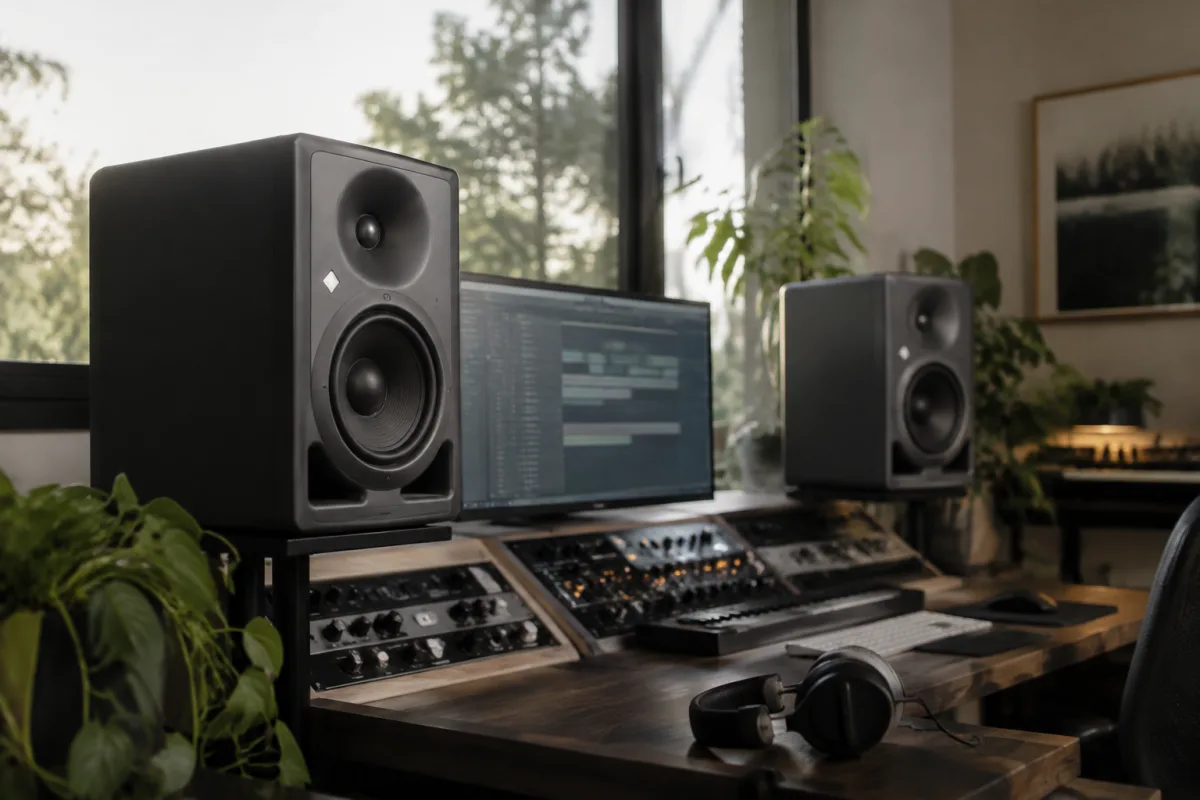
You've invested in Neumann studio monitors—a decision that signals serious commitment to professional-quality mixing. Whether you're stepping into the world of mixing for the first time or upgrading from budget consumer speakers, Neumann monitors represent a significant leap forward in accuracy and transparency. But here's what many beginners discover: owning exceptional monitors doesn't instantly transform your mixing. Your ears need time to adjust, your room needs careful treatment, and your monitoring technique requires deliberate practice. This guide walks you through the first weeks and months with Neumann studio monitors, helping you extract their full potential without frustration.
Understanding What You've Actually Bought
Neumann studio monitors are specifically designed for accuracy, not for enjoyment. This is the crucial distinction many beginners miss. Consumer speakers flatter your mix—they boost the bass to sound exciting, add presence to vocals, and make everything sound polished. Neumann monitors do the opposite: they reveal truth. A muddy bass line you didn't notice on consumer speakers becomes obvious. A poorly recorded vocal that sounded fine suddenly sounds thin. This isn't a flaw in the monitors. It's exactly what they're supposed to do. Your job is to learn to trust this accuracy rather than fight it.
Physical Placement: The Foundation of Good Monitoring
The position of your Neumann monitors dramatically affects what you hear. Don't just place them on your desk and hope for the best. Here's how to position them properly:
- Height: Position the tweeters at ear level when you're seated at your mixing position. This means if your desk is standard height and you're sitting in a chair, the top of each monitor should be roughly level with your ears. Too high or too low creates off-axis response that colours what you hear.
- Distance from walls: Neumann monitors should sit at least 60 centimetres from the wall behind them. Getting them closer to the wall boosts bass, which initially sounds great but masks mixing problems. Resist the temptation to push them back. The distance matters.
- Angle toward you: Angle each monitor about 15 degrees inward so they point slightly toward your head rather than straight ahead. This creates a balanced stereo image and helps you hear what the mix actually contains.
- Distance between monitors: Position them far enough apart that your mixing position sits roughly at the apex of an equilateral triangle. If your monitors are 1.5 metres apart, you should sit about 1.5 metres back. This creates a stable stereo image.
- Isolation from your desk: Place the monitors on isolation pads or stands, not directly on your desk or shelving. Vibration travels through solid contact, muddying the sound. Even budget isolation pads (£30–60) dramatically improve clarity.
Gain Structure and Listening Volume
Your Neumann monitors probably arrived with controls for room correction and output level. Here's how to set them up correctly:
- Start conservatively with the volume: Neumann monitors can play loudly without distorting, but louder isn't better. Professional mixing often happens at moderate levels (around 85 dB SPL, roughly the level of busy traffic). Start at a modest level—you should be able to talk comfortably over the monitors. If you're shouting, they're too loud.
- Use the level controls wisely: Many Neumann models include input trim and bass/treble adjustments. Leave these at their neutral positions initially. You're learning to hear what the monitors actually do, not what they can be modified to do. Adjust after you've lived with them for a month.
- Let your ears adjust: Your hearing adapts to monitor sound gradually, over days and weeks. Don't judge the monitors after five minutes. Spend at least a week listening before deciding whether they sound "right" to you. They probably don't yet—your ears are just beginning to recalibrate.
Your Mixing Environment: Accept Its Imperfections
Professional studios spend hundreds of thousands on room treatment because the room matters as much as the monitors. Your room probably isn't treated at all. This is normal and doesn't disqualify you from good mixing. But understanding your room's limitations helps you mix better:
- Bass response is always problematic in untreated rooms: Low frequencies bounce off walls unpredictably. Your monitors might show exaggerated bass in certain spots and weak bass in others. This is a room issue, not a monitor issue. Resist the urge to mix bass too quietly because it sounds boomy in your space—that boom is the room, not your mix.
- Treat the first reflection points: Hang acoustic panels on the walls immediately to the left and right of your monitoring position at ear level. These first reflection points are where sound bounces off the wall and arrives at your ears slightly delayed, creating phase issues. This single treatment step improves your hearing more than any other adjustment.
- Use headphones for verification: Mix primarily on your Neumann monitors, but every 30 minutes, switch to closed-back headphones and check your mix. Headphones reveal what your monitors can't capture accurately (like super-low bass definition). This complementary approach is how professionals mix reliably.
- Reference your mix in the car, on earbuds, and through other speakers: After your mix is done, check it through three or four different playback systems. How does it sound in a friend's car? Through phone earbuds? On cheap laptop speakers? Professional mixes translate across different playback systems. If your mix only sounds good on your Neumann monitors, something's wrong.
Common Beginner Mistakes With Neumann Monitors
Learning from others' missteps saves frustration:
- Mixing too quietly: Beginners often underestimate how loud to monitor. Professional mixing at 85 dB SPL feels uncomfortably loud at first, but your hearing gradually adapts. Mixing at whisper-quiet levels obscures problems and trains your ears incorrectly. Push the volume up slightly higher than feels natural.
- Mixing too close to the monitors: Sitting just 30 centimetres away creates an unnaturally close perspective. You lose the stereo image and hear proximity effects that don't exist in the rest of the room. Sit at least 1.5 metres back.
- Adjusting the bass and treble controls immediately: Many Neumann monitors include these. Beginners often adjust them thinking they're "correcting" the sound. Leave them at neutral. You're learning to hear the monitors accurately, not to modify their character.
- Assuming monitor sound = how it sounds everywhere: Your Neumann monitors show you the truth, but that truth is coloured by your room. Your bass sounds boomy because your room has a bass node, not because you've mixed bass badly. Learn to compensate for your room's character over time.
- Listening for hours without a break: Ear fatigue is real and gets worse the longer you listen. After two hours of focused mixing, take a 10-minute break away from the monitors. This protects your hearing and refreshes your perspective.
- Comparing your mix to professional mixes in the same moment: This sounds obvious, but beginners often switch from their mix to a reference track, judge the reference to sound better, and panic. Of course the reference sounds better—it was mixed by someone with decades of experience in an acoustically treated room. Compare for objective differences (bass balance, vocal clarity, width), not for overall polish.
The First Month: What to Expect
Here's a realistic timeline as your ears adapt to Neumann monitoring:
Week one: Everything sounds strange. The monitors feel too bright or too dull compared to what you're used to. Your mixes probably sound worse than they did on your old speakers. This is your ears adjusting to accuracy. Push through this phase without second-guessing yourself.
Week two: You start noticing details you missed before. Sibilance in vocals, rumble in bass, air around strings—details that were hidden suddenly appear. This is good. This is exactly what the monitors are designed to reveal. Start taking notes on what you're discovering.
Week three: You're beginning to trust the monitors. Mixes that sounded questionable on the Neumann monitors often sound balanced when played through other systems. You're training your ears correctly.
Week four onward: You're working with the monitors naturally, mixing with confidence that what you do on them translates to other playback systems. Your mixing consistency improves because you're receiving honest feedback.
Protecting Your Investment
Neumann studio monitors are expensive precision tools. Simple care extends their life indefinitely:
- Keep them away from extreme temperature and humidity changes.
- Never put drinks or objects on top of them.
- Avoid touching the tweeters or woofers.
- Use balanced XLR cables, not unbalanced connections.
- Power them off when you're not using them for extended periods.
- Keep dust out of the vents and ports using a gentle brush if needed.
Understanding Your Monitors' Limitations
Neumann studio monitors excel at transparency and translation. But they're not magical. They show you what you've recorded and mixed, accurately. What you do with that information—how you interpret it, how you make decisions based on it, how you develop taste and instinct—is entirely up to you. For professional guidance on Neumann monitor models, specifications, and how they compare to other options, see the complete guide to Neumann studio monitors. For now, as a beginner, focus on learning to trust what these monitors tell you.
Moving Forward Confidently
Your Neumann studio monitors represent a serious investment in your ability to mix professionally. The first month is an adjustment period—your ears are recalibrating, your room is revealing its character, and your mixing intuition is developing. Trust the process. Mix consistently. Reference your work across multiple playback systems. After a month, you'll be amazed how much more you trust your monitoring. That's when real progress begins.


Comments