


Desktop Monitor Controller Buying guide
Desktop Monitor Controller: A Complete Buyer's Guide
Choosing a desktop monitor controller for your studio doesn't have to be overwhelming. This guide covers features that matter, specs to check, and pitfalls to avoid.
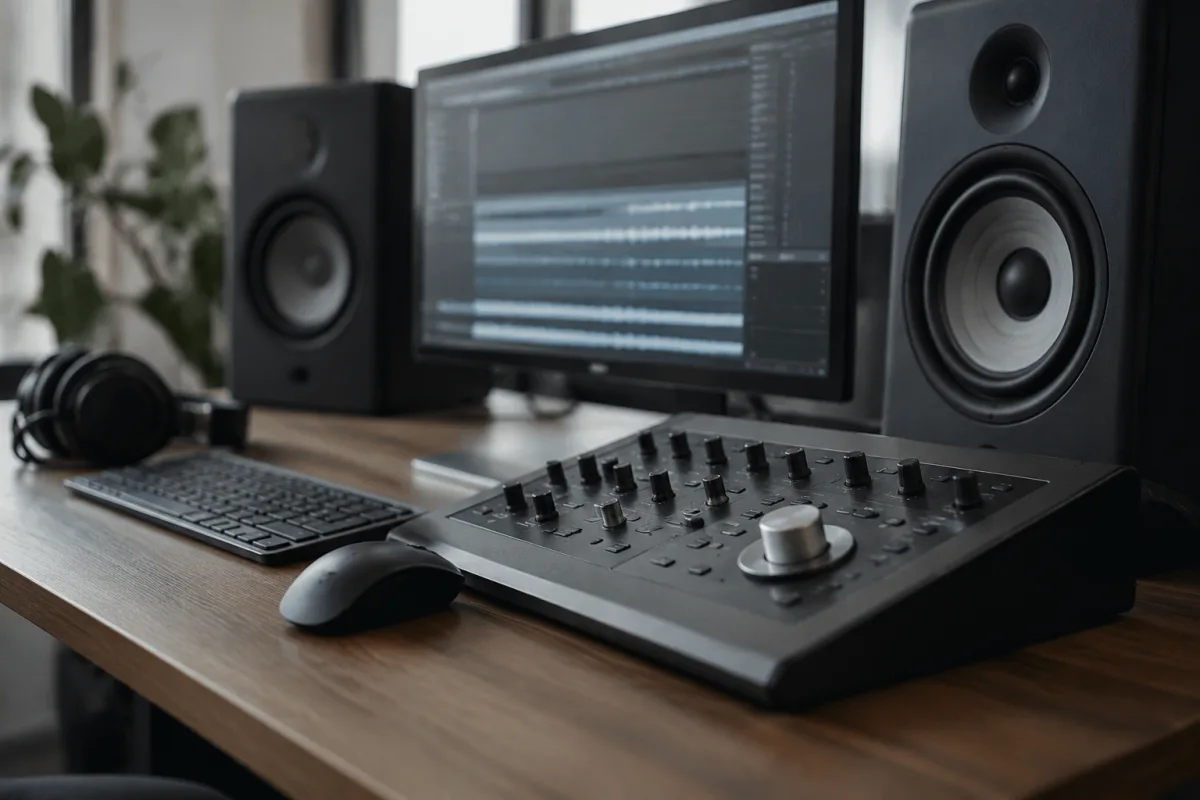
Choosing the right desktop monitor controller makes mixing and mastering significantly easier. Whether you're working in a home studio, professional facility, or hybrid setup, a quality desktop monitor controller offers convenient control over your monitoring system. This buying guide focuses on the practical decision-making process: which features actually matter, what specifications to check, and which pitfalls to avoid. You'll learn how to evaluate different desktop monitor controller options at various price points so you can make a confident purchasing decision for your specific workflow.
What Actually Matters in a Desktop Monitor Controller
Not all features in a desktop monitor controller justify the cost. Separating truly useful features from unnecessary complexity is the first step in smart purchasing. Here's what genuinely impacts your daily workflow and mixing quality when choosing a desktop monitor controller:
Functionality and Input Versatility
A good desktop monitor controller accepts multiple input types—at minimum both analogue and digital. This flexibility ensures your desktop monitor controller works with your current setup and adapts when you expand or change equipment. Look for units supporting at least two analogue inputs and one digital input option (USB, optical, or AES/EBU). This input versatility is non-negotiable at any price point.
Headphone Output Quality
Many people overlook headphone output quality in a desktop monitor controller. The headphone preamp should drive headphones cleanly without introducing noise or distortion, even at high volumes. This matters because you'll likely reference mixes on headphones frequently. A poor-quality desktop monitor controller headphone output undermines your mixing decisions.
Monitoring Level Control
A precise monitoring level control is essential. Ideally, your desktop monitor controller should offer at least 48 steps of attenuation to allow fine volume adjustments. Some units offer continuously variable controls, which gives even finer resolution. This precision matters because monitoring at incorrect levels leads to mixes that translate poorly to other systems.
Reference Level Switching
The ability to quickly switch between different reference levels (mono/stereo, different speaker pairs if you have multiple sets) is useful but not essential for beginners. However, if you plan serious mixing work, a desktop monitor controller with multiple output options justifies the extra cost.
Key Specifications to Check
When comparing desktop monitor controller options, these specifications matter:
| Specification | Why It Matters | What To Look For |
|---|---|---|
| Signal-to-Noise Ratio | Lower noise means cleaner monitoring without hiss or buzz | 100dB or higher for quality monitoring |
| Maximum Output Level | Ensures the desktop monitor controller can drive your speakers adequately | Typically +20dBu or higher |
| Frequency Response | Determines what frequency range the desktop monitor controller covers without colouration | 20Hz–20kHz with minimal deviation (±2dB) |
| Headphone Output Power | Determines how loud headphones get and how cleanly they drive | At least 100mW into 32 ohms |
| Distortion Specification | Lower distortion means more transparent monitoring | Ideally below 0.05% THD at normal levels |
Buying by Price Tier
Understanding what each price tier delivers helps you choose the right desktop monitor controller for your budget:
Budget Tier (£100–£300)
Budget desktop monitor controller options work adequately for home studio beginners. They typically feature basic input selection, reasonable monitoring quality, and simple controls. Expect functional design rather than premium construction. Common compromises include fewer input options, moderate headphone power, and minimal extra features. A budget desktop monitor controller suits someone learning mixing who doesn't yet need premium monitoring.
Mid-Range Tier (£300–£800)
Mid-range desktop monitor controller units offer significantly better component quality and useful features. Expect lower noise floors, better headphone outputs, multiple input options, and often frequency response controls. This tier typically includes dedicated headphone level control separate from speaker level, which is genuinely useful. Many professional studios rely on mid-range desktop monitor controller units because the value proposition is strong.
Premium Tier (£800–£2000+)
Premium desktop monitor controller options offer meticulous component selection, premium preamp stages, and comprehensive monitoring features. This tier includes talkback functionality, multiple speaker switching, comprehensive metering, and often integrated microphone preamps. Buy at this level when you require specific professional features or have already outgrown mid-range options.
Specific Features: Which Are Worth Paying For
As you compare desktop monitor controller models, certain features command significant price premiums. Here's what's genuinely worth the investment:
Worth Paying For
Multiple Speaker Outputs: If you'll compare mixes on different speaker pairs, multiple speaker switching in your desktop monitor controller saves money versus buying multiple controllers. This feature justifies spending extra.
Relay Bypass: Premium desktop monitor controller units include relay bypass, which switches speakers/headphones through relays in case of amplifier failure. This safety feature protects both your ears and equipment.
Low-Frequency Filter: A switchable high-pass filter (typically 40–80Hz) in a quality desktop monitor controller helps cut monitor speaker rumble and room boom, improving mixing clarity. This feature is worth the cost if your monitoring environment is less than ideal.
Usually Not Worth Paying For
Talkback Microphone: Unless you're recording in a facility where communication between control room and live room is essential, the talkback feature in a desktop monitor controller rarely justifies its cost premium.
Integrated Microphone Preamp: A basic microphone preamp built into a desktop monitor controller adds significant cost. You're usually better off buying a dedicated external preamp if microphone input matters to your workflow.
Common Pitfalls to Avoid
Learning from purchasing mistakes saves both money and frustration. Here are common desktop monitor controller buying errors:
Pitfall 1: Assuming More Inputs = Better Quality
A desktop monitor controller with eight inputs isn't necessarily better than one with three. More inputs don't improve monitoring quality. Conversely, poor implementation of many inputs can introduce noise. Focus on input quality over input quantity.
Pitfall 2: Ignoring Headphone Output Quality
Many people buy a desktop monitor controller based on speaker output specs but ignore headphone specs. Headphone output quality matters equally. Test headphone output if possible before purchasing.
Pitfall 3: Choosing Based on Metering Alone
Fancy metering looks impressive, but monitoring quality matters far more. A desktop monitor controller with simple metering and excellent audio is superior to one with extensive metering and marginal audio quality. Prioritise sound quality first.
Pitfall 4: Underestimating Room Influence
The quality of your monitoring environment matters as much as your desktop monitor controller. A £2000 desktop monitor controller in an untreated room produces worse results than a £300 unit in an acoustically treated room. Budget for both equipment and acoustic treatment.
Pitfall 5: Buying More Features Than You Need
Premium desktop monitor controller units with advanced features make sense only if you'll use them. Buying a complex unit when a simpler model meets your needs wastes money. Assess your actual workflow requirements before shopping.
Matching Desktop Monitor Controller to Your Studio Setup
Consider these questions before purchasing:
How many speaker pairs do you have or plan to have? If you monitor through only one pair, you need fewer features than someone switching between multiple references.
What inputs does your existing equipment use? Your desktop monitor controller must accept outputs from your interface and source devices. Digital connectivity and analogue both matter.
How critical is headphone monitoring in your workflow? If you frequently mix on headphones, prioritise headphone output quality in your desktop monitor controller selection.
What's your actual acoustic environment? A poor room might not justify premium desktop monitor controller specs. Medium-tier equipment in an acoustically treated room outperforms premium equipment in an untreated one.
For deeper technical information and detailed comparisons, consult the complete guide to desktop monitor controller.
Conclusion
Choosing a desktop monitor controller comes down to matching features and quality to your specific needs. Focus on audio quality over feature count, ensure adequate input versatility for your setup, and verify that headphone output meets your requirements. Budget tiers deliver honest value at every price point—there's no need to overspend on features you won't use. Mid-range options represent excellent value for most studios. Finally, remember that a desktop monitor controller is only part of the equation; your room acoustics and source material quality matter equally. Purchase thoughtfully, and your desktop monitor controller will serve reliably for years.



Comments