


Mixing Panel Buying guide
Mixing Panel: A Complete Buyer's Guide
Choose the right mixing panel for your needs. Learn what specs matter, common pitfalls, pricing tiers, and evaluation criteria for confident purchasing.
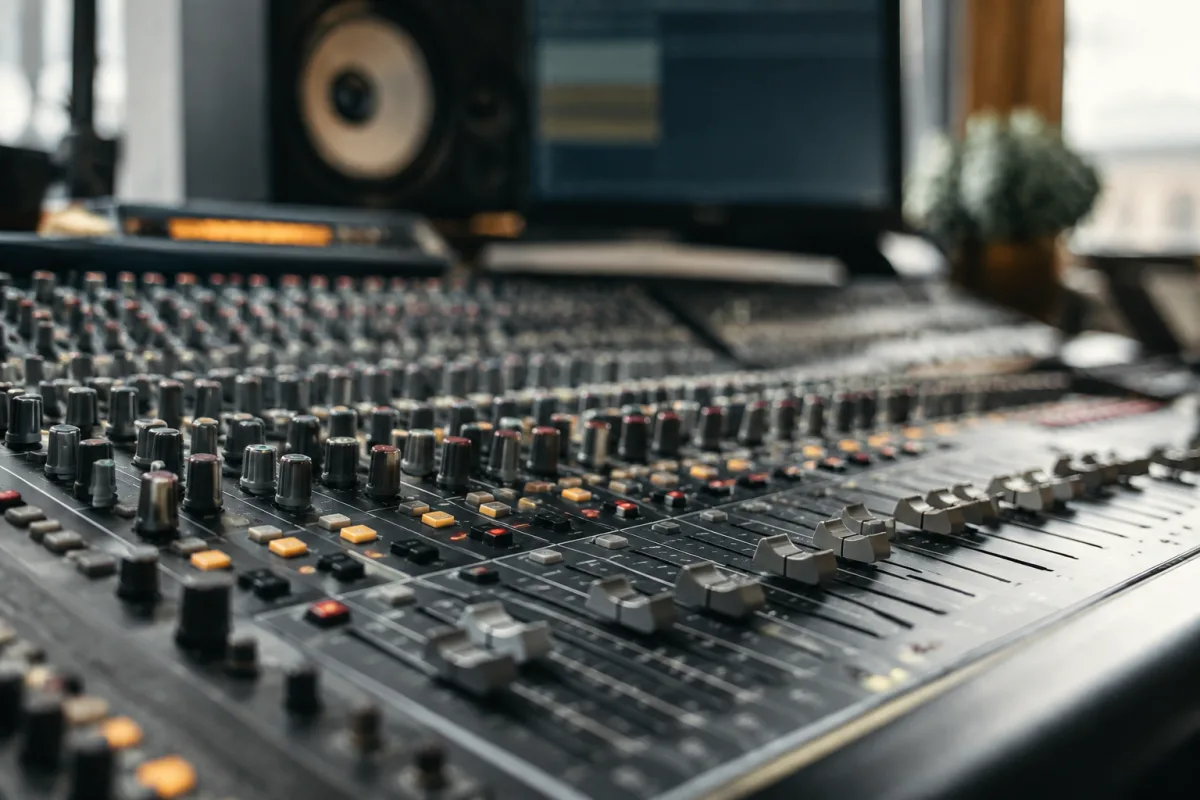
Choosing a mixing panel represents one of the most consequential decisions in studio setup. The right mixer streamlines workflow, enables creative possibilities, and supports your production for years. The wrong mixer creates frustration—inadequate inputs, poor ergonomics, or unreliable performance sabotaging sessions and draining motivation. This guide focuses on practical evaluation criteria, helping you identify a quality mixing panel matching your specific needs whilst avoiding common purchasing mistakes that cost money and time.
Understanding Mixing Panel Input Channel Count
Input channel count is the fundamental specification. How many simultaneous audio sources must your mixer handle? A bedroom producer recording guitar, vocals, and drums simultaneously needs fewer channels than a live sound engineer mixing a 12-piece band. Underestimating input requirements leads to frustrating compromises; overbuying unnecessary channels wastes money and creates overwhelming complexity.
Consider realistic usage, not fantasy scenarios. If you're primarily recording single vocals and guitar, an 8-channel mixer suffices beautifully. If you're mixing live drums (kick, snare, tom, overhead—typically 4-8 channels alone) plus bass plus guitars, you need more.
Remember: you can always use fewer channels than available. You cannot create channels that don't exist. Err slightly toward excess rather than shortage. A mixer with six channels offering two you never use beats one with four channels where you're constantly switching sources.
Evaluating Preamp Quality and Noise Specification
Microphone preamplifiers (preamps) amplify weak microphone signals to usable levels. Preamp quality dramatically affects your final recording. A mixer with poor preamps introduces audible noise, coloration, or distortion no amount of later mixing repairs. A mixer with quality preamps captures clean, transparent recordings allowing creative decisions rather than fighting technical limitations.
Before purchasing, ask the manufacturer for noise specifications (measured in decibels of self-noise). Lower numbers indicate quieter preamps. Specifications under 12dB of noise are excellent; under 10dB is outstanding. If the manufacturer won't provide noise specifications, question why—transparent specifications indicate confidence in quality.
Request the opportunity to audition the mixer before purchasing, particularly for home-studio applications. Plug in a microphone, record some vocals, and listen critically. Does the preamp sound clean and transparent? Does it introduce noticeable noise? Trust your ears—if something sounds off, it probably is.
Checking Channel Connectivity and Interface Flexibility
Modern mixing panels typically offer multiple connectivity options: XLR (for microphones), 1/4-inch jack (for line-level instruments like synthesizers or guitars), and potentially USB or Dante networking. Evaluate whether these match your equipment's outputs.
Ensure the mixer offers sufficient direct outputs per channel. For recording, direct outputs allow capturing individual channels to your audio interface, enabling multitrack recording and flexible mixing later. Budget mixers omit direct outputs entirely; professional-level mixers provide them universally.
USB connectivity simplifies home-studio integration. A mixer with built-in USB audio interface means immediate connection to your computer without separate hardware. This convenience reduces setup complexity and cable clutter.
Understanding Fader Quality and Ergonomics
You'll move faders thousands of times—during live performances, during mixing sessions, during rehearsals. Fader quality affects both immediate ergonomics and long-term reliability. High-quality faders glide smoothly with consistent resistance; poor-quality faders stick, jump, or feel gritty.
Test faders before purchasing. Move them through their full range multiple times. Do they feel smooth and responsive? Do they resist at certain points? Do they have consistent resistance throughout the range? Poor fader feel introduces mixing fatigue and introduces unwanted control errors during critical moments.
Additionally, evaluate the physical arrangement. Can you comfortably reach all faders whilst seated? Is the layout logical? Some mixers arrange inputs illogically, forcing awkward reaching or confusing operational flow. Ergonomic wisdom prevents repetitive strain and frustration.
Comparing Built-in Effects and Processing
Budget mixing panels offer minimal effects; professional panels include reverbs, delays, EQ, and compression. Assess your needs realistically. If you're primarily tracking (recording live performances into multitrack), built-in effects matter less than preamp quality. If you're mixing in-the-box using your mixer as a creative tool, effects capabilities become more relevant.
Many modern mixers offer surprisingly capable effects. However, don't overpay for effect processors you'll seldom use. Professional recording studios frequently bypass built-in effects in favour of external hardware or software alternatives. Evaluate effects as a bonus feature, not a primary purchase driver.
Pricing Across Feature Tiers and Applications
Mixing panel pricing varies dramatically based on channel count, build quality, and feature richness:
- Budget compact mixers (4-8 channels): £150-£400. Adequate for bedroom recording, open-mic nights, or small band practice. Limited preamp quality and minimal connectivity.
- Mid-range semi-professional mixers (12-16 channels): £400-£1,200. Suitable for serious home studios, small live venues, or professional live sound. Improved preamps, better connectivity, sometimes built-in effects.
- Professional-level mixers (16-32 channels): £1,000-£5,000+. Broadcast studios, large live venues, professional recording facilities. Exceptional preamp quality, extensive routing, advanced effects, robust construction.
- Specialised compact formats (4-8 channels): £250-£800. Portable mixers designed for touring musicians or compact studio setups. Optimised for specific workflows rather than general-purpose mixing.
Don't assume expensive mixers suit everyone. A bedroom producer doesn't benefit from broadcast-quality specifications at broadcast-level pricing. Match your purchase to realistic needs, not aspirations.
Common Purchasing Pitfalls
Overbuying channel count: A 32-channel mixer overwhelms a home studio, introducing unnecessary complexity and cost. Estimate realistic channel requirements and add 20 percent buffer, not 200 percent.
Ignoring preamp quality: Cheap preamps undermine everything downstream. Invest in quality preamp stages even if it means fewer channels. Better to mix 8 channels with pristine preamps than 16 channels with noisy ones.
Assuming digital automatically improves analog: Digital connectivity and processing don't guarantee better sound. Many professional studios maintain analog mixers alongside digital equipment. Evaluate on acoustic merit, not format alone.
Neglecting future expandability: Will your needs grow? Can the mixer expand with you? Some mixers are dead-ends; others support expansion through additional modules or external routing. Future-proofing prevents premature replacement.
Purchasing without testing: Buy from retailers offering return windows. Test the mixer in your actual environment with your actual equipment. A mixer that sounds great in a showroom might not suit your specific workflow.
Overlooking connectivity limitations: Ensure the mixer supports all your equipment's outputs. A mixing panel with only XLR inputs won't accommodate synthesizers with RCA or 1/4-inch outputs without adapters—inelegant and potentially introducing noise.
Where to Purchase and Support Considerations
Purchase from established music retailers offering support and return policies. Avoid unknown marketplace sellers without substantial feedback. Warranty support matters—a malfunctioning mixer during an important session is catastrophic.
Consider post-purchase support availability. Can you contact the manufacturer with questions? Are firmware updates available for digital mixers? Is service repair accessible? These practical considerations affect long-term satisfaction.
Evaluating Your Actual Workflow
Before purchasing, clearly define your mixing panel's role. Are you primarily recording live bands into multitrack? Mixing existing tracks? Providing live sound reinforcement? Each application prioritises different features. Recording applications value preamp quality and direct outputs; live-sound applications prioritise routing flexibility and reliable faders.
Describing your workflow clearly guides purchasing decisions toward appropriate equipment rather than generic "best overall" recommendations that rarely optimise for individual needs.
For comprehensive information on mixing panel specifications, advanced routing techniques, and detailed model comparisons, explore the complete guide to mixing panel, which covers this equipment category in technical depth.
Your mixing panel represents a significant investment—selecting thoughtfully ensures years of reliable service and satisfying workflow. By evaluating preamp quality, channel requirements, connectivity options, and pricing objectively, you'll identify a mixing panel that supports your creative ambitions for years to come.


Comments