


Genelec Studio Monitors article
The Ultimate Guide to Genelec 8010a Studio Monitor
Genelec studio monitors deliver uncompromising accuracy for mixing and mastering. This guide explains the range, room setup, and how to select the right model for professional results.
Why Genelec Studio Monitors Matter in Professional Recording
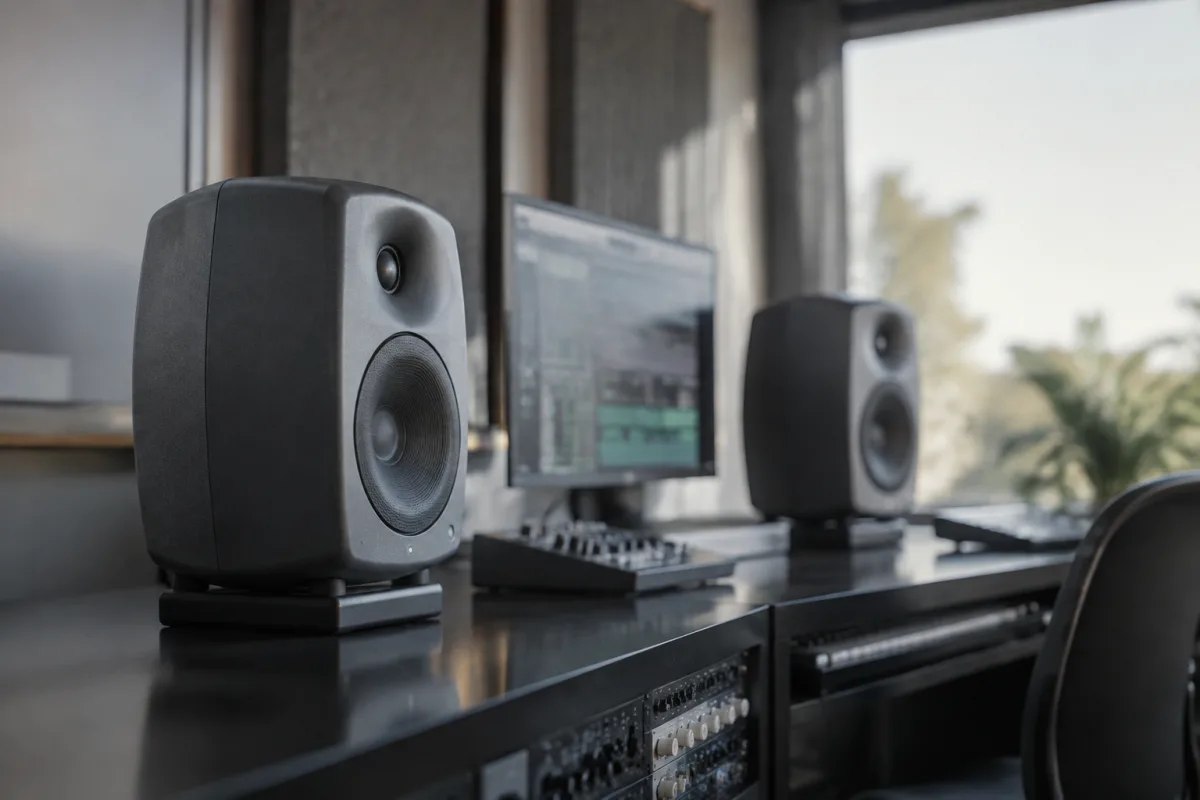
Genelec studio monitors have earned their reputation as the gold standard in critical listening environments throughout recording facilities, mastering suites, and broadcast control rooms across Europe and beyond. Finnish precision engineering combined with decades of acoustic expertise makes Genelec studio monitors an investment in hearing the truth of your mix. This guide explores what sets Genelec apart and helps you understand which model suits your space and budget.
The Genelec Difference: Acoustic Philosophy
Genelec studio monitors are designed around a fundamental principle—what you hear in the control room must match what listeners hear elsewhere. Their nearfield design, which positions them close to the mixing engineer, reduces room colouration and delivers the most accurate reference possible in a treated space. This philosophy has made Genelec the choice in some of the world's most respected recording facilities.
The company's relentless focus on driver materials, crossover design, and cabinet construction ensures minimal distortion and perfect phase coherence across the frequency spectrum. When you hear a mix on Genelec studio monitors, you're hearing what's actually there in the recording—no flattery, no exaggeration.
Understanding Genelec's Product Range
Genelec produces several monitor families, each designed for a specific application and room size:
- 8000 Series: The classic nearfield range, starting with the compact 8010a and scaling up through the iconic 8030, 8040, and 8050. Most home studio engineers choose the 8010a or 8020 for small rooms.
- 9000 Series: Larger, tri-amped monitors designed for bigger control rooms and broadcast facilities, delivering extended bass response and higher SPL handling.
- The Ones: Genelec's flagship, combining miniature driver technology with advanced DSP for uncompromising accuracy.
- Professional Monitors: Purpose-built for surround mixing, mastering, and immersive audio applications.
For a small home studio, the 8010a is often the perfect entry point. Its compact size fits modest spaces, and its accuracy is undiminished compared to larger models. As your room and budget allow, stepping up to the 8020 or 8030 brings deeper bass extension and higher output capability.
Key Specifications to Understand
When evaluating Genelec studio monitors, several technical details determine whether a model will work in your space:
- Frequency Response: Genelec 8000 series models typically reach down to 50 Hz (8010a) or lower (8030 reaches 34 Hz). Deeper bass extension requires a larger cabinet.
- Output Capability: Measured in dB SPL (sound pressure level), this indicates how loud the monitors can play. The 8010a delivers roughly 103 dB SPL; larger models exceed 110 dB.
- Room Correction Technology: Genelec's AutoCal feature measures your room's acoustics and applies automatic EQ corrections, compensating for bass buildup or room modes that colour the sound.
- Amplifier Design: Genelec studio monitors use Class AB or Class D amplifiers with careful power supply design to minimise hum and noise.
- Cabinet Material: Birch plywood construction reduces cabinet resonance, ensuring the drivers do the talking, not the enclosure.
Room Placement and Treatment
Genelec studio monitors perform best in a treated listening space. Position them at ear height, roughly 60 degrees apart from your listening position, at a distance of 1 to 2 metres. Install acoustic foam or bass traps in the corners where bass modes accumulate. If your room is particularly small or difficult, Genelec's free Genelec CalibrateMe app and optional measurement microphone take guesswork out of speaker placement and room equalisation.
AutoCal: Automatic Room Correction
One of Genelec's most powerful features is AutoCal, an onboard microphone and DSP system that automatically measures your room's acoustic characteristics and applies targeted EQ corrections. This system adapts to your specific room, reducing the need for expensive treatment and ensuring that bass-heavy or acoustically problematic spaces still yield accurate mixes. First-time users often report surprise at how much AutoCal transforms the listening environment with no physical changes.
Sound Quality and Transparency
When you listen to Genelec studio monitors, you notice the absence of colouration immediately. Voices are neither scooped nor harsh, drums have authentic punch without artificial presence peaks, and bass is tight and tuneful rather than bloated. This accuracy makes mixing decisions straightforward—if it sounds wrong on Genelec studio monitors, it *is* wrong. Mixes done on Genelec translate reliably to consumer playback systems, car stereos, and headphones.
Connectivity and Integration
Genelec studio monitors accept balanced XLR inputs (standard on all models) and optionally analogue RCA or AES/EBU digital inputs depending on the model. Connection to your audio interface, mixing console, or monitoring controller is straightforward. Most studio engineers use balanced XLR cables to minimise noise over longer runs from the control room to the listening position.
Durability and Long-Term Value
Genelec studio monitors are engineered to operate reliably for 10–20+ years. The components are high-quality, repair costs are reasonable, and replacement parts are available through Genelec's global network. Many facilities still use 8000 series monitors from the 1990s. For the cost per hour of use over decades of mixing and mastering work, a quality pair of Genelec studio monitors is among the best investments you can make.
Choosing Your Genelec Studio Monitors
Start by assessing your room size. Small home studios (under 20 square metres) suit the 8010a or 8020 perfectly. Larger rooms and dedicated control rooms benefit from the 8030 or 8040. For mastering and critical professional work, the 8050 or 9000 series ensures headroom and accuracy that never fatigues even during long sessions. Set a realistic budget—Genelec studio monitors cost more upfront than budget alternatives, but their accuracy and longevity justify the investment if mixing and mastering are core to your work.
Your choice of Genelec studio monitors sets the foundation for mixing decisions that translate reliably across every playback system your listeners use. In a well-treated room, Genelec delivers the accuracy you need to make confident, professional-sounding mixes every time.




Comments