


Focal Studio Monitors article
Focal Studio Monitors for Beginners: A Complete Guide
Focal studio monitors are trusted by professionals worldwide, but which model suits a beginner? This guide covers selection, room setup, and how to get professional mixes at home.
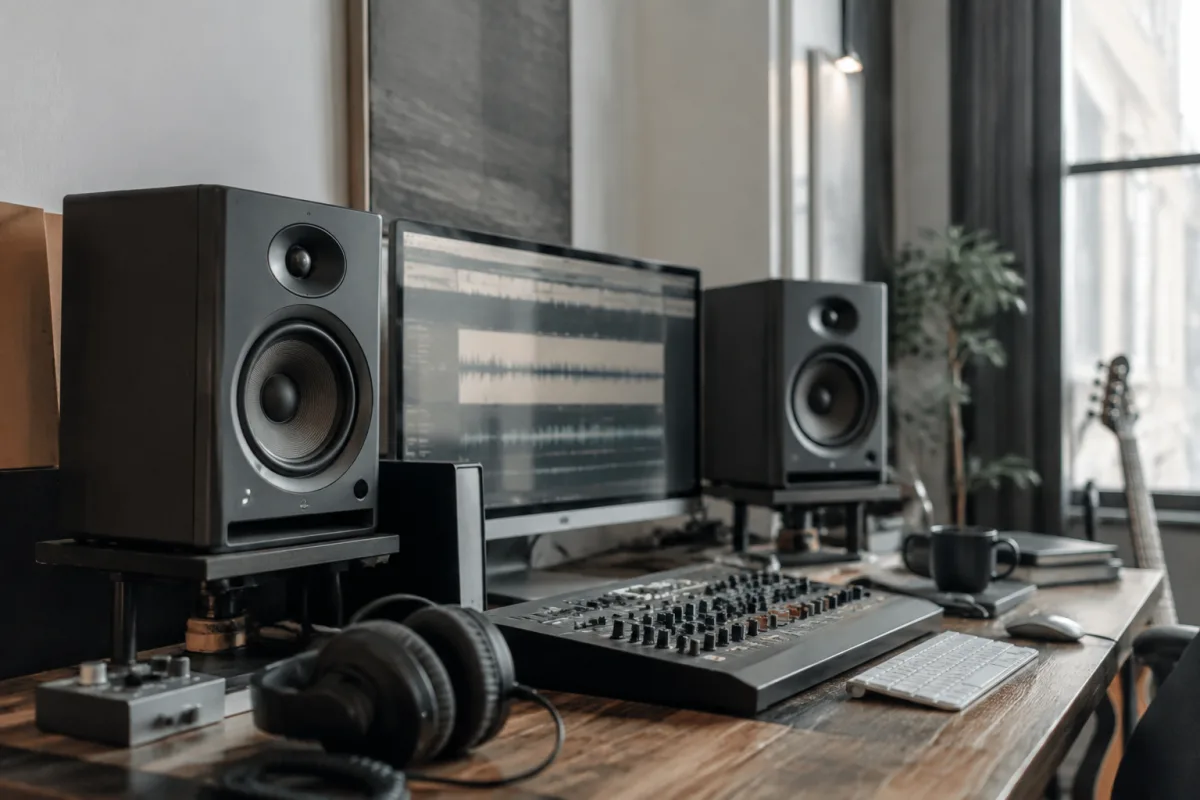
Focal studio monitors have become genuinely synonymous with professional home recording spaces, and there's a reason for that: they work. Walk into small recording studios, mastering suites, and serious bedroom setups across Europe and the UK, and you'll encounter Focal monitors more often than any competitor. But reputation alone doesn't explain why a beginner should choose Focal. This guide walks you through why Focal's approach to studio monitors suits home recording beginners, which models actually make sense for your first setup, what you're actually paying for, and how to get the most from your investment without needing a degree in acoustics.
Why Focal, and What Makes Them Different
Focal is a French manufacturer with serious audio credentials—they've been making speakers since 1979 and actually design and manufacture their own drivers rather than outsourcing to anonymous factories. You'll hear this described as "vertical integration," but what it means in practice is that they control the entire voice, from the tweeter design to the cabinet. That level of control produces consistency and character that casual monitor brands can't match.
What separates Focal from the budget monitor crowd is tonal accuracy combined with a sense of musicality. Cheaper monitors often sound thin and clinical or bass-heavy and coloured. Focal monitors sit in the middle: they're genuinely accurate, but they don't sound sterile. Recording vocals through Focal monitors feels natural; you're not battling the monitors to make the recording sound right.
Their "Inverse Square Law" driver technology (which sounds fancy but just means they've shaped the driver cone to reproduce sound evenly across different listening distances) means your mix remains accurate whether you're leaning back from your desk or sitting at the typical mixing position. That's not trivial—it means your mix won't shift dramatically if you move slightly whilst working.
The Focal Range: Which Model Actually Suits Your Space?
Focal makes multiple lines, and picking wrong guarantees frustration. Here's the honest breakdown for beginners:
- Focal Solo6: Small, 6-inch woofer. Suits desks where space is limited and you sit fairly close (1–1.5 metres away). The smaller driver means less low-end extension; bass sits shallower. Not ideal for mixing bass-heavy music, but perfectly legitimate for vocal-focused work, podcasting, or electronic music where your room acoustics handle low end anyway.
- Focal CMS40 / CMS50: Mid-range options with 4-inch and 5-inch woofers respectively. The CMS40 is genuinely tiny and suits cramped spaces. The CMS50 is the sweet spot for bedroom studios. Both offer more bass extension than the Solo6 without demanding a genuinely large room.
- Focal Shape Twin: Budget-friendly entry point (roughly £250–300 per pair). Limited low-end response but tonally honest and perfect for building confidence before spending on larger monitors.
- Focal Trio11 Be: Large, professional-grade, and expensive. Only relevant for a beginner if your room is actually large enough to support them and you're genuinely committed to mixing as your primary task, not dabbling.
For most bedroom studios, the Focal CMS50 is the genuine starting point. It offers proper bass response without dominating a small room, sits at a reasonable price (£400–500 per pair), and will produce accurate mixes without sounding like you're listening through a computer speaker.
Room Acoustics: The Bit Everyone Forgets
Here's where most beginners stumble: they buy professional monitors, put them on a desk, and wonder why the bass sounds boomy and the mids sound weird. The problem isn't the monitors; it's the room. Focal monitors are accurate to a fault—if your room reflects sound badly, they'll reproduce that badness faithfully.
You don't need a treated studio to use Focal monitors sensibly. But you need basic sense: don't put monitors in a corner (bass builds up), don't put them directly against walls (reflections muddy everything), and position them roughly at ear level when you're seated at your desk. A simple bass trap (a £40 foam panel in each rear corner) makes a dramatic difference. Acoustic panels on the walls behind the monitors reduce reflections that otherwise confuse your mixes.
Budget £50–100 on basic acoustic treatment alongside your monitors. It's genuinely that important. Monitors without any acoustic consideration sound worse than cheap monitors in a treated room.
Wattage and SPL (Sound Pressure Level): What Actually Matters
Focal monitors typically ship with 50–100W amplification depending on the model. That's enough for a home studio where you're listening at normal conversational levels, maybe slightly louder. Some beginners see a 150W competitor and assume more power equals better quality. It doesn't. Wattage only matters if your room is large or you want genuinely loud monitoring. For bedroom mixing, 50–80W is perfectly adequate.
What matters more is SPL—Sound Pressure Level, measured in decibels. This tells you how loud the monitors can get. Most home-studio-appropriate Focal monitors manage 85–95 dB SPL, which is more than enough. Mixing at high levels is counterproductive anyway; ear fatigue sets in, you lose perspective, and your mix becomes worse, not better. Professional engineers mix at moderate levels, not at concert volume.
Connectivity and Setup: The Unsexy But Essential Bit
Focal studio monitors are powered (amplification built in), so they connect directly to your audio interface's outputs. Use balanced XLR cables or quarter-inch cables depending on your interface. Position them roughly 2–3 feet apart, ideally on speaker stands rather than sitting on your desk. Speaker stands isolate the monitors from desk vibrations and improve isolation from room reflections. A pair of decent stands costs £40–80 and genuinely makes a difference.
Some Focal models include volume controls on the front or rear. Adjust them so you're monitoring at conversation level—typically around 80–85 dB. Not blasting, not whisper-quiet. This level reveals mix problems without fatiguing your ears.
Common Beginner Mistakes With Focal Monitors
- Treating them like hifi speakers: Your mixes on Focal monitors might sound less impressive than on audiophile systems. That's because Focal monitors are truthful, not flattering. Trust the Focal; the impressive-sounding system is lying to you.
- Ignoring room acoustics: Brilliant monitors in a terrible room sound terrible. Treat your room first, then trust the monitors. They're only as good as the acoustical environment allows.
- Monitoring too loudly: Ear fatigue ruins your mixing judgment. Mix at conversation volume. If you're not sure whether a mix sounds good, turning it down and listening again is a better solution than turning it up.
- Buying bigger than your room needs: A Focal Trio11 in a bedroom is like driving a truck to the corner shop. Monitors too large for your space become difficult to position properly. Choose for your actual room, not your fantasy professional setup.
- Assuming monitors alone guarantee good mixing: Monitors are one tool. Your ears, your experience, and your ability to reference your mix on other systems matter at least as much. Monitors don't make you a good engineer; they just make an engineer's job possible.
Comparing Focal Against Alternatives
At similar price points, you're competing with brands like Genelec, Adam Audio, and JBL LSR. Genelec offers similar accuracy with slightly colder presentation. Adam Audio tends toward brightness and presence. JBL sits warmer and more forgiving. The difference between them is subtle; what matters more is choosing Focal because you've heard them in person and liked them, not because they're trendy or recommended by someone online.
Try before you buy if possible. Listen to each brand in a proper listening environment (not a shop where the environment is designed to sell, not to be accurate). Understand what you're hearing and make a choice based on that, not on spec sheets or reviews.
Growing Beyond Your First Pair of Monitors
Many beginners start with entry-level Focal monitors like the CMS40 or Shape Twin, then upgrade to something larger (CMS50 or Solo6) once they understand their workflow and room. This is a sensible progression. Your first monitors teach you how monitors work and how your room affects them. Your second pair is an actual upgrade, not a guessing game. Some engineers keep their first pair as near-field monitors and add larger mains later. The Focal range accommodates this growth sensibly.
For a comprehensive overview of Focal studio monitors, including detailed model comparisons and how they fit within the broader monitor landscape, see our complete guide to Focal studio monitors.
The Investment Perspective
Focal CMS50 monitors cost roughly £400–500 per pair. That's a significant investment for a beginner, but it's also less than a quality microphone and far less than some audio gear misconceptions suggest it should be. Compare that to hiring studio time for a few sessions, and your monitors pay for themselves quickly. More importantly, decent monitors enable you to work at any hour without disturbing others (monitoring at sensible levels, remember), and they give you a permanent reference point for understanding how your recordings sound.
The real investment isn't the monitors themselves; it's the learning curve. Expect your first month to feel uncertain. You'll question whether you're hearing problems or monitor limitations. You'll adjust your mix and wonder if it's actually better or just different. This is normal. Trust the process. Within a few months, you'll develop genuine confidence in your Focal monitors and understand intuitively what they're telling you.


Comments