


Bluetooth Monitors Buying guide
Bluetooth Monitors: A Complete Buyer's Guide
Choosing Bluetooth studio monitors requires understanding specs that matter for mixing. This guide covers latency, frequency response, price tiers, connectivity options, and how to evaluate monitors for honest sound.
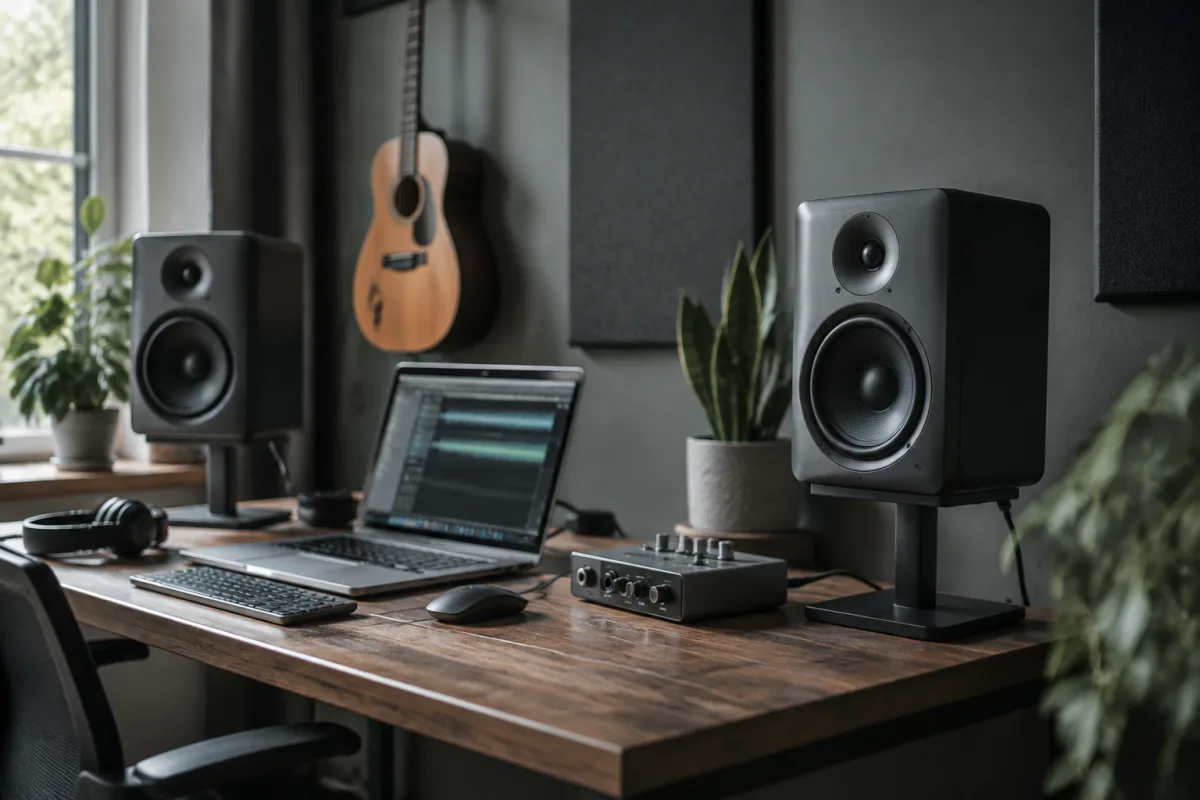
Choosing Bluetooth studio monitors requires understanding what specs actually matter for mixing, which wireless implementations work reliably, and how to identify monitors that deliver honest sound. Budget options proliferate, but budget doesn't guarantee quality monitoring. This guide walks you through the buying criteria for Bluetooth monitors and helps you make a purchase that supports your mixing decisions rather than misleading them.
Understanding Bluetooth Monitor Types
Bluetooth studio monitors come in several configurations, each with different compromises:
- Active monitors with Bluetooth: Bluetooth receiver built into powered speakers. No external receiver needed. Common approach. Verify Bluetooth stability is up to studio standards.
- Passive monitors with Bluetooth receiver: Separate Bluetooth receiver connected to unpowered speakers via amp. Adds complexity. Usually worse latency than integrated systems.
- Hybrid monitors (Bluetooth plus wired): Best approach. Bluetooth for convenience, wired connection for critical mixing. Allows switching based on task.
- True wireless monitors: Each speaker connects independently to the source. Minimal latency. Premium option. Worth considering for serious mixing.
Hybrid systems (Bluetooth plus wired inputs) are ideal. They provide flexibility without compromising on critical audio work.
Evaluating Bluetooth Latency and Stability
Wireless audio introduces latency—delay between the source and speakers. For mixing, latency matters. When you play a note, hearing it delayed is disorienting. When evaluating monitors:
- Ask about latency specs: Good systems claim under 50ms. Below 20ms is excellent. Ask the manufacturer for honest latency figures, not marketing claims.
- Test with a DAW: Connect and play a click track whilst recording audio back in. Measure the delay. If you can't measure, ask the seller for published specs.
- Assess connection stability: Do Bluetooth connections drop in your space? What's the range in your room? What interference sources exist? Test before buying if possible.
- Check frequency response through Bluetooth: Bluetooth compression can affect tone. Some monitors sound noticeably different via Bluetooth versus wired.
Latency isn't deal-breaking for mixing, but under 50ms is essential. Over 100ms makes mixing unreliable.
Price Tiers for Bluetooth Studio Monitors
Studio monitors range widely in price, and the tier matters:
- Budget models (£150-300): Bluetooth connectivity usually works. Sound quality is compromised. Frequency response is coloured (emphasises certain ranges). Okay for reference checking, not for critical mixing.
- Mid-range models (£400-800): Reliable Bluetooth, honest sound, good frequency response. Sufficient for home studio mixing. Professional quality at reasonable cost.
- Premium models (£1,000-2,000): Professional-grade monitors with Bluetooth as convenience option. Exceptional accuracy. Worth the cost if you mix regularly.
- High-end systems (£2,500+): Studio-grade monitors. Bluetooth usually isn't the focus. For touring studios or mastering facilities.
Most home studios find mid-range the sweet spot. Budget models deceive you; premium models are overkill unless you mix professionally.
Frequency Response: The Critical Specification
Frequency response defines whether monitors tell you the truth about your mix. Here's what matters:
What to look for: Flat frequency response (±3dB across 50Hz-20kHz) is the standard. This means the monitor doesn't color the sound. Budget monitors often exaggerate bass or treble, making mixes sound good in the room but bad elsewhere.
How to evaluate: Don't trust marketing claims. Ask for published frequency response measurements. Better yet, play a known reference mix and listen critically. Bass should be tight, not boomy. Treble should be clear, not harsh.
Bluetooth impact: Some systems compress audio over Bluetooth, affecting frequency response. Test with Bluetooth connection, not wired only.
Room compensation: Some monitors include room correction features. These can help if your space is difficult, but they're not magic. Honest frequency response is better than correction.
Driver Size and Speaker Configuration
Speaker size affects bass response and overall character:
- Small monitors (4-5 inch woofer): Compact, less bass extension. Good for small spaces. Adequate for mixing if you're mindful of bass-heavy source material.
- Medium monitors (5-6 inch woofer): Better bass response. Larger sweet spot. Better for rooms with space for them. The most common choice.
- Large monitors (7-8 inch woofer): Deep bass, powerful sound. Need larger rooms. Can overwhelm small spaces.
Pair monitor size to room size. Small rooms lose the benefits of large monitors. Huge monitors in tiny rooms cause standing wave problems.
Room Treatment Impact on Monitor Choice
Monitors sound as good as the room lets them. Before buying expensive monitors:
- Install bass traps in room corners (essential for accurate mixing)
- Add absorption panels on walls to reduce reflections
- Position monitors in an equilateral triangle with your listening position
- Place monitors on proper stands at ear level when seated
A properly treated room with mid-range monitors sounds better than an untreated room with premium monitors. Invest in room treatment first.
Connectivity and Integration
Beyond Bluetooth, evaluate other connection options:
- USB input: Direct computer connection. Many monitors support this. Verify it's implemented well (some USB implementations add latency).
- 3.5mm input: Standard headphone jack. Works reliably but lower quality than XLR.
- XLR input: Professional audio connection. Preferred for studio setups. Verify your audio interface has XLR outputs.
- RCA input: Older standard. Works fine but less common on modern equipment.
Hybrid systems with both Bluetooth and wired inputs offer flexibility. Choose monitors offering your preferred wired connection option.
Common Buying Mistakes
Buyers often make predictable errors when selecting Bluetooth monitors:
- Prioritising Bluetooth over sound quality: Wireless convenience means nothing if the monitors colour your mix. Buy good monitors that happen to have Bluetooth, not Bluetooth speakers marketed as monitors.
- Neglecting room treatment costs: Monitors are only half the equation. Budget for acoustic treatment equally.
- Skipping latency testing: Assume latency exists and test for it. Don't discover problems after purchase.
- Buying based on appearance: Sleek design doesn't guarantee sound quality. Ugly monitors often sound better than pretty ones.
- Assuming bigger is better: Monitor size should match room size. 8-inch monitors in a tiny bedroom cause problems.
- Ignoring published measurements: If the manufacturer won't publish frequency response, their monitoring accuracy is likely questionable.
Each mistake costs you in mixing reliability.
New Versus Used Bluetooth Monitors
Used monitors are excellent value if Bluetooth connectivity still works. Test the wireless functionality during purchase. Wired inputs last forever; Bluetooth receivers can fail. Otherwise, used professional monitors are fine—sound quality doesn't degrade.
Setting Up Your Bluetooth Monitors
Once purchased, proper setup is essential:
- Position in equilateral triangle with listening position (each monitor at 30-degree angle)
- Mount at ear level when seated
- Set input levels conservatively (peaks around -6dB, not maxed)
- Treat room with absorption and bass traps
- Use wired connections for critical mixing; Bluetooth for casual reference
Proper setup matters as much as the monitors themselves.
Making Your Bluetooth Monitor Decision
Buying Bluetooth studio monitors requires prioritising sound quality above wireless convenience. Choose mid-range monitors with flat frequency response, honest specs, and hybrid connectivity. Avoid budget models that colour your mix. Pair your monitors with proper room treatment. If Bluetooth latency proves problematic, use wired connections for critical work. For detailed information about monitor specifications and advanced setup techniques, see our complete guide to Bluetooth monitors.


Comments