


Oscillator Module article
Oscillator Module for Beginners: A Complete Guide
Oscillator modules are the sound generators of synthesis, but they're simpler than you think. This guide walks you through pitch control, waveform selection, and your first patches with confidence.
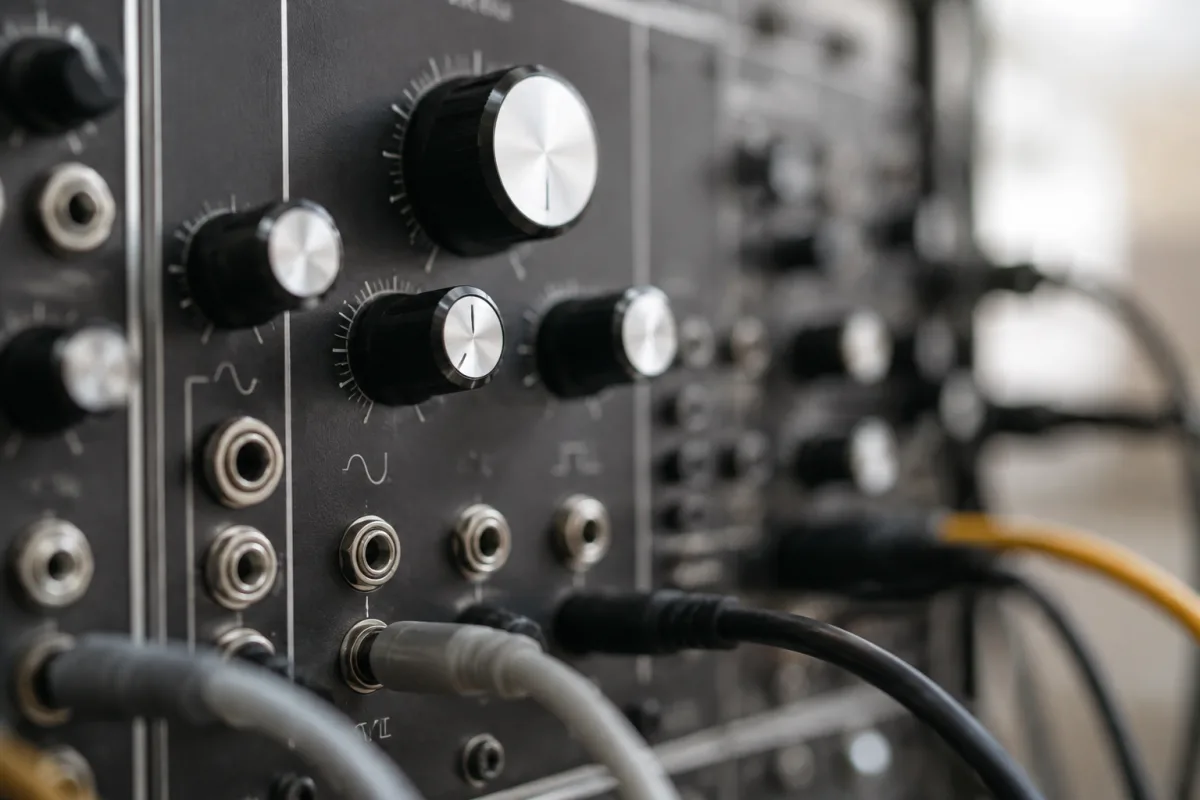
If you're new to synthesizer modules and feel overwhelmed by talk of oscillators, don't worry. The concept is simpler than it sounds, and oscillator modules are genuinely one of the most rewarding entry points into modular synthesis. An oscillator simply generates raw sound—the fundamental building block that all synthesis begins with. This guide walks nervous beginners through understanding what oscillators do, how to recognise them in modular systems, and how to start creating sounds confidently.
What an Oscillator Module Actually Does
At its core, an oscillator module generates electrical signals that become sound when sent through a speaker. Think of it as the sound generator—the thing that makes noise. Unlike guitars or keyboards where strings or keys produce sound directly, an oscillator module creates raw waveforms that you then shape using other modules. The most important beginner insight: an oscillator by itself is genuinely boring. It produces basic sine, square, or saw-tooth waveforms—simple tones that sound thin and raw. But these raw tones are the starting material for all interesting synth sounds. Imagine an oscillator as flour in baking; by itself it's not very appealing, but it's the foundation for everything delicious you'll create. Professional synthesizer sounds come from combining oscillators with filters, envelopes, and effects—all modules you'll encounter later. Right now, your job is understanding that oscillators are sound sources.
Understanding Pitch Control: The Fundamental Concept
Every oscillator module includes a pitch control, usually a large knob or dial labelled "frequency" or "pitch." Turning this knob higher produces higher-pitched tones; turning it lower produces lower-pitched tones. For beginners, this is identical to turning a guitar tuner up or down, except you're controlling it manually in real time. Most oscillators also accept CV (control voltage) inputs, which let other modules automatically control pitch. For now, simply understand that the pitch knob is your primary tool for tuning the oscillator to musical notes. Start by setting your oscillator to play the musical note you want (middle C, for example, around 3 o'clock on many knobs), then experiment with moving the knob to create different pitches. This simple interaction is genuinely musical and immediately satisfying.
Waveform Selector: The Sound Colours
Most oscillator modules let you select different waveform shapes, each producing distinctly different tone colours. The most common waveforms are: sine (smooth, pure, simple), square (hollow, clarinet-like), and sawtooth (bright, harsh, rich in harmonics). For beginners, this selector might appear as a button, switch, or selector knob. Here's what matters: different waveforms simply sound different. Sine waves are warm and gentle. Square waves are open and woody. Sawtooth waves are bright and aggressive. None are "right" or "wrong"—they're simply different colour palettes to work with. Spend your first session playing each waveform at the same pitch and listen carefully. You'll quickly develop preferences about which waveforms suit different musical ideas.
Your First Oscillator Exploration: Simple and Satisfying
Begin with your oscillator module powered and connected to a speaker (or headphones through an amplifier). Select one waveform (sine is often the gentlest starting point). Turn the pitch knob and play it like a theremin—a strange electronic instrument controlled by hand position. Move your knob smoothly from high to low pitch and listen to the sound sweep. Now move it quickly and hear how the pitch jumps. This immediate responsiveness between your hand and sound is genuinely musical. Spend 10 minutes simply playing with pitch, feeling how the knob responds. Switch waveforms (to square, then sawtooth) and repeat at the same pitch. Notice how different waveforms create different character whilst maintaining the same pitch. This fundamental exploration teaches you how oscillators respond to your control.
Pitch Quantization and Volt-Per-Octave: Beginner-Friendly Understanding
At some point exploring oscillators, you'll hear terms like "1 volt per octave" or "quantized pitch." Don't panic—these are advanced concepts. For beginners, simply understand that "1 volt per octave" is a standardised way that modular gear communicates pitch information. When you hear this term, it means different modules can automatically understand the same pitch—one oscillator can trigger another at the correct pitch relationship. Quantization means the oscillator only plays exact musical notes rather than continuous pitch—think of it as the difference between a violin (continuous pitch) and a piano (discrete notes). Your first oscillator probably offers quantization as an option, and it's generally good for musical work. Enable it and forget about the underlying technical details.
Connecting Your Oscillator: Building a Simple Patch
An oscillator by itself produces sound but makes music more effectively when connected to other modules. A basic "patch" (modular synth term for connections) involves: oscillator -> amplifier (or amplifier module) -> speaker. Your synthesiser likely includes a master amplifier or mixer; connect the oscillator's output (usually marked "out") to your amplifier's input. Now adjust the amplifier's volume until the oscillator produces comfortable volume. This simple connection is your foundation for all synth music-making. Once you're comfortable here, you'll add filters, envelopes, and effects—each adding texture and musical interest. But right now, simple oscillator to amplifier to speaker is perfect.
Frequency Modulation: Your Second-Week Adventure
After a week of basic pitch and waveform exploration, you might encounter a CV input labelled "FM" (frequency modulation). This input lets other modules automatically control pitch, creating complex, evolving sounds. Don't engage with this initially; it's genuinely optional. However, once you're comfortable with basic oscillator manipulation, FM becomes one of the most expressive and interesting synth techniques. Your oscillator's manual will explain FM inputs, and there's no rush to understand them now.
Common Beginner Mistakes: What Not to Worry About
Many beginners worry they'll damage the oscillator module by connecting cables incorrectly. Modular synth cables are genuinely robust—incorrect connections won't break anything, though they might produce no sound or unpleasant noise. Simply try different connections; you'll quickly discover what works. Another common fear: "I don't understand voltage or electronics." Neither do most musicians using oscillators. Understanding waveform shapes, pitch control, and basic connections is genuinely sufficient for years of musical exploration. Technical details follow naturally if you want them. Some beginners feel disappointed that oscillators alone sound boring. Correct! That's entirely the point. Oscillators are the foundation; they become beautiful when filtered and shaped by other modules. Finally, beginners sometimes worry they're "not synthesizer people" if the concepts feel foreign initially. Give yourself a week of regular playing, and oscillators become intuitive.
Tuning Your Oscillator for Real Music
Once you're comfortable with basic exploration, tune your oscillator to perform in actual musical contexts. Most oscillators include fine and coarse pitch controls. Use coarse tuning to select the general octave or pitch range, then fine tuning for precise note selection. If you have a keyboard or reference pitch (even a tuner app), match your oscillator to known notes. Learning exactly where middle C is on your oscillator, then where C an octave higher sits, teaches you the pitch layout. This small knowledge makes oscillators dramatically more musical.
Oscillator Combinations: Your Sound-Design Journey
Professional synth sounds rarely use a single oscillator; instead, multiple oscillators layer together, often slightly detuned from each other to create richness and movement. But this combination technique comes later. Right now, mastery of a single oscillator—understanding pitch, waveform selection, and basic connection—is your genuine foundation. Commit to months of single-oscillator exploration before layering multiple modules. This patient approach builds genuine understanding rather than random experimentation.
Oscillator modules are your entry point into modular synthesis, and they're more intuitive than their reputation suggests. Spend your first week simply exploring pitch and waveforms, then gradually introduce patch connections and pitch modulation. You're not just learning a module; you're developing the fundamental musical intuition that powers all synthesis. For deeper exploration of oscillator types, advanced modulation techniques, and complex patching, see our comprehensive guide to oscillator modules. Most importantly, remember that synthesis is learned through playing, not reading. Get your hands on the knobs, explore freely, and trust that understanding develops naturally.


Comments