


Interface Records article
Interface Records for Beginners: A Complete Guide
What a recording interface does and how to use one for your first recordings. A beginner's guide to connecting your keyboard to your computer.
If you've just bought a keyboard, synthesizer or MIDI controller and someone mentioned "recording interface," you might be wondering what that actually means and whether you need one. The good news: once you understand what an interface does, the decision becomes straightforward. This guide is written for someone plugging in music gear for the first time.
What a Recording Interface Actually Does
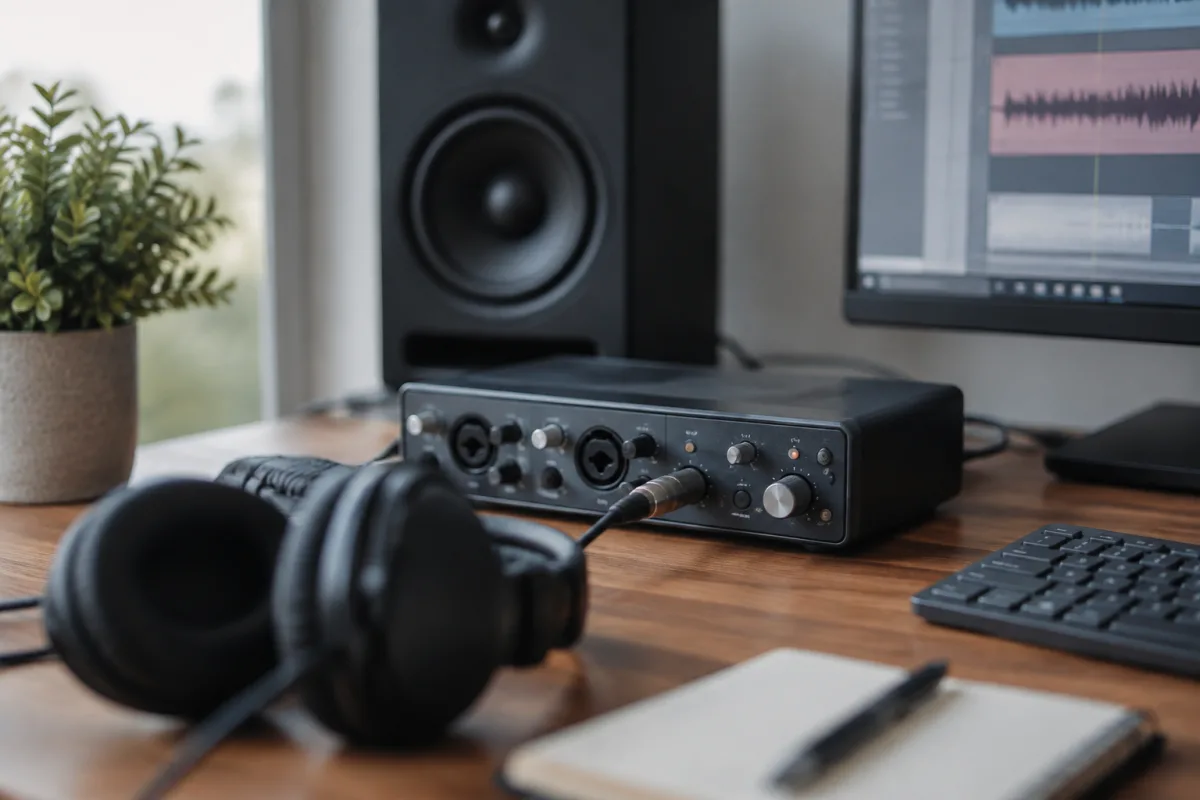
A recording interface is a box that sits between your musical instrument and your computer. It takes audio from your keyboard or synth and converts it into digital sound your computer can record. It also takes audio from your computer and sends it back to your speakers or headphones so you can hear what you're playing.
Your computer has built-in audio inputs and outputs, but they're poor quality—thin, noisy, and unreliable for music. A recording interface replaces those with something genuinely professional. That's the entire job. Small job, but it matters hugely for how your recordings sound.
Do You Actually Need One?
If you're playing a keyboard or synth with USB output connected directly to your computer, you might not need a separate interface. Many modern synthesizers and controllers have built-in audio interfaces. Plug the USB cable into your computer, open your recording software, and you can record.
You need a separate interface if: your keyboard or synth outputs audio via headphone jack or 1/4-inch jacks (not USB); you want to record multiple instruments at once (keyboard plus microphone, for example); you want lower latency (faster response when you play); or you want higher audio quality than your computer's built-in input can deliver.
If you're just starting, use what your keyboard or synth already has. Once you've recorded a few songs and want to upgrade, then consider a dedicated interface.
The Easiest Path: USB First
Most beginner synthesizers and MIDI controllers now come with USB. Connect the USB cable to your computer, download the manufacturer's drivers (or just plug it in—most work without drivers now), open your recording software, and you're ready to record.
This is genuinely easy. If your gear has USB and your computer recognises it, you're done. Don't overthink it.
When USB Isn't Available: Simple Audio Interfaces
If your keyboard or synth has 1/4-inch audio outputs (not USB), you need an interface. Don't panic. Entry-level interfaces are simple and affordable.
Pick an interface with at least one 1/4-inch audio input (sometimes labelled "line in"). Plug your keyboard's output into the interface input. Plug the interface into your computer via USB. Download drivers, open your recording software, select the interface as your input device, and you're recording.
Interfaces range from £30 to £300. For a beginner, £50–150 is plenty. Brands like Behringer, Focusrite and PreSonus all make solid affordable interfaces.
Two Keys to Not Getting Lost
First: understand input and output. Audio comes INTO the interface from your keyboard. The interface outputs to your computer and speakers. Input = what you're recording. Output = what you hear. Mark the cables clearly if you're unsure.
Second: know what drivers are. Your interface needs software (drivers) to talk to your computer. The manufacturer provides this. Download it before you plug in. Modern interfaces often work without drivers, but don't count on it. Do it right the first time.
Latency: Why Your Recording Feels Delayed
When you press a key on your keyboard and hear the sound back from your speakers a split-second later, that's latency. A small amount is fine. Too much (more than 20 milliseconds) and playing feels weird—your brain can't sync what you're doing with what you hear.
Better interfaces have lower latency. Your computer's built-in audio usually has bad latency. That's one reason to upgrade to a proper interface.
For your first recording: don't worry about latency yet. Once you've recorded a few songs and started to notice it, then look at getting an interface with better latency numbers.
Common First-Timer Mistakes
Mistake one: assuming the interface should sound "bigger" than your keyboard's output. It shouldn't. A good interface passes audio cleanly with no added colour. It might sound thinner or different, but that's because it's capturing your keyboard more accurately than your speakers or headphones were presenting it. That's correct.
Mistake two: not installing drivers and wondering why the interface isn't recognised. Always install the manufacturer's drivers first. Yes, modern interfaces often work via USB without drivers, but the quality and compatibility are better with proper drivers installed.
Mistake three: plugging keyboard output into the wrong interface input. Audio goes into "line in" or "audio in," not microphone input. Microphone inputs have different gain settings and can distort if you feed keyboard audio into them. Check the input labels.
Mistake four: forgetting to select the interface as your recording device in your software. You plug in the interface, but your recording software is still trying to use your computer's built-in audio. Open your recording software settings and change the input device to your interface. That one step solves most "it's not recording" problems.
Mistake five: buying an interface with more features than you need. A simple interface with one audio input is plenty to start. Those fancy rack-mount interfaces with mixing controls and effects are for later. Begin simple.
Your First Recording Setup in Five Steps
One: check if your keyboard or synth has USB. If yes, plug it into your computer, install drivers if prompted, and skip to step five. If no, move to step two.
Two: buy a simple audio interface (Focusrite Scarlett Solo or Behringer U-Phoria equivalent, around £60–100).
Three: install the interface drivers on your computer before you plug in.
Four: plug your keyboard's audio output into the interface's audio input with a 1/4-inch cable. Plug the interface into your computer with USB.
Five: open your recording software (Reaper, Audacity, Logic, whatever you've chosen), go to settings/preferences, and change the input device to your interface. Now when you play your keyboard, your recording software captures it.
Software You'll Need
You need digital audio workstation (DAW) software to record. Options range from free to expensive.
Free: Audacity, Cakewalk by BandLab, Reaper (technically paid but has a generous unlimited trial). Start here.
Affordable: Reaper (£50–200 depending on your situation), Studio One Prime (free version exists, paid version is £60).
Professional: Logic Pro (£200 one-time), Pro Tools (subscription model), Ableton Live (starts at £60).
For your first recording, download a free DAW. You don't need expensive software to learn. Once you know what you're doing, you can upgrade.
When to Upgrade Your Interface
You'll outgrow your first interface when: you want to record multiple sources at once (keyboard plus microphone plus bass, for example); you want lower latency for live performance; you're using professional microphones that need XLR inputs; or you want better audio quality than your current setup delivers.
Your first interface might be a €60 one-input device. Your second might be a €200 multi-channel interface. That progression is normal. Don't overspend at the start.
Conclusion
A recording interface converts audio from your keyboard into something your computer can record. If your keyboard has USB, you might not need a separate interface at all. If not, a simple affordable interface (£60–150) handles the job perfectly. Install drivers, plug everything in, select the interface in your recording software's settings, and you're ready to record. Common mistakes are mostly about not installing drivers, picking the wrong input, or not selecting the interface as your recording device in software. Start simple, record some songs, and upgrade later if you need more capabilities. That's how everyone starts with recording.


Comments