


Interface Records Buying guide
Interface Records: A Complete Buyer's Guide
Choosing a recording interface means matching input/output count, preamp quality, latency and connectivity to your actual needs. This guide covers budget to professional options so you invest in stable equipment that captures clean audio and works reliably with your DAW.
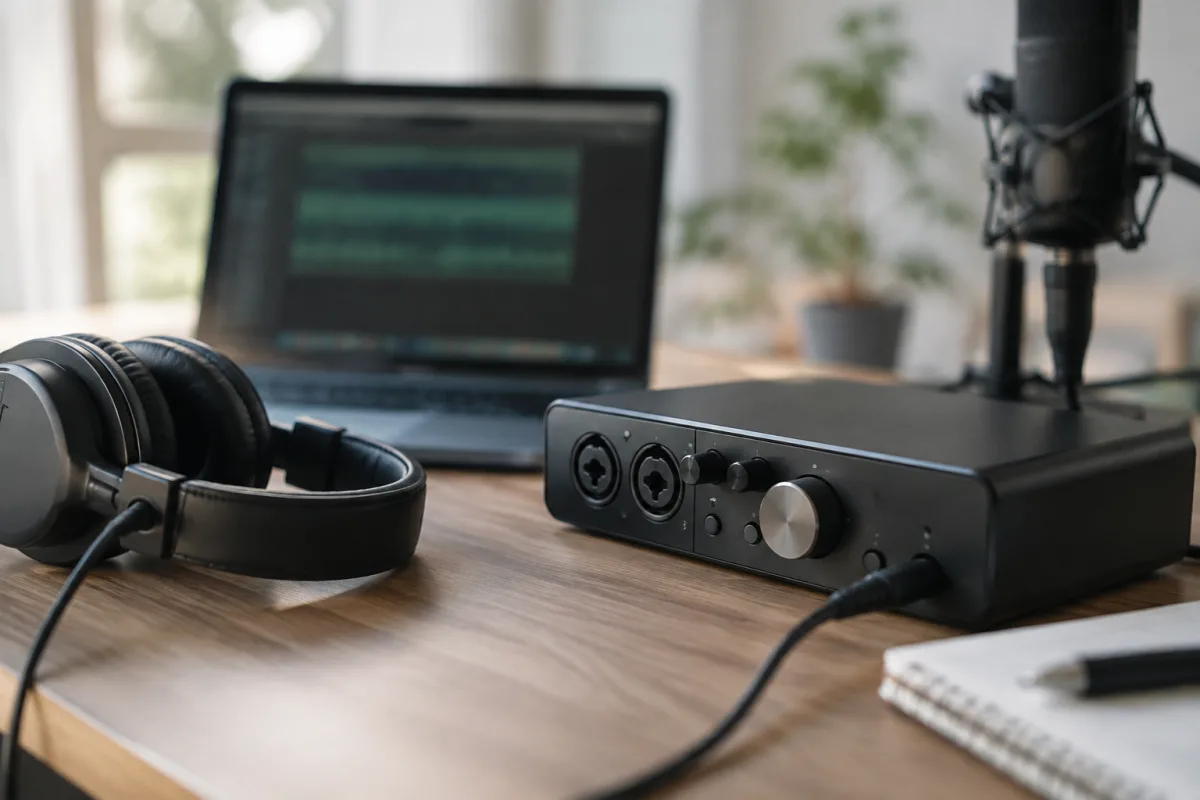
Choosing an audio interface records setup requires understanding your recording needs, input/output count, latency tolerance and budget. Whether you are a bedroom producer, songwriting musician or small studio, selecting the right interface is essential for capturing clean audio, managing multiple instruments and maintaining a smooth, responsive workflow during recording and mixing sessions.
Understanding interface channels and I/O
Audio interfaces range from simple 2-in/2-out USB designs (perfect for solo guitar or vocal recording) to complex multi-channel units with 16+ ins and outs. Count your typical recording scenario: how many instruments do you track simultaneously? A solo songwriter might need 2 channels (one microphone, one guitar); a home band recording four musicians at once needs 4+ inputs.
When you evaluate an interface records purchase, match the channel count to your real-world sessions, not theoretical future scenarios. Buying a 16-channel interface because you "might" record a full band eventually is wasteful; a solid 2–4 channel interface serves most bedroom producers and small studios for years. Step up only when you consistently fill available channels.
Connectivity: USB, Thunderbolt and alternatives
USB interfaces dominate the budget and mid-range market. USB 2.0 is sufficient for low-latency recording (typically under 5 ms with modern drivers). USB 3.0 interfaces add stability and support higher channel counts without latency creep. Thunderbolt interfaces (Mac-focused) offer lowest latency and highest data rates but cost significantly more.
Before buying, confirm your computer supports the interface's connection type. A USB 3.0 interface on an older USB 2.0 machine will work but operate at USB 2.0 speeds. Similarly, Thunderbolt interfaces need a Thunderbolt port, which not all computers have. Check your laptop or desktop specs carefully to avoid costly incompatibility.
Preamps and microphone input quality
The quality of the microphone preamps directly affects how your vocals and acoustic instruments sound. Budget interfaces (under £100) use cheap preamps with high noise floors and limited headroom. Mid-range units (£100–£300) offer cleaner, quieter preamps with decent headroom. Professional interface records equipment (£300+) includes high-gain preamps with ultra-low noise and phantom power for condenser microphones.
If you plan to record vocals or acoustic instruments as a primary focus, invest in a unit with good preamps. A cheap preamp will make even a £500 microphone sound thin and noisy. Check the preamp specifications: look for low noise floor (below –120 dBu is good) and sufficient headroom (typically 40–60 dB).
Latency and monitoring
Latency is the delay between playing an instrument and hearing it back through the computer. Even a few milliseconds of latency is distracting during recording. Professional interfaces achieve latency under 2 ms; budget units may suffer 10+ ms delays, making live performance during recording awkward.
Direct monitoring (a feature on many interfaces) lets you hear incoming audio with zero latency by routing it directly to your headphones or speakers, bypassing the computer. This is invaluable for recording live performances. When shopping for an interface, check whether it offers direct monitoring and whether you can blend the direct signal with the computer's playback.
Sample rate and bit depth capabilities
Most recording works at 44.1 kHz (standard for CDs) or 48 kHz (video). Professional work may demand 96 kHz or higher. Similarly, 24-bit recording is standard for music production; 16-bit is acceptable but less forgiving. All modern audio interfaces support 44.1 kHz, 48 kHz, 24-bit recording as baseline.
When evaluating an interface records candidate, confirm it supports 24-bit at least 48 kHz. If you anticipate film scoring or advanced mastering, check for 96 kHz or 192 kHz support. However, for typical music production (songwriting, vocals, instruments), 24-bit/48 kHz is more than adequate.
Pre-built vs modular: expandability
Some interfaces allow adding expansion modules (extra preamps, analog outputs, digital I/O cards). This modularity lets you start small and expand as your needs grow. Fixed interfaces cannot be expanded—you simply buy a bigger unit later.
Modular interfaces are ideal if you anticipate growth but uncertain of your path. Fixed interfaces are simpler, cheaper and more compact. For a beginner or small studio, a fixed interface sized to your current needs is practical. Consider modularity only if you are serious enough to genuinely expect channel expansion in the next 3–5 years.
Quality of analog outputs and headphone amp
The outputs (speakers, headphones) matter as much as inputs. A budget interface may have thin, noisy speaker outputs or a weak headphone amp that forces high volume levels to sound decent. Professional units include high-quality headphone amplifiers and balanced speaker outputs with proper gain structure.
Listen to the headphone output on any interface you test—it should sound clean and flat at moderate volume levels (not excessively bright or bass-heavy). A poor headphone amp is tiring during long sessions and makes mixing decisions unreliable.
Driver stability and software support
An interface is only as good as its drivers. Cheap interfaces often have driver stability issues, dropped connections or compatibility problems with DAW updates. Established manufacturers (Focusrite, Universal Audio, RME, MOTU) release regular driver updates and maintain long-term support.
Before buying, research driver stability on forums and user reviews. Check how long the manufacturer typically supports driver updates—you want at least 5–7 years. Avoid obscure brands with sparse driver support or poor user documentation.
Price tiers and value
Budget interfaces (£50–£120) are entry-level tools for basic recording—adequate preamps, simple connectivity, acceptable latency. Mid-range units (£120–£350) offer clean preamps, stable drivers, direct monitoring and good headphone outputs—the sweet spot for most producers. Professional interfaces (£350+) add premium preamps, advanced features and five-star reliability.
For a beginner or home studio, budget £150–£250 for a solid 2–4 channel interface with decent preamps, USB stability and a clean headphone amp. You will get genuine quality and room to grow. Avoid ultra-cheap units; they often cost more in frustration and eventual replacement than a modest upfront investment.
Key features to evaluate when testing
When you examine an interface records device, assess:
- Input levels: Do the meters respond cleanly to a quiet vocal or acoustic guitar? Is there any background noise or hum?
- Headphone output: Is the sound clean and flat at moderate volume? Does it colour or distort easily?
- Latency: Can you record with the computer playback without noticeable delay? Does direct monitoring reduce it further?
- Build quality: Are connectors solid? Do buttons and faders feel robust?
- Driver behaviour: Does it connect stably after restart? Are there dropout reports on forums?
Standalone recording: do you need a computer?
Some modern interfaces include built-in recording to SD card or internal storage, eliminating the need for a computer during tracking. This is convenient for mobile recording or live capture, but adds cost. For most bedroom and small studios, computer-based recording via USB is simpler and more flexible for editing.
Evaluate whether standalone recording matters to your workflow. If you rarely record away from your desk, a standard USB interface is adequate. If you frequently record live performances or on location, a unit with onboard storage is appealing—just expect to pay 20–30% more.
Building your decision framework
Before shopping, answer:
- How many instruments do I track simultaneously in a typical session? — this determines channel count.
- What is my computer's connectivity? (USB 2/3, Thunderbolt, FireWire) — confirm interface compatibility.
- What is my budget? — aim for £150–£300 for genuine quality that will last years.
- Do I need a built-in microphone preamp, or will I use external preamps? — this guides whether you prioritize interface preamp quality.
- Will I expand later, or is fixed I/O enough? — modularity costs more but offers growth options.
For a comprehensive overview of recording interfaces, their architecture and role in home studios, see our complete guide to recording interfaces, which covers how they work, different classes and where they fit in various recording setups.
Conclusion
Choosing an audio interface records solution means matching your real recording needs—channel count, preamp quality, latency and connectivity—to a well-supported, stable device in your budget. Avoid both extremes: do not buy a 16-channel interface for solo recording, and do not cheap out on preamp quality if you track vocals seriously. A thoughtful mid-range purchase from a trusted maker will serve you reliably for years and grow with your skills and ambitions.


Comments