


Drum Synthesizer article
Drum Synthesizer for Beginners: A Complete Guide
A drum synthesizer lets you create professional drum patterns within minutes, even with no percussion experience. This beginner's guide shows you how to get started and make music today.
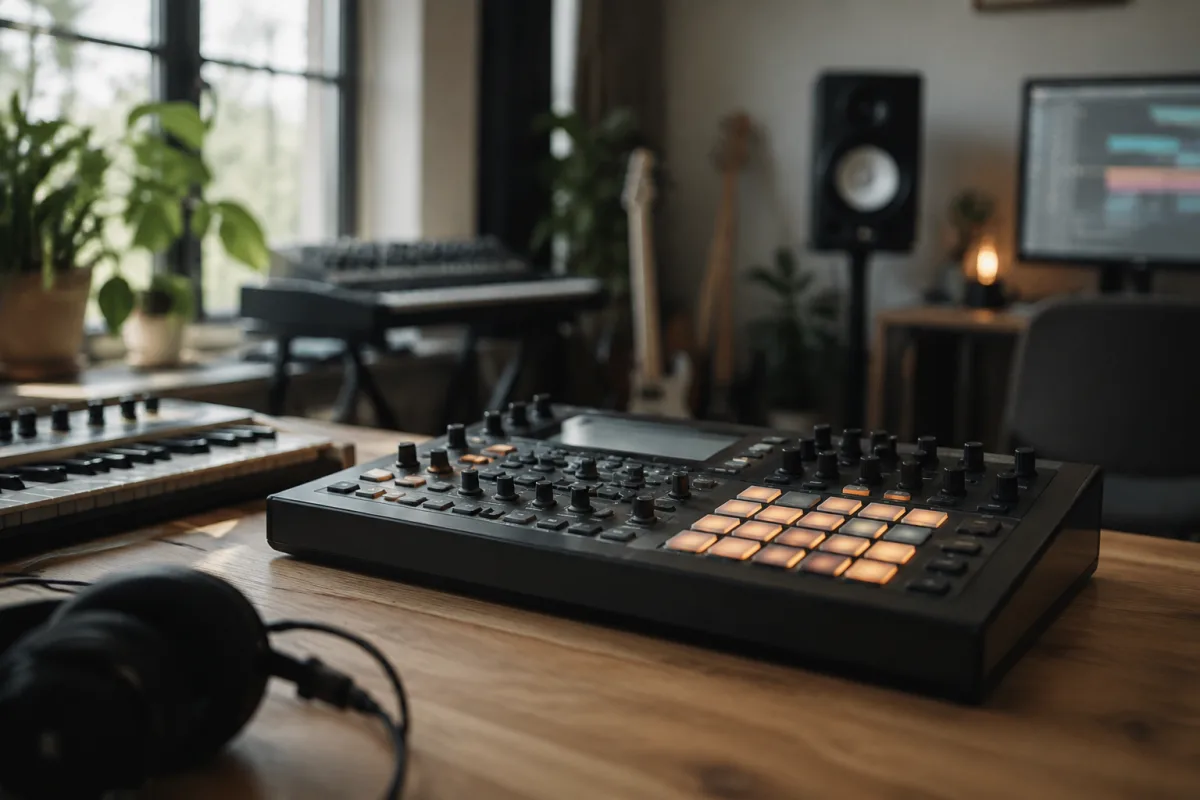
A drum synthesizer might sound like a complex, specialized tool—but it's actually one of the most rewarding instruments for beginners. Unlike drums, which require coordination and years to master, a drum synthesizer lets you create powerful, professional-sounding drum patterns within minutes of picking it up. This guide demystifies drum synthesis and shows you how to start making music today, even if you've never played a percussion instrument before.
What Is a Drum Synthesizer?
A drum synthesizer (sometimes called a "drum machine" or "drum pad controller") is an electronic instrument that generates drum sounds synthetically—meaning it doesn't sample real drums, but instead creates them using oscillators, envelopes, and filters. Each sound (kick, snare, hi-hat, tom) is programmed from scratch or selected from a library. When you press a pad or trigger a sound, the synthesizer plays that drum sound.
Why use a drum synthesizer instead of real drums? Real drums take up space, are loud, and require years of practice to play musically. A drum synthesizer is quiet (or plays through headphones), compact, and accessible—you can make a great-sounding drum pattern in an afternoon. This democratizes rhythm-making: musicians of all backgrounds can participate.
The Basics: Pads, Sounds, and Patterns
Pads are pressure-sensitive buttons you press or tap to trigger drum sounds. Most beginner drum synthesizers have 16, 24, or 32 pads, arranged in a grid. Each pad can be assigned to a different drum sound: kick on pad 1, snare on pad 2, hi-hat on pad 3, and so on.
Sounds come from a library built into the synthesizer. A basic drum synthesizer has 100–500 pre-made sounds: kicks ranging from sub-bass boom to tight snap, snares from acoustic to electronic, toms, cymbals, and percussion. Many synthesizers let you tweak these sounds—adjust the pitch, shorten or lengthen the decay, add effects. You don't need to understand the deep synthesis yet; using pre-made sounds is perfectly fine for beginners.
Patterns are sequences of drum sounds arranged in time. Most drum synthesizers let you record a pattern: press play, tap pads in rhythm, and the machine records which pads you hit and when. When you press play again, it repeats your pattern. This is how you build complete drum tracks without having to think about the technical side.
Getting Started: First Steps
Start with these fundamentals:
- Familiarize yourself with the pads. Plug in your drum synthesizer, power it on, and tap each pad to hear what sound it's assigned to. Many machines let you browse sounds and reassign them to different pads. Spend 10 minutes listening.
- Create a simple 4-bar pattern. Press record, then tap a kick drum on beats 1 and 3 of a 4-beat measure. Add a snare on beats 2 and 4. Add hi-hats on every beat. That's a basic house beat—instant gratification.
- Play along to music. Set the tempo (usually in BPM—beats per minute) to match a song you love. Record your pattern and play it back alongside the song. Hearing your drum sound alongside real music is motivating.
- Experiment with different sounds. Swap the kick drum for a different one. Change the snare. Layer sounds. There's no "wrong" choice—just play and listen.
Common Beginner Mistakes
First-time drum synthesizer users often stumble here:
- Ignoring the tempo. If you're tapping pads randomly without thinking about the beat, your rhythms sound sloppy. Use a click track or metronome to keep time, even if it's just in your headphones. This single discipline transforms your playing.
- Tapping too hard or inconsistently. Drum pads are velocity-sensitive: tap hard and the sound is louder; tap softly and it's quieter. Many beginners bash the pads unevenly. Practice tapping with consistent pressure to get even, musical results.
- Using the same sounds for every pattern. The drum synthesizer has hundreds of sounds. Explore them. Different sounds suit different genres. A trap beat needs snappy, short sounds; a hip-hop beat needs longer, warmer drums. Listen to the difference.
- Forgetting the hi-hat or offbeat elements. Beginners often record just kick and snare. Add a hi-hat on eighth notes or sixteenth notes to give the pattern life and movement. Listen to any professional drum track—there's always a high-frequency element driving the rhythm.
- Never saving your work. Many drum synthesizers have limited onboard storage. Save your patterns to a computer via USB or MIDI, or use the machine's built-in save feature. Losing a pattern you spent an hour on is demoralizing.
Building Your Skill: From Patterns to Full Tracks
Once you're comfortable with 4-bar patterns, experiment with longer sequences: 8 bars, 16 bars, a full verse and chorus. Most professional drum tracks are composed of 1–3 main patterns that repeat with subtle variations—a kick pattern for the verse, a different pattern for the chorus. This is how real producers work.
Learn the basic drum sounds that appear in every genre: a tight kick, a punchy snare, and a crisp hi-hat. Master these, and you can program beats in any style. Then branch out into specialized sounds—conga, cowbell, rim clicks—as you explore different genres.
Choosing Your First Drum Synthesizer
For beginners, look for models with at least 16 pads, a good selection of built-in sounds (200+), and USB connectivity to a computer. Price ranges from £80 for basic machines like the Alesis Strike Pro to £200–400 for more professional gear like the Native Instruments Maschine or Akai MPC One. Start with a budget option: if you discover you don't enjoy it, you haven't spent much. If you fall in love with it, upgrade later to a more powerful machine.
Drum synthesis is an accessible, rewarding path into music production. The technical barrier is low—tap a pad, hear a sound—but the artistic ceiling is high. Professionals use the same techniques you'll learn today. Start simple, play consistently, and you'll surprise yourself with what you can create.


Comments