


Novation Synth article
Novation Synth for Beginners: A Complete Guide
New to Novation synths? This guide walks you through setup, the essential controls, how oscillators and filters work, common mistakes, and three sounds to create on your first day.
Your First Novation Synth: Where to Start
Getting your first Novation synth is exciting and a little overwhelming. Novation builds synthesizers that feel inviting—lots of knobs to turn, buttons to press, and sounds to explore—but with that immediacy comes a learning curve. The good news is that Novation synths are genuinely designed to encourage playfulness. You'll make interesting noises within minutes and understand the fundamental principles within a few hours of exploration.
This guide gets you comfortable with your new Novation synth without drowning you in synthesis theory. We'll focus on the essentials and building confidence first.
Unpacking and First Power-Up
When your Novation synth arrives, take a moment to locate the power switch—usually on the back or bottom panel. Before you power on, flip through the quick-start guide that came with it. Novation's manuals are well-written and friendly. You don't need to memorise the whole thing; just glance at the layout so you know what you're looking at.
Connect USB power (if it requires it) or plug in the power adaptor. Power on the Novation synth, and you should see lights come on and the display initialise. If nothing happens, check that you're using the right adaptor and the power button really is on. Novation synths are robust and rarely arrive DOA.
The Three Main Zones: Keyboard, Sound Control, Modulation
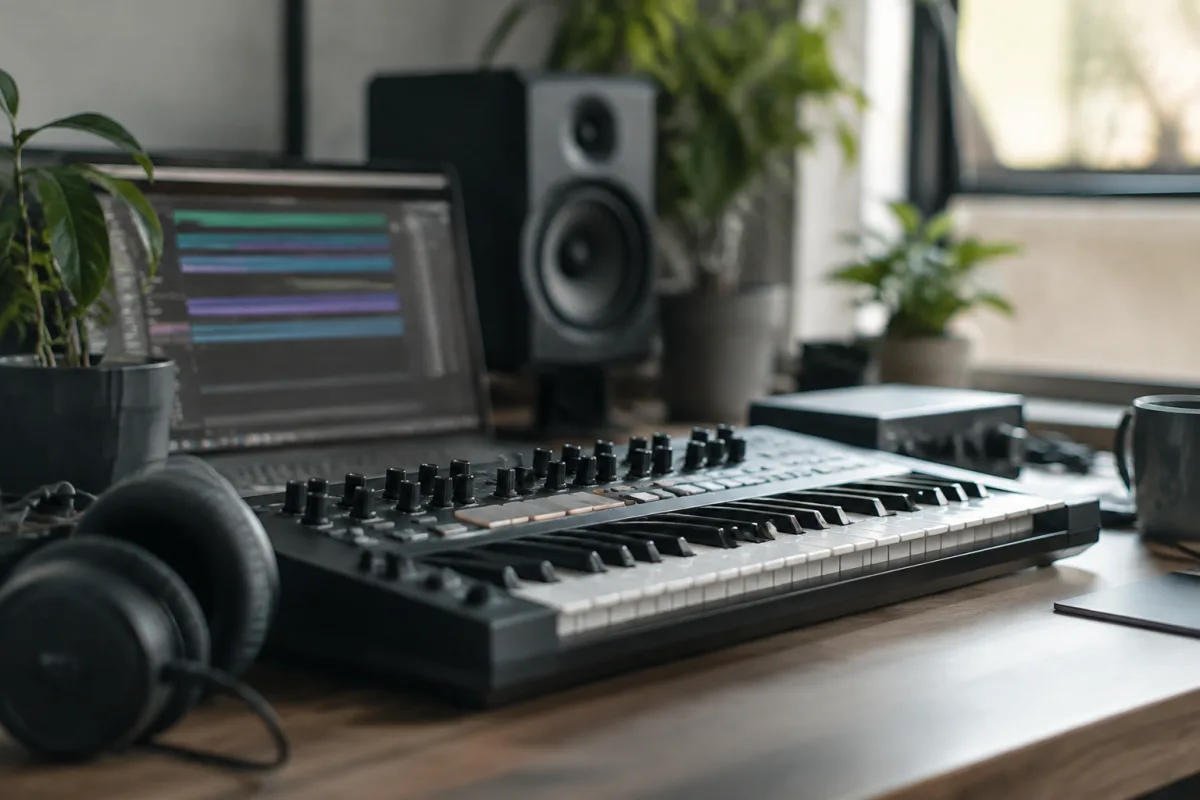
Most Novation synths divide into three sections. The keyboard on the left plays notes—straightforward. The large area in the middle with knobs and sliders is the sound control section—this is where you shape what the synth sounds like. The modulation section on the right (usually buttons and smaller controls) modulates your sound over time.
You don't need to understand every knob yet. For now, just know that turning knobs in the middle section changes your sound, and the modulation controls add movement and character.
Loading and Browsing Sounds
Your Novation synth comes loaded with factory sounds—hundreds of them. These are your starting point. Use the arrow buttons to browse through presets, or use the dedicated sound select controls (they vary by model). When you find a sound you like, select it and play the keyboard.
Every preset is a complete sound—a musical decision someone at Novation made. Play through them and get a feel for what a Novation synth can do. This is how you learn what sounds interest you. You're not trying to understand how they work yet; you're exploring and getting inspired.
The Oscillator: Your Sound's Foundation
The oscillator generates the raw sound wave that everything else shapes. Most Novation synths have one or more oscillators. Find the oscillator section on your Novation synth—usually marked clearly or shown in the display. You'll see options like "wavetable," "waveform," or "oscillator select."
Change the oscillator type or waveform and play a note. You'll hear the fundamental sound change. Try different oscillator options from your Novation synth's menu. Get used to the idea that the oscillator is where sound begins.
The Filter: Shaping Your Novation Synth's Tone
The filter is your tone-shaping tool. It removes or emphasises certain frequencies, making your Novation synth sound brighter or darker. Find the filter cutoff knob—usually prominent on your Novation synth or labelled clearly. Turn it left and right while playing a sustained note, and you'll hear the brightness change dramatically.
This is the most intuitive control on any Novation synth. Moving the filter cutoff teaches you more about synthesis than reading theory books. Play with it, get comfortable with how it shapes tone.
You might also see a filter resonance or emphasis knob. Turn it up slightly and move the cutoff again—the filter starts singing and emphasising specific frequencies. Not too much though; too much resonance can sound unpleasant.
The Envelope: Adding Shape to Your Notes
The envelope controls how your Novation synth's sound evolves from the moment you press a key until you release it. You'll usually see controls labelled A, D, S, R (Attack, Decay, Sustain, Release).
Attack is how quickly the sound reaches full volume. Set it high and play a note—the sound fades in. Set it low and the sound hits immediately.
Decay is how quickly it drops from the peak. Sustain is the level it holds at whilst you're pressing the key. Release is how long it takes to fade after you release the key.
Play with these four controls on your Novation synth whilst holding down notes. You'll quickly understand how envelopes shape everything from sharp, percussive sounds to smooth, pad-like tones. This is fundamental to synthesis, and Novation synths make it visible and intuitive.
Common Beginner Mistakes on a Novation Synth
Assuming every knob matters at once. A Novation synth has many controls, but you don't need to touch most of them when starting. Focus on oscillator, filter, envelope, and modulation. Everything else can wait weeks.
Setting filter resonance too high. Resonance is fun and addictive, but too much makes a Novation synth sound cheap or piercing. Start subtle and increase gradually.
Not saving your tweaks. If you spend an hour dialling in a beautiful Novation synth sound and you don't save it, it disappears when you select another preset. Learn where your Novation synth's save function is and use it. Name your sounds something you'll recognise.
Ignoring the modulation wheel or joystick. Many Novation synths have a modulation wheel or XY pad. These aren't decoration—they're real-time expression tools. Use them whilst playing to add movement and life to your Novation synth sounds.
Comparing your work to other synths too early. Every synth sounds different. A Novation synth has its own character. Explore it fully before deciding it doesn't sound like something else. You might love the Novation synth's character once you stop comparing.
Three First Sounds to Create on Your Novation Synth
A bright, punchy bass: Set the oscillator to a sawtooth wave, turn the filter cutoff high, set the attack very low, decay short, and release short. You'll get a snappy, bright sound perfect for bass lines on your Novation synth.
A smooth pad: Choose a sine or triangle oscillator, set the filter cutoff moderately, set attack and decay medium, sustain high, and release long. Play held notes and you'll have a warm, evolving pad from your Novation synth.
A sweeping, evolving texture: Use wavetable on your Novation synth, set a slow attack, route the envelope to modulate the filter, and enable slow modulation. Play and let your Novation synth sound evolve. This teaches modulation quickly.
Connecting Your Novation Synth to Other Gear
Most Novation synths have audio outputs and MIDI I/O. Audio outputs let you send sound to speakers or recording equipment. MIDI lets you control your Novation synth from another keyboard or play it from your computer. For now, focus on audio output. Plug the audio outputs to powered speakers or your audio interface. Play your Novation synth through a proper sound system and hear it properly—it makes everything better.
Building Momentum
Spend your first week on a Novation synth just playing and tweaking presets. Make sounds, save your favourites, experiment with the main controls. Don't force yourself to read theory. Let the Novation synth teach you through play.
After a week, you'll have the fundamentals in your hands and ears. At that point, deeper learning becomes interesting instead of overwhelming. For a comprehensive overview of how Novation synths work and their place in modern music production, explore our complete guide to Novation synths.
Trust the Instrument
Novation synths are designed to be expressive and fun. You'll make strange sounds and delightful sounds. Both are part of learning. Trust the instrument, play it regularly, and you'll improve faster than you expect.


Comments