


Light Up Key Keyboard article
Light Up Key Keyboard for Beginners: A Complete Guide
Light-up keyboards remove the anxiety of not knowing where notes are, letting nervous beginners build confidence and muscle memory. Here's how to use them effectively.
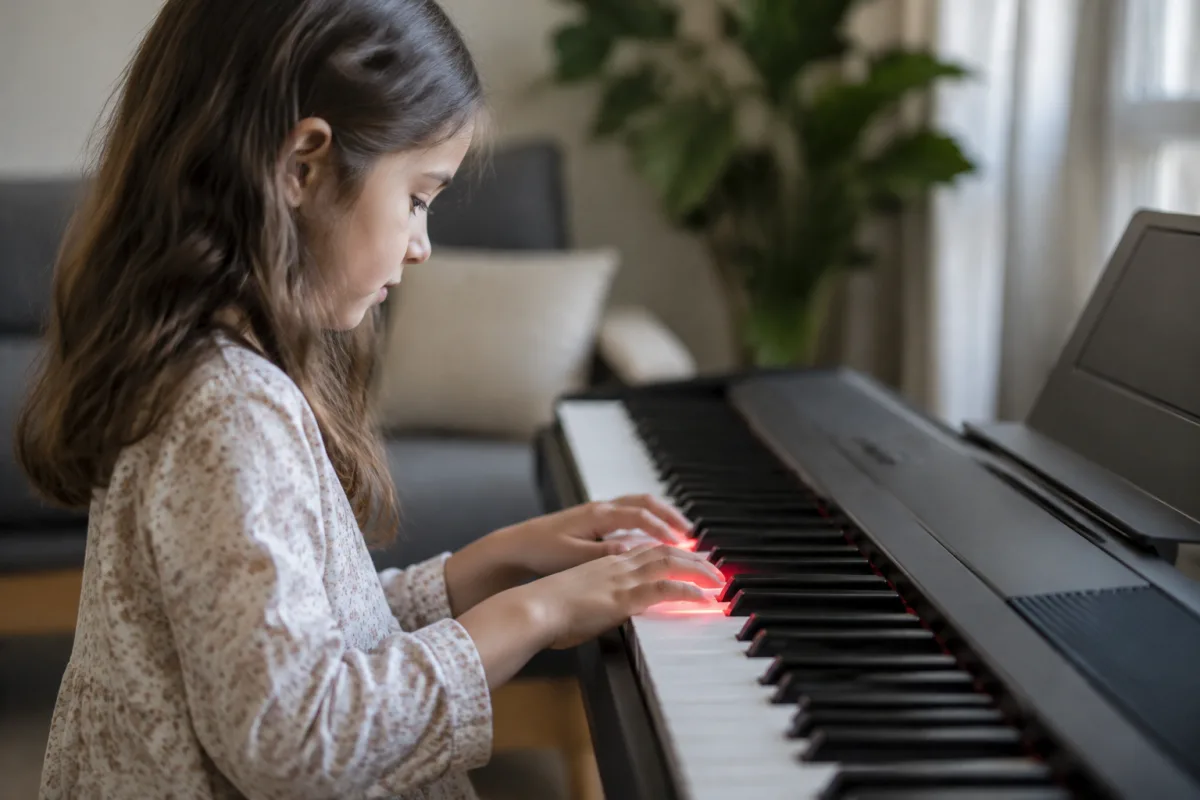
Learning on a Light Up Key Keyboard: Your Beginner's Advantage
If you're nervous about learning keyboard, a light-up key keyboard is genuinely one of your best allies. The illuminated keys guide your fingers to the right notes, removing the anxiety of not knowing where to play. This doesn't make you "dependent" on the technology — it gives you confidence to learn without that crucial early frustration that stops many beginners.
How Light Up Keys Actually Help Learning
Traditional keyboards require you to memorise or read sheet music to know which physical keys play which notes. That's a lot to juggle as a beginner: reading notation, finding the keys, developing finger strength, and actually making music all at once. One thing goes wrong and your confidence crumbles.
Light-up key keyboards solve this by visual feedback. The instrument shows you which key to press and when, so you can focus purely on technique: timing, finger strength, and rhythm. Your brain has fewer things to track. After weeks of playing this way, muscle memory develops — your fingers learn the keyboard geography without conscious thought. Then, when you switch to a regular keyboard or piano, you already know where the notes are because your fingers have learned the layout through thousands of presses.
This isn't cheating. It's a learning scaffold. Pianists use sheet music as a visual guide. Light-up keyboards are a visual guide integrated into the instrument itself. The goal is identical: develop muscle memory while your conscious mind manages everything else.
Choosing the Right Light Up Keyboard for Beginners
Light-up keyboards range from £150 children's keyboards to £1,000+ serious instruments. For your first keyboard, aim for the middle: £300–£600 gets you an instrument that's genuinely playable, with satisfying keys and enough features to grow with you.
Key weight matters more than many beginners realise. Cheap keyboards have plastic keys that spring back too quickly — your fingers don't develop proper technique. Mid-range and better keyboards have weighted keys that mimic acoustic pianos. This slower spring-back teaches you proper finger control.
Check the number of keys. A 61-key keyboard is fine for beginners (covers most popular songs). An 88-key keyboard (full piano width) offers more range but is more expensive and takes up more space. Start at 61 keys; upgrade if you genuinely need more range.
The Light Up Feature: What to Expect
Different keyboards light up in different ways. Some highlight one key at a time, teaching you single notes. Others illuminate full chords, helping you learn harmony. Some follow sheet music in a learning app, syncing the lights with visual notation.
Quality of the light system varies enormously. Cheap systems have dim LEDs that are hard to see in bright rooms. Better systems have crisp, bright lights. Test this before buying; a light-up keyboard with lights you can't see defeats the purpose entirely.
Learning apps that integrate with the keyboard multiply usefulness. Many keyboards connect to tablet apps that teach you songs, track your progress, and provide guided lessons. This transforms your keyboard from a tool into a proper learning system.
Your First Week: Starting Simple
Don't dive into full songs on day one. Instead, spend your first week playing scales and simple note sequences with the light-up guide. Play along to the illuminated keys without reading sheet music or thinking about what the notes are called.
Your hands need to build calluses (protection on fingertips) and finger strength. This doesn't happen overnight. Play 30 minutes daily, taking breaks if your fingers hurt. Pain means you need a rest; you're not building strength through pain — you're building damage.
After a week of scales, progress to simple songs. "Twinkle, Twinkle, Little Star," "Mary Had a Little Lamb," and "Happy Birthday" are attainable with four weeks of practice. These songs sound satisfying immediately, which keeps you motivated.
The Critical Transition: Moving Beyond the Lights
After 4–8 weeks of practice with the light-up guide, your fingers have learned the keyboard layout. Now comes the crucial step: start playing without looking at the lights.
This is where many beginners panic. You've become confident relying on the visual guide, and suddenly you're asked to play blind. Don't panic. Your fingers know the layout — your conscious mind just hasn't accepted it yet. Disable the lights during practice and play slowly. Your fingers will find the keys even when your eyes aren't watching.
This transition is entirely normal and shouldn't derail you. Push through. Within days of practice without lights, you'll feel genuine muscle memory working — your fingers find keys without conscious direction. That's when real musical development accelerates.
Common Beginner Mistakes with Light Up Keyboards
The biggest mistake is relying on the lights forever. Light-up keyboards are training wheels. Good training wheels are wonderful while learning, but staying on training wheels forever defeats the purpose. After 4–8 weeks, deliberately practice without the lights. Your goal is independence from the technology.
The second mistake is choosing a keyboard with poor key quality just because it has lights. Light-up is a feature, not the main thing. A keyboard with mediocre keys and perfect lights teaches you bad technique. Prioritise key quality and responsiveness first; the lights are secondary.
The third mistake is skipping reading sheet music. Light-up keyboards are visual guides that substitute for sheet music initially, but reading music is a separate skill. After a month of light-up learning, start reading sheet music in parallel. This develops the ability to learn from notation rather than relying on visual guides forever.
Building Proper Technique from the Start
Your light-up keyboard teaches you which keys to press, but it doesn't teach proper technique. Invest time in hand position: curved fingers (not flat), wrist alignment, and posture. Bad posture from day one creates injuries later.
Thousands of beginner videos show proper hand position — search YouTube for "proper keyboard hand position." Watch one, apply it, and check yourself periodically. Establishing good habits now prevents injury and wasted technique work later.
Progressing Beyond Beginner Songs
After mastering "Twinkle, Twinkle," progress to slightly more complex pieces. Pop songs with chord changes, simple classical pieces, or folk songs challenge you without overwhelming. Aim for one new song every 2–3 weeks.
Learn to read basic sheet music notation. A light-up keyboard makes this easier — you can see notes light up while watching sheet music, connecting the visual symbols to the physical keys. This accelerates music reading.
When to Upgrade to a Regular Keyboard
After 3–4 months of steady practice, your light-up keyboard may feel limited. If you genuinely enjoy playing and want to progress, upgrading to a non-lit keyboard with better keys and more features makes sense.
Don't feel you've "failed" by upgrading. You've learned on the light-up keyboard and developed real muscle memory. Moving to a regular keyboard is progress, not regression. Your fingers already know where notes are — now you're just upgrading the instrument quality.
Your Journey Starts Now
A light-up keyboard removes the biggest barrier for nervous beginners: not knowing where notes are. It lets you develop muscle memory while your confidence builds. After a few months of consistent practice, you'll find yourself playing without thinking about where your fingers go — that's when keyboard becomes genuinely fun.
Start with 30-minute daily sessions. Play scales first, simple songs after a week. Enjoy the learning process rather than rushing to difficult pieces. Music isn't a race; it's a practice.
For deeper context on light-up keyboards, how they compare to traditional keyboards, and their role in music education, read our complete guide to light-up key keyboards.


Comments