


Behringer Pedal article
Behringer Pedal for Beginners: A Complete Guide
Starting keyboard? Behringer pedals add expressive control and sustain. This beginner guide explains what pedals do, how to connect them, and why they matter.
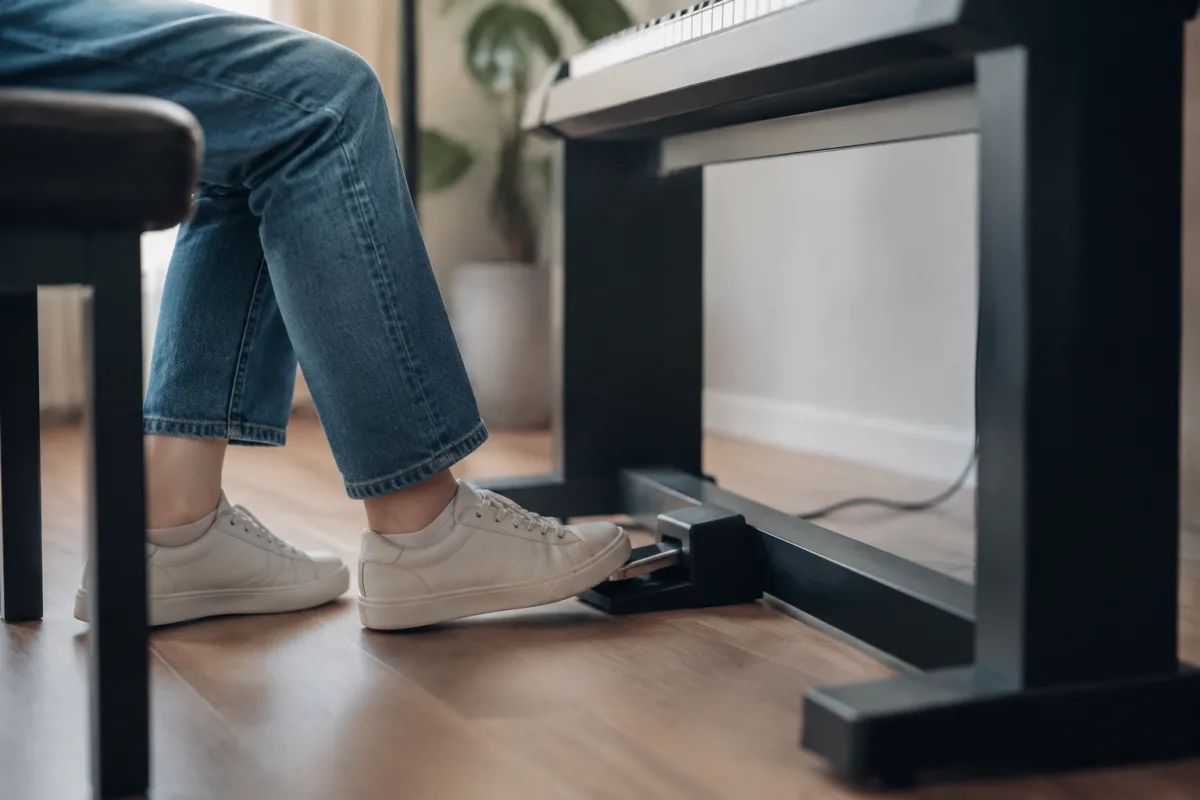
Starting to play keyboard or synthesizer? If your instrument has an expression pedal input, you're looking at a genuinely useful addition—a Behringer sustain or expression pedal transforms how you play by adding dynamic control. But beginners often approach pedals nervously, unsure what they actually do or how to use them properly. The good news is that Behringer's pedals are straightforward, affordable, and genuinely beginner-proof. Understanding the basics removes the mystery.
What Behringer Pedals Actually Do for Keyboard Players
Behringer's pedals serve specific functions for keyboard and synthesizer play. The most common are:
Sustain pedals: Extend held notes beyond when you release the key. On piano, sustaining notes creates expressive, layered sound. On synthesizers, sustain pedals let you create evolving textures without constantly playing. Fundamental to playing these instruments expressively.
Expression pedals: Control a parameter dynamically—typically volume, but sometimes filter sweep, effects intensity, or other synthesizer parameters. You press the pedal with your foot to increase or decrease the value in real time, similar to a volume pedal on an electric guitar.
Foot switches: Simple on/off switches controlled by your foot. Useful for triggering drum loops, switching effects, or other digital control needs.
For beginners, sustain pedals are almost always the first pedal to buy. They're used nearly constantly when playing piano or keyboard, and the improvement in expressiveness is immediately noticeable.
Why Beginners Benefit From Adding a Pedal Early
Your keyboard probably came with a sustain pedal input (usually a 6.35mm jack). Playing without a pedal is limiting—you're fighting against the instrument's natural note decay. Adding even a basic Behringer sustain pedal immediately makes playing more enjoyable.
Beginner frustrations often come from not understanding what they're missing. Experienced pianists make music sound expressive and flowing. Beginners sound choppy and disconnected without sustain. Adding a pedal doesn't fix poor technique, but it removes a major limitation and lets you focus on learning music rather than fighting the instrument.
Behringer's Pedal Range Explained
Behringer makes several options. Here's what matters for beginners:
- FC5 Foot Controller: Basic on/off foot switch. Useful for triggering effects or switching parameters but not a sustain pedal. Limited beginner use; most beginners want sustain, not switching.
- FCB1010 (Foot Controller Board): Advanced MIDI controller with multiple switches and expression pedal built in. Professional-grade, complex, expensive. Overwhelming for beginners—skip this initially.
- Sustain Pedal (often bundled or separate): Simple on/off sustain control. Exactly what most beginners need. Affordable, straightforward, immediately useful.
- Expression Pedal: Continuous control from foot. Less common for beginners but incredibly useful if your synthesizer supports expression pedal input. Requires understanding what parameter the pedal controls on your specific instrument.
Most beginners should start with a simple sustain pedal. It's the most universally useful and easiest to understand immediately.
Getting Started: Your First Week
Setting up is genuinely simple:
- Check your keyboard's manual or rear panel to locate the pedal input jack (usually 6.35mm)
- Connect the Behringer pedal using the included cable
- Turn on your keyboard
- Play a note and press the pedal—the note should sustain when you release the key
- Adjust how far you depress the pedal to control sustain length (some pedals have a half-pedal feature)
That's genuinely everything. No software to install, no configuration needed. Physical connection and it works.
Common Beginner Mistakes and Misconceptions
Learn from others' experience:
- Not checking if your keyboard supports pedal input: Most modern keyboards and synthesizers do, but older or very cheap models might not. Check before buying. You'll only know by testing or consulting the manual.
- Assuming the pedal "extends" notes artificially: Sustain is natural—it's just holding open a sound that normally decays. This is how acoustic pianos work (the sustain pedal lifts the dampers). It's not electronic trickery; it's fundamental to how the instrument is designed to sound.
- Buying an expensive pedal for a budget instrument: Behringer's affordable pedals work perfectly on any synthesizer. Don't overspend on the pedal when the money could go toward a better keyboard. A £20 Behringer pedal works as well as a £100 pedal on any instrument.
- Ignoring the sustain completely after buying it: Some beginners get a pedal, don't practice with it, and abandon it. Using sustain requires habit-building—consciously using it during practice. It feels unnatural initially, then becomes instinctive.
- Assuming expression pedal and sustain pedal are interchangeable: They're completely different. Sustain is on/off (note rings or it doesn't). Expression is continuous (volume gradually increases or decreases). Don't confuse them.
- Thinking you need multiple pedals immediately: Start with sustain. After months of regular playing, consider whether expression control would enhance your synthesizer use. Beginner musicians rarely benefit from multiple pedals initially.
Building Your Confidence With Sustain
Using sustain effectively takes conscious practice. Initially, you'll either forget to use the pedal or use it constantly. Neither is "wrong"; you're developing muscle memory and intuition. After a few weeks of conscious practice, using sustain becomes natural—you'll press it without thinking, just like experienced pianists do.
The transformation from "playing without sustain" to "playing with sustain" is genuinely noticeable. Beginners become self-conscious about sounding stiff and separate; sustain resolves this immediately. You'll hear yourself sound more like actual pianists sound.
Budget Recommendations
Behringer sustain pedals typically cost £10-30 depending on exact model. This is genuinely affordable. Even budget-conscious students can justify this investment for how immediately it improves the playing experience.
More expensive sustain pedals from premium makers don't deliver noticeably better results for beginners. Behringer's affordability is a feature, not a limitation.
Your Action Steps This Week
- Check your keyboard manual or rear panel for pedal input jack
- If it exists, order or purchase a Behringer sustain pedal
- Connect it when it arrives
- Spend a week playing with sustain actively—use it consciously during practice
- Notice how different your playing sounds with sustain
- Practice building intuition about when sustain helps and when it doesn't
Sustain pedals aren't optional for serious keyboard playing—they're fundamental. Adding one immediately transforms your playing experience and opens up new expressive possibilities. Behringer makes this addition affordable and friction-free.
Once you're comfortable using sustain and exploring what your keyboard can do, dive deeper into the complete guide to Behringer pedals for advanced techniques, expression pedal applications, and synthesizer-specific pedal configurations.


Comments