


Behringer Interface article
Everything You Need to Know About Behringer Sound Interface
Behringer sound interfaces offer affordable, professional-grade audio conversion for recording, mixing and live sound. Discover which model fits your setup and budget.
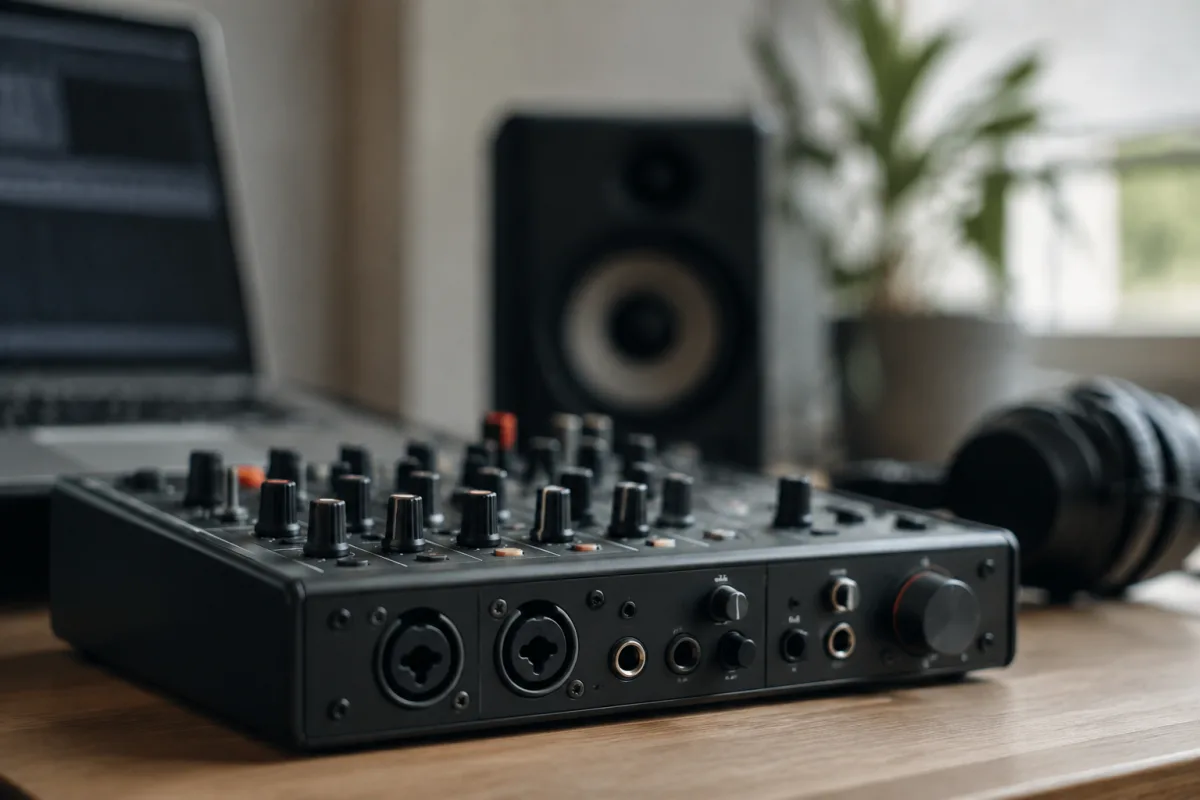
What is a Behringer Sound Interface?
A Behringer sound interface is an external audio device that bridges your instruments, microphones, or other sound sources to your computer or recording setup. Behringer, the German manufacturer known for affordable professional-grade equipment, has built a solid reputation in the home studio and live sound markets. Their interfaces come in various configurations, from compact USB models with two inputs and two outputs to rack-mounted systems with dozens of channels, making them versatile tools for everything from bedroom recording to small live venues.
The primary job of a Behringer interface is to convert analogue audio signals into digital data your computer can understand (via an analogue-to-digital converter, or ADC), and then convert digital audio back to analogue when you need to hear it through your speakers or headphones (via a digital-to-analogue converter, or DAC). This two-way conversion is crucial for recording, mixing and monitoring your music with minimal latency—the slight delay between playing an instrument and hearing it back through your monitors.
Key Specifications and Features
When evaluating any Behringer sound interface, several specifications matter most. Audio resolution—typically 24-bit at 96 kHz for Behringer's mid-range models—determines how accurately the interface captures and reproduces sound. Higher bit depths and sample rates capture more detail, though many recordists find 24-bit/48 kHz perfectly adequate for professional work. Input and output count varies widely; a basic USB interface might offer two mono instrument inputs and two line outputs, whilst a larger Behringer X32 mixing console includes 16 or 32 channels of input with onboard mixing and effects.
Latency is another critical consideration. Most USB Behringer interfaces achieve latencies of 3–6 milliseconds, which is tight enough for real-time monitoring and overdubbing. Some of their Dante-networked interfaces (available on higher-end models) offer even lower latency across networked connections, which appeals to professional installers and touring engineers.
Connectivity varies by model. Entry-level interfaces typically use USB 2.0, whilst premium models may support USB 3.0 or Dante (an audio networking protocol). Preamp quality—the gain stage that amplifies weak mic signals before conversion—is often a point of difference between budget and premium interfaces; Behringer's mid-range models use clean, low-noise preamps that rival more expensive competitors.
Behringer Sound Interface Models and Tiers
| Model Category | Typical Channels | Best For | Approx. Price Range |
|---|---|---|---|
| Portable USB (e.g., UMC202HD) | 2 in / 2 out | Bedroom recording, podcasting, casual use | £50–£100 |
| Mid-Range USB (e.g., ADA8200) | 8 in / 8 out (via ADAT) | Expanding a basic interface, medium studios | £200–£400 |
| Professional Mixing Console (e.g., X32) | 16–32 channels | Live sound, studios, broadcast installations | £2,000–£6,000 |
| Dante Networked (e.g., S32) | 32 channels over network | Large installations, touring, networked studios | £5,000+ |
The model you choose depends on your specific workflow. A podcaster or solo guitarist need not spend more than £100; someone building a full home studio might find a mid-range model offering 8 inputs and sufficient expansion via ADAT or USB more practical. Professional sound engineers running live events or complex recording studios often turn to Behringer's larger consoles and networked options.
Advantages of Behringer Interfaces
Behringer's chief appeal is value for money. Their interfaces deliver professional sound quality at fraction of the cost of comparable Focusrite, RME or Universal Audio products. Build quality is solid—metal chassis, durable connectors, and long-term reliability across their product range. Support and firmware updates are generally responsive, and the company actively listens to user feedback on forums and social media.
Compatibility is straightforward. Behringer interfaces work seamlessly with Windows, macOS and Linux systems; driver installation is usually painless, and they integrate without fuss into your DAW (Digital Audio Workstation) of choice, whether that is Ableton Live, Pro Tools, Logic Pro, or Reaper. Many models also offer standalone operation without a computer, making them flexible for live sound and installation work.
The ecosystem of add-ons and expansions is another strength. If you start with a basic 2×2 interface and later need more inputs, Behringer's modular approach (such as adding an ADA8200 expander via ADAT) lets you grow your rig affordably rather than replacing the entire interface.
Potential Drawbacks
Despite the value proposition, there are a few caveats. Behringer interfaces are occasionally criticised for their compact design—fans and cable routing can feel cramped on smaller models. Some users report that preamps on entry-level models lack the "warmth" or character of boutique interfaces, though this is largely a matter of taste and often comes down to mixing skill rather than hardware limitation.
Durability of USB connectors on portable models can be a weak point if heavily travelled; investing in a quality USB cable or sleeve can mitigate this. Additionally, whilst Behringer's documentation is improving, some users find it less comprehensive than offerings from larger competitors, though online communities and YouTube tutorials often fill the gap.
Finally, if your workflow demands the absolute lowest latency (under 2 ms) or highly specialised integration with an existing ecosystem, you may find a brand-specific solution (for instance, Universal Audio's Apollo range) more seamless—but this rarely justifies the £2,000+ premium for most recordists and musicians.
Setting Up Your Behringer Sound Interface
Setup is straightforward. Connect your mic, instrument, or line-level source to the appropriate input (microphone inputs have XLR connectors; line and instrument inputs often use 6.35mm jacks). Connect your monitors or headphones to the interface outputs, install or update drivers from Behringer's website, plug in via USB, and select the Behringer interface as your default audio device in your operating system's audio settings. Most DAWs will auto-detect it once connected; if not, open your DAW's preferences and manually select it as your input and output device.
A gain structure check is worth doing: set your input level so the loudest signal just touches (but does not clip into) the red zone on the input meter. This ensures you capture maximum detail without distortion. For monitoring, use a separate headphone output or monitor channel if your interface has one, keeping your mix buss clean for recording.
Who Should Choose a Behringer Sound Interface?
If you are building a home recording studio on a budget, or you need a reliable interface for podcasting, bedroom music production, or small live events, Behringer sound interfaces deliver excellent value and real professional capability. They suit solo artists, small bands, podcasters, content creators, and even studios that want to save money on interface hardware and invest more in microphones, preamps, and acoustics instead.
Conversely, if budget is not a consideration and you need bleeding-edge features like integrated summing amplifiers or proprietary DSP processing, a premium brand may be worth exploring—though honestly, you will be paying mostly for brand prestige rather than a dramatic leap in sound quality.
Conclusion
A Behringer sound interface is a practical, affordable gateway into professional audio recording and live sound work. Whether you are starting your first home studio, expanding an existing setup, or outfitting a venue, Behringer's range ensures you will find a model that fits your channels, budget and technical requirements. The company's long history in professional audio, solid build quality, and responsive community support make Behringer sound interfaces a smart choice for anyone serious about audio quality but mindful of cost.




Comments