


Pitch Correction Plugin article
Waves Pitch Correction Plugin: A Complete Guide
Pitch correction plugins are essential for polished vocal and instrumental recordings. This guide explains automatic versus manual approaches, top options, and how to choose the pitch correction plugin that suits your recording style.
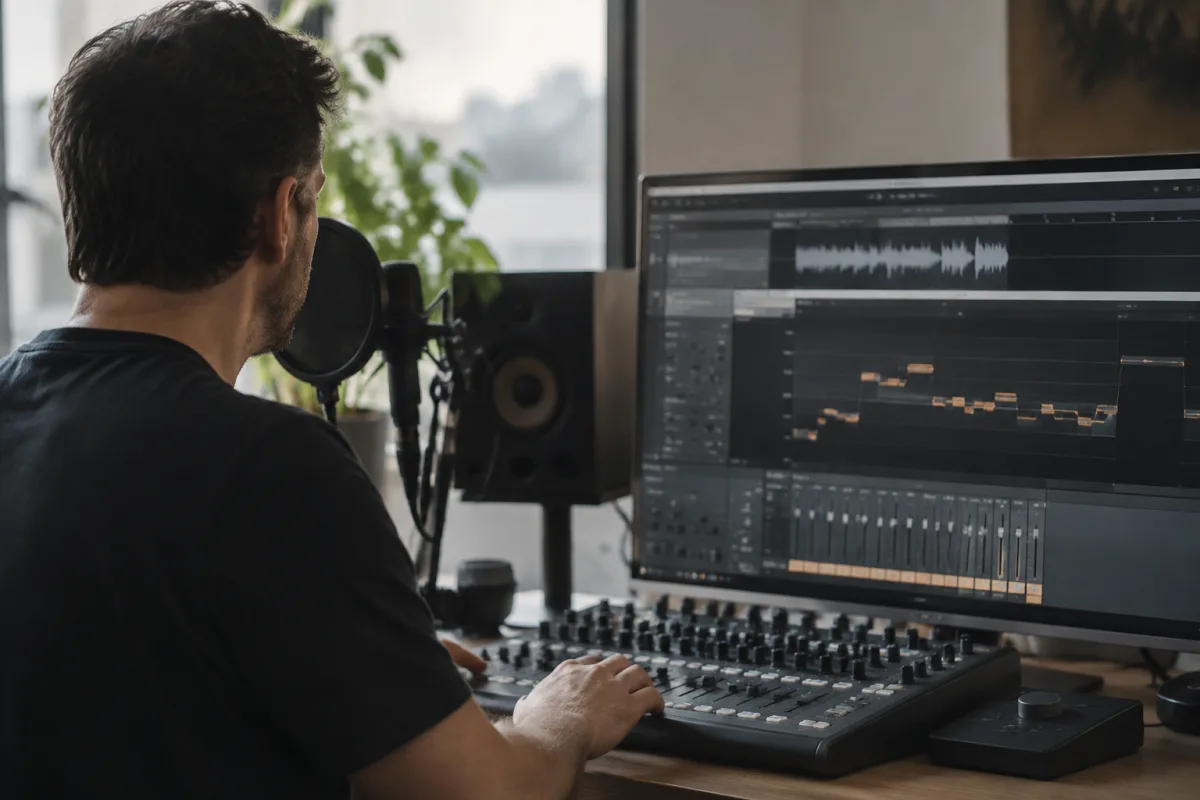
Understanding Pitch Correction Plugins in Modern Recording
A pitch correction plugin has become an indispensable tool in recording studios, from intimate home setups to professional mastering suites. Whether you're recording vocal takes, fine-tuning instrumental performances, or simply ensuring every note sits perfectly in the mix, a quality pitch correction plugin offers transparency, control, and creative possibilities. This guide explores how pitch correction plugins work, the different approaches they take, and helps you choose the right one for your recording style.
What Does a Pitch Correction Plugin Do?
A pitch correction plugin automatically detects the pitch of an audio signal and nudges out-of-tune notes back to the nearest semitone or microtone. The best pitch correction plugins work transparently—you hear the correction, not the technology behind it. Budget or poorly designed pitch correction plugins can sound robotic, introducing artefacts that make singing or playing sound unnatural.
Modern pitch correction plugins offer two distinct workflows: automatic (set and forget) and manual (detailed note-by-note editing). Understanding which pitch correction plugin approach suits your needs is the first step toward confident recording.
Types of Pitch Correction Plugins: Which One Fits Your Needs?
Pitch correction plugins fall into distinct categories based on their core technology and intended application:
- Auto Pitch Correction Plugins: These pitch correction plugins listen to the incoming audio and continuously correct to a detected key or scale. iZotope Nectar, Auto-Tune (Quick Mode), and many budget pitch correction plugins work this way. They're fast and require no manual setup, but offer limited creative control.
- Graphical Pitch Correction Plugins: The best manual pitch correction plugins (Auto-Tune Flex, Melodyne) display audio as a series of notes on a piano-roll-style editor. You click and drag notes to precise pitches, quantise them, and adjust timing simultaneously. These pitch correction plugins are slower to use but offer unparalleled control.
- Formant-Preserving Pitch Correction Plugins: Advanced pitch correction plugins detect and preserve the natural formants (voice characteristics) of a vocal when shifting pitch. Melodyne and Celemony's other products excel here, preventing the "chipmunk" effect of pitch-shifting.
- Hybrid Pitch Correction Plugins: Modern all-in-one tools (iZotope Nectar, Waves Tune) combine automatic correction, graphical editing, and effects in one plugin, making them versatile pitch correction plugins for vocal production.
Key Specifications to Understand
When evaluating a pitch correction plugin, several technical features determine whether it will suit your workflow:
- Latency Characteristics: Auto pitch correction plugins often introduce latency (delay), which can be distracting when monitoring. Look for pitch correction plugins with low reported latency or check the product's specifications in your DAW.
- Scale and Key Recognition: Can your pitch correction plugin detect the song's key automatically, or do you set it manually? More sophisticated pitch correction plugins adapt to chord changes within a song.
- Vibrato Handling: Quality pitch correction plugins detect and preserve natural vibrato, not flattening the singer's expressive qualities. Test this with a vocal that includes vibrato before committing to a pitch correction plugin.
- Polyphonic Capability: Most pitch correction plugins are monophonic (one note at a time). Melodyne Unlimited is one of the few polyphonic pitch correction plugins, able to correct multiple simultaneous pitches (useful for chords or ensemble recordings).
- Audio Quality and Artefacts: Listen carefully. Does the pitch correction plugin introduce artifacts—metallic timbre, robotic quality, or dropout—when correcting large pitch shifts?
- CPU Efficiency: Real-time auto pitch correction plugins demand CPU. Graphical pitch correction plugins (offline editing) use less power during playback. Check your DAW's performance before committing to a CPU-intensive pitch correction plugin.
Top Pitch Correction Plugins and Their Use Cases
Auto-Tune by Antares remains the iconic automatic pitch correction plugin, particularly in the Quick Mode preset for transparent vocal tuning. Melodyne by Celemony is the gold standard for detailed, professional pitch correction plugin work—slower but offering unmatched sonic quality and note-editing precision. iZotope Nectar combines automatic correction with additional vocal effects in one pitch correction plugin, popular with home recordists. Waves Tune and Waves Tune RealTime offer hybrid approaches to pitch correction plugin functionality.
For your first pitch correction plugin, an auto-tuning option (Auto-Tune Quick Mode, iZotope Nectar auto) is fastest to learn. As you develop recording skills, a graphical pitch correction plugin (Melodyne) opens up creative flexibility.
Workflow: Auto vs. Manual Pitch Correction Plugin Approaches
Automatic pitch correction plugins work in real-time or during playback—you set the key and scale, and the plugin corrects continuously. This workflow is fast and doesn't interrupt your creative momentum. Manual pitch correction plugins (graphical editors) require you to stop, load the audio, view the note display, and make edits. It's slower but gives pixel-perfect control. Professional vocal records often use both—a pitch correction plugin in auto mode first for speed, then manual refinement on problem spots.
Vocal Recording Best Practices with Pitch Correction Plugins
The best vocal takes are performed well, not corrected heavily. Use a pitch correction plugin as a safety net and polish, not a replacement for a good performance. Record multiple takes, select the best performance emotionally, and then apply subtle pitch correction plugin adjustment. A pitch correction plugin used subtly—correcting only obvious misses—sounds natural. Over-corrected vocals processed by an aggressive pitch correction plugin sound mechanical.
Pitch Correction Plugins Beyond Vocals
A pitch correction plugin isn't limited to vocals. Tune bass guitar performances, correct cello intonation, quantise synth bass sequences, or fix off-key instrumental solos. Any monophonic audio source benefits from a quality pitch correction plugin. Melodyne Unlimited opens possibilities for polyphonic instruments (fixing chords in guitar recordings, correcting ensemble intonation).
CPU and Real-Time Monitoring Considerations
Auto pitch correction plugins introduced in real-time (during recording) can cause latency that makes monitoring difficult. Most engineers either disable pitch correction plugin processing during recording and enable it during editing, or use a separate hardware auto-tune unit for live performance. Graphical pitch correction plugins are always offline (applied after recording), so monitoring isn't an issue.
Budget Considerations for Pitch Correction Plugins
Entry-level pitch correction plugins start at £20–50. Professional-grade options (Auto-Tune, Melodyne) cost £100–300. Many home recordists find that one solid pitch correction plugin covers their needs. Consider your recording frequency and precision requirements when budgeting.
Making Your Pitch Correction Plugin Choice
Try before buying—most companies offer trials. Record a vocal with slight imperfections, and process it through the pitch correction plugin you're considering. Does it sound natural or robotic? Is the workflow intuitive? Does the price reflect your recording habits? Your ideal pitch correction plugin balances quality, ease of use, and cost. Choose one, master it thoroughly, and your vocal recordings will shine with confidence and polish.
The right pitch correction plugin is invisible—listeners hear a polished vocal performance, not the technology beneath. Invest in quality, and your pitch correction plugin will serve countless recordings with transparency and creative control.





Comments