


Pitch Correction Plugin Buying guide
Pitch Correction Plugin: A Complete Buyer's Guide
Overwhelmed by pitch correction plugin options? Learn how to choose between transparent, stylised, and real-time correctors.
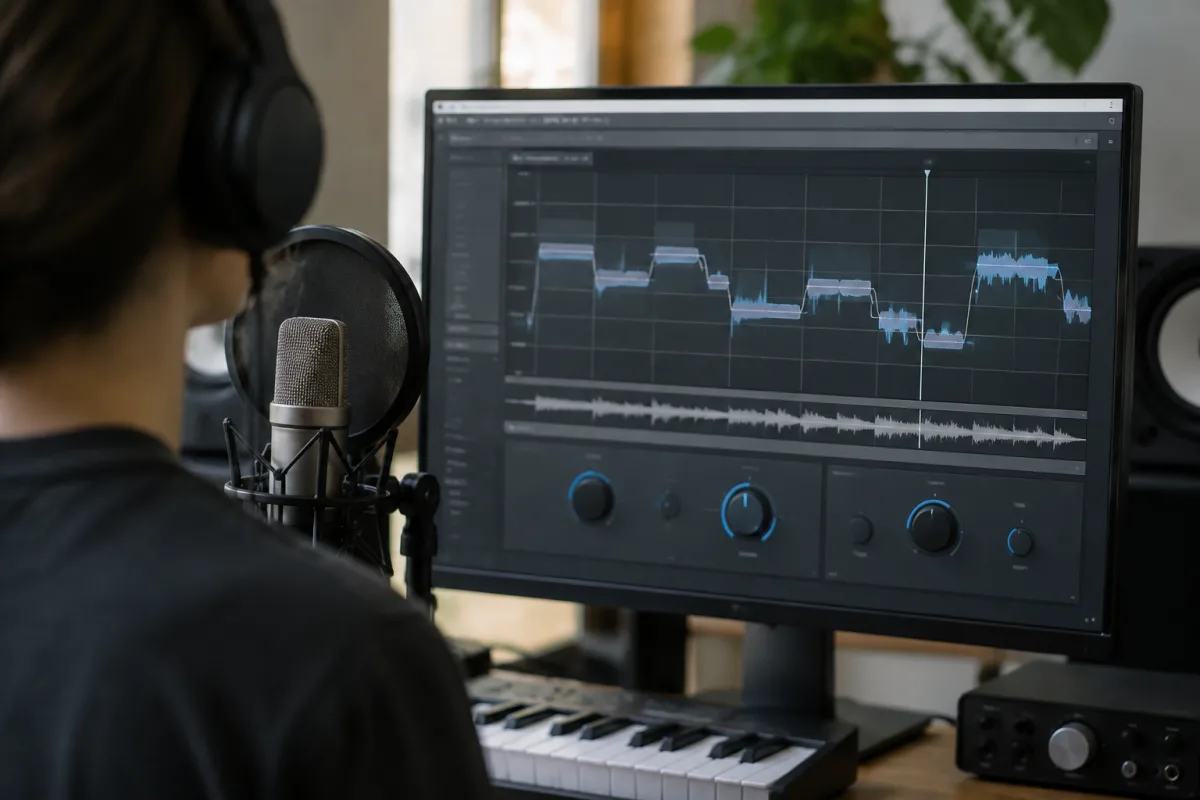
Choosing the right pitch correction plugin is one of the most important purchasing decisions for any recording engineer or vocalist. The market offers options ranging from barely perceptible tuning assistance to extreme, stylised vocal processing. Get the wrong tool, and you'll either spend hours wrestling with clunky workflows, or you'll end up with obviously processed vocals that sound artificial. This guide helps you understand exactly which pitch correction plugin matches your needs, budget, and production style.
Pitch Correction Categories
Pitch correction plugins split into fundamentally different types, each suited to different purposes:
- Transparent/subtle correctors: Designed for invisible tuning. These fix minor pitch issues without listeners realising processing happened. Essential for professional vocals where authenticity matters
- Auto-tune style processors: Obvious, stylised pitch correction that became an aesthetic in itself. Ideal for electronic music, rap, and genres where vocal processing is part of the sound
- Formant correctors: Preserve natural vocal characteristics while correcting pitch. More sophisticated; better for classical, jazz, and intimate vocal styles
- Real-time correctors: Used during live performance or while singing. Different demands from studio correctors—must be fast, forgiving, and transparent
- Manual pitch editing: Allow detailed graphical pitch correction, note-by-note. Slower but more precise than automatic correction
- Hybrid systems: Combine automatic and manual approaches. Modern trend offering flexibility
Your choice depends entirely on your use case and desired aesthetic.
Key Specifications to Compare
When evaluating pitch correction plugins, examine these critical features:
- Detection accuracy: How quickly and accurately does it identify the original pitch? Poor detection creates artifacts. Test with various vocal types and ranges
- Correction speed: How fast does it correct pitch? Faster correction sounds more like auto-tune; slower sounds more transparent. Should you have control over this?
- Scale/key detection: Does it automatically detect your song's key and scale? Manual selection better or more hassle, depending on workflow
- Formant control: Does it preserve natural vocal character when correcting, or does everything sound homogenised? Formant preservation is more sophisticated but requires more CPU
- Vibrato handling: Can it preserve natural vibrato while correcting pitch? Some correctors destroy natural vibrato; better ones protect it
- Real-time monitoring: Can you hear the effect while adjusting parameters? Crucial for quick decision-making
- MIDI input capability: Can you feed it MIDI notes to define the correct pitch? Powerful for electronic music but unnecessary for other applications
- Visual interface: Can you see the pitch curve and make manual adjustments graphically? Some have excellent editors; others have bare-bones displays
- CPU efficiency: High-quality pitch correction is demanding. Check system requirements carefully
- Latency: How much delay does it introduce? Critical for live use; less important for studio recording
Price Tiers and Value Propositions
Pitch correction pricing varies dramatically:
- Free plugins: Several capable free options exist. Good for experimentation or basic pitch correction. Quality is variable but some are genuinely excellent
- £50-£150: Entry-level paid plugins. Solid performance, decent interface, adequate for home studio use. Where most serious home recordists sit
- £150-£300: Professional tools used in studios. Excellent sound quality, sophisticated features, rapid detection, good customer support
- £300-£500: Premium options. Advanced formant preservation, superior algorithms, best-in-class detection. Often overkill for most producers
- Subscription models (£5-15/month): Some companies offer plugin subscriptions including pitch correction. Calculate annual cost—it often equals 1-2 outright purchases
The quality jump from free to £50-150 is substantial. From £150-300, improvements are good but less dramatic. Beyond £300, diminishing returns become apparent—you're often paying for refinement rather than fundamental capability.
Common Buying Mistakes
Avoid these typical pitfalls:
- Buying based on YouTube demonstrations: Polished demos rarely show real-world challenges. Always trial it yourself on problem vocal takes
- Assuming expensive means better: Premium pitch correction is excellent, but overkill for many applications. A £100 plugin might work better for your needs than a £400 option
- Ignoring CPU impact: Some pitch correction algorithms are CPU-intensive. Check whether your computer can handle multiple instances layered together
- Overlooking DAW integration: Some plugins work seamlessly with specific DAWs but struggle with others. Verify compatibility before purchasing
- Not testing on your vocal type: Pitch correction performs differently on male/female voices, different ranges, and different singing styles. Trial it on your specific material
- Confusing pitch correction with auto-tune aesthetic: These aren't the same thing. You can use subtle correction plugins to create the auto-tune sound, or create subtle, invisible correction with extreme auto-tune tools. Don't assume one tool does one thing
- Buying before understanding your actual need: Do you need invisible correction or stylised processing? Real-time or studio use? Solo vocals or choral material? Different tools excel at different applications
Testing Strategy Before Purchasing
Always download trials before purchasing. Here's how to evaluate properly:
- Record a vocal take that includes some pitch imperfections and natural vibrato
- Load the pitch correction plugin on the vocal track
- Try correcting with default settings—does it sound natural or processed?
- Adjust parameters to find the balance between correction and authenticity you prefer
- Compare with other competing plugins you trial
- Check CPU usage while running multiple instances
- Test real-time monitoring lag if live use matters to you
Spend at least 2-3 hours with each trial. Quick evaluation misses important characteristics.
Best Practices by Use Case
Different producers have different needs:
- Studio recordists focusing on vocal authenticity: Invest in transparent, formant-preserving correctors. Sound quality justifies the expense
- Electronic/hip-hop producers: Consider both subtle correction and stylised auto-tune tools. Budget options often work perfectly for your aesthetic
- Live performance singers: Prioritise real-time responsiveness and latency. Studio-focused tools often perform poorly in live contexts
- Mixing engineers for hire: Premium pitch correction is valuable for professional credibility. Clients expect sophisticated sound
- Home studio musicians: Mid-range options (£80-200) offer excellent value. Avoid extremes in either direction
Understanding Transparent vs. Stylised Correction
The best transparent correction is completely undetectable—it simply tunes flat or sharp notes without changing the vocal character. Stylised correction, by contrast, intentionally creates a processed aesthetic that's part of the artistic statement. Don't assume expensive plugins are better at transparency; some premium options prioritise character preservation at the expense of that stylised sound. Conversely, some budget options accidentally create that distinctive auto-tune tone. Try everything before deciding.
Final Recommendations
Most serious recording engineers maintain multiple pitch correction tools—one transparent option for natural vocals, one for stylised processing, sometimes one optimised for real-time use. Budget accordingly if that describes you. For detailed exploration of pitch correction techniques and how to use these tools creatively, visit our comprehensive guide to pitch correction plugins.
Purchase thoughtfully. The right pitch correction plugin becomes invisible in your workflow, letting you focus on the music rather than the tool. Take time to find the one that matches your specific needs.


Comments