


Mastering Suite article
The Ultimate Guide to Mastering Suite
A mastering suite is the final step in creating commercially competitive audio. Understand the tools, acoustic treatment, and workflow that transform mixed tracks into release-ready masters.
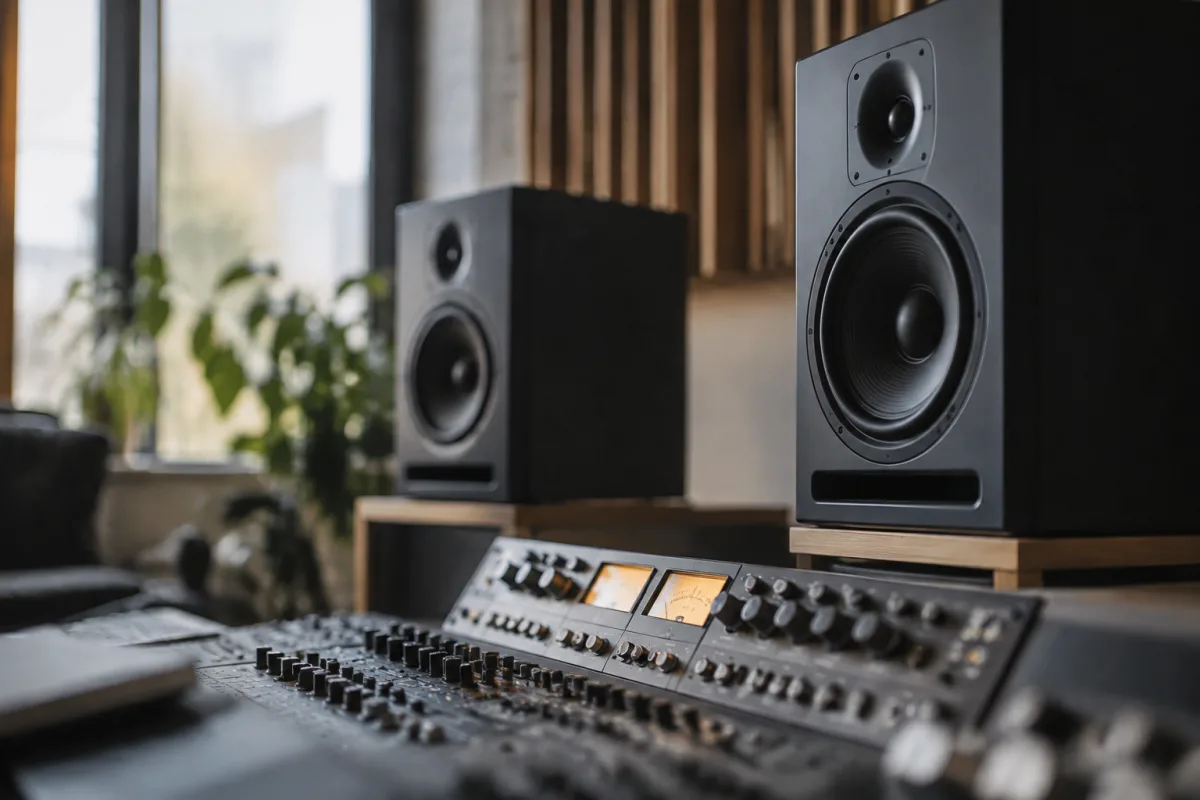
A mastering suite represents the culmination of digital audio production—the point where your mixed tracks transform into a commercially competitive finished product. Whether you're working in a professional facility or a home studio, understanding what a mastering suite contains and how its components work together is crucial to achieving professional-quality results. The tools within a mastering suite don't just process audio; they reveal what's actually in your mix, allowing you to make informed decisions about balance, frequency content, and overall loudness that translate reliably across all playback systems.
What Defines a Mastering Suite?
A mastering suite is a carefully assembled collection of hardware, software, and acoustic treatment designed to achieve one primary goal: prepare mixes for commercial release. Unlike a mixing suite, which prioritises comfort and creativity, a mastering suite prioritises absolute accuracy and neutrality. Every component—from the monitors to the acoustic treatment to the metering tools—exists to reveal truth about your audio.
The term "mastering suite" encompasses both the physical space and the tools within it. You could run a basic mastering suite from a laptop with quality headphones, though professional mastering typically happens in acoustically treated rooms equipped with reference monitors, outboard gear, and precision metering. The difference between a casual mastering approach and a proper mastering suite lies in this commitment to accuracy and control.
The Acoustic Foundation
Before any equipment is switched on, a mastering suite must begin with acoustic treatment. Unlike tracking or mixing rooms, where some colour and character might be desirable, a mastering suite needs to be acoustically neutral. Bass traps in the corners address low-frequency buildup. Absorption panels on the walls tame reflections. The listening position—usually in the centre of the room, equidistant from the left and right monitors—is treated with particular care because every reflection from that zone directly colours what you hear.
The goal isn't to remove all reflections (an anechoic chamber is actually terrible for mastering), but rather to control them. A well-designed mastering suite creates a listening environment where the room itself contributes minimally to what you perceive. When you make a decision about bass content in a mastering suite with proper treatment, that decision holds true in a car, a nightclub, or a pair of earbuds. Without proper acoustic treatment, a mastering suite becomes merely an expensive mixing room with worse monitoring.
Reference Monitoring in a Mastering Suite
The monitors in a mastering suite must be exceptionally neutral and revealing. High-end models like the Genelec 8341, Klein + Hummel O 300, or ADAM A7X are industry standards because they deliver accurate response from roughly 30 Hz to 25 kHz—encompassing the entire audible spectrum with minimal colouration. Many mastering engineers use a mastering suite with multiple monitoring options: perhaps a large main system for detail work, smaller satellite monitors for checking translation to consumer playback, and a reference headphone setup for comparative listening.
The power amplification matters as much as the speakers themselves. A mastering suite typically includes a quality amplifier, often integrated into the monitor system itself. The listening volume is kept at around 85 dB SPL (measured at the listening position) because research shows this is where human hearing is most accurate across frequencies. Most mastering suites include a calibrated microphone for verifying frequency response in the room using tools like REW (Room EQ Wizard) to ensure the monitoring environment remains trustworthy over time.
Processing Tools in a Professional Mastering Suite
A mastering suite contains metering and processing tools that work together. On the metering side, you'll find:
- Spectrum analysers — showing frequency content in real time, helping identify problem areas
- Loudness meters — measuring LUFS (Loudness Units relative to Full Scale) for streaming and broadcast compliance
- Phase correlation meters — revealing mono compatibility and phase issues between left and right channels
- Waveform displays — showing peak levels and dynamics at a glance
- RMS and peak level indicators — traditional measurement tools that remain essential
A mastering suite's processing might include high-quality linear phase EQ for surgical corrections, multiband compression for frequency-specific control, and limiting to catch peaks. The key difference from a mixing suite is restraint—a mastering suite emphasises transparent processing that improves what's already good rather than radical transformation. Many professional mastering suites use a combination of hardware (outboard compressors, EQs, limiters) and software, choosing each tool for its particular sonic character and reliability.
The Complete Workflow in a Mastering Suite
A mastering suite typically follows this sequence: receive a stereo mix, analyse its characteristics using meters and test playback across multiple systems, apply subtle corrective EQ if needed, apply gentle compression to glue the mix, apply a linear phase limiter for loudness control, check the final level against loudness standards (LUFS targets vary: -14 LUFS for streaming, -23 LUFS for broadcast), and then deliver multiple versions (streaming master, CD master, mastered for iTunes, etc.). Throughout this process, a mastering suite's metering tools continuously inform decisions. The engineer references the mix on the main monitors, checks it on small speakers to verify translation, and perhaps listens in mono to ensure no phase issues exist.
Quality mastering suites often include multiple delivery formats because different platforms have different requirements. Spotify and Apple Music prefer -14 LUFS masters. YouTube's algorithm respects -18 LUFS. CD masters often sit around -12 to -14 LUFS. A mastering suite equipped with proper metering lets you deliver correctly for each platform without guesswork.
Setting Up Your Own Mastering Suite
Professional mastering still happens in specialised facilities, but modern technology makes capable home mastering suites feasible. You'll need quality monitors (at minimum, accurate near-field monitors in the £800–£2000 range), acoustic treatment tailored to your room's dimensions, proper gain staging so your audio interface isn't clipping and your metering is meaningful, and high-quality software tools. Free and affordable options like DDMF Metricab (metering), TDR Loudness Penalty (loudness analysis), and Reaper (mixing/mastering) can form the foundation of a functional mastering suite when paired with careful monitor calibration.
What separates a proper mastering suite from a casual setup is commitment to accuracy. This means treating your room, calibrating your monitoring, using metering to inform every decision, and maintaining critical listening discipline. A mastering suite doesn't require tens of thousands of pounds, but it does require that every element serves the goal of revealing truth about the audio.
Why a Mastering Suite Matters
The difference a quality mastering suite makes is audible. A properly mastered track sounds louder, clearer, and more competitive alongside commercially released music. More importantly, it translates reliably—the balance, EQ, and dynamics decisions you make in a mastering suite hold true across headphones, car stereos, and laptop speakers. This consistency is why professional artists and labels invest in mastering suites and skilled engineers. A mastering suite isn't a luxury; it's the bridge between a well-mixed track and a commercially viable final product.





Comments