


Guitar VST article
Everything You Need to Know About Vst Instruments Guitar
A guitar VST brings virtual guitar sounds into your DAW. Discover how to use them, top options, and why they're essential for modern music production.
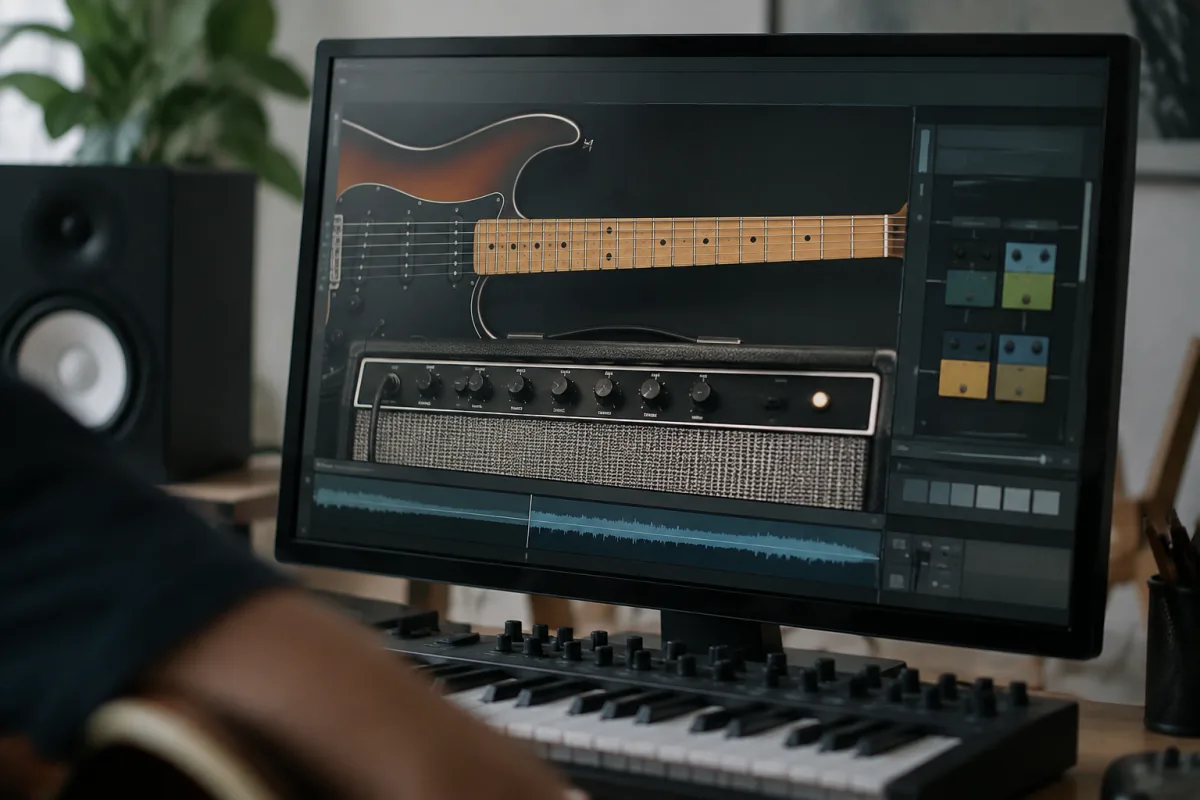
This plugin transforms how you record, perform and produce music with virtual guitar sounds. Modern options deliver convincing, playable guitar tones that integrate seamlessly into your DAW, eliminating the need for microphones, amplifiers and soundproofed rooms. Whether you're sketching ideas, layering guitars for a full arrangement or creating orchestral scores, a quality plugin becomes an essential creative tool.
What is a Guitar VST?
This plugin is a virtual instrument plugin that simulates the sound of acoustic, electric or bass guitars. You play it via MIDI keyboard, drawing notes into your DAW's piano roll, or using a MIDI guitar controller that translates string vibrations into note data. The guitar VST models the guitar's physical characteristics—string resonance, body tone, amplifier response—using sophisticated algorithms or sample-based technology.
Unlike recordings of real guitars, this tool offers unlimited tweaking. Adjust tone, dynamics, reverb and effects instantly. Layer multiple voices, change tuning mid-song, or create impossible hybrid tones. This flexibility is why professional composers and producers favour guitar VSTs for remote collaboration and rapid iteration.
Types of Guitar VSTs
| Type | Approach | Best For |
|---|---|---|
| Sample-based guitar VST | Combines recorded samples of real guitars with algorithms | Realism; most believable acoustic and electric tones |
| Physical modelling guitar VST | Mathematically models string physics and resonance | Flexibility; can create sounds impossible on real guitars |
| Amp simulator guitar VST | Models amplifiers, cabinets and effects chains | Electric guitar tone shaping; detailed control |
| Synthesized guitar VST | Uses synthesis to create guitar-like sounds | Creative, experimental tones; less focus on realism |
How to Use a Guitar VST
Install the guitar VST as a plugin in your DAW. Create an instrument track, select the guitar VST, and start playing. If you have a MIDI keyboard, simply play notes—the guitar VST responds with guitar sounds. For more realistic articulation, use MIDI controllers mapped to picking dynamics, string select and muting. Advanced players use MIDI guitar controllers that capture more subtle playing techniques.
Most guitar VSTs include built-in amp simulation and effects, so sound is immediately usable. However, tweak settings to suit your song: adjust pickup type, string gauge, tuning and amplifier characteristics. Layer multiple instances of the same guitar VST with different settings to create fuller, more complex tones.
Leading Guitar VSTs
- Scarbee Bunita Mark IV (sample-based): Lush, organic acoustic sound. Industry standard for orchestral mockups.
- Native Instruments Strummed Acoustic (physical modeling): Realistic strumming behaviour; excellent for acoustic-focused compositions.
- Serum (synthesis): Not guitar-specific, but excels at hybrid guitar-synth tones.
- IK Multimedia Amplitube (amp modeling): Comprehensive electric guitar amp and effects modelling; professional-grade tone.
- Neural DSP plugins (AI-powered): Cutting-edge amp simulation using machine learning; remarkably realistic.
Sound Quality and Realism
Modern guitar VST technology has narrowed the gap between virtual and real guitar. Sample-based plugins now use sophisticated, layered samples and intelligent playback algorithms. Physical modelling continues to improve, offering unique tonal flexibility. For orchestral work and production contexts where guitars are layered with other instruments, a quality guitar VST is indistinguishable from a recorded guitar.
The weakest point remains subtle playing nuances—the tiny vibrato variations, finger noise and string snaps that define real guitar playing. A skilled MIDI performer can recreate these using controllers, but it requires practice and intent.
Why Use a Guitar VST?
Convenience is the primary benefit. Record without a physical guitar, amplifier or treatment room. Make changes instantly: transpose, change tone, adjust timing. Collaborate remotely by sending MIDI files to bandmates or producers for re-interpretation. This plugin also offers creative freedom: layer ten different guitar tones in perfect time, or create hybrid synthesizer-guitar sounds impossible on acoustic or electric instruments.
Cost efficiency matters too. Quality physical guitars and amplifiers cost thousands. This plugin at £30–200 offers incredible value and flexibility. For sketching ideas or demo production, this tool speeds up workflow dramatically.
Choosing Your First Guitar VST
Start with your musical style. Acoustic-focused? Look for this tool with natural, organic acoustic tones like Scarbee or Cubase's built-in acoustic guitar. Electric rock and metal? Try an amp-modeling guitar VST like Amplitube or Neural DSP. Film scoring? Bunita and other orchestral-focused VSTs are optimized for lush, wide-ranging tones.
Most commercial guitar VSTs offer 30-day trials. Use them. Pay attention to articulation options—can you control pick intensity, muting and string select? Responsiveness matters: does the VST respond quickly to your playing, or is there noticeable lag? Aesthetics matter too; if the interface frustrates you, you'll use it less.
Limitations and Workflow Considerations
This plugin requires MIDI input. If you're not comfortable with MIDI keyboards or controllers, there's a learning curve. Real-time MIDI guitar controllers exist, but they're expensive and require technique refinement. Additionally, playing MIDI vs. playing acoustic guitar are fundamentally different: finger positioning, timing and dynamics work differently.
Some guitar VSTs demand significant CPU resources, especially sample-based designs with thousands of articulations. Ensure your computer can handle the plugin library you're planning to use. Freeze or bounce tracks to audio during mixing to free up CPU.
Using Guitar VST Alongside Real Guitars
Many producers layer this tool with a real acoustic or electric guitar recording. The virtual guitar fills gaps, adds thickness, or provides additional harmonic layers without cluttering the arrangement. This hybrid approach combines the realism and nuance of real playing with the flexibility and layering power of a VST.
Conclusion
This plugin is a powerful creative tool that expands your musical vocabulary and speeds up production. Modern offerings sound remarkably convincing and offer flexibility real guitars simply cannot provide. Whether you're composing orchestral scores, producing pop music or sketching rough ideas, a quality guitar VST deserves a place in your plugin library. Choose one that matches your workflow and sonic goals, invest time learning its nuances, and watch your guitar-based arrangements flourish.





Comments