


Drum VST article
Drum Vst for Beginners: A Complete Guide
A practical guide to using drum VSTs for music production. Understand different interfaces, create your first patterns, and avoid common beginner mistakes.
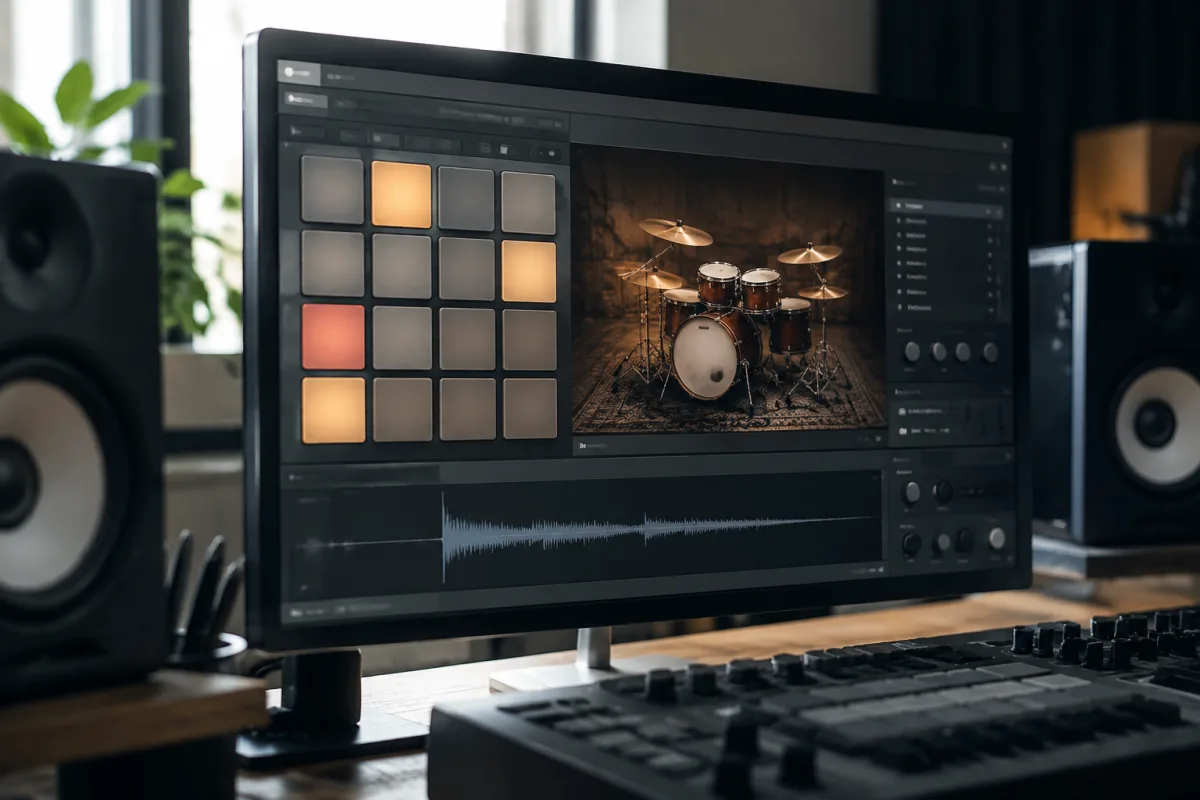
If you're a beginner music producer, you might have heard about drum VSTs and wondered what they are and whether you need one. The good news is that drum VSTs are far simpler than their name suggests, and they're one of the most powerful tools you can use to improve your productions immediately. This guide demystifies drum VSTs, explains how beginners can use them confidently, and helps you understand whether you're ready to start making drums rather than buying them.
What a Drum VST Actually Is
A drum VST is a software synthesizer or sampler that creates or plays drum sounds. VST stands for Virtual Studio Technology—it's simply a plugin that runs inside your DAW (Digital Audio Workstation). Instead of using pre-recorded drum samples or a drum machine, a drum VST lets you trigger drum sounds from your keyboard, mouse, or step sequencer right inside your computer.
The simplest drum VSTs contain drum samples and let you trigger them. Advanced drum VSTs include drum synthesisers that let you shape and create unique drum sounds. For beginners, understanding this distinction isn't critical—both types are called "drum VSTs" and both produce excellent results.
Why Beginners Love Drum VSTs
Unlimited Sounds: Unlike hardware drum machines with fixed sounds, a drum VST can include hundreds of drum kits or let you create custom sounds. You never run out of options and never pay extra for new drum sounds.
No Hardware Required: Beginners often hesitate to buy drum machines because they're expensive and take studio space. A drum VST works on any computer and costs nothing to install if using free options.
Complete Control: Create drum patterns with visual clarity in step sequencers. Adjust timing, velocity, and pitch per drum hit. Automate effects in real-time. Control that would be expensive on hardware drum machines comes standard with drum VSTs.
Professional Quality Immediately: Modern drum VSTs contain sounds used on professional recordings. Your drums sound professional immediately, giving your productions a polished foundation.
Getting Started with Your First Drum VST
Start With Free Options: Excellent free drum VSTs exist, including Sitala, TR-8S, and others available through plugin repositories. Start free before spending money. Learning drum VST workflow is more important than which specific VST you choose.
Install in Your DAW: Most free drum VSTs come as downloadable plugins. Installation varies by DAW (Ableton, FL Studio, Logic, etc.), but most follow similar patterns: download, extract if necessary, copy to your plugins folder, then add as an instrument track in your DAW. Your DAW's manual includes specific installation steps.
Load a Drum Kit: Once installed, add your drum VST to an instrument track. Most drum VSTs open with a default kit already selected. Explore the presets—try different kits and sounds. This playful exploration teaches you how drum VSTs work faster than tutorials.
Play Your First Drum Pattern: Either use your computer keyboard to trigger drum sounds or build a pattern using your drum VST's step sequencer. Don't worry about being musical—just explore. Making mistakes teaches you far more than following instructions.
Common Drum VST Interfaces Explained
The Pad Interface: Many drum VSTs display 16 pads arranged in a 4x4 grid, similar to hardware drum pads. Click any pad to trigger that sound. Intuitive and fun for beginners. Patterns built by clicking pads feel live and improvised.
Step Sequencer Interface: A grid where each column represents a beat and each row represents a drum sound. Click squares to trigger that drum on that beat. More structured than pads, better for creating precise patterns with clear timing.
Piano Roll Interface: Similar to standard music notation editors. Each drum sound has its own row, each beat has its own column. Click to add drum hits. Familiar for musicians comfortable reading music.
Making Your First Drum Pattern
Creating drum patterns with a drum VST involves simple steps once you understand the basics:
Choose Your Kit: Most drum VSTs include dozens of kits—acoustic drums, electronic sounds, lo-fi vibes, distorted chaos. Start with "acoustic" kits that sound like real drums. These are easier to understand for beginners.
Set Your Tempo: Decide how fast your drums will play (typically measured in BPM—Beats Per Minute). Start at 90–100 BPM while learning. Speed comes naturally as you gain confidence.
Create a Basic Kick Pattern: Most drum patterns start with the kick drum. Use your drum VST to trigger a kick sound on beats 1 and 3 (and sometimes 2 and 4). This creates the pulse of your drum pattern.
Add Snare: Layer a snare sound on beats 2 and 4. This is the standard backbeat—immediately recognisable in almost all popular music. Kick and snare together form the foundation.
Build with Hi-Hats and Percussion: Add hi-hat and cymbal sounds on off-beats. This creates movement and energy. Beginners often start simple (just kicks and snare), then add hi-hats for interest.
Tips for Learning Drum VSTs Effectively
Study Drum Patterns in Music You Love: Listen to songs in styles you want to create. Notice where the kick hits, where the snare cracks, which drums create energy. This trains your ear and gives you pattern ideas to recreate with your drum VST.
Copy Professional Patterns: Use your drum VST to recreate drum patterns from songs you admire. This isn't cheating—it's music training. Understanding how professional patterns work teaches production fundamentals faster than any tutorial.
Experiment With Swing and Groove: Most drum VSTs include swing or humanisation features that add rhythmic feel to mechanical patterns. Experiment with these. Small adjustments transform rigid patterns into groovy, musical passages.
Layer Multiple Sounds: Don't settle for single drum samples. Layer a tight kick with a sub-bass kick underneath. Combine snare sounds for richer texture. Layering teaches production fundamentals and creates professional depth.
Common Beginner Mistakes with Drum VSTs
Overcomplicating Patterns: Beginners often add too many drums to patterns, filling every beat with different sounds. This creates chaos. Simple patterns (just kick, snare, hi-hat) are far more musical. Add complexity only after mastering basics.
Ignoring Velocity Variation: Drum VSTs let you adjust "velocity"—how hard each drum hits. Using identical velocity for every hit sounds robotic. Vary velocity subtly (80% of the time is different than 100%) for human feel.
Choosing Kits Solely by Novelty: Exotic or unusual drum kits are fun but distract from learning fundamentals. Start with acoustic and simple electronic kits. After mastering basics, experiment with unusual sounds.
Not Resizing or Saving Your Patterns: Drum VSTs often let you save custom patterns. Spend time creating patterns, then save them. Building a personal library of patterns you love gives you instant starting points for future tracks.
Free vs. Paid Drum VSTs
Free Drum VSTs: Excellent free options include Sitala, TR-8S, and many others. Feature-rich enough for professional production, with limited but quality drum kits. Perfect for learning and experimentation.
Budget Paid Drum VSTs (£20–£60): Additional kits, advanced features like synthesis, improved sound quality. Worth upgrading if free VSTs feel limiting.
Professional Drum VSTs (£60–£200): Industry-standard tools used on professional recordings. Extensive kits, advanced sound design, excellent workflow. Only necessary when you know exactly what you need.
Pairing Your Drum VST with Other Tools
Drum VSTs work best alongside other production tools. You might use sample packs for variation, drum VSTs for core patterns, and processing plugins for effects. Understanding how drum VSTs fit into your broader production toolset accelerates learning.
Learning More About Drums
For detailed information about different drum VST options, advanced sound design, and drum programming techniques, read our comprehensive guide on drum VST explained with detailed features and programming tips. That resource covers advanced techniques—this guide focuses on getting you confident and creating drum patterns right now.
Your Drum Journey Begins
Drum VSTs are one of the most empowering tools available to beginners. They eliminate hardware costs, provide unlimited sounds, and let you focus on musicality rather than equipment maintenance. Start free, explore playfully, and build confidence gradually. Within a few weeks, you'll create drum patterns that rival professional productions. The drum sounds in your head will become real tracks in your DAW—and that's an incredible feeling.


Comments