


Bass Amp Sim article
Bass Amp Sim Pedal: A Complete Guide
Bass amp simulators are software plugins that recreate bass amplifier tone for recording and performance. This guide covers how they work, sound quality across price ranges, live and studio integration, and choosing between software and hardware bass tone.
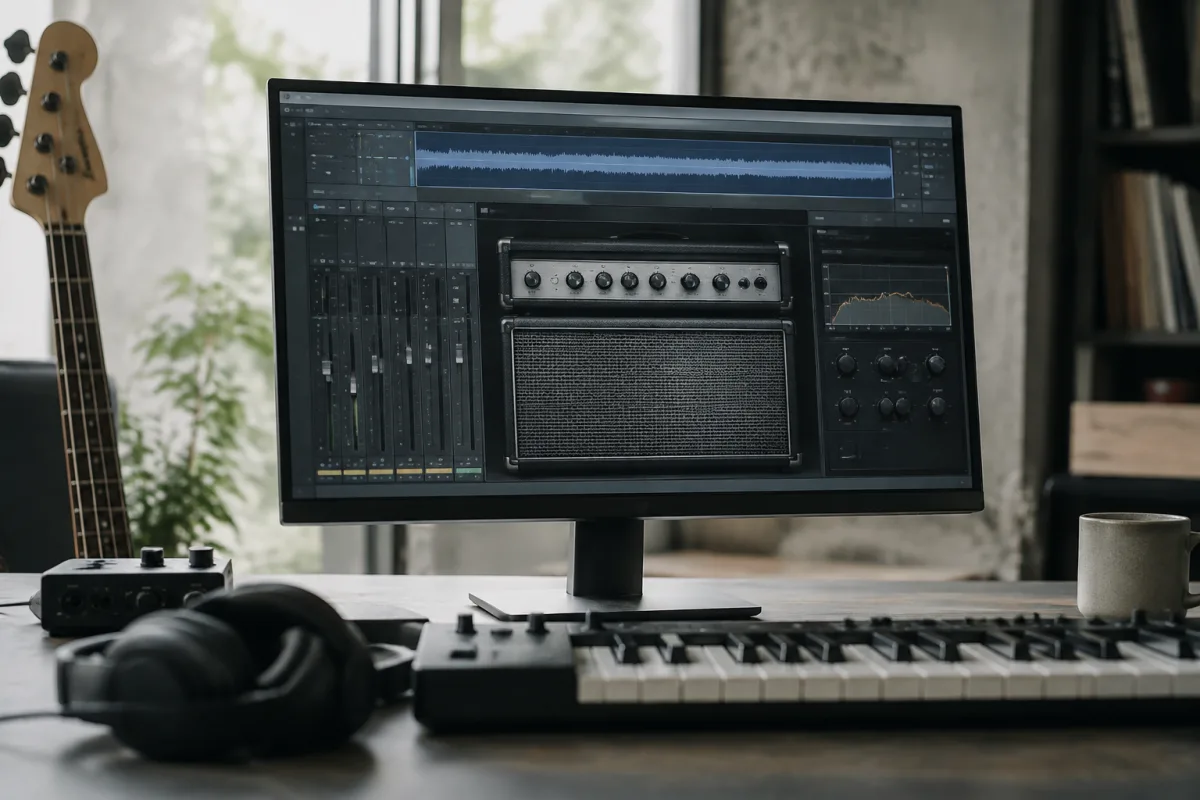
Bass amp simulators are software plugins that digitally recreate bass amplifier tone, allowing bassists to record professional-quality tone without owning expensive hardware or miking speakers. Understanding bass amp sim types, sound quality and integration helps you determine whether software bass tone suits your recording and performance needs.
What Is a Bass Amp Simulator?
A bass amp simulator is a software plugin that models the tone and characteristics of bass amplifiers and speaker cabinets. Feed your bass guitar signal (electrical or acoustic input) through the simulator in your recording software, and it produces bass amplifier tone ready to record or perform with. Bass amp sims replace the need for physical amplifiers—offering countless amp models, cabinet choices and tone variations through software, saving space, noise and expense.
Bass amp sims evolved from guitar amp modelling technology. Bass-specific sims address the unique characteristics of bass amplifiers—the deep, resonant tone, tight bass response, and particular dynamics of bass-specific speakers. Modern bass amp sims sound convincingly close to recorded bass amplifiers, particularly in mix contexts where subtle colouration matters more than isolated tone.
How Bass Amp Simulators Work
Bass amp sims employ convolution (sampling real amp impulse responses), physical modelling (mathematically recreating amp circuitry), or hybrid approaches combining both techniques. Convolution sims capture actual bass amplifier tone through impulse responses—instant, authentic sound but limited editing. Physical modelling sims digitally reconstruct amp circuits—more flexible customisation at slight cost to authenticity.
Quality sims include preamp distortion simulation (tone shaping and gain), amplifier response (headroom, compression, sag), power amp behaviour, and cabinet models (speaker type, size, proximity). Adjusting these parameters creates countless tone variations from warm and round to aggressive and cutting.
Bass Amp Simulator Types and Applications
Standalone amp sims model specific classic bass amplifiers—Ampeg SVT, Mesa Boogie, Markbass and others. Each sim captures the distinctive character of its reference hardware. Owning several amp sims provides tone variety matching many players' existing hardware experience.
Multimodel bass sims include dozens of amp and cabinet variations in one plugin. Flexible for exploring varied tone but potentially overwhelming with endless options. Best for players who love experimentation and customisation.
Amp sims designed for bass recording emphasise high-fidelity tone reproduction and seamless mix integration. These prioritise authenticity over flexibility, making them ideal for professional recording where bass tone must sit perfectly in mixes.
Amp sims designed for live bass performance prioritise responsiveness, CPU efficiency and real-time editing. These allow bassists to dial tones during performance, matching the immediacy of hardware amplifiers.
Sound Quality Across Price Ranges
Budget bass amp sims (free to £50) deliver usable tone sufficient for demos and learning. Digital artifacts are noticeable in isolated listening; tone hardens compared to hardware. In full mixes, the deficiency becomes less obvious. Budget sims suit players exploring amp sim workflow before committing financially.
Mid-range sims (£50-150) produce convincing bass tone suitable for professional recording. Tone warmth and naturalness improve noticeably. Most gigging musicians find mid-range sims entirely sufficient for live and recording applications.
Professional sims (£150+) employ advanced modelling, high-quality impulse responses and meticulous attention to tone accuracy. Tone rivals hardware amplifiers in most listening contexts. Professional engineers trust these sims for critical bass recording and mixing.
Integrating Bass Amp Sims Into Your Workflow
Recording workflow involves plugging your bass directly into an audio interface, running the signal through bass amp sim within your DAW (Digital Audio Workstation), and capturing the output as a finished track. Direct recording avoids microphone noise, acoustic room reflections and speaker placement challenges inherent in miking amplifiers.
Live performance integration varies by setup. Pedalboard solutions exist allowing real-time amp sim deployment through dedicated hardware (Profiler, Helix). USB connection to laptop running amp sim software allows live tone control but introduces complexity and potential technical issues. Most touring bassists remain hesitant about software-dependent live setups, preferring physical amplifiers despite amp sim advantages.
Hybrid approaches combine bass amp sims (for recording and monitoring) with physical amplifiers (for live performance) allow maximum flexibility. This requires maintaining both systems but eliminates technology dependency during critical performances.
Tone Shaping and Customisation in Bass Amp Sims
Quality bass amp sims offer extensive tone customisation through adjustable preamp drive, amplifier settings, EQ controls and cabinet selection. These tools let you sculpt bass tone from warm and round to aggressive and cutting. The variability exceeds most hardware amplifiers, making software tone shaping exceptionally flexible.
Experimenting systematically through customisation parameters teaches bass tone fundamentals—how preamp saturation affects attack, how cabinet selection changes sustain, how EQ shapes midrange presence. Many bassists discover through amp sims that their ideal tone differs significantly from their hardware amp, informing future hardware purchasing decisions.
Limitations of Bass Amp Simulators
Digital latency (delay between input and output) affects real-time playing responsiveness. Modern audio interfaces and DAWs minimise latency, but some remains—particularly problematic for players with hyperactive technique who need immediate feedback. Hardware amplifiers produce instant response; amp sims require accepting slight delay.
Convolution-based sims lack the dynamic response of real amplifiers. Hitting harder produces identical tone shape; real amps respond dynamically to playing force. Physical modelling sims address this better, but approximation remains compared to hardware unpredictability.
CPU demands can strain computers during intensive sessions with many amp sims and effects plugins running. Dedicated hardware solutions (Profiler, Helix) eliminate CPU concerns at expense of portability and flexibility compared to software sims.
Choosing Between Hardware and Software Bass Tone
Recording studios increasingly adopt bass amp sims exclusively—tone quality is professional-grade, workflow is efficient (no speaker miking, immediate reamping), and cost is minimal compared to hardware. This makes bass amp sims the obvious choice for recording-focused musicians.
Touring musicians remain divided. Some embrace amp sim technology for portability and consistency. Most maintain physical amplifiers for reliability and the reassurance of proven hardware under demanding live conditions. As bass amp sim technology continues improving and reliability increases, live adoption accelerates.
Popular Bass Amp Simulator Plugins
Darkglass Electronics Amped offers aggressive digital bass tone with extensive tone shaping. Popular for modern rock and metal bass playing.
Ampeg SVT Pro offers convolution-based modelling of the iconic SVT amplifier. Gold standard for classic bass tone reproduction.
GarageBand Bass Amp provides entry-level bass amp simulation within Apple's free DAW. Simple but functional for demos and learning.
Universal Audio Ampeg B-15 RE models the legendary Ampeg B-15 preamp amplifier. Warmth and vintage character appeal to traditional bass players.
Conclusion
Bass amp simulators provide professional-quality tone through software, eliminating hardware amplifier expense and complexity. Understanding amp sim types, tone shaping and limitations helps you determine whether software bass tone suits your recording and performance needs. Start with budget or free bass amp sims to explore workflow, upgrade to mid-range sims for professional tone if the investment makes sense, and integrate software tone alongside hardware amplifiers for maximum flexibility and reliability across your music-making.





Comments