


DJ Software for Mac article
Dj Software For Mac for Beginners: A Complete Guide
Learning to DJ on Mac seems daunting, but modern DJ software welcomes beginners. Start today with just software and headphones. This guide shows you how to set up and make your first smooth transitions.
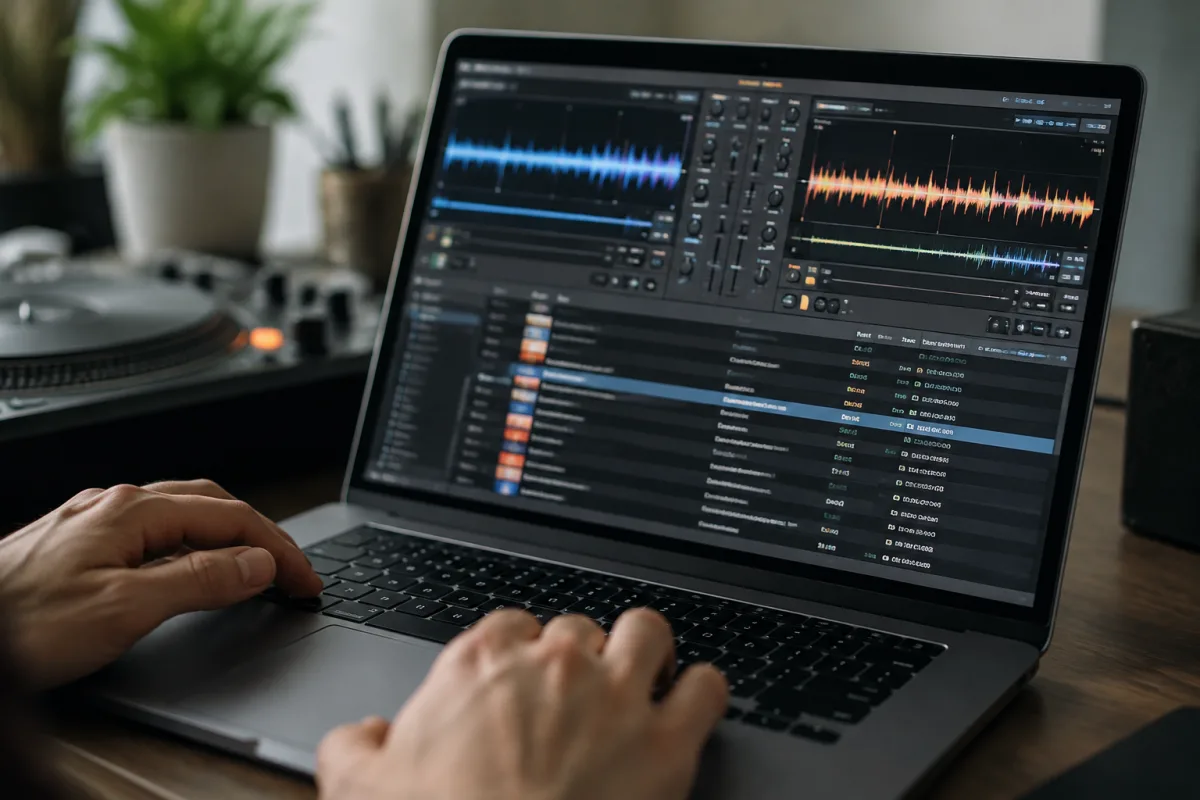
Learning to DJ on Mac seems daunting if you've never mixed music before. The software looks complicated with its waveforms, decks, and mixing controls. You might assume you need expensive hardware and years of training to start. The truth? Modern DJ software for Mac is designed to welcome beginners. You can start DJing on your Mac today with just the software, a pair of headphones, and the willingness to practise. This guide walks you through choosing DJ software for Mac, getting it set up, and making your first smooth transitions between tracks without confusion or fear.
Why DJ Software for Mac is Ideal for Beginners
DJ software for Mac removes barriers. You don't need £2,000 in turntables or DJ hardware to start learning. Your Mac is already a powerful DJ tool. Modern DJ software for Mac includes everything beginners need: track loading, BPM syncing, EQ controls, and effects. The software handles the technical heavy lifting, letting you focus on the creative part—mixing.
For beginners, this accessibility is transformative. You can experiment at your own pace, make mistakes without worrying about expensive equipment, and decide if DJing is actually for you before investing in hardware. Many professional DJs learned on software like this years ago; now it's your turn.
The Main DJ Software for Mac Options
Several DJ software for Mac platforms exist, each with strengths for beginners:
- Serato DJ Lite: Free, powerful, and industry-standard. Serato is used by professional DJs worldwide. The learning curve is gentle, and the free version includes everything beginners need. When (if) you upgrade, your skills transfer directly.
- Virtual DJ: User-friendly with an intuitive interface. Features automatic beatmatching and effects that make transitions smooth even when you're still learning. Great for beginners who want confidence quickly.
- Rekordbox: Pioneer's DJ software, professional-grade but beginner-friendly. If you ever move to Pioneer hardware (the industry standard), your skills carry over seamlessly.
- Traktor: Native Instruments' platform, powerful and creative. Slightly steeper learning curve than others, but beloved by electronic music producers and DJs.
For your first DJ software for Mac, choose Serato Lite (free and excellent) or Virtual DJ (slightly more forgiving). Both let you learn fundamentals without financial commitment.
Getting Started: Your First Setup
Starting DJ software for Mac takes minutes:
- Download and install your chosen DJ software for Mac. Most have free versions.
- Plug in headphones or speakers so you can hear music. If you have external speakers, even better.
- Import your music library into DJ software for Mac. Point the software at your Music folder, and it scans your collection automatically.
- Open a track in one of the two virtual decks. Press play and listen to the waveform display—that visual representation of the song shows rhythm and beats.
- Practise loading different tracks into each deck without playing them. Get familiar with how the interface responds.
Congratulations. You're now set up for DJ software for Mac. The overwhelming part is over.
Understanding the Core Concepts: BPM and Beatmatching
DJing revolves around one concept: keeping songs in sync. BPM (beats per minute) is the tempo of a track. When two tracks are playing at the same BPM and their beats align, you get seamless mixing. DJ software for Mac handles this through sync functions.
Here's the beginner-friendly approach:
- Load two tracks: One playing on Deck 1, the next ready on Deck 2.
- Listen with headphones: Most DJ software for Mac lets you hear the incoming track in headphones while the audience hears the current track.
- Press Sync: Modern DJ software for Mac has a Sync button that automatically matches the BPM of the incoming track to the playing track. This is your friend as a beginner.
- Blend the transition: Gradually lower the volume of the current track while raising the volume of the incoming track. If the beats are synced, the transition is smooth.
Beatmatching (manually syncing tempos) is an advanced skill. Don't worry about it yet. Modern DJ software for Mac does it for you, so focus on learning transitions instead.
Your First Mixing Session with DJ Software for Mac
Sit down with 30 minutes, pick 5–6 songs you love, and practise:
- Start with Track 1 playing. Listen to it for at least 30 seconds.
- Load Track 2 into the other deck. Hit Sync to match tempos.
- Listen to Track 2 in headphones. When you're ready, slowly reduce Track 1's volume while increasing Track 2's.
- Once Track 2 is fully playing, repeat: load Track 3, sync, transition.
- Continue this cycle through all your tracks.
Your first transitions won't be smooth. That's normal. By your third session, you'll notice improvement. By your tenth session, smooth transitions feel natural. DJ software for Mac is forgiving—focus on consistency, not perfection.
Common Beginner Mistakes with DJ Software for Mac
- Ignoring headphone monitoring: Not listening to the incoming track before dropping it is the classic beginner mistake. Always cue tracks in headphones first. Know what's coming.
- Transitioning too fast: Beginners rush. Give yourself 30–60 seconds to transition smoothly. Slow transitions sound more professional than quick, jarring ones.
- Forgetting to sync: Manual beatmatching is advanced. Always use Sync until you've logged 50+ hours of mixing. It's not cheating; it's smart.
- Using too many effects: Filters and effects sound cool, but overusing them makes transitions chaotic. Start simple: just volume transitions. Add effects later.
- Not practising consistently: DJing skills develop through repetition. One practice session per week will barely teach you anything. Aim for at least 3–4 sessions weekly for meaningful progress.
Building Your Music Library
DJ software for Mac is only as good as the tracks available. As a beginner, your library is your playground. Here's how to build it strategically:
- Buy or stream music: Use Spotify, Beatport, or iTunes. Quality music library services provide higher-quality files suitable for mixing.
- Stay within one genre initially: Learning to mix within a single genre (house, hip-hop, electronic) is easier than jumping between styles. Once you're comfortable, explore cross-genre mixing.
- Aim for 50–100 tracks to start: A smaller, focused collection teaches you faster than overwhelming yourself with thousands of tracks.
Your music library is an investment. Spend time discovering tracks you genuinely like. DJing music you don't love is torture; DJing music that excites you is infectious.
Taking the Next Steps Beyond Software
After weeks of practice with DJ software for Mac, you might consider hardware—a DJ controller that connects to your Mac and gives physical controls (knobs, faders, buttons) instead of just clicking the mouse. This adds tactile feedback and speed to mixing. But don't buy hardware yet. First, prove to yourself through software practice that you enjoy DJing. Hundreds of people buy DJ hardware optimistically, practise twice, and abandon it. Your Mac software eliminates that waste.
For deeper knowledge on advanced mixing techniques and career development, everything you need to know about DJ software for Mac covers professional practices and advanced topics.
Your DJing Journey Begins Now
DJ software for Mac removes every excuse to start. Download, import music, and begin transitioning tracks. Your first session will feel awkward. Your tenth session will feel competent. Your fiftieth session will feel natural. That progression is guaranteed if you practise consistently. The best part? You're learning one of the most creative, social skills in modern music, and you can start today on your Mac without spending a penny.


Comments