


Chord Chart Software Buying guide
Chord Chart Software: A Complete Buyer's Guide
Chord chart software ranges from simple tools to comprehensive platforms, but choosing the right option means matching features to your specific workflow and use case.
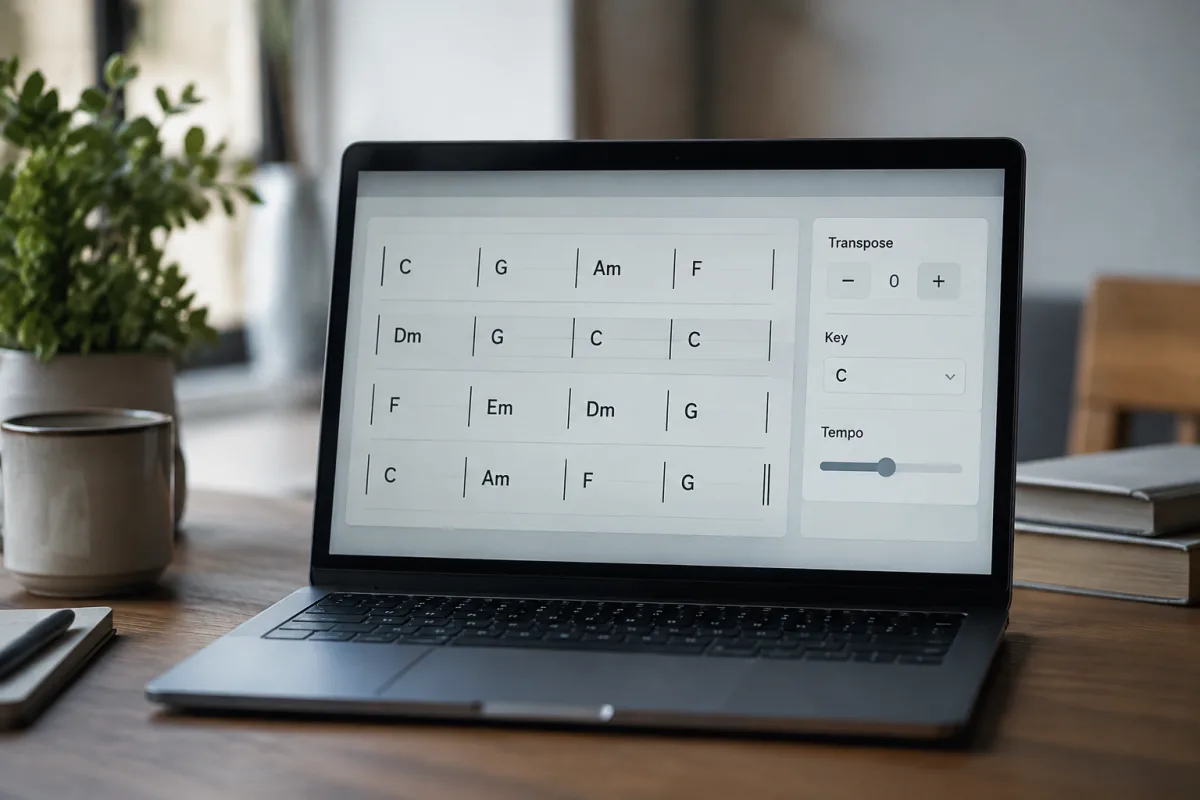
Chord chart software seems straightforward on the surface—you type chords, the software displays them, done. But in practice, the difference between software that disappears from your workflow and software that constantly frustrates you can be enormous. Pianists, guitarists, and singers each have different chord visualisation needs. Performers need something they can read on stage without distraction. Composers need tools for rapid iteration and transposition. Teachers need software that presents information clearly to students. This guide walks you through what actually matters when choosing chord chart software rather than just grabbing whatever appears first in search results.
Understanding Your Actual Chord Charting Needs
Before evaluating software, get specific about how you'll use chord charts. Are you performing live and need readable charts displayed reliably? Are you composing and need rapid experimentation with different chord progressions? Are you teaching and need clear, presentable materials? Are you transcribing songs and need accurate chord identification? Each use case prioritises different features. Live performance software must be reliable, readable from distance, and distraction-free. Composition software benefits from rapid input and transposition. Teaching software needs clear presentation and export quality. Transcription software should include playback integration and audio analysis tools. Mismatching software to your actual use creates frustration immediately.
Chord Input Methods and Speed
Chord chart software varies dramatically in how efficiently you can enter chords. Some options use typing (C, Am, D7, etc.), others use dropdown menus, still others use MIDI input. The fastest method depends on your keyboard skills and musical literacy. Fast typists might prefer text input, whilst musicians who think in MIDI might want controller input. Before buying, test the chord input method hands-on; what seems obvious in a demo feels different during actual use. Also check how many chords the software recognizes. Some options support only basic triads; others handle complex extended chords and alterations. If you're working with jazz progressions or modern music, comprehensive chord support is non-negotiable.
Visualisation Clarity and Readability
Chord visualisation quality matters enormously if you'll read these on stage or in teaching settings. Some software presents chord names clearly with musical context; others produce cluttered, hard-to-read output. Test visualisation by printing sample charts and reading them from a distance (roughly ten feet). Does the text remain readable? Are chord symbols clear enough that a quick glance conveys the information? Professional-grade software prioritises readability; budget options sometimes sacrifice clarity for feature count. Also verify that visualisation remains consistent across different chord types—extended chords, alterations, and uncommon chords should display as clearly as basic triads.
Transposition and Key Management
Transposition is often a critical feature for performers and composers. Can the software instantly transpose an entire chart up or down by any interval? Does it handle enharmonic spellings appropriately (D-sharp vs E-flat)? Professional-grade chord chart software makes transposition instant and handles complex enharmonic scenarios. Budget options sometimes struggle with unusual key signatures or produce unreadable enharmonic spellings when transposed. If transposition is part of your workflow, test this thoroughly before buying. A software that transposes awkwardly creates unnecessary work rather than streamlining it.
Format Compatibility and Export Options
Chord chart software should export in formats compatible with how you'll use the charts. PDF is standard for printing and sharing. Some software also exports as images, web pages, or even video formats. Check whether your chosen software supports formats you actually need. Also verify whether it imports from other sources—can you import charts from websites, other software, or text files? Flexible format support prevents creating isolated workflows where data only exists within one software ecosystem.
Playback and Audio Integration
Some chord chart software includes playback features: hearing chord progressions you've entered, adjusting tempo, and integrating with actual recordings. This is valuable if you're transcribing songs and want to verify your chord identification by ear. Not all chord chart software includes playback; some are notation-only tools. Decide whether playback matters for your use case. If it does, verify that playback quality is acceptable and that the software handles tempo and key changes smoothly. Poor playback quality undermines the entire feature.
Price Tiers and Realistic Expectations
Free Chord Chart Software (£0): Basic options exist (Chordify, some open-source tools) offering simple chord display and transposition. Suitable for learning and casual use, though features are limited and the interface often feels rough.
Mid-Range Chord Chart Software (£20–£80): Professional tools like Capo and some chord chart utilities offer excellent readability, transposition, playback integration, and solid export options. Most working musicians operating in this tier find good value.
Premium Chord Chart Software (£80+): Notation software packages (Finale, Sibelius) include powerful chord charting capabilities integrated with comprehensive notation features. Premium dedicated chord tools exist for specific professional use cases.
Mobile and Tablet Considerations
Many musicians now use tablets for chord charts on stage or in rehearsal, replacing printed charts. Verify whether your chosen chord chart software has mobile/tablet versions and whether they sync across devices. Also check readability on smaller screens—fonts that are clear on a desktop monitor might be too small on a phone. If tablet-based performance is part of your workflow, prioritise software with robust mobile support and reliable device synchronisation.
Avoiding Common Buying Mistakes
Don't confuse chord chart software with full notation software. Notation tools (Finale, Sibelius) include chord charting but aren't optimised for it. If chord charting is your primary need, dedicated chord chart software serves better than general notation packages. Another mistake: assuming all chord chart software handles complex chords equally. Test with extended chords and alterations specific to your genre before committing to purchase. Some software struggles with jazz or contemporary chord symbols. Also resist feature-bloat that you'll never use. Simple, focused chord chart software that handles your specific workflow beats complex software attempting everything.
Many buyers also underestimate the importance of interface speed. Slow, cumbersome interfaces frustrate during composition or performance. Test responsiveness by quickly entering several chord progressions and transposing them repeatedly. Speed matters more than feature count during actual use.
Testing and Trial Versions
Reputable chord chart software developers offer trial versions or money-back guarantees. Use trials to create actual chord charts for songs you're learning or composing. Don't just test the demo; create real-world materials. This reveals whether the software's workflow matches how you actually think and work. A trial version that feels perfect during demos might feel awkward once you're genuinely using it.
Teaching and Collaboration Features
If you're using chord chart software for teaching, check whether it supports multiple playback styles (jazz, rock, swing), has audio playback quality suitable for teaching, and exports clearly for student distribution. If collaboration is important, verify whether the software allows sharing, version control, or real-time editing with band members. Professional-grade options support these features; budget tools often don't.
Integration With Other Tools
Consider whether chord chart software integrates with other tools you use: DAWs, notation software, backing track apps. Software that works seamlessly within your existing workflow becomes genuinely valuable; software requiring data conversion between tools creates friction. Check integration possibilities before buying, especially if you're building a comprehensive music production or teaching setup. Explore the complete guide to chord chart software for deeper insights into specific tools and workflows.
Conclusion
Selecting chord chart software means understanding your actual use case—performance, composition, teaching, or transcription—and prioritising features matching that need. Evaluate chord input speed, visualisation clarity, transposition reliability, and format compatibility through hands-on testing. Choose software that reads clearly on your intended display medium (paper, screen, tablet). Invest in mid-range options offering professional-grade features; avoid budget tools compromising readability and full-featured notation packages bloated with unnecessary complexity. Trial before committing, and prioritise interface speed and responsiveness over feature count. The right chord chart software becomes invisible in your workflow, presenting chords intuitively and reliably so you can focus entirely on the music itself.


Comments