


Beat Maker App Buying guide
Beat Maker App: A Complete Buyer's Guide
Choosing a beat maker app means weighing powerful features against your workflow and budget. Learn how to evaluate sound libraries, interface design, export capabilities, and pricing to invest in the right production tool.
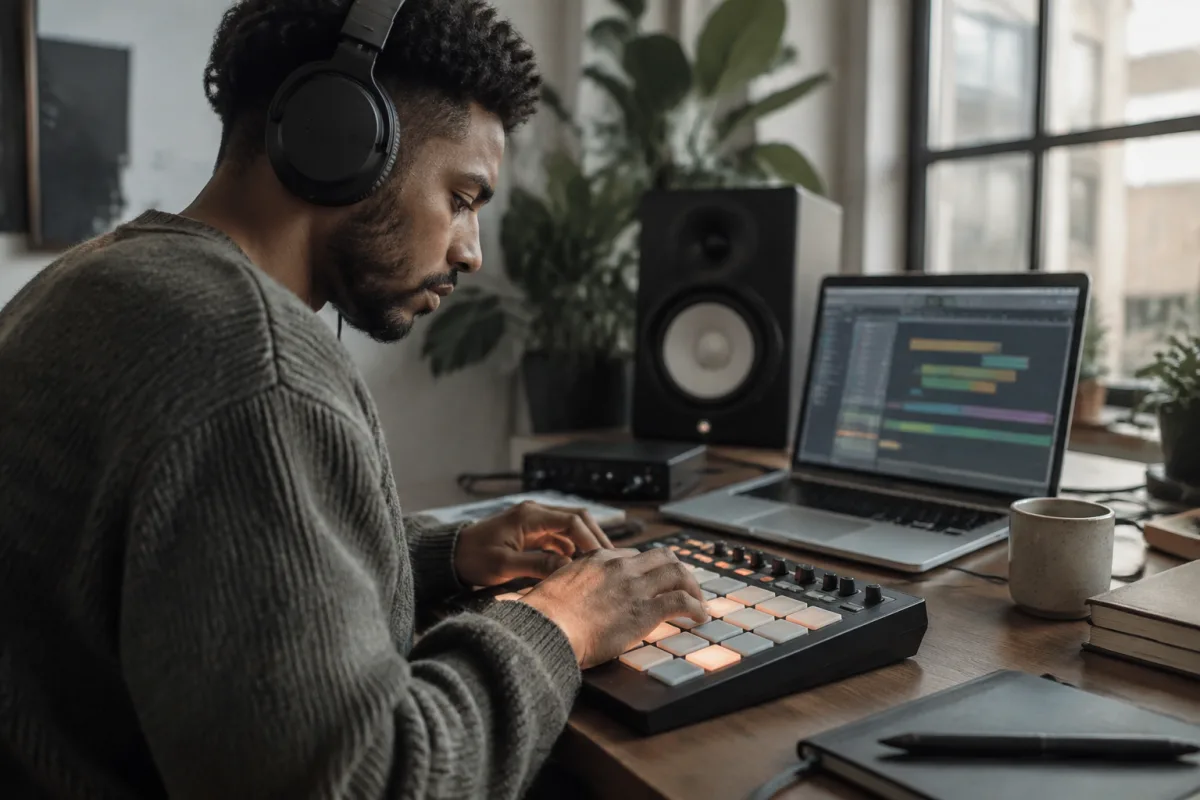
Selecting the right beat maker app requires balancing powerful features with your actual workflow and budget. The market is flooded with options ranging from free mobile apps to professional desktop suites costing hundreds of pounds. This buying guide cuts through the noise by examining what matters when choosing a beat maker app—performance requirements, essential features, interface design, and price-to-value ratio—so you invest in the right tool rather than settling for whatever seems popular.
Understanding Your Production Environment and Needs
Before diving into specific beat maker apps, identify where you'll work most: mobile, tablet, laptop, or desktop. A beat maker app optimised for iPhone won't deliver the workflow of a desktop application, and vice versa. Professional producers often use desktop beat maker apps because larger screens, keyboard shortcuts, and mouse control speed up composition. Mobile beat maker apps excel for quick sketching, creative experimentation, and working while travelling, but lack the precision and power of desktop versions.
Next, consider your skill level. Beginners need intuitive interfaces with pre-built loops and simple drum patterns. Intermediate producers benefit from deeper sound-design options and MIDI editing. Advanced users require professional-grade features like sidechain compression, granular synthesis, and VST plugin support. Choosing a beat maker app too advanced for your current level leads to frustration; choosing one too simple becomes limiting within 6 months.
Essential Features to Compare
Not all beat maker apps offer identical capabilities. When comparing options, check these core features:
- Drum sequencing: Does the app support multiple drum tracks, pattern chaining, and step editing? Basic drum loops are fine for beginners, but intermediate work demands flexible pattern control.
- Sound library: Examine the built-in samples. A small generic library limits creativity; larger, curated collections (especially focused on your preferred genres) accelerate workflow.
- MIDI export: If you plan to use your beats in DAWs like Ableton or Logic, MIDI export is essential. Many mobile beat maker apps don't support this, locking you into the app ecosystem.
- Audio engine quality: Poor audio engines produce thin, lo-fi sounds; professional beat maker apps use higher-quality synthesis and sampling engines.
- Polyphony and tracks: How many simultaneous notes and instrument tracks does the app support? Budget options often limit this to 8-16 tracks; professional beat maker apps handle 32, 64, or unlimited tracks.
- Plugin compatibility: Desktop beat maker apps should support VST or AU plugins so you can expand capabilities with third-party effects and instruments.
Interface Design and Workflow Efficiency
A clunky interface wastes hours of creative time. The best beat maker apps prioritise logical screen layout, intuitive controls, and minimal menu diving. Test-drive any app before committing financially; even free trials reveal whether the workflow matches your style.
Some producers prefer grid-based step sequencing (common in electronic music production), while others favour piano-roll or timeline interfaces. A beat maker app that forces one paradigm might not suit your creative process. Additionally, customisable shortcuts, resizable panels, and dark mode support improve long-term usability and reduce eye strain during marathon production sessions.
Audio Format Support and Compatibility
Confirm that your chosen beat maker app supports the audio formats you need. If you're exporting beats to social media, MP3 and WAV are essential. Professional workflows require lossless formats like AIFF or FLAC. Check whether the app allows adjusting sample rate and bit depth; limiting exports to 16-bit 44.1 kHz audio will disappoint anyone producing for streaming services or high-quality release.
For laptop and desktop producers, VST plugin support determines whether a beat maker app works well alongside your existing toolkit. A standalone app with no plugin compatibility creates workflow friction when you want to use your favourite effects or virtual instruments.
Price Tiers and What Each Offers
Free beat maker apps (Soundtrap, FL Studio Mobile Lite, Bandlab) suit complete beginners and casual sketching. Expect limited sound libraries, basic features, and ads. Budget apps (£5–15) unlock more sounds and advanced features without breaking the bank. Mid-range options (£15–50) deliver professional-grade interfaces, quality samples, and serious capabilities for serious hobbyists. Premium software (£50–300+) includes unlimited track counts, advanced sound design, professional plugin support, and ongoing updates.
The jump from free to budget often provides excellent value—removing ads and expanding your sound palette dramatically improves creativity. Moving to mid-range makes sense if you're producing regularly and want professional output quality. Premium pricing targets earning producers or those with specific workflow requirements (such as aggressive deadlines or niche production styles).
Common Purchasing Mistakes to Avoid
Many producers waste money on subscriptions for beat maker apps they never open after the first week. Avoid this by starting with free options, understanding your actual workflow, and only upgrading to paid apps that specifically address your limitations. Don't assume the most expensive beat maker app is "the best"—boutique options often outperform mainstream choices for specific genres or workflows.
Another mistake is ignoring compatibility. Buying a mobile beat maker app when you primarily work on desktop (or vice versa) creates frustration when you can't transfer projects between devices or export in the formats you need. Always verify that your chosen software integrates with your existing music-production setup.
Finally, don't overlook community and support. Popular beat maker apps have active forums, tutorial libraries, and responsive developers. Obscure or abandoned software means you're troubleshooting alone when problems arise.
Making Your Investment Decision
Start by identifying your primary workspace (mobile, laptop, desktop) and skill level. Download free options and use them for a week—they'll clarify what features matter to you. Then identify paid beat maker apps matching those needs and compare their interfaces, sound libraries, and export capabilities. Read reviews from producers working in your genre; their workflows offer real-world insight. For a complete overview of beat maker tools and their role in modern music production, see our ultimate guide to beat maker apps.
The best beat maker app is the one that makes you want to produce music regularly without getting in your way. Invest time in testing, prioritise workflow efficiency over feature count, and remember that your skills matter far more than your software. A great producer creates great beats on any tool; choosing wisely just removes frustration from the process.


Comments