


Mackie PA Speaker article
Mackie Pa Speaker for Beginners: A Complete Guide
Getting your first Mackie PA speaker is exciting but might feel daunting. This guide walks you through choosing the right model, setting it up confidently, and giving your best performance from day one.
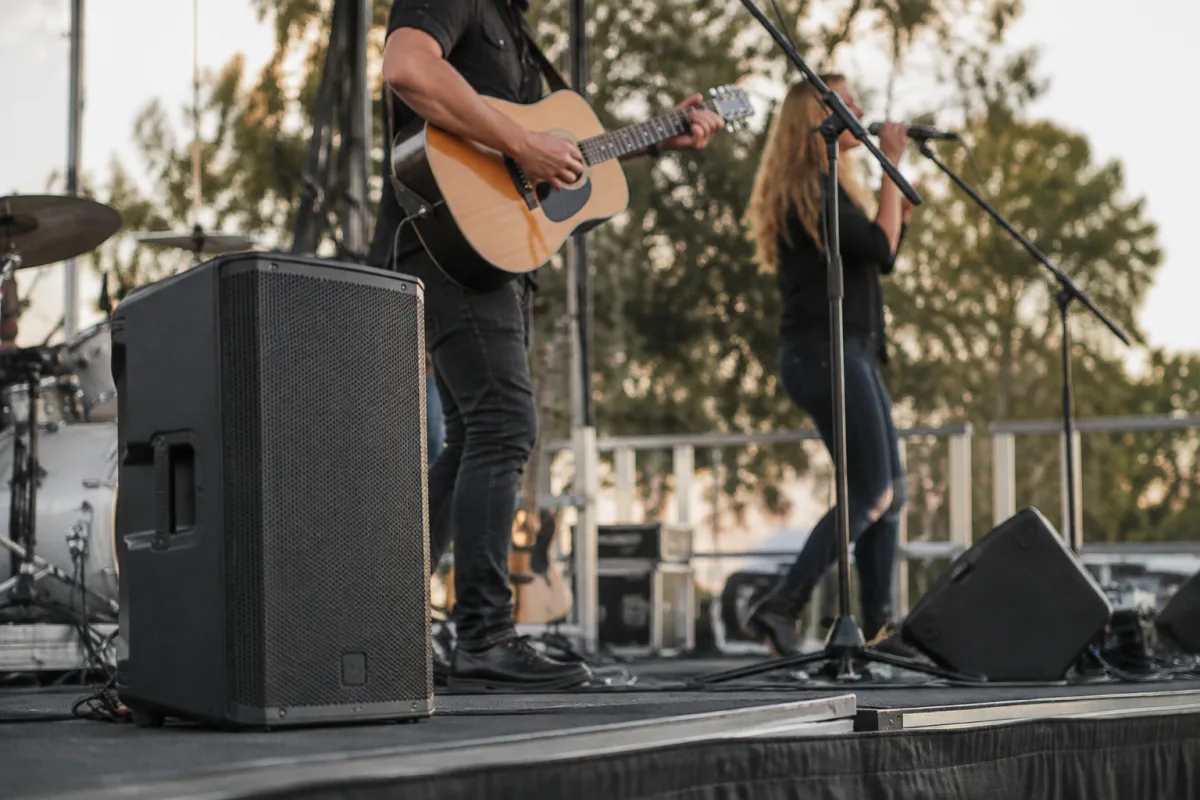
If you're thinking about getting a Mackie PA speaker for the first time, you might feel a bit nervous. Portable PA systems can seem complicated, but they're actually much more approachable than they look. I'm going to walk you through how to choose your first Mackie PA speaker, what to expect when it arrives, and how to set it up without any fuss. By the end, you'll feel confident that you've made a sensible choice and know how to use it from day one.
Why Start with a Mackie PA Speaker?
Mackie has been making portable PA systems for decades, and they've built their reputation by making gear that just works. Their speakers are designed for people who are starting out—they're straightforward, reliable, and forgiving of beginner mistakes. You won't need to understand complex pro sound engineering to get good results from these systems.
The great thing about Mackie is that their entry-level models do the job brilliantly. You can rent one at a small venue, borrow one from a friend, or buy one used and know it will perform. Thousands of gigging musicians, podcasters, and event organisers rely on this brand because they deliver consistent, clear sound without drama.
Which Model Should You Buy?
Mackie makes several portable PA speaker systems. The most common choices for beginners are the SRM and the Thump ranges. The SRM speakers are compact and lightweight, perfect if you're playing small rooms, cafés, or outdoor events where you need to move kit around. The Thump series is slightly larger and pushes more bass and volume, better suited to larger venues or if you're mixing multiple instruments.
For your first Mackie PA speaker, the SRM450 or SRM350 are brilliant starting points. They're not too expensive, they're light enough to carry in one trip, and they can handle everything from acoustic guitar to full band. If you're doing regular gigs and need a bit more oomph, step up to a Thump 12 or Thump 15. Don't overthink it—whichever one you choose, you'll get equipment that sounds good and lasts years.
Start by thinking about the spaces you'll use it in. A small coffee shop needs less power than a pub, and a pub needs less than a wedding venue. Rent or borrow one before you commit to buying if you can. That way you'll know exactly what size feels right for your gigs.
Understanding Your First Setup
When your system arrives, you'll get the speaker itself, a power cable, and usually a quick-start guide. That's really all you need to start—don't panic about missing parts. Here's the basic setup: power socket, audio input, speaker on.
The back panel has XLR and 1/8-inch inputs. XLR is the three-pin connector used by microphones and professional audio gear. The 1/8-inch jack is for phones and tablets. For your first gig, plug in a microphone or your mixer via XLR, turn the system on, and set the volume to a comfortable level. That's it.
The most important thing to understand is gain staging—not as scary as it sounds. Gain is how hot the signal coming in is. Set your input gain so the meter hovers around the middle without hitting red. If you're not sure, start low and turn it up until you can hear clearly without distortion. Too loud and you get crackling; too quiet and no one hears you. A happy middle ground is your friend.
Your First Gig: Common Worries (and Why They're Unfounded)
"What if I break it?" These systems are built tough. They survive dropped cases, bumpy van rides, and careless setup. Treat yours reasonably well and it will be fine.
"What if no sound comes out?" Usually it's one of three things: the unit isn't turned on (check the power light), the input cable is loose or the volume knob is turned to zero. Solve these first before worrying about anything else.
"What if it's too loud or too quiet?" You control the volume with the master knob on the back. There's no trick—turn it up or down. If you find you're always at maximum volume and still struggling, you might need a bigger system next time. If you're always at the bottom, you might be using an input that's too hot (use a microphone with less output, or check if you've got the wrong input selected).
"What if I damage it?" The grille protects the driver. Don't poke it with your fingers or set things on top, but normal gigging is fine. If something genuinely breaks, these systems are repairable and parts are available. You're not going to ruin it by using it.
The Easiest First Gigs
Your first time using the system should be in a low-pressure setting. Play a mate's birthday party, a small open mic, a rehearsal space—somewhere you can relax and get comfortable with the workflow. Resist the urge to do a big paying gig as your first outing. Give yourself a couple of easy runs so you feel settled with its behaviour and your setup routine.
Arrive early and test. Plug in, turn it on, run your microphone, check the levels, and listen. Walk around the room and hear what it sounds like from different angles. Do a sound check—talk into the microphone, adjust the gain until it sounds natural. This is not wasted time; it's you learning the tool.
Bring a notebook for settings. Write down what gain level you used, what input you plugged into, where the volume knob was. This sounds pedantic but it's actually brilliant—next gig you'll remember, and you'll spend less time faffing about and more time performing.
Maintenance: Keeping It Happy
Look after your system and it'll look after you. After each gig, wipe down the grille with a soft dry cloth. Don't leave it wet or damp. Store it indoors, not in a cold van overnight. Keep the cables tidy and check them regularly for damage.
Once a year, give the connections a gentle clean—dust can accumulate on XLR plugs. A pencil eraser on the metal pins works wonders. Keep it away from direct sunlight for long periods, and don't stack heavy things on top.
That's honestly all the maintenance these systems need. They're rugged equipment designed to be used, not delicate instruments.
Moving Forward
After your first few gigs, you'll know whether it's the right size for you. Some people discover they need more power and upgrade to a larger model. Others realise they picked too big and move to something smaller. Neither is a failure—it's just how you learn what works for your specific gigging life.
The learning curve is genuinely gentle. The controls are straightforward, the sound is reliable, and the documentation is clear. Compared to other portable PA systems, Mackie offerings are forgiving and rewarding for beginners. You'll spend less time troubleshooting and more time making music happen.
For much deeper guidance on this specific model category, check out our complete guide to Mackie PA speakers, which covers the full range and technical details.
Conclusion
Getting your first Mackie PA speaker is an exciting step. Don't let nerves hold you back—these speakers are designed to be beginner-friendly, and thousands of musicians have started exactly where you are. Pick a sensible size, do a test run in a relaxed setting, and you'll quickly feel confident. A Mackie PA speaker will open up opportunities for gigging, events, and projects you couldn't do alone. You've made a smart choice choosing a brand built on simplicity and reliability.


Comments