


Speaker Monitor JBL article
Speaker Monitor Jbl for Beginners: A Complete Guide
Stage monitors let performers hear themselves on stage. This beginner's guide explains how JBL monitors work, why they matter, and how to get started.
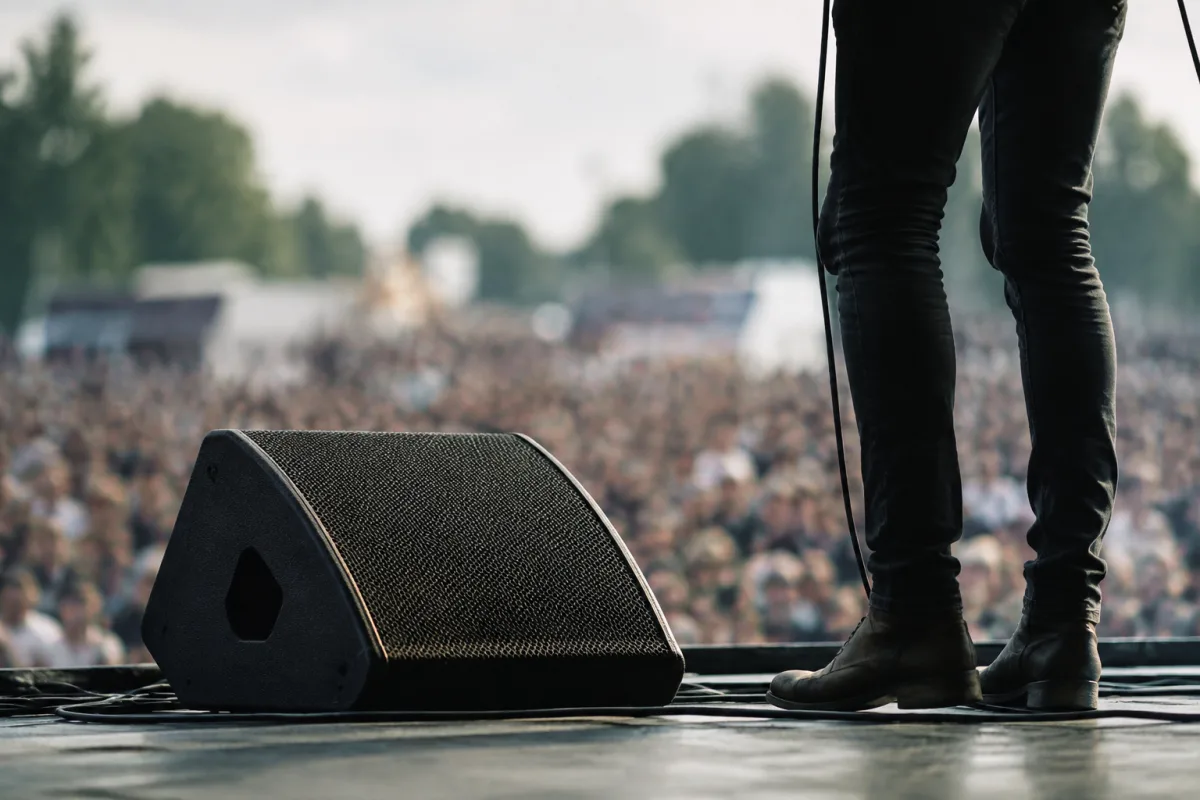
In live sound, speaker monitor systems let performers on stage hear themselves playing. Without monitors, a singer can't hear their own vocals, and a drummer can't lock to the beat. JBL is one of the most trusted brands for stage monitors, known for reliable, clear sound at reasonable prices. If you're new to live sound or setting up your first stage monitor, this beginner's guide explains what monitors do, why JBL is respected, and how to use monitors effectively.
What Are Stage Monitors?
A stage monitor is a speaker positioned where performers can hear it—usually pointing toward them from the stage floor or hung above the stage. The monitor carries a custom mix: typically the performer's own vocals or instrument, plus a click track or drum beat to keep time. The main audience speakers (front of house) carry the full mix; monitors are personalised for each performer's needs.
Without monitors, performers are flying blind. They can't hear whether they're in tune, in time, or audible at all. Monitors are as critical to a good performance as the main sound system.
Why Choose JBL Monitor Speakers
Reliability
JBL speaker monitors are built to take abuse. They're used in touring productions, festival stages, and permanent installations worldwide. They survive being bumped, rained on, and run hard night after night. When your concert depends on sound being perfect, you need speakers that don't fail.
Sound Quality
JBL monitors deliver clear, focused sound. Vocals sit right up front in the mix; drums have punch. The frequency response is balanced so performers hear an accurate representation of their mix, not a boomier or harsher version.
Value
JBL monitor speakers offer excellent value compared to other professional brands. You're not paying for a fancy name; you're paying for proven performance. A decent JBL monitor costs £300–800, depending on size and power. Budget alternatives are cheaper but less reliable; premium brands cost significantly more.
Portability
Most JBL stage monitors are designed for touring—relatively compact, not too heavy, stackable for transport. If you're running a mobile setup or renting equipment to different venues, this matters.
Common JBL Monitor Models
JBL makes several stage monitor models:
JBL SRX712M (Mid-Range)
A popular 12-inch monitor used by touring bands and rental companies. Loud, clear, and reliable. Around £600–800 new, often available used at £400–600. Good for most venues up to 500-capacity rooms.
JBL PRX812W (Compact)
More compact than the SRX, with a smaller footprint on stage. Good for tight stages or smaller venues. Usually £500–700.
JBL SRX718S (Subwoofer)
A powered subwoofer to pair with mid-range monitors. Adds low-end depth to the mix. Essential if you want heavy bass to cut through monitors. Around £1,000–1,400.
Budget Option: JBL SRX722 (2-Way)
A smaller, less expensive JBL monitor. Better than no-name brands but less powerful than larger models. Around £300–450. Good for beginners or small venues.
For a beginner setup, start with one SRX722 or PRX812W. You can expand later if you need more monitors or additional mix channels.
Understanding Monitor Mix: What Performers Hear
Each performer on stage typically has their own monitor mix. A singer wants loud vocals and drums to lock in. A bassist wants to hear themselves clearly and a click track to stay in time. A guitarist might want vocals and drums, but not much else. The monitor engineer adjusts each performer's mix using a mixing console, sending different signals to different monitors.
This is more complex than just running one monitor for everyone. If you're setting up monitors, budget for:
- Monitor mixer: A console to create individual mixes (£200–500).
- Audio interface or stage box: To route signals from the main mixing console to the monitor console (£200–400).
- Wireless monitoring (optional): Lets performers move freely without a wired mix. Very expensive but professional (£800+).
Many small venues skip separate monitor mixing and just send the full main mix to the monitor speakers. This works but isn't ideal—performers don't get custom mixes.
Getting Started With JBL Monitors: First Steps
Step 1: Assess Your Venue
How large is your stage? How far are performers from the monitor speaker? Will you run monitors for one performer or several? A small café might need one small monitor; a larger band stage needs multiple monitors.
Step 2: Choose Monitor Size and Power
Larger monitors (15-inch) throw sound farther and hit harder. Smaller monitors (12-inch, 8-inch) are compact but quieter. For most club or mid-size venue stages, a 12-inch JBL monitor is perfect. For larger stages, consider a 15-inch or multiple smaller monitors.
Step 3: Position the Monitor
Place the monitor where the performer can hear it clearly—usually stage floor pointing at them, or hung above. The angle matters. A monitor aimed too high misses performers; too low and bass gets muddier. Typically, aim at ear level when seated.
Step 4: Start Simple
If you're new to monitors, start with one monitor and the main mix feeding it. As you gain experience, you can add separate monitor mixing. One monitor is better than zero, even if the mix isn't perfect.
Common Beginner Mistakes With Stage Monitors
- Placing the monitor in the wrong spot: A monitor that's too far away or aimed poorly does nothing. Move it until performers can clearly hear it. Listen to them—if they're struggling to hear, adjust position immediately.
- Running the monitor at maximum volume: This causes feedback (howling/ringing). Start at moderate level and turn up only as needed. Volume that causes feedback is too much.
- Not addressing feedback immediately: If you hear ringing or howling, that's feedback. Lower the monitor volume, change the monitor mix, or move the microphone away from the monitor. Feedback destroys performances.
- Using cheap speakers that fail mid-performance: This is why JBL matters. A budget monitor dying mid-concert is disastrous. Invest in reliable gear.
- Forgetting to soundcheck the monitors: Always test monitors before the actual performance. Ask performers if they can hear themselves clearly. Fix issues during soundcheck, not during the show.
- Running monitors too hot (loud):** This stresses the speakers and causes heat damage over time. Keep levels moderate and give speakers breaks between performances.
Budget for a Beginner Monitor Setup
A realistic initial investment for a small venue or band:
- JBL monitor speaker: £400–800
- Monitor stand or floor wedge: £30–100
- XLR cables and connectors: £30–50
- Monitor mixer (if separate from main console): £200–500
- Audio interface for routing: £150–400
- Total: £810–1,850
You don't need all of these at once. Start with one JBL monitor and a basic connection setup. Expand as your venue grows.
Monitor vs. Front-of-House Speakers
A common beginner confusion: monitors are for performers on stage. Front-of-house (FOH) speakers face the audience and carry the main mix they hear. Both are essential in a professional setup. Beginners sometimes try to use one speaker for both jobs—it doesn't work. Monitors must point at performers; FOH speakers must point at the audience. Separate systems sound far better.
Maintenance and Care
JBL monitor speakers are built tough, but they need basic care:
- Wipe down after gigs: Dust and sweat accumulate. A quick wipe keeps them looking good.
- Check cables regularly: XLR cables get yanked and twisted. Periodically check for damage or loose connectors.
- Give them breaks: Don't run monitors for 8 hours straight without pauses. Heat builds up. Let them cool between performances.
- Store in a dry space: Moisture ruins electronics. Avoid damp basements or outdoor storage without protection.
Next Steps
If you're setting up monitors for the first time, visit a music gear rental company or professional audio shop. Listen to JBL monitors in action. Ask the staff which model suits your venue size. For a comprehensive guide to JBL monitor specifications and advanced setup, see our complete guide to speaker monitor JBL.
Conclusion
Stage monitors are essential for live performances, and JBL is the trusted choice. Don't cut corners on speakers—reliability and sound quality matter enormously. Start simple with one monitor, learn how performers use it, and expand your system as your venue grows. Within a few gigs, you'll understand monitor mixing and why performers can't perform without them.



Comments