


Amplifier and Mixer Buying guide
Amplifier And Mixer: A Complete Buyer's Guide
Choosing amplifier and mixer equipment? Our guide covers specs, when you need both, common pitfalls, and how to avoid costly mistakes.
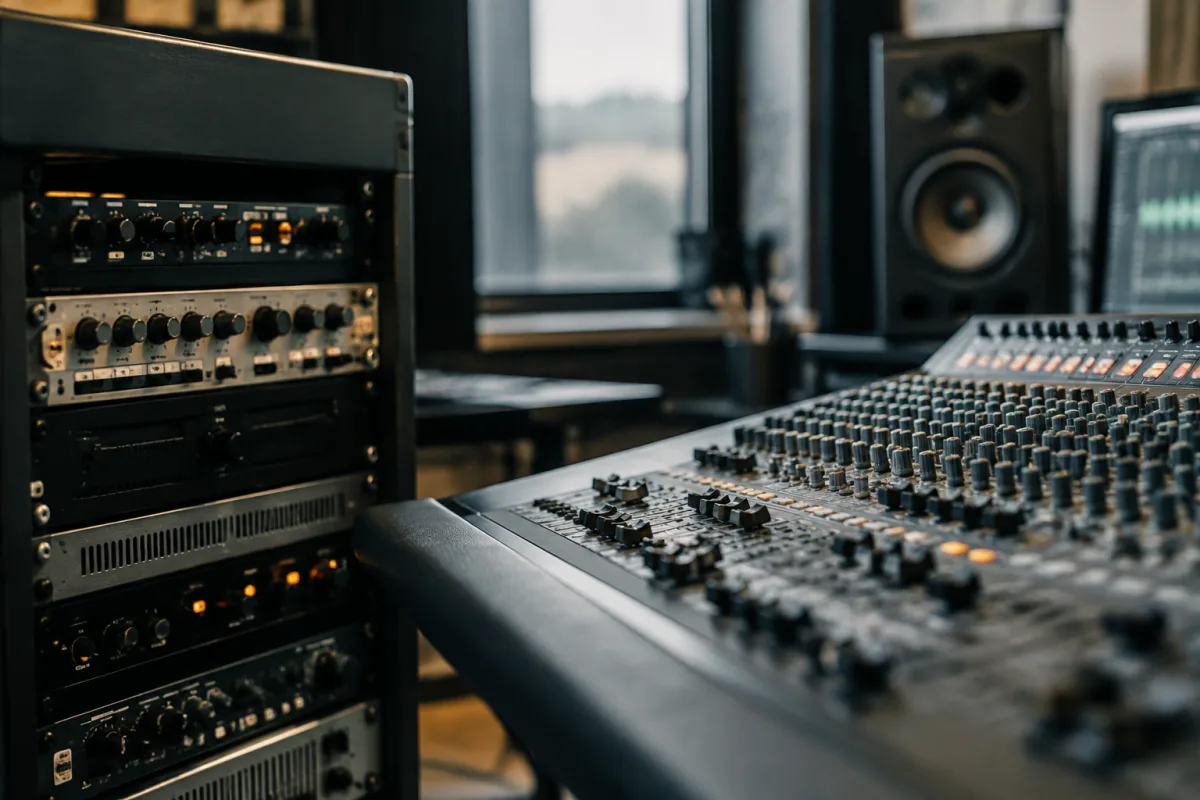
Choosing between an amplifier and mixer, or deciding whether you need both, confuses many buyers. These instruments serve different purposes yet often work together in audio systems. Whether you're setting up a small recording studio, equipping a live venue, or building a home listening system, understanding when to buy amplifier and mixer equipment—and how to evaluate specifications—prevents wasteful spending and ensures your system actually supports your needs. This practical guide breaks down the decision-making process and helps you avoid the pitfalls that waste money.
Understanding the Roles: Amplifier vs. Mixer
An amplifier and mixer serve distinct functions, though both live in the signal chain. A mixer takes multiple audio sources (microphones, instruments, playback devices) and combines them into a single output. A amplifier takes that combined signal and amplifies it—increases its power so speakers can produce sound loud enough to fill a space. Think of a mixer as the traffic controller directing multiple audio streams; an amplifier as the engine that powers everything that follows. In many modern setups, amplifier and mixer functions are combined into integrated devices, but understanding the distinction helps you choose equipment correctly.
When Do You Need Both Amplifier and Mixer?
The answer depends on your use case. A bedroom musician producing on a computer might need only active studio monitors (which have built-in amplification) and skip an amplifier entirely, but still benefit from a mixer for combining multiple input sources. A live band needs both: a mixer to blend vocals, instruments, and backing tracks, plus an amplifier to power speakers loud enough for venue acoustics. Home audio enthusiasts often buy separate amplifier and mixer components for flexibility and sonic control. Podcast producers need a mixer to combine microphone, background music, and guests; amplifier considerations are secondary. Map your workflow before buying. Do you need to combine multiple sources? Do those combined sources need amplification for speakers? Your answers determine which amplifier and mixer components you actually need.
Critical Amplifier Specifications
- Power Output (Watts): Higher watts mean louder potential sound. Room size and speaker efficiency determine your needs. A small bedroom benefits from 20-50 watts; mid-size venues need 100-300 watts; large venues require 500+ watts. Don't buy more amplifier power than you need—it wastes energy and costs more.
- Impedance (Ohms): Amplifier and speaker impedance must match. Standard home audio is 4-8 ohms; professional PA systems often use lower impedances. Mismatched impedance damages equipment or produces poor sound. Always verify compatibility between amplifier and speakers before purchasing.
- Connectivity: Check amplifier inputs and outputs. RCA connections (cinch plugs) are standard for home audio; XLR connections are professional standard; Bluetooth connectivity adds convenience; digital inputs (optical/coaxial) suit modern sources. Buy an amplifier with connectivity matching your other components.
- Frequency Response: A wide frequency response (20 Hz - 20 kHz is human hearing range) ensures your amplifier doesn't colour the sound. Narrower ranges mean the amplifier boosts or cuts certain frequencies, which sometimes sounds intentional (vintage tone) but usually indicates limitations.
- THD (Total Harmonic Distortion): Lower is better. Below 0.1% is excellent; 0.5-1% is acceptable; above 1% becomes audible distortion. An amplifier with high THD adds unwanted character to your sound.
Critical Mixer Specifications
- Channel Count: A mixer with more channels accepts more simultaneous inputs. A 4-channel mixer works for two instruments and one microphone; 8 channels suit small bands; 16+ channels handle larger ensembles. Buying excess channels wastes money; too few channels limits flexibility. Choose based on your maximum expected inputs.
- Input Types: Look for XLR inputs (professional microphone standard), 1/4-inch inputs (instrument standard), and RCA inputs (consumer audio). A versatile mixer accepting all three types adapts to various sources without requiring adapters.
- Fader Quality: Cheap mixers have scratchy, unreliable faders that skip or stick. Professional mixers use high-quality faders offering smooth, consistent control. Test fader responsiveness before buying a mixer.
- Signal-to-Noise Ratio: Higher is better. A low ratio means the mixer adds audible hiss or hum—objectionable in quiet passages. Aim for 90+ dB signal-to-noise ratio on a mixer.
- Built-In Effects: Many modern mixers include reverb, delay, or EQ. These are convenient but rarely essential. Don't pay premium prices for built-in effects unless you'll actually use them.
- Metering: LED or digital meters showing input and output levels prevent clipping (distortion from too-loud signals). A good mixer includes visual feedback so you can set levels correctly.
Amplifier and Mixer Price Tiers
| Tier | Amplifier Price | Mixer Price | Best For |
|---|---|---|---|
| Budget | £50-200 | £30-150 | Hobbyists, bedroom producers, learning |
| Semi-Pro | £200-600 | £150-500 | Recording studios, small live venues, content creators |
| Professional | £600-2000 | £500-2000 | Large venues, commercial studios, broadcast |
| Premium | £2000+ | £2000+ | High-end audiophile, major touring operations |
Common Pitfalls When Buying Amplifier and Mixer
- Buying amplifier and mixer without considering your actual application: Home listening requires different specifications than live sound reinforcement. Identify your primary use case before buying.
- Mismatching amplifier power to speaker efficiency: An efficient speaker (high sensitivity) can play loud with modest amplifier watts. An inefficient speaker demands more amplifier power. Check speaker sensitivity before calculating amplifier needs.
- Ignoring impedance compatibility: A 4-ohm amplifier into 8-ohm speakers produces weak sound; an 8-ohm amplifier into 4-ohm speakers risks amplifier damage. Verify amplifier and speaker impedance match before purchase.
- Buying a mixer with too many channels "just in case": Excess channels add cost and complexity. A mixer doing two jobs (live sound and recording) might benefit from more channels; a simple home setup doesn't.
- Overlooking connectivity compatibility: A professional mixer with XLR-only outputs won't easily connect to consumer home audio with RCA inputs. Verify your amplifier and mixer can actually connect before buying.
- Prioritising built-in effects over core functionality: A mixer with mediocre built-in reverb and excellent basic mixing functions beats a mixer with impressive effects but poor routing. Master fundamentals before prioritising bells and whistles.
- Buying amplifier and mixer separately without understanding whether they complement each other: Some combinations work beautifully; others introduce impedance mismatches or connectivity nightmares. Verify compatibility before committing to separate purchases.
Choosing Your Setup: Amplifier and Mixer Together or Separately?
Integrated amplifier-mixer units simplify setup and ensure compatibility—what you see is what you get. Separate components offer flexibility and allow you to upgrade individual pieces later. For most beginners and home users, integrated units work fine. For professional or expanding systems, separate amplifier and mixer components eventually make sense. Choose integrated units for simplicity; choose separate components for flexibility and future growth.
Testing Before You Buy
If possible, listen to your prospective amplifier driving speakers in-store. Hear whether it colours the sound in ways you like or dislike. Test the mixer's faders, button responsiveness, and display legibility. Make sure connectivity actually works—physically plug equipment together if the retailer allows. Audio equipment that looks impressive on spec sheets sometimes disappoints in real-world use. Testing catches these mismatches before your purchase.
After Purchase: Integration and Optimisation
Once you've bought your amplifier and mixer, take time to understand their capabilities. Read manuals—audio equipment often has hidden features that unlock in menus. Set up your signal chain properly: audio source to mixer input, mixer output to amplifier input, amplifier output to speakers. Test input levels to prevent clipping and ensure adequate volume. Professional integration makes a modest amplifier and mixer sound dramatically better than a premium setup configured poorly.
Next Steps: Building Your Audio System
You've identified your needs and understand the specifications. Now research specific amplifier and mixer models within your budget. Read professional reviews, watch demonstrations, and ask questions in user communities. For comprehensive guidance on specific amplifier and mixer models, features, and professional installation tips, explore our complete guide to amplifier and mixer equipment, which covers specific product recommendations and integration strategies for various use cases and budgets.


Comments